Important: this article is aimed at Endalia HR users with Administrator profile.
The purpose of the following article is to describe the sequence of API calls necessary for the integration of Endalia with other information systems. These systems will act as masters to provide data to Endalia. The described scenario addresses basic module integrations (mainly scenarios of integration with Time Tracking & Leave and Absence). For other scenarios, refer to the Integrations section.
TABLE OF CONTENTS
- 1. Minimal Data
- 2. Additional Data (optional)
- 3. Parameter Mapping
- 4. Organizational Structure Generation
- 5.User Role Definition (optional)
- 6. Employee Creation Process
- 7. Employee Data Update Process
1. Minimal Data
If the desired integration scenario only requires the most basic data possible. We must take into account the minimum data to be incorporated into the system:
- Employee code
- First name
- First surname
- Document number
- Document type > If this data is not managed at the source, integrate value "ID".
- Gender
- Status > If we only load active employees, use the value "Active"
- Company
- Work center
- Contract type
- Reason for hire
- % of working time
Additionally, if time tracking and/or vacation use is intended, it is necessary to add:
- Agreement
Additionally, for visibility management and escalation of approval processes, it is necessary to define the organizational structure. Assigning a position to each employee (The process of creating the structure and assigning employees to positions is described later)
2. Additional data (optional)
Endalia is a modular system that allows incorporating new modules based on the final client's needs. All processes of these modules are based on people management. Therefore, if there are additional needs detected, the first step is to define what data we will need for their management.
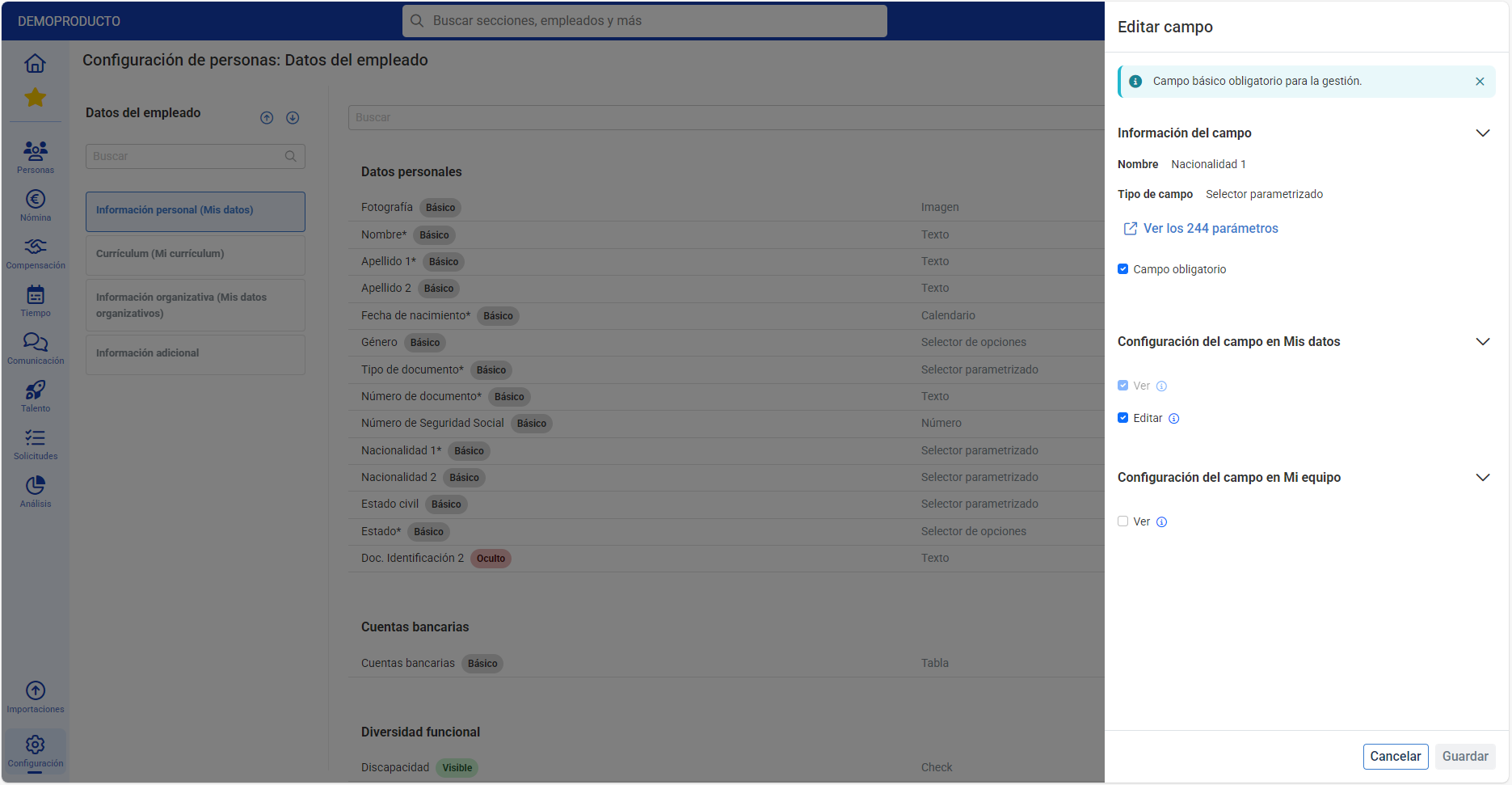
From the configuration section > People > Employee Data, it is possible to define whether fields are mandatory on the employee profile. These fields will be required for creating new employees in the system.
An example:
In the image we can see that the Nationality 1 field is defined as mandatory. If this field is not required for our management, we can configure it to not be mandatory.
It must be taken into account that if new additional data is defined, it must be added to the integration, additionally to the sections in part 1 "Minimum Data".
3. Parameter mapping
The integrator must provide a mapping with the master parameters of Endalia required for integration. These data can be provided through integration or manually via Endalia. Depending on the variability of configurations, one scenario or another may be chosen. In case of attempting to integrate an employee with configurations not previously loaded into Endalia, the APIs will generate an error, and the creation of this parameter must be invoked or a manual load must be performed and then reintegrated.
The outbound APIs of these parameters are:
- Company - APIs: Details - Endalia HR API
- Work center - APIs: Details - Endalia HR API
- Agreement - APIs: Details - Endalia HR API
4. Generation of organizational structure
For managing visibility in the system (who has permissions to view other employees' information) as well as for approval processes (for example, who must approve an employee's vacation), uploading an organizational structure is necessary.
The organizational structure consists of a set of positions with a hierarchical structure of dependency.
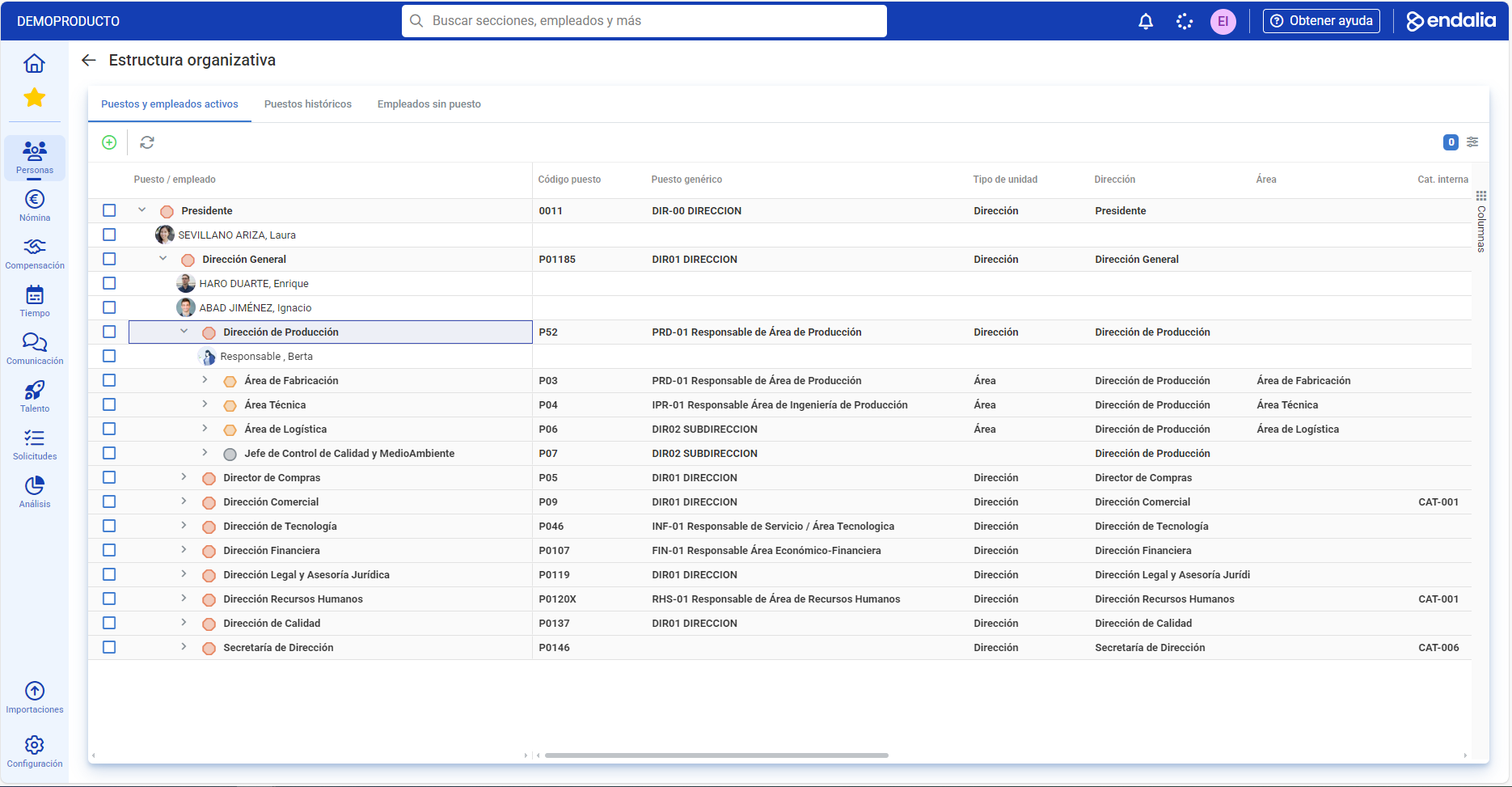
To create the organizational structure, the following call must be used:
- Creation and update of positions: APIs: Details - Endalia HR API
5.Definition of user roles (optional)
If the integration scenario requires users to access the employee portal, user creation for employees loaded into the system will be necessary.
The user will require the following data:
- Username
- Password (optional, if the configuration setup is with delegated passwords)
- Language (Default, Spanish)
- Role 1
- Role 2 and subsequent roles (optional)
Therefore, the first step is to define the usage roles in the system. These roles define which sections and what operations the users can perform in the system.
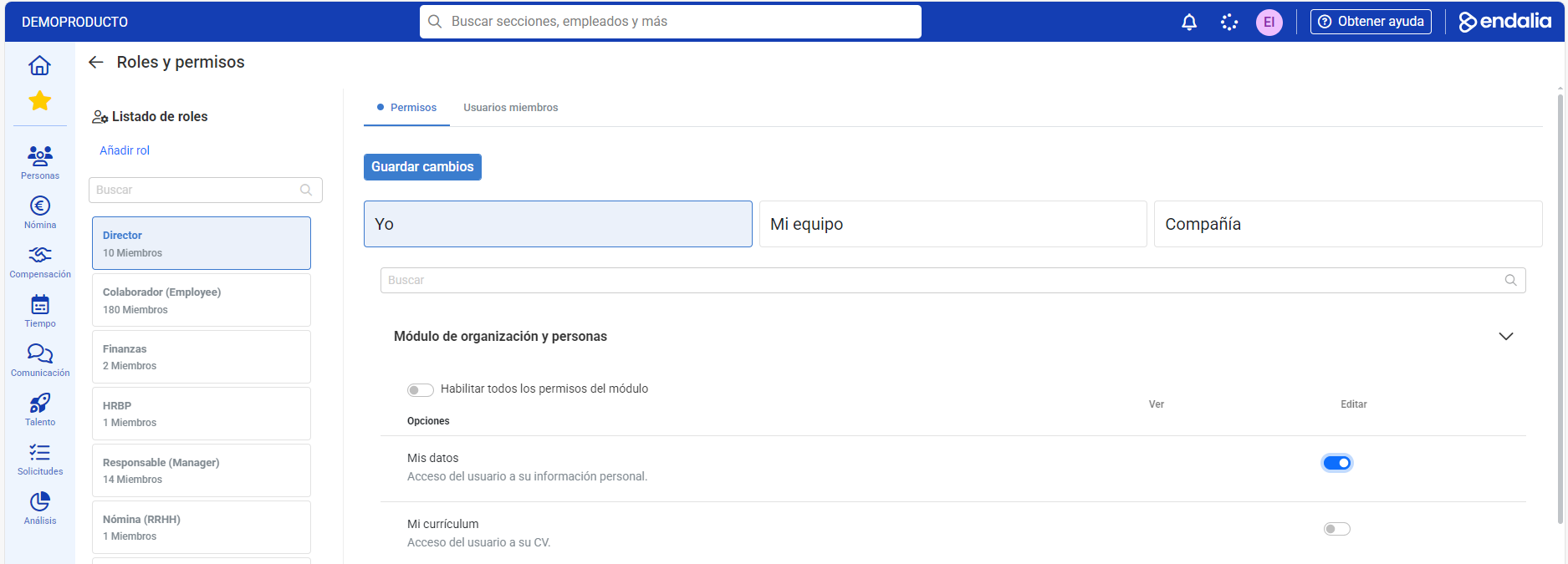
Once the roles are created, we are ready to create the users.
6. Employee creation process
With parameters and the organizational structure defined, and the basic configurations generated in the system, we are now ready to proceed with employee creation in the system.
To create an employee, the following steps must be followed, with all the data intended for integration:
- Creation of the employee - APIs: Details - Endalia HR API
- Association of employees to positions - APIs: Details - Endalia HR API
- User creation - APIs: Details - Endalia HR API
7. Employee data update process
Once the employee is created, for data updates (due to variations in the master data) the following APIs must be called:
- Employee data upload: to complete or change certain fields in the employee profile - APIs: Details - Endalia HR API
- Contract upload: to create or update the contract - APIs: Details - Endalia HR API
- Modification of variations: each variation is modified with its own API:
- Companies - APIs: Details - Endalia HR API
- Work centers - APIs: Details - Endalia HR API
- Percentage of day - APIs: Details - Endalia HR API
- Agreement - APIs: Details - Endalia HR API
Was this article helpful?
That’s Great!
Thank you for your feedback
Sorry! We couldn't be helpful
Thank you for your feedback
Feedback sent
We appreciate your effort and will try to fix the article