Important: this article is intended for Endalia HR users with an Administrator profile.
>
As with every single module of the software, proper configuration is essential to get the most out of the features. Sure these tips will help you a lot!
In this article:
<
Module Options
Within the hub Configuration, click on the module Internal Communication > Module Options. This path will first help you configure the auto-generated content, these are the stories that your employees will see. You have three options:
Company Anniversaries: to generate stories based on how long a collaborator has been working in the company. Click the edit button to set your preferences in the pop-up modal window, then click Save to apply the changes.
Birthdays in the Company: to create, again automatically, stories with congratulations for employees on their birthday.
New Joiners: the system will announce the new people joining the company through a welcome story.
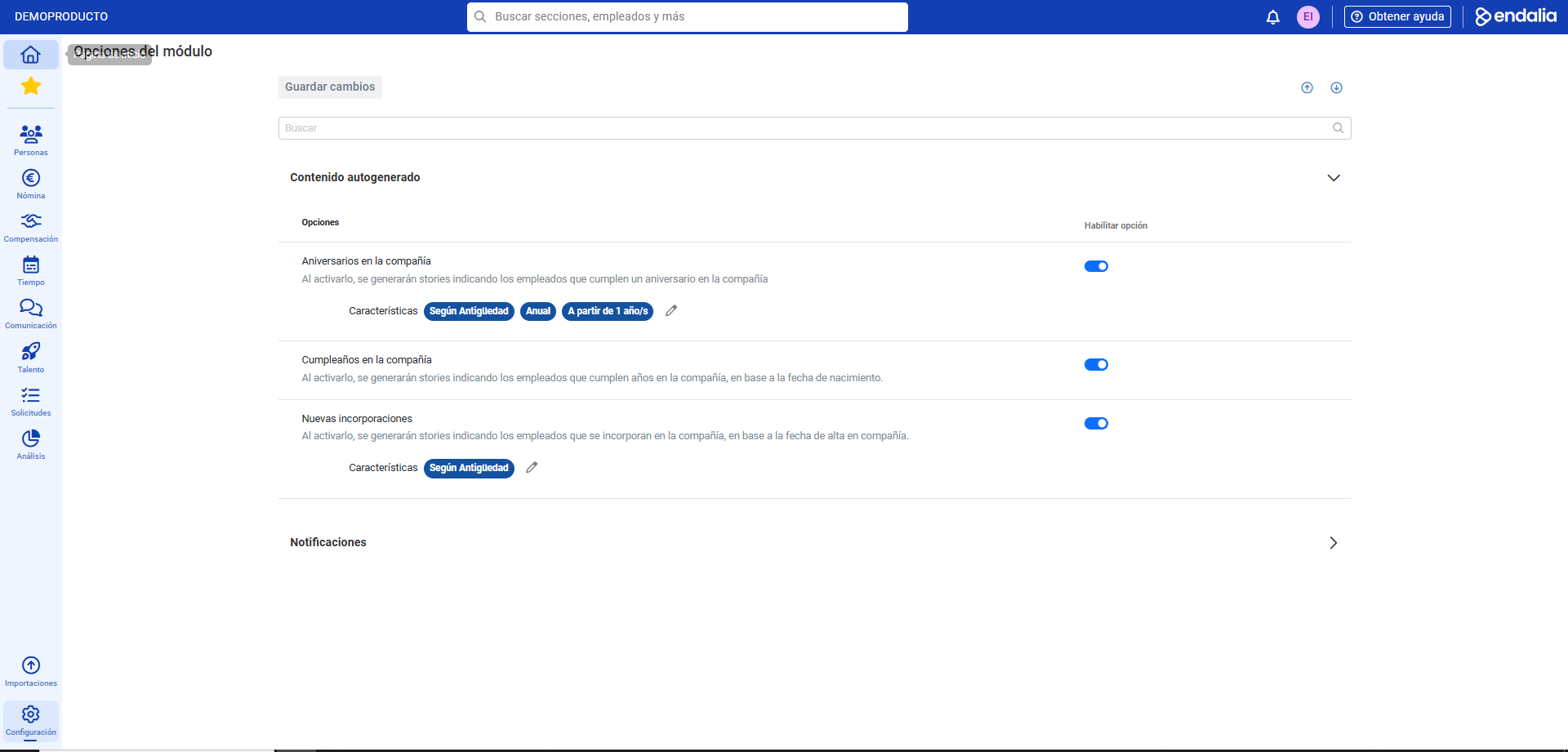
The other section of this menu, Notifications, will let you set a specific time for sending the notification of pending alerts. In the emerging modal window, select a UTC time and click Save. Finally, always remember to click Save changes, at the top of the screen, to ensure your preferences are recorded: 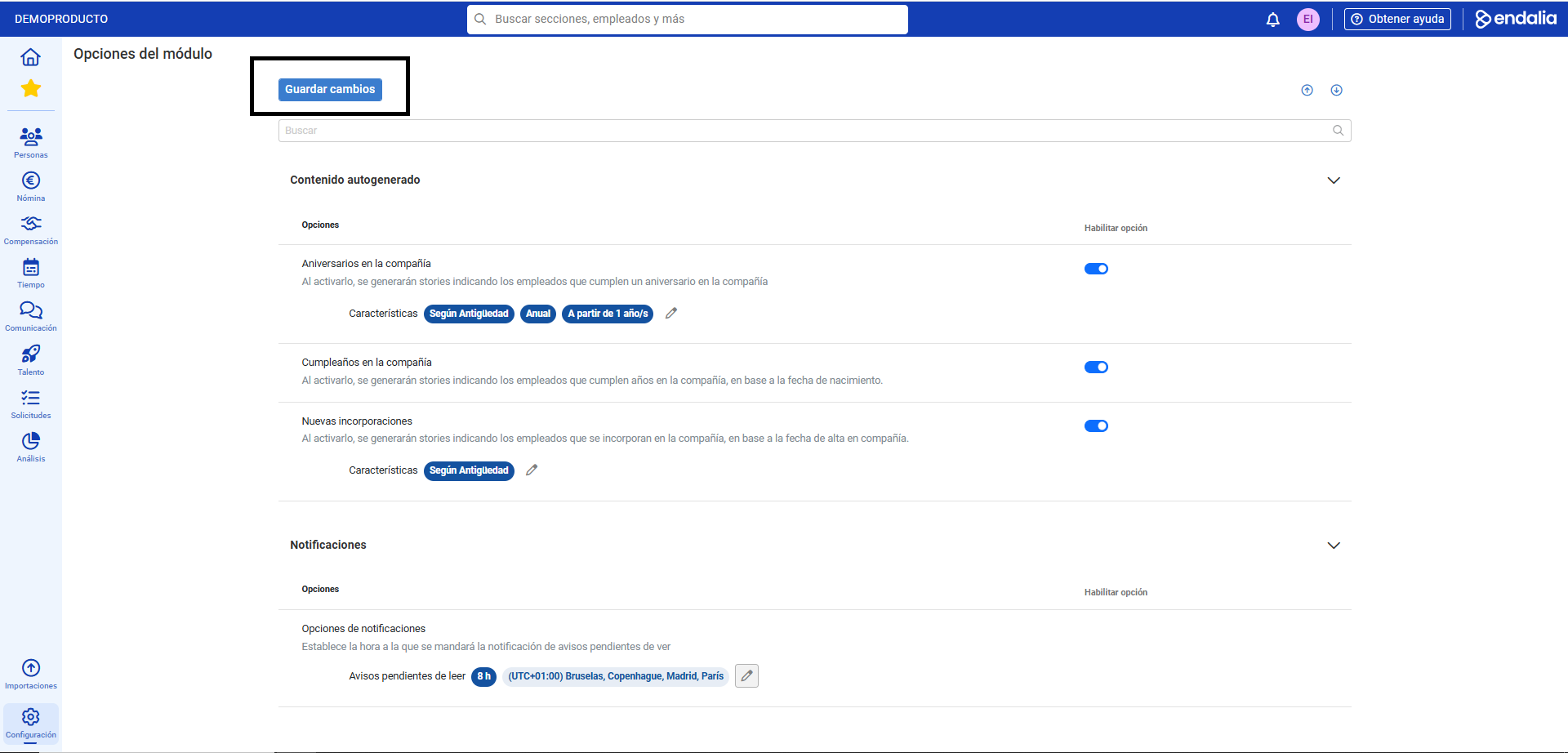
Process Video
Here you have that simple functionality described:
Additionally, you can view our glossary, available at this link.
Was this article helpful?
That’s Great!
Thank you for your feedback
Sorry! We couldn't be helpful
Thank you for your feedback
Feedback sent
We appreciate your effort and will try to fix the article