Remember: this article is aimed at Endalia HR users with an Administrator profile.
With proper configuration, managing surveys becomes quick and simple. Keep reading to learn more!
Here we offer you:
Module Options
- Within the hub Configuration, click on Surveys > Module Options
- On the screen presented next, you have the option Aggregator Entity Configuration, which defines the segmentation level of your survey; i.e., program the survey for companies, workplaces, or organization, and visualize or exploit the data via Monitoring. Click the edit button, located next to Entity Options, to select them. After selection, do not forget to click on Save in the modal window, and on Save changes, in the main window, to enforce your preferences:
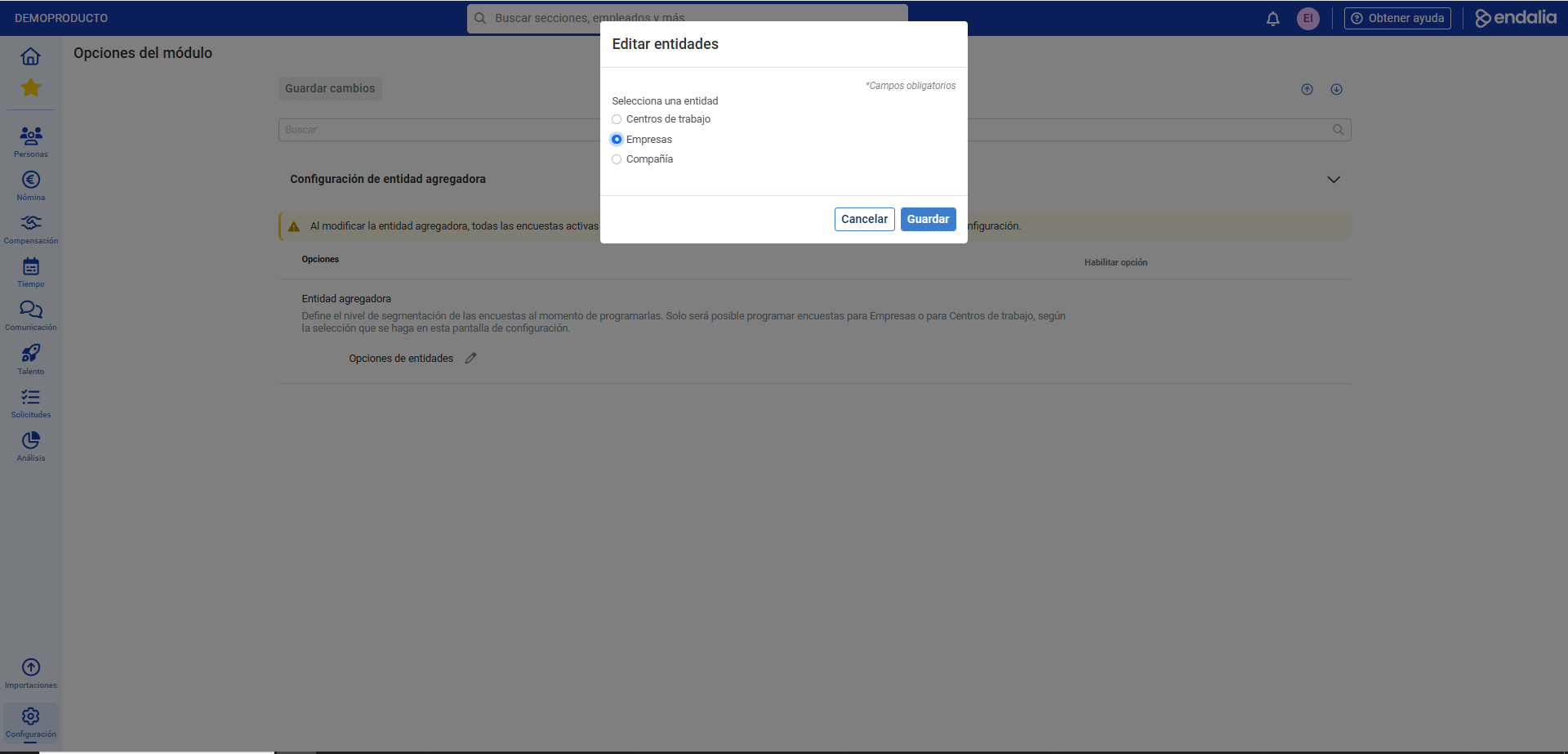
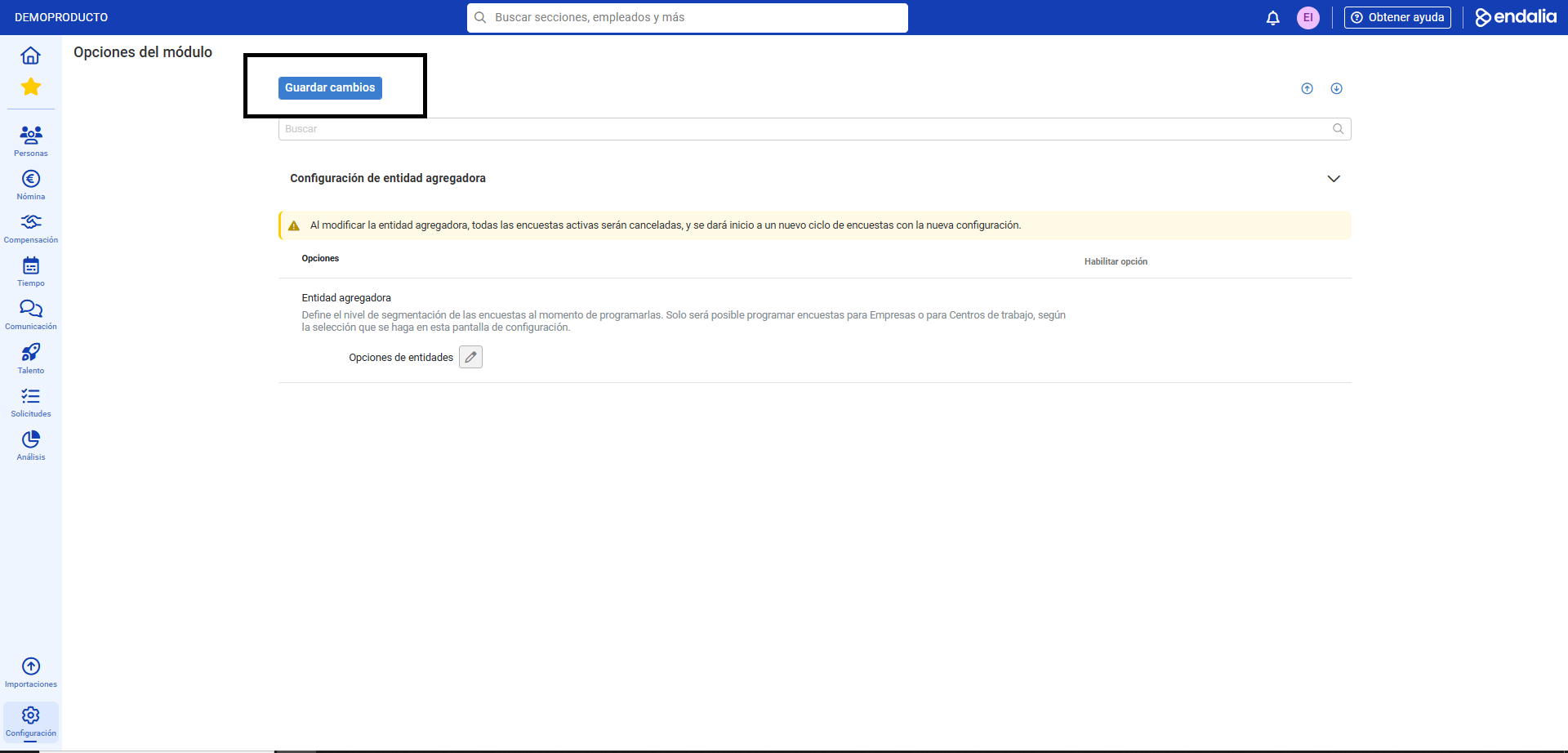
Note: If you change the aggregator entity, all surveys that are currently active will be canceled, and a new survey cycle will commence with the new configuration you just selected (Company/Workplace/Organization).
Take a look at this related article, it might be useful:
If you have questions regarding terms, check our glossary at this link.
Was this article helpful?
That’s Great!
Thank you for your feedback
Sorry! We couldn't be helpful
Thank you for your feedback
Feedback sent
We appreciate your effort and will try to fix the article