Important: This article is aimed at Endalia HR users with an Administrator profile.
As an administrator, you can deny an employee's signature request for different reasons. If you want to learn how to manage this feature, you are in the right place.
Here you will find:
Reject signature request
Within the hub Management and processes, go to Digital signature >Signature requests
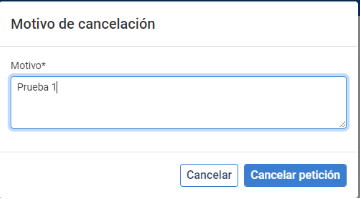
In the next step, choose the corresponding document and click on the Cancel signature request button located on the right side of the screen. Finally, in the modal window presented to you, Reason for rejection, provide the relevant reasons and click on Cancel request. Now, it will no longer appear in the main screen list (see step 1 of this article).

Additionally, you can check out the following related articles:
And to our glossary, available at this link.
Was this article helpful?
That’s Great!
Thank you for your feedback
Sorry! We couldn't be helpful
Thank you for your feedback
Feedback sent
We appreciate your effort and will try to fix the article