Important: this article is aimed at Endalia HR users with Administrator profiles.
Thanks to this feature, managing the events that your organization can view is easier than ever; pay attention to the following tips.
Here you will find:
Manage events
Within the hub Communication, click on the module Internal Communication > Corporate News > Publication Management
- In the window that will be presented to you next, you will have a list of already created events categorized according to their state (published, archived, etc.). As always, you have the toolbar buttons to perform different actions, such as edit, reschedule, archive, delete, etc.
- To Edit an event, select one from the list and click on the corresponding action button, located on the toolbar. Fill in or modify the mandatory and optional fields present in the menu items with the corresponding information (General data and Content), always remembering to click on Save, at the top left of the screen you are on, to carry out your preferences:
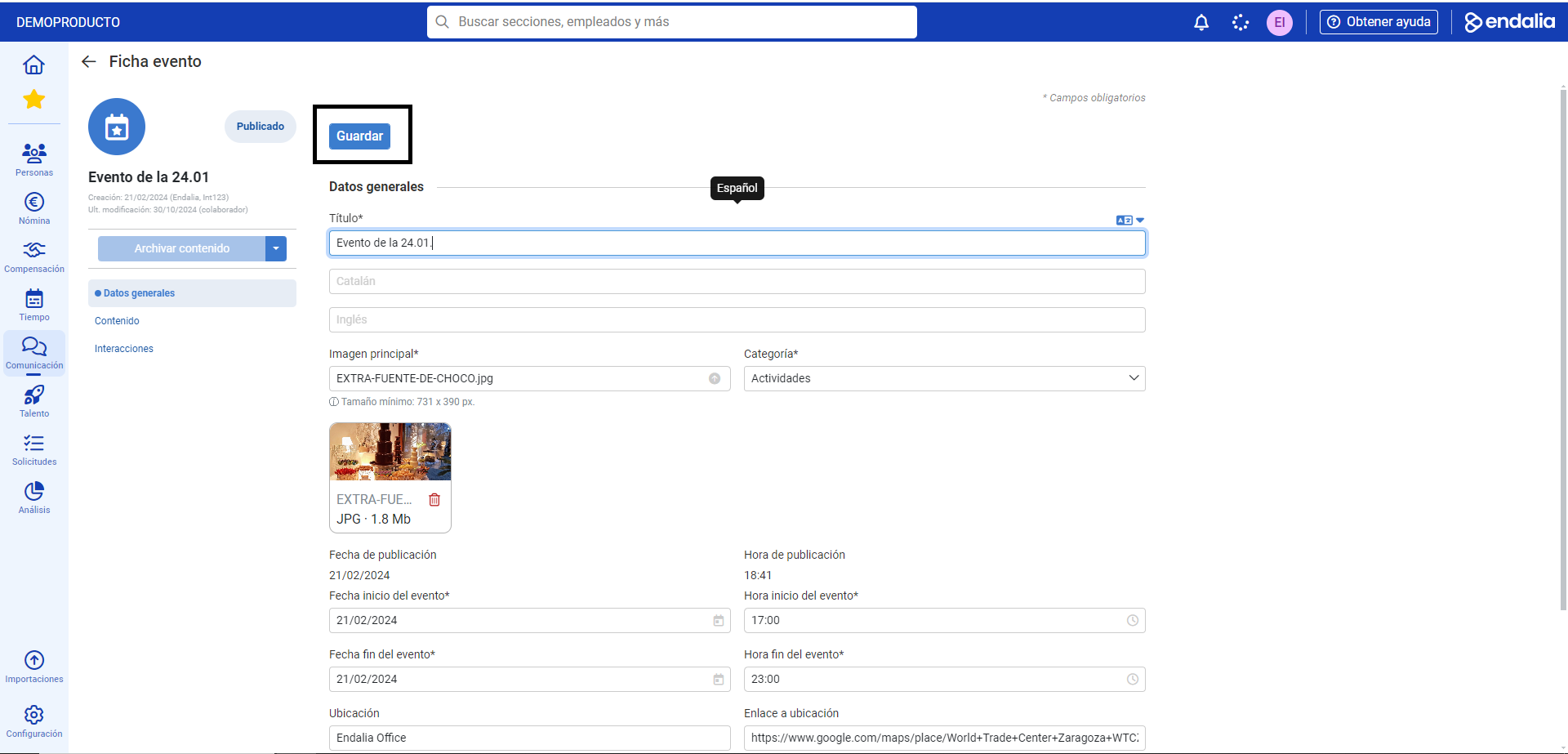 Additionally, the third menu item, Interactions, will allow you to consult additional information about the events (recommendations, interests, etc.). in relation to the collaborators.
 - To add an event, click on the corresponding icon (+) located on the toolbar, and choose from the different options. Again, always remember that the Save button will allow you to make your preferences effective:
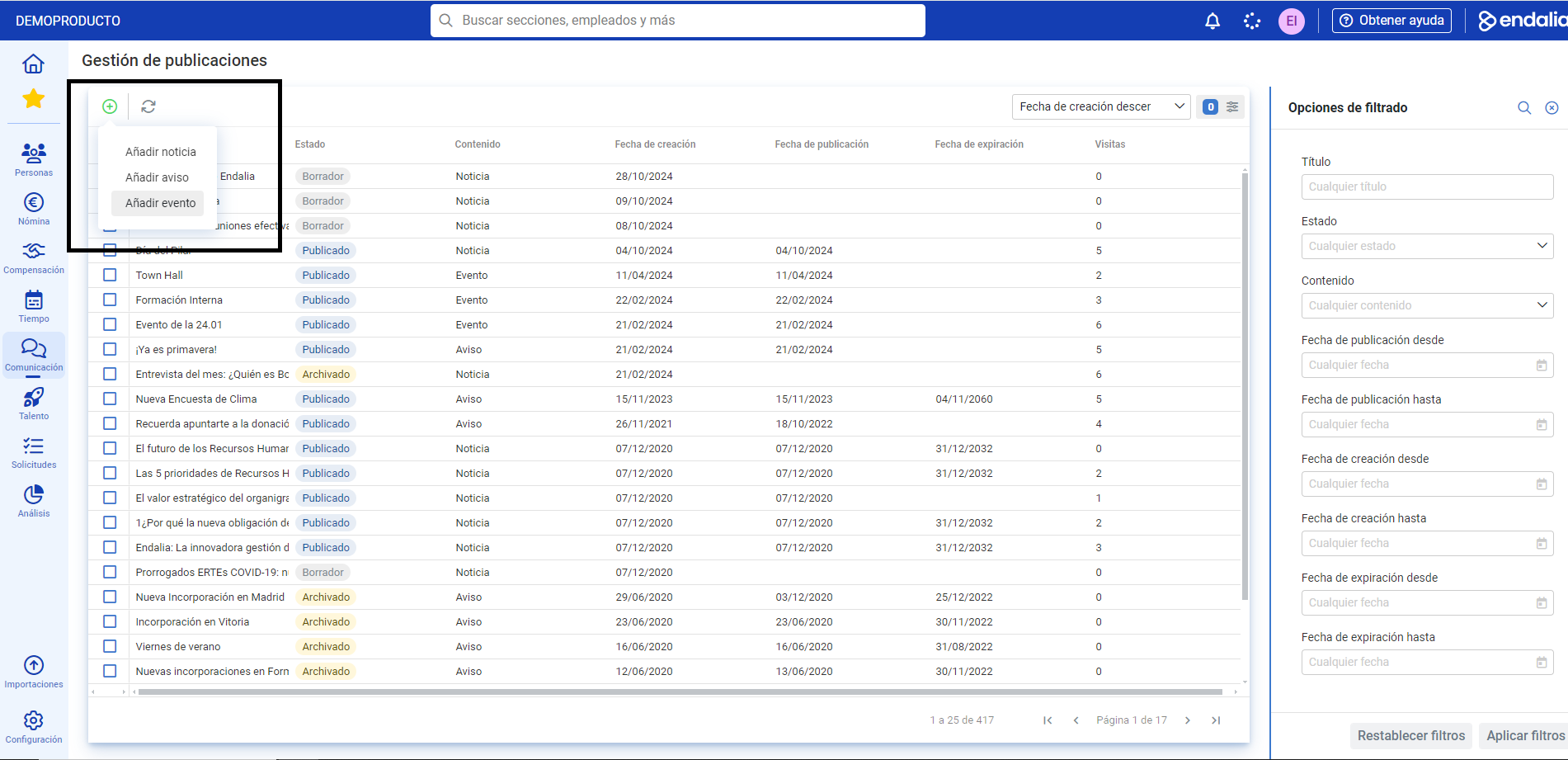
Note: The different sections present in the event menu items to be edited will allow you to perform multiple configurations of them (including location, generate surveys, schedule hours, etc.). Check out all the possibilities present in the software!
Process video
If you have doubts, we present you this small informative pill as a summary:
Alternatively, take a look at the following related articles:
Additionally, you can view our glossary, available at this link.
Was this article helpful?
That’s Great!
Thank you for your feedback
Sorry! We couldn't be helpful
Thank you for your feedback
Feedback sent
We appreciate your effort and will try to fix the article