Important: this article is intended for users of Endalia HR with the Administrator profile.
They are already part of everyday life and our use of Social Media. So, it is essential that they are also included in our software. Keep reading to learn more about the topic.
Here you will find:
Stories
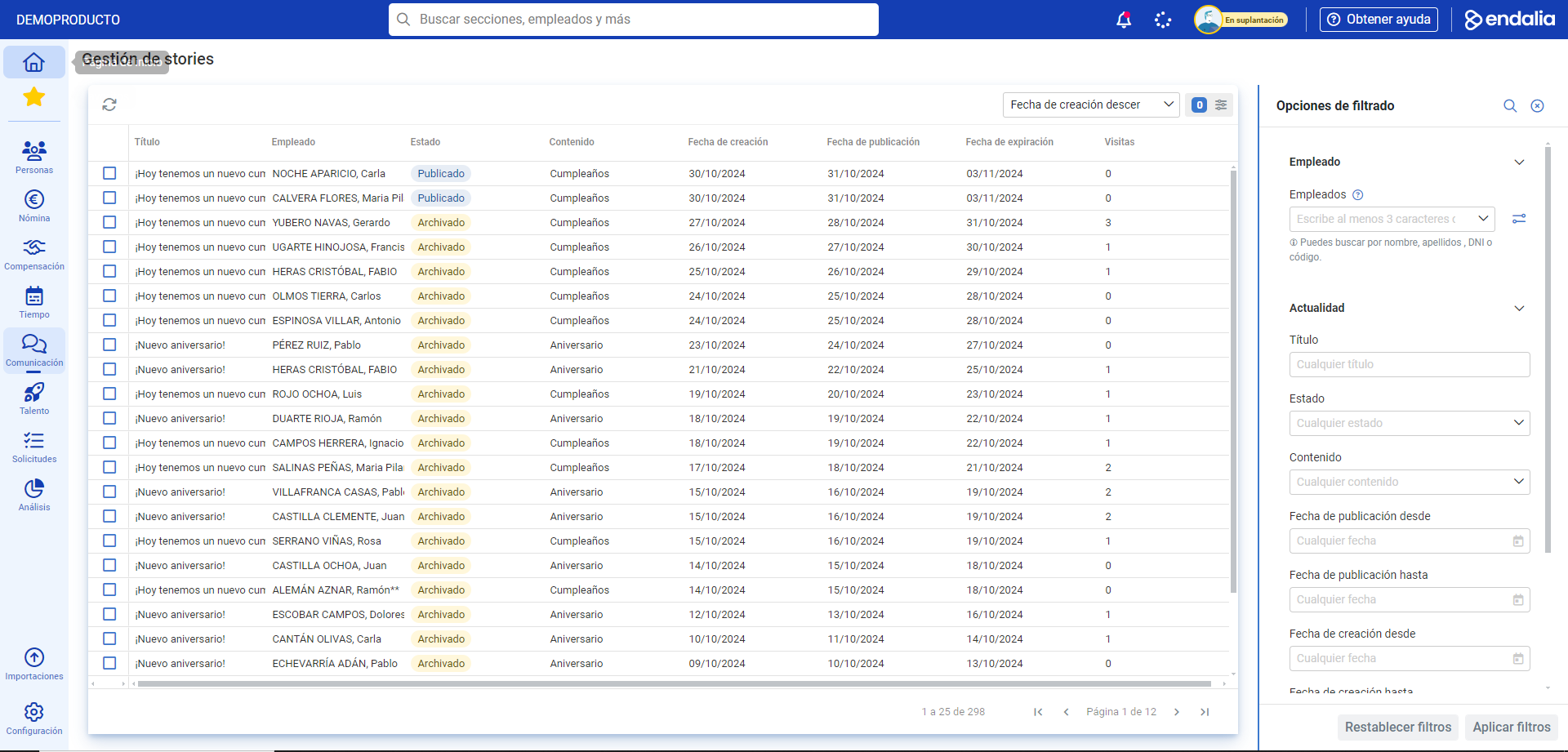
Within the hub Communication, click on the module Internal Communication > Story Management
- On the next screen, you will have a list of all the auto-generated content (anniversaries and birthdays), with dates, titles, employees, etc. for your reference:
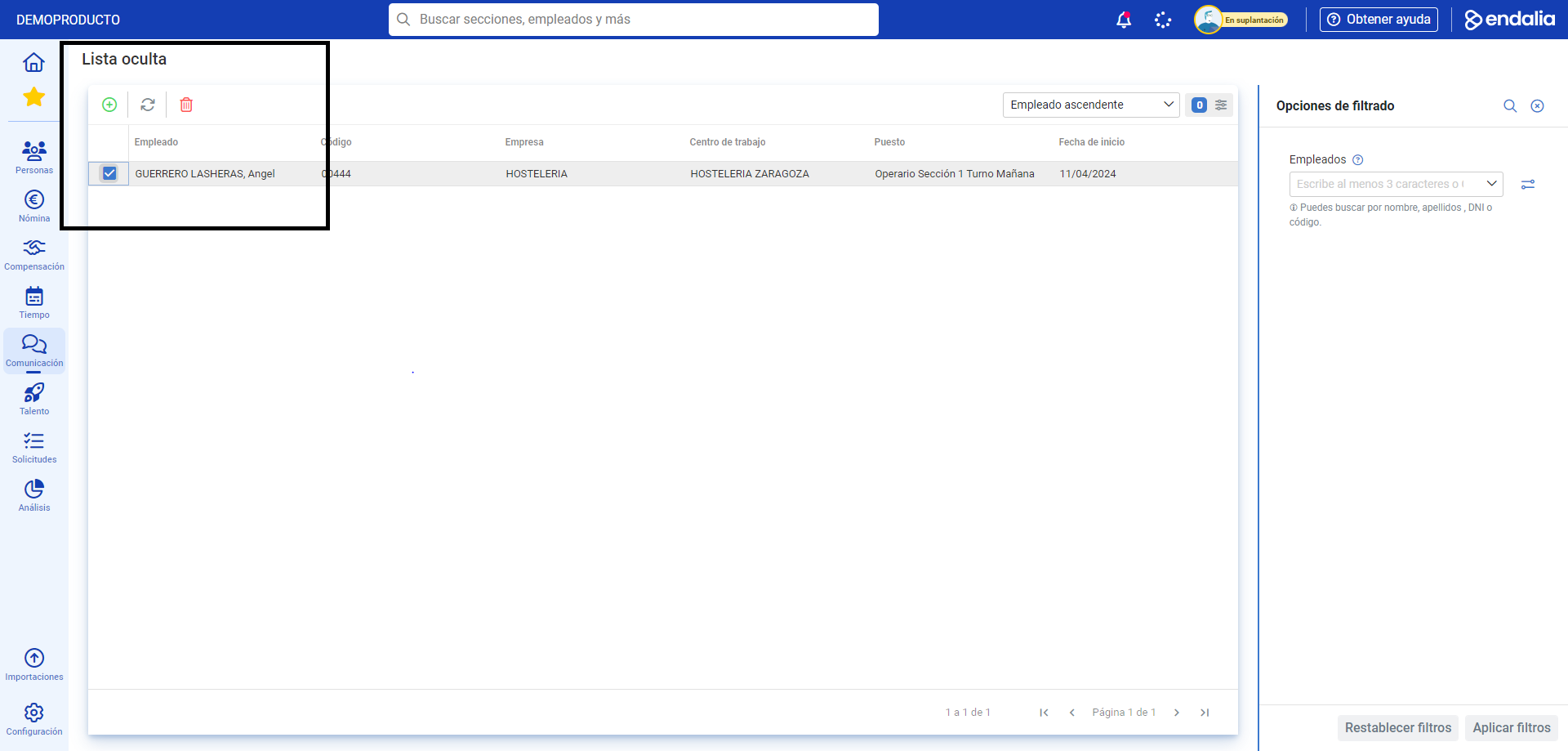
- Additionally, you have the option to hide specific stories (i.e., not display birthdays, etc., of certain company individuals). To do this, follow the path Communication > Internal Communication > Story Management > Hidden List. You can remove an employee from the list, using the button enabled for this purpose in the toolbar, and likewise, add them, also with the corresponding button, in the same location (Add > Add employees to hidden list > Add). Remember that you also have advanced employee search available in this menu to fine-tune your preferences:
Video of the process
Not clear enough? We explain it briefly:
Check out the following related articles:
Additionally, you can view our glossary, available at this link.
Was this article helpful?
That’s Great!
Thank you for your feedback
Sorry! We couldn't be helpful
Thank you for your feedback
Feedback sent
We appreciate your effort and will try to fix the article