Important: this article is aimed at Endalia HR users with an Administrator profile.
To keep employees informed of important events, it is necessary to configure these two functionalities. Check this guide to manage this option available in our software.
Here you will find:
Documents and links
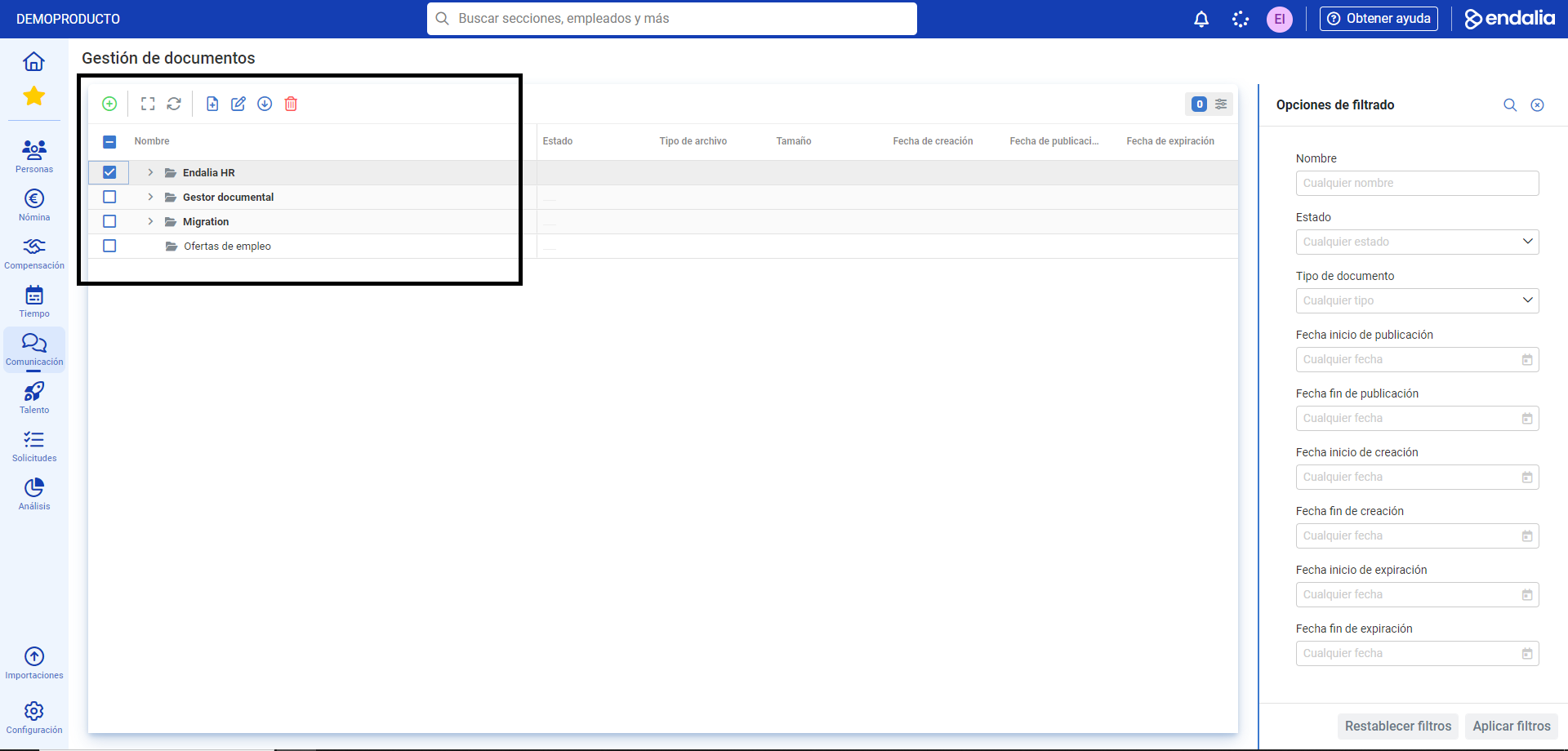
Within the Communication hub, click on the Internal Communication > Company > Documents module.
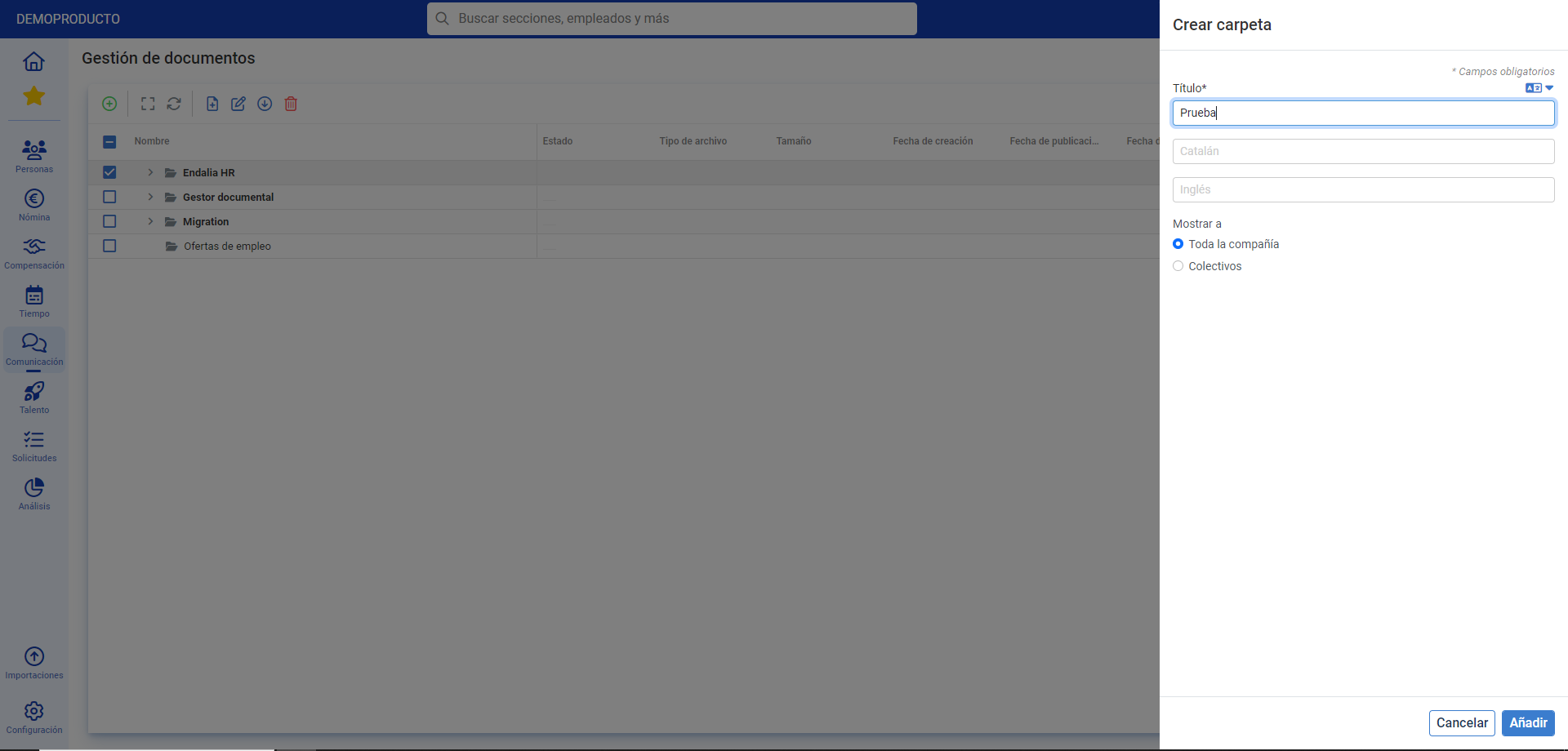
- If you choose the first option, you have several options on the toolbar: Add Document/Folder, Edit, Download, or Delete. Click on each one and follow the corresponding steps (side modal windows, screens, etc.) to perform the desired actions:
Still have questions? Check out the following related articles:
Additionally, you can view our glossary, available at this link.
Was this article helpful?
That’s Great!
Thank you for your feedback
Sorry! We couldn't be helpful
Thank you for your feedback
Feedback sent
We appreciate your effort and will try to fix the article