Discover the December updates!
At Endalia, we continue to evolve to add value to your daily operations. The features launched this month are aimed at simplifying tasks, optimizing processes, and strengthening the focus on what matters most in the organization: the people.
New Home
We launched the new Endalia Home, with a more modern design and a clearer widget distribution. We have incorporated a new central space for internal communication with more news and events, and new widgets for time tracking, daily records for managers, and My Latest Payslip. We also improved the absenteeism widgets (with filtering by groups), requests and calendar for more agile management from one place.
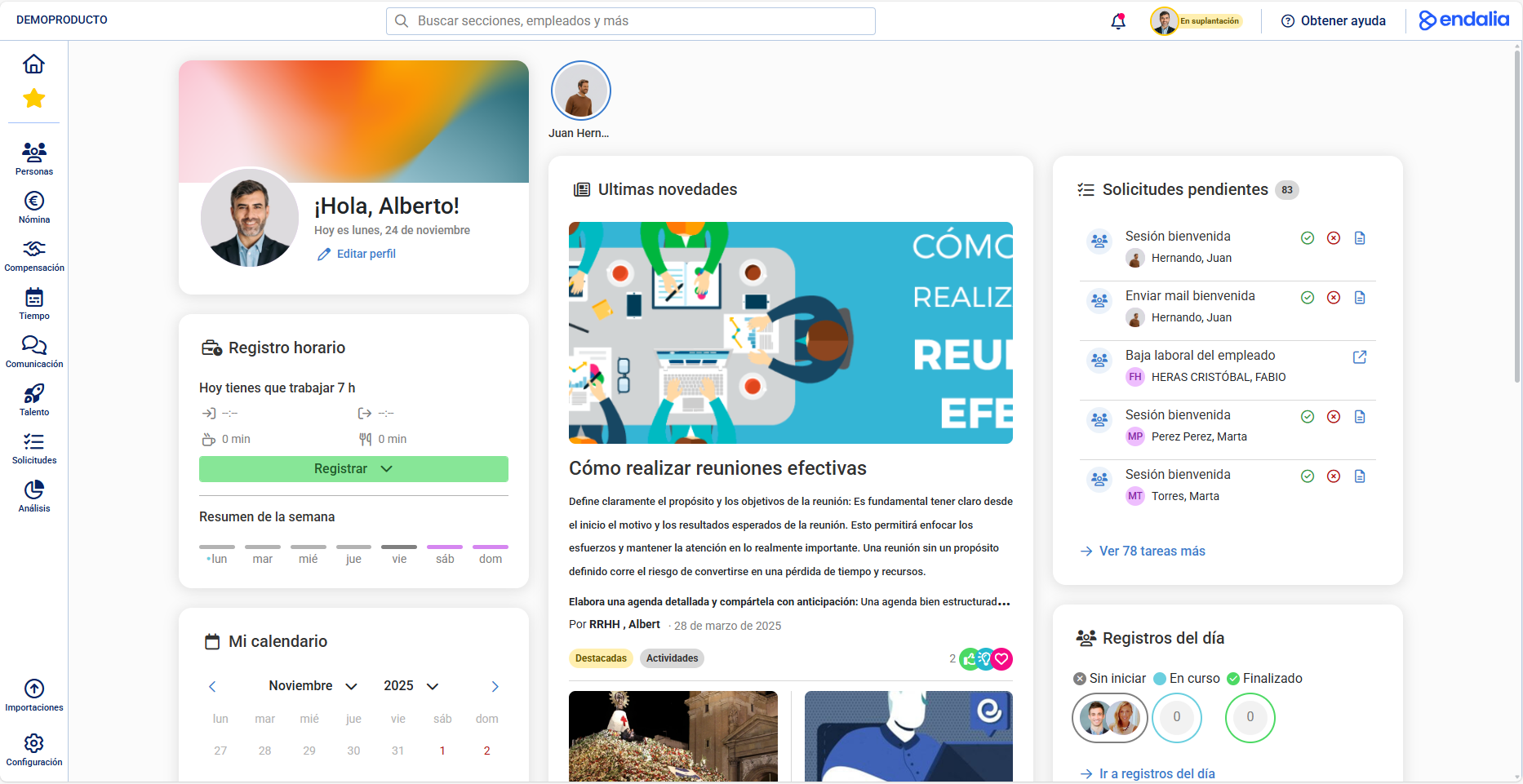 | 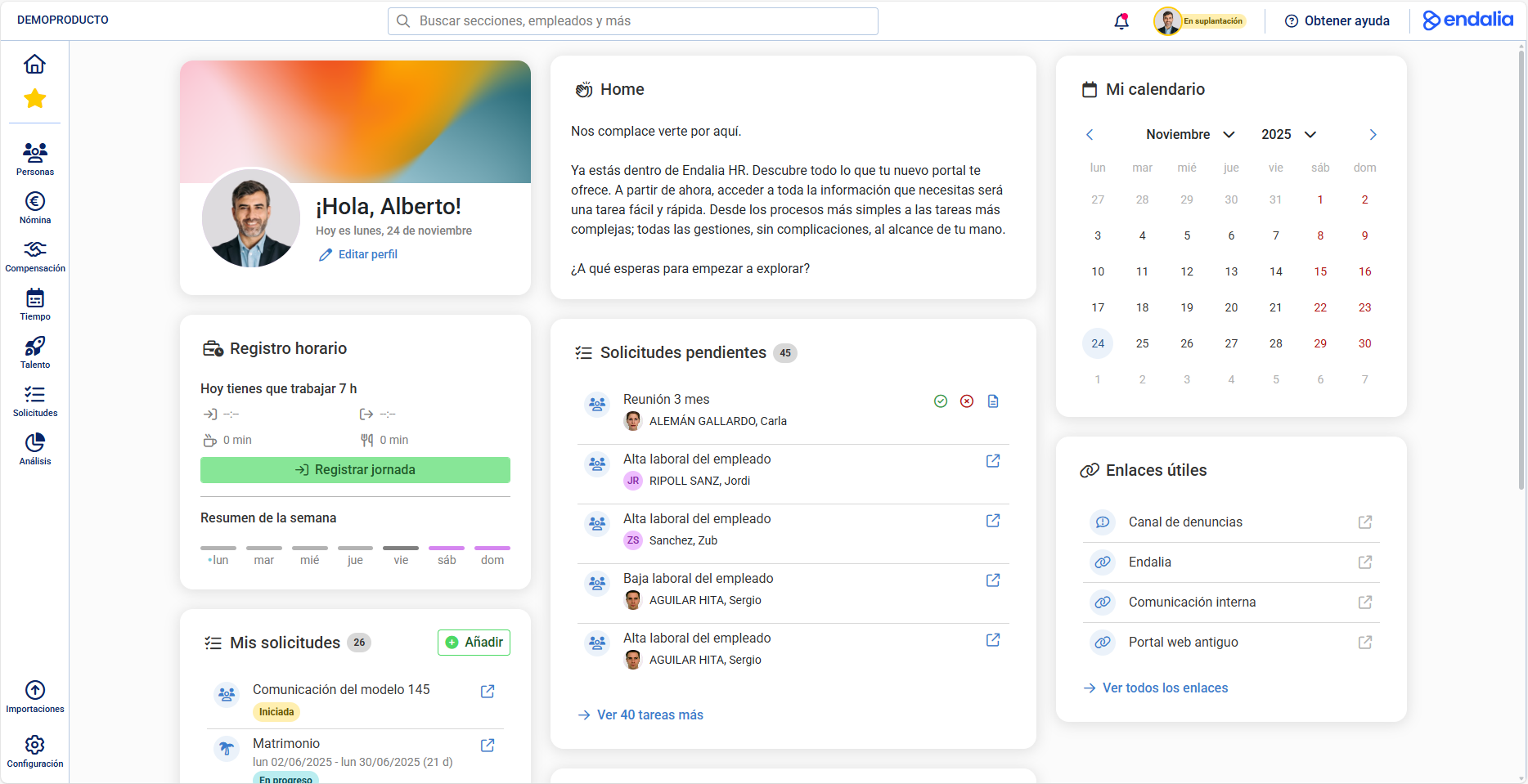 |
With Internal CommunicationFor our clients with Internal Communication, this section gains prominence on the Home, allowing more news and events to be viewed prominently and accessed at first glance. | Without Internal Communication |
Training
The Training module evolves towards a more flexible and easy-to-use model. Now you can plan, adjust, and follow up on training more naturally, simplifying management and gaining clarity throughout the process.
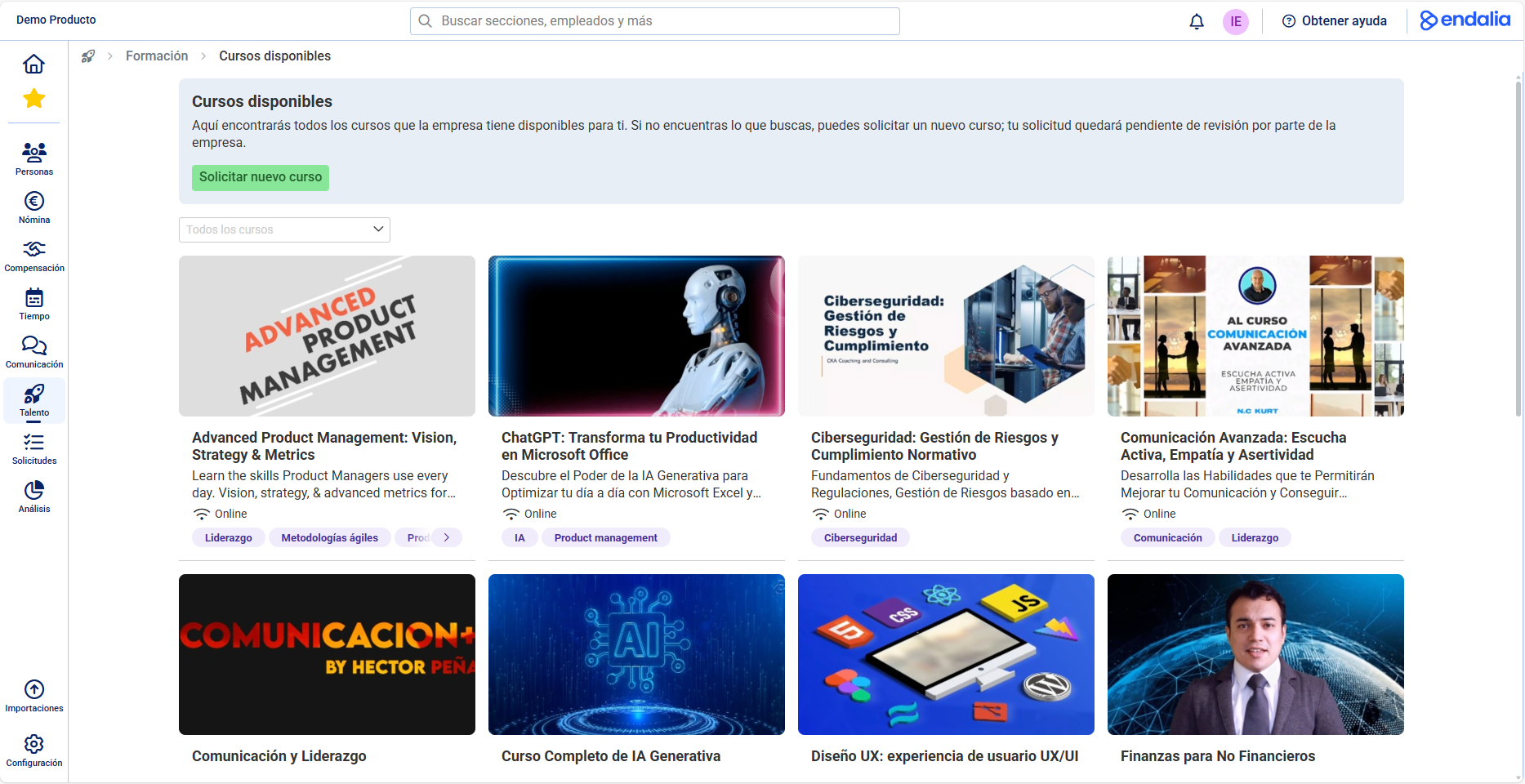 | 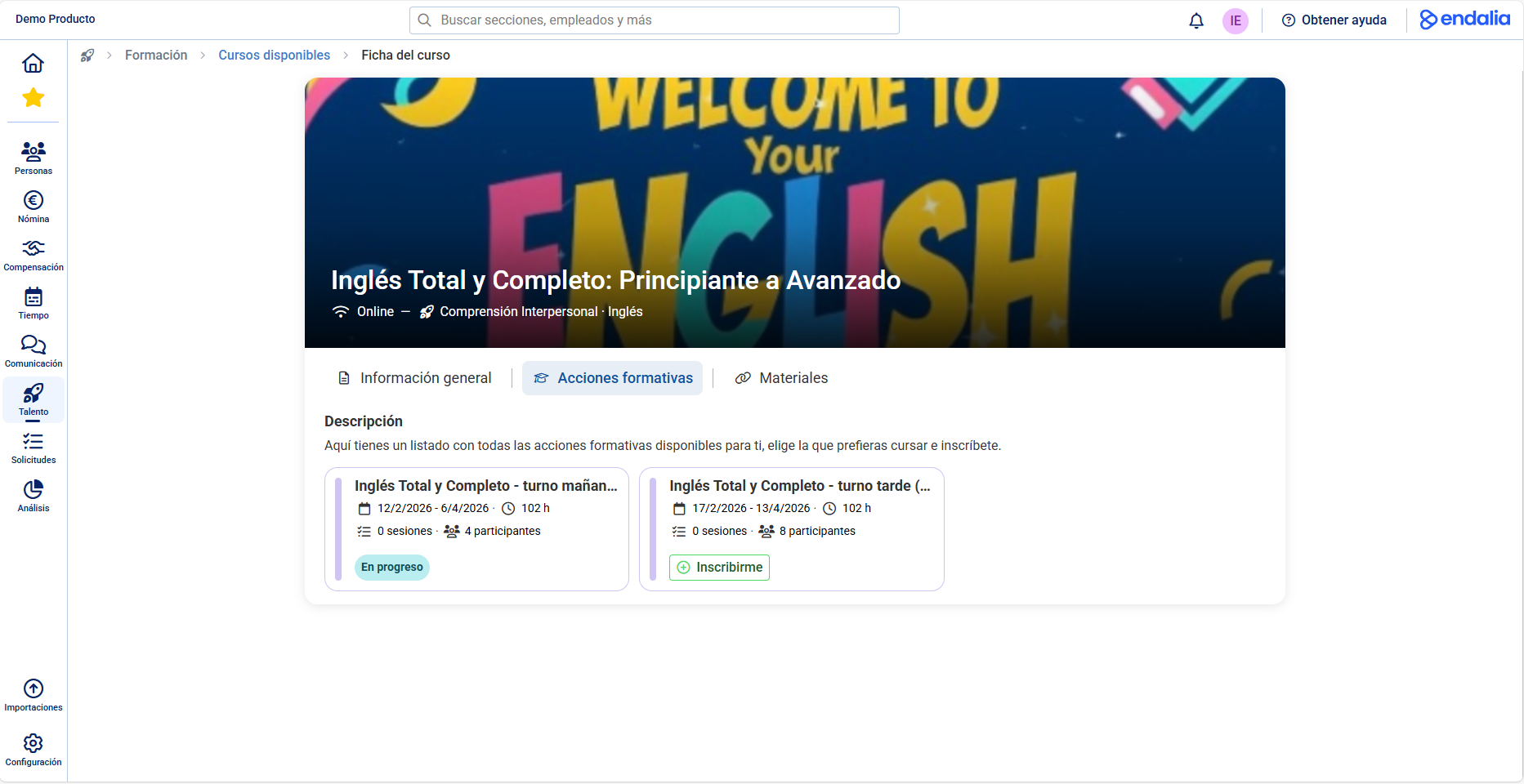 |
CoursesWe introduced the courses. From now on, you can manage a "parent" entity above the training actions, facilitating their grouping and distribution within each course in a more organized and straightforward way. | Improved Requests |
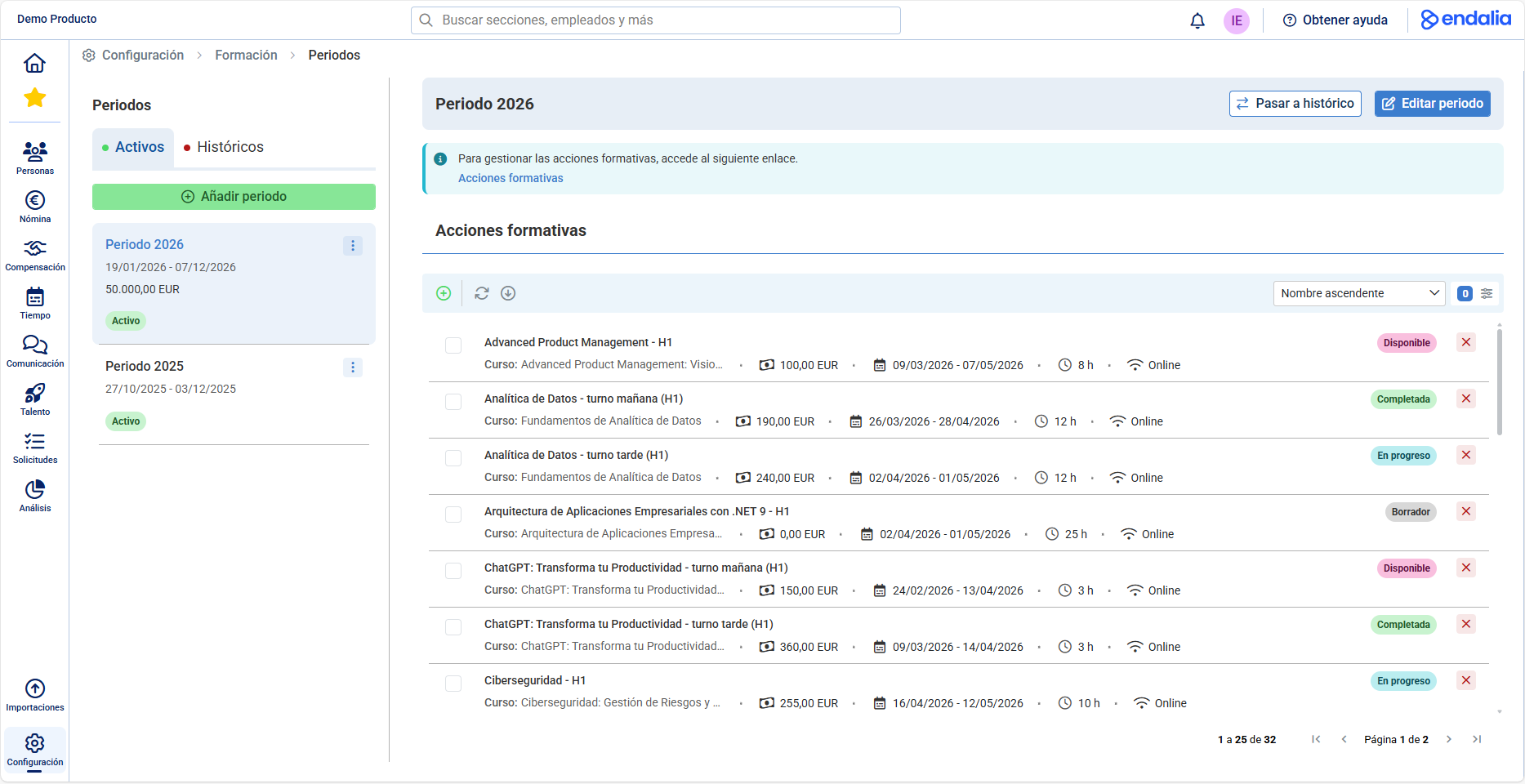 | 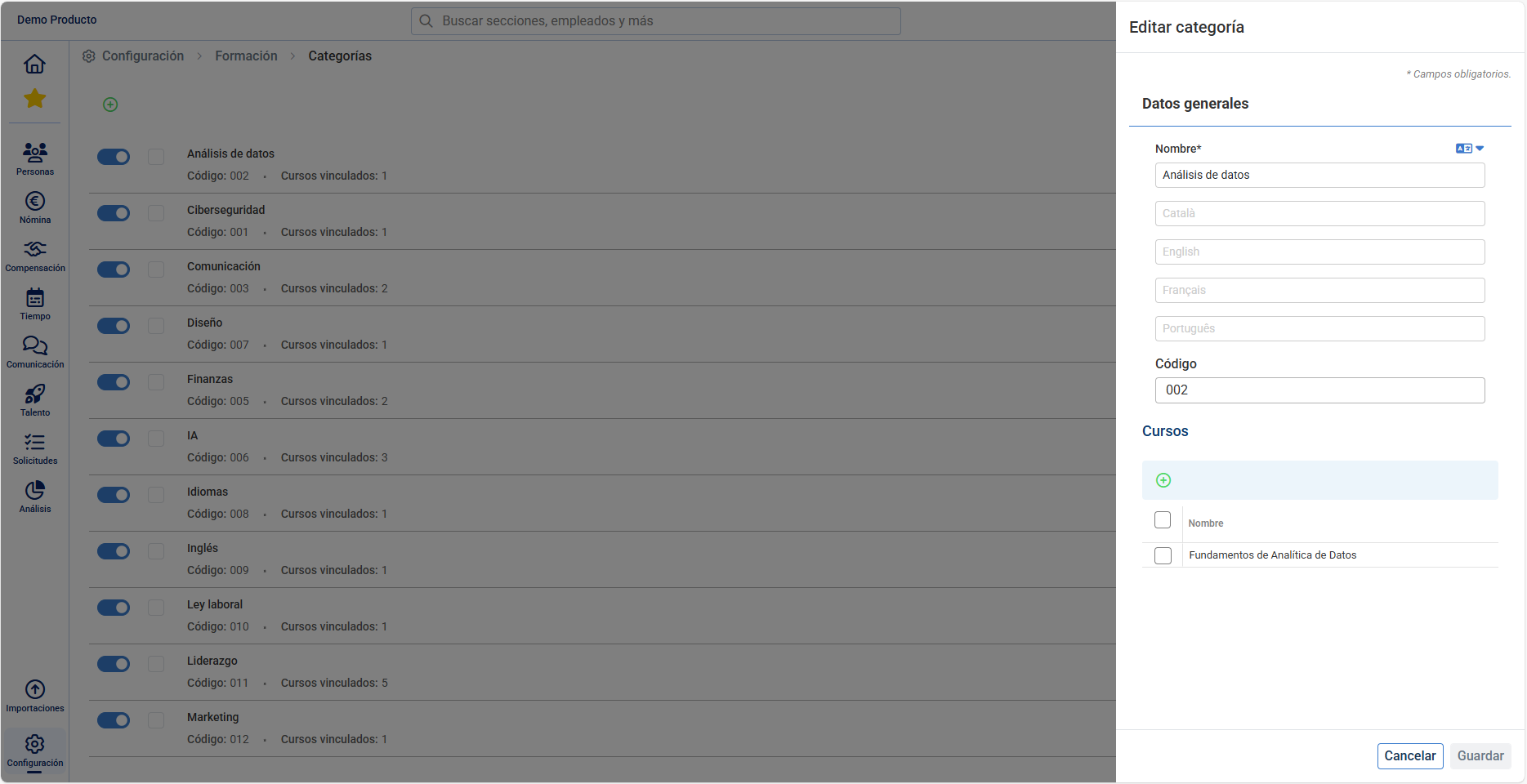 |
PeriodsNow you can create training periods. This new element allows you to temporize your training plans and assign them a budget simply and structured. | CategoriesWe introduce the categories in the courses. From now on, you can associate each course with one or more categories to structure and organize training more clearly, facilitating its management within your organization. |
Time Planning and Tracking
Now you can manage special compensations simply and transparently, adapting the planning to the real needs of each team. In addition, in the shifts section, we added options to copy, paste, and swap shifts in seconds, speeding up day-to-day adjustments.
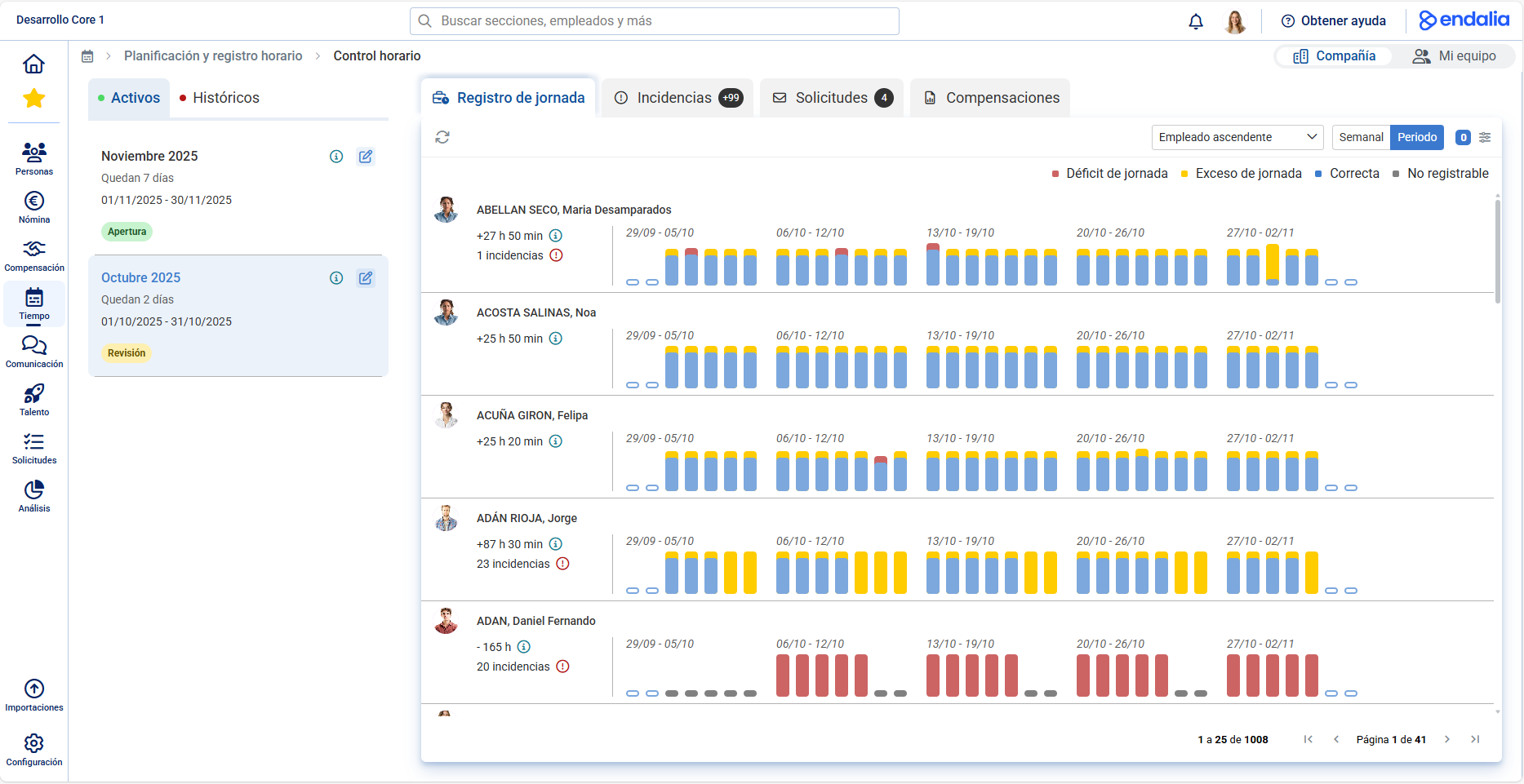 | 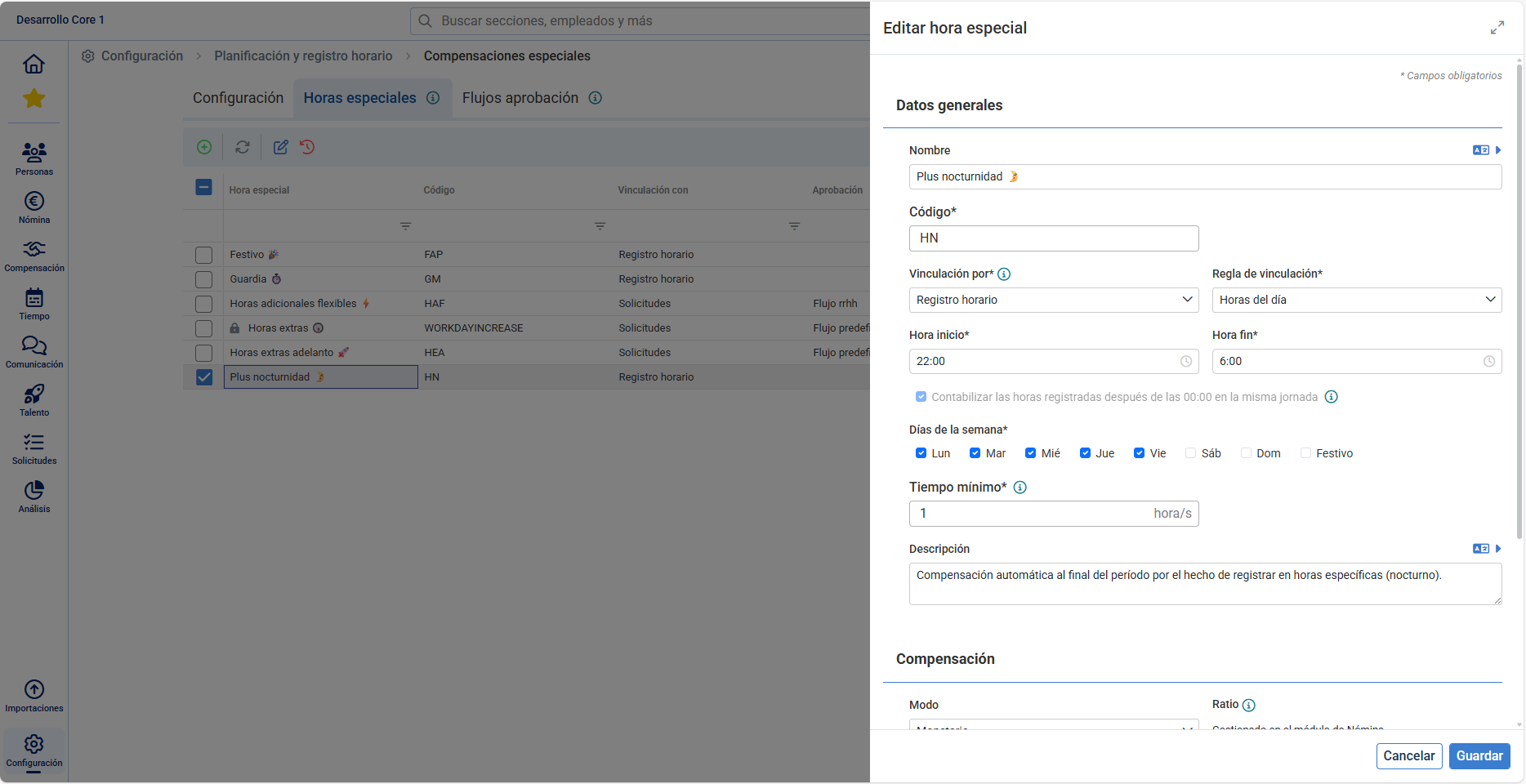 |
Time ControlWe introduced the new Time Control screen. Now you can monitor your entire monthly activity in a single space: time balance, incidents, requests, and compensations. Additionally, you can approve specific requests instantly during the same period. | Special CompensationsWe evolved the extensions: they are now called special compensations and incorporate multiple configurations to adapt to your company's real needs. With them, you can easily model scenarios like night shifts, on-call duties, holidays, or special hours, with more flexible and precise management. |
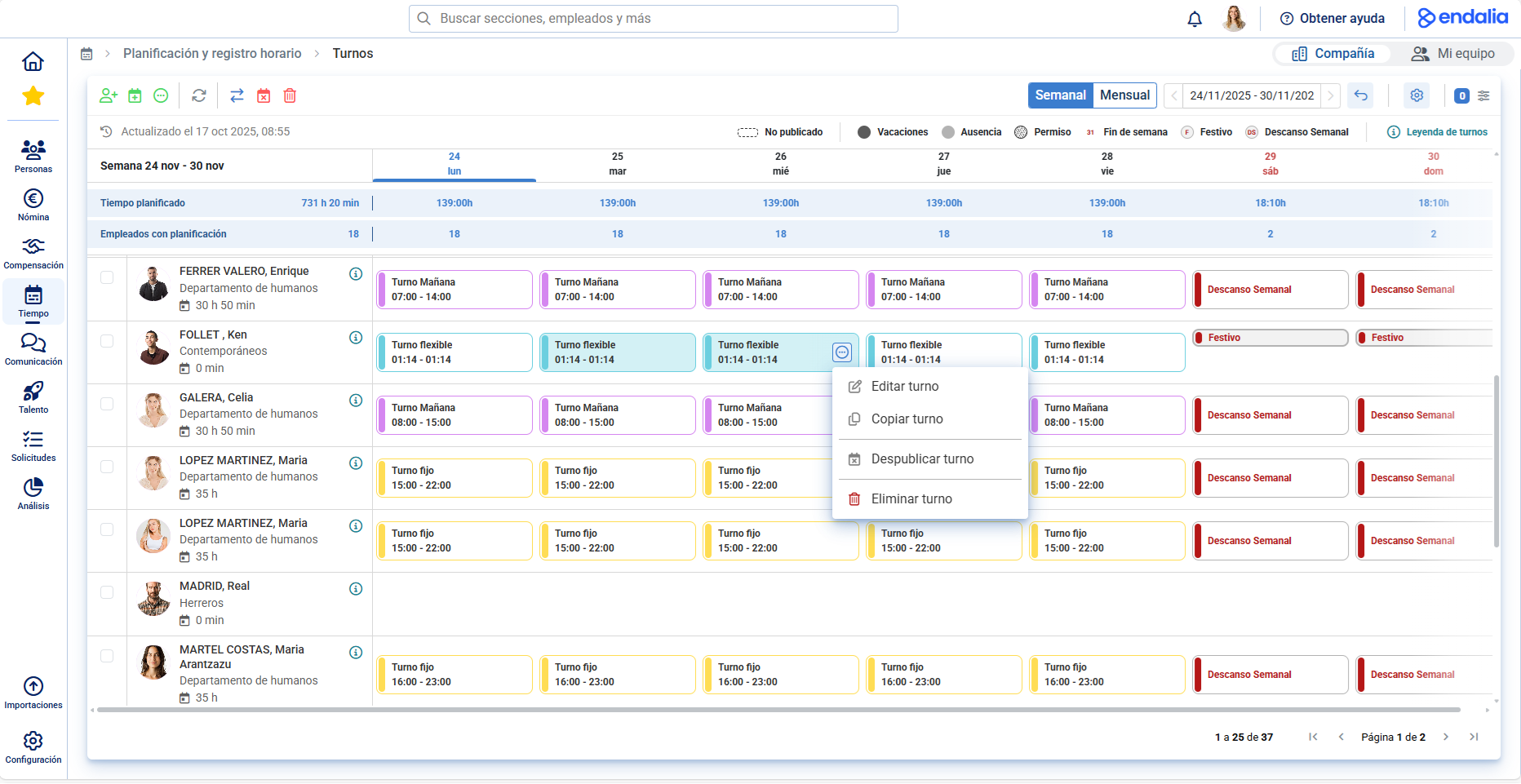 | 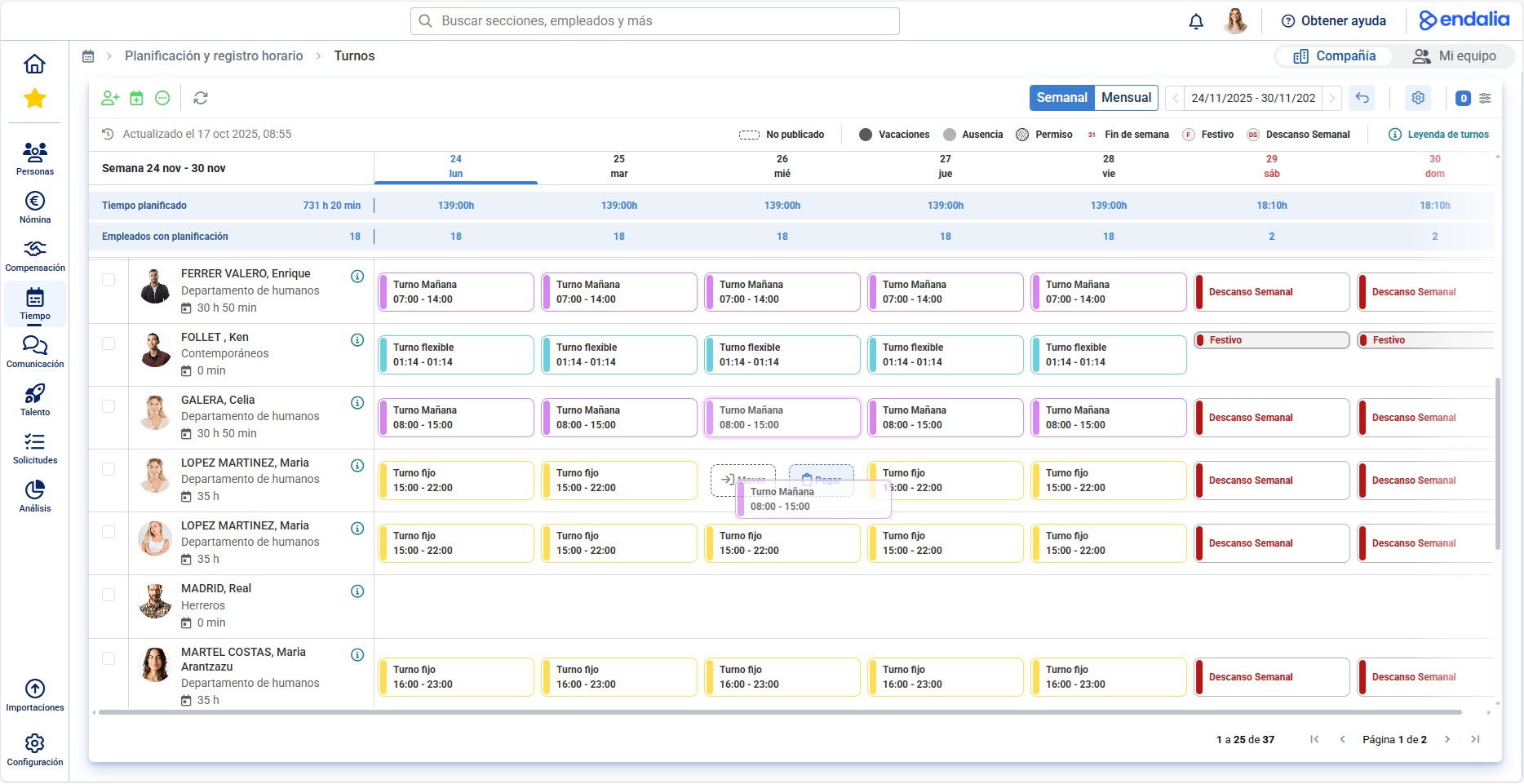 |
Shifts: Copy and PasteWe continue improving shift management. Now we add new options to copy, paste and swap shifts in seconds, speeding up day-to-day adjustments. | Shifts: Drag & DropNow to make planning even more visual and intuitive, we incorporate drag & drop, allowing you to move shifts directly on the calendar with ease. |
Was this article helpful?
That’s Great!
Thank you for your feedback
Sorry! We couldn't be helpful
Thank you for your feedback
Feedback sent
We appreciate your effort and will try to fix the article