Important: this article is intended for Endalia HR users with an Administrator profile.
In the midst of the big data era, organizations are very aware of the value of information, from the most basic to the most detailed. Thanks to information panels, it is now possible to control everything in detail.
In this article you will find:
Dashboards
- Within the hub Reports and Analytics, click on Analytics > Dashboards
- On the screen presented to you, there is a list of different panels or dashboards with information related to your organization. Click on Consult to view them, or use the filter located on the right side of the screen to access the requested information:
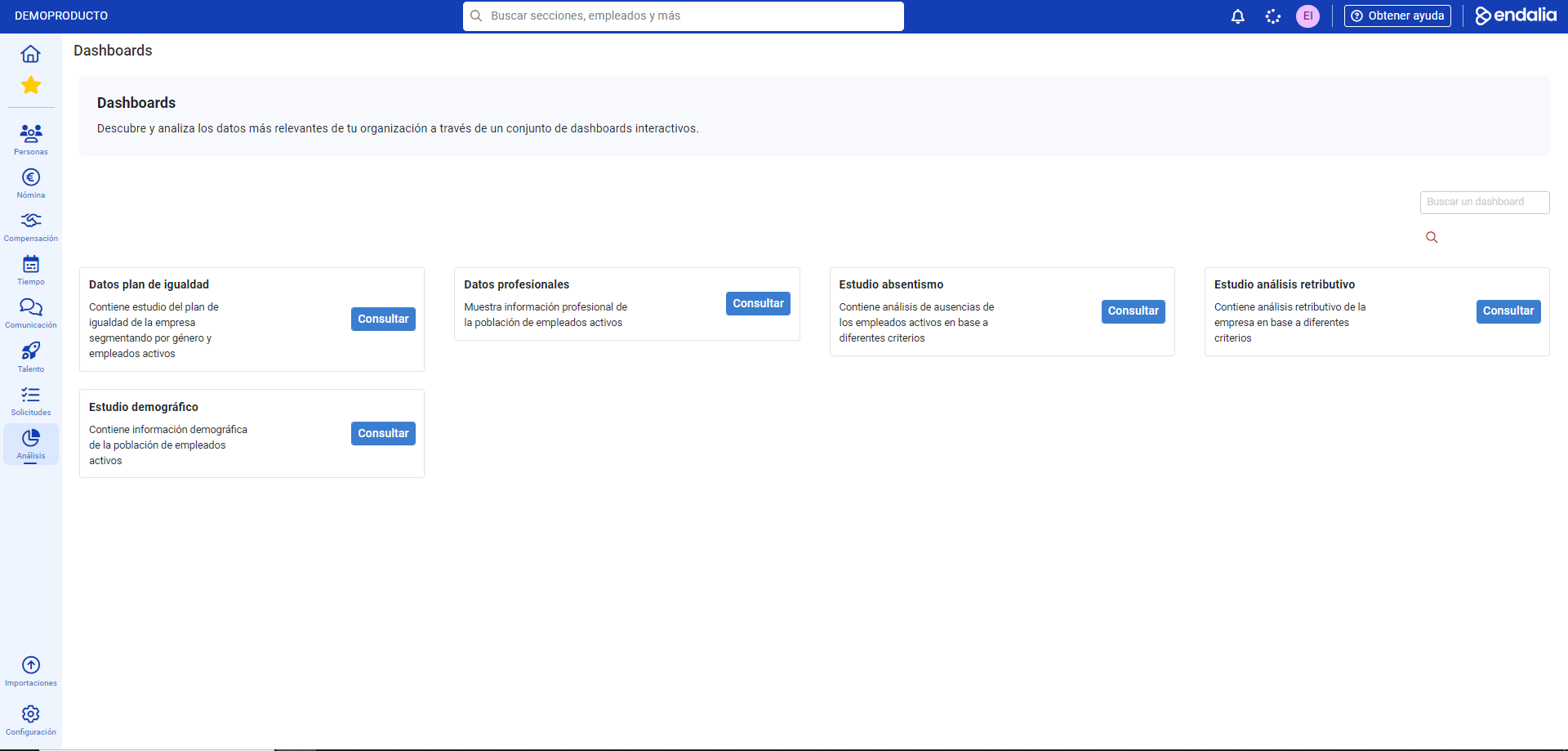
- Now you can see all the information contained in a specified dashboard. As you can see, the different sections into which it’s divided correspond with the menu items located on the left side of the screen. If, when hovering over a panel, it is highlighted in yellow, it contains additional information at a second level. Scroll through the different submenus to view personalized information and access new useful tools, such as comments, glossaries, second-level filters, etc.:

Note: Detailed data refers to the entire company, not each department. Endalia is responsible for generating the dashboards from information provided by the client.
If you have questions about the terms, take a look at our glossary at this link.
Was this article helpful?
That’s Great!
Thank you for your feedback
Sorry! We couldn't be helpful
Thank you for your feedback
Feedback sent
We appreciate your effort and will try to fix the article