Important: this article is aimed at Endalia HR users with an Administrator profile.
What if you could have all the procedures related to payroll in a single panel and access them with a single click? Well, now it is possible!
In this article:
Generation of processes
Within the payroll hub, click on Payrolls > Payrolls > Transactions > Generation of processes
- On the screen presented to you, there is a summary of dealings. Use the filters located at the top right to narrow your search, according to the dates:
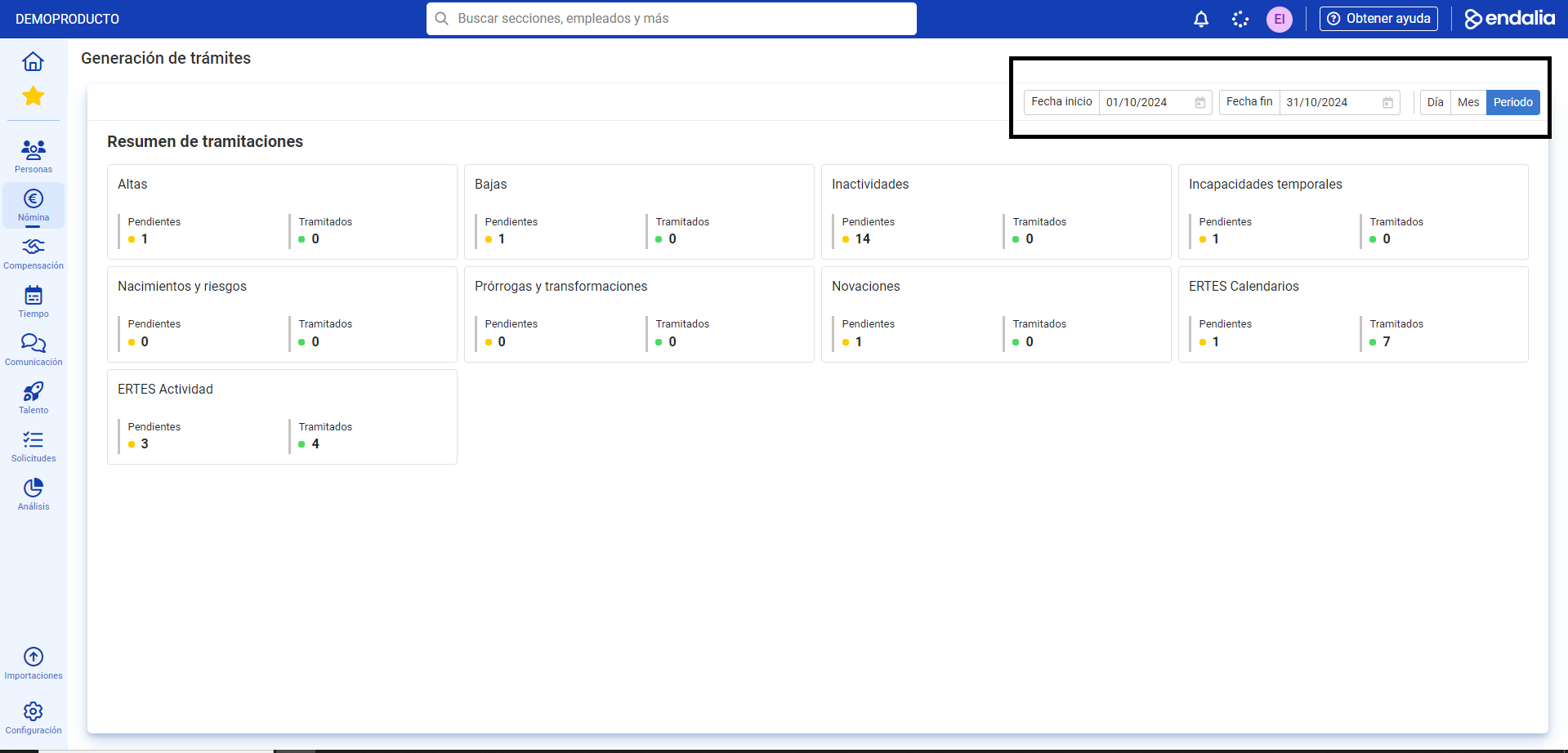
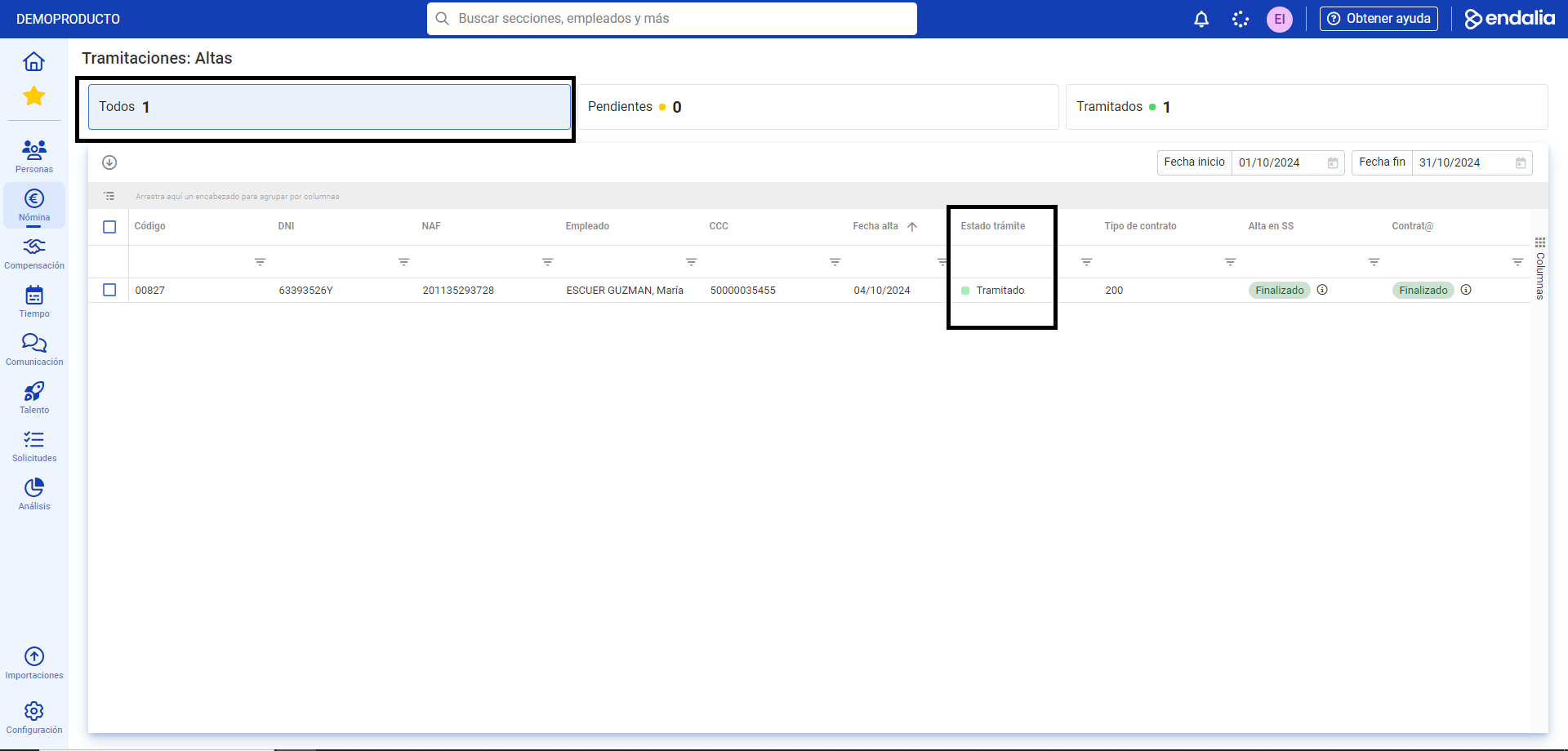
- To access one of the dealings, you just have to click on each corresponding name (New Entries, Leavings, Inactivities, Novations, etc.). In the next step, you have at your disposal, first, separate tabs indicating the total number of tasks, as well as the processed and the pending; afterwards, the list of names related to this specific process:
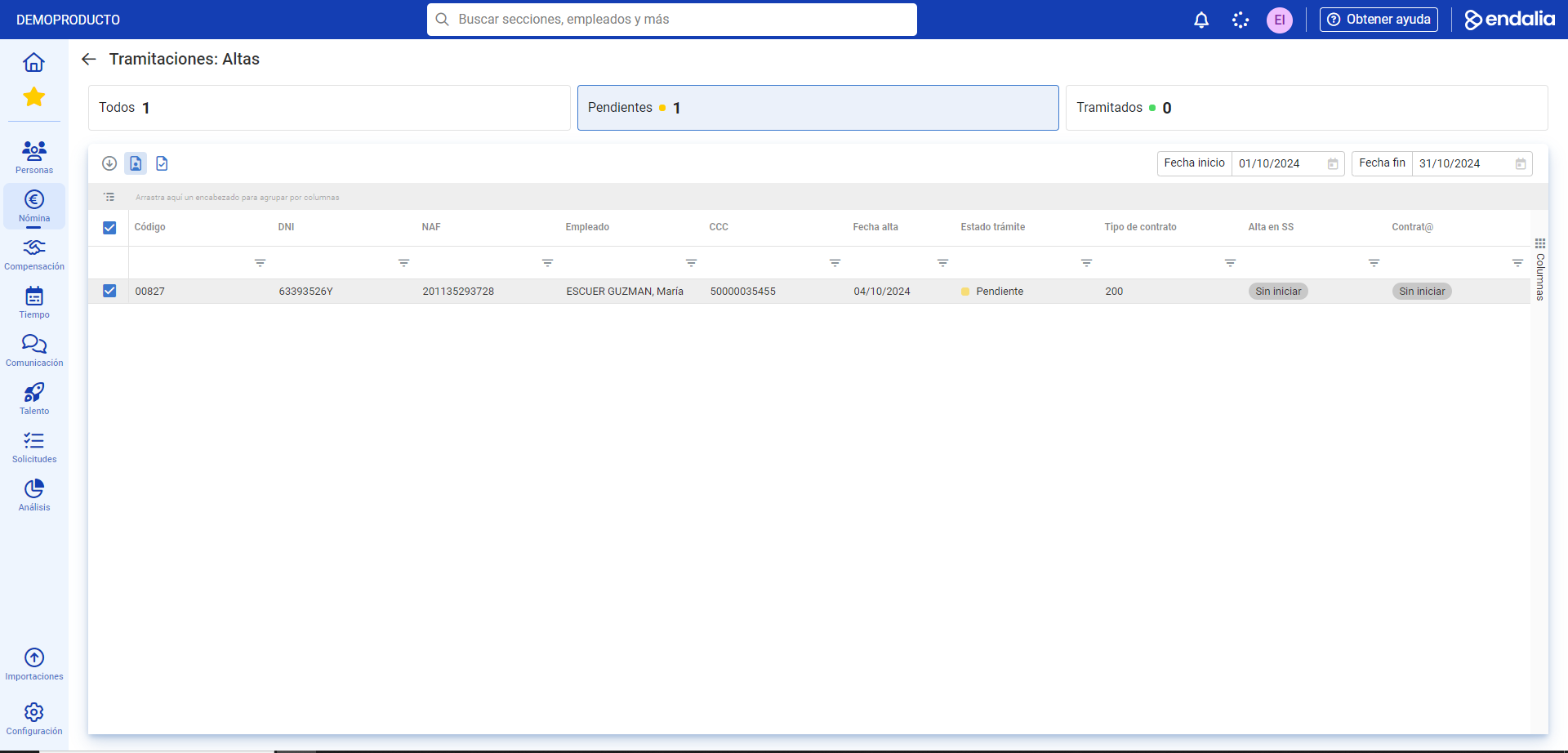
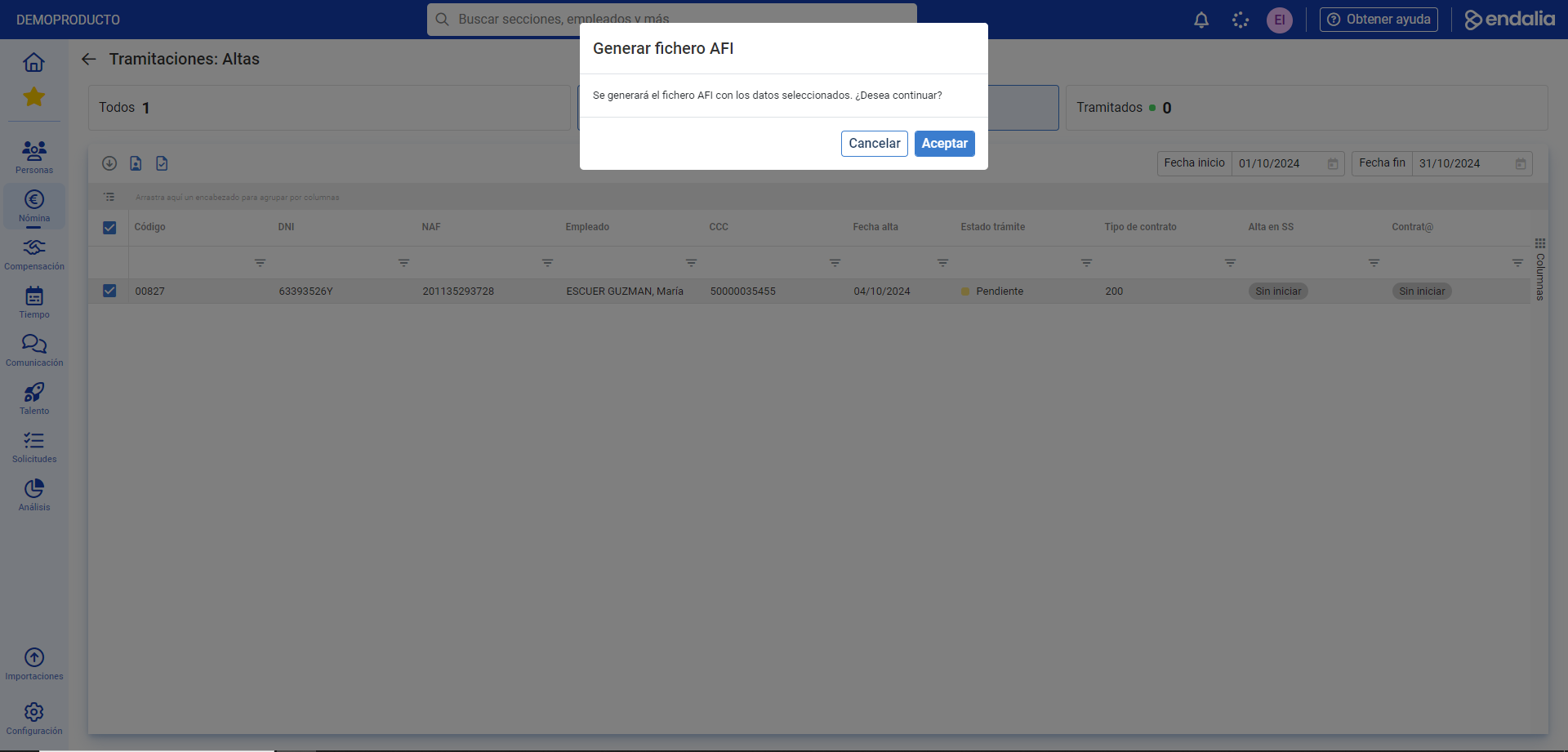
- To perform an action, click on the box(es) related to the workers, and then click on the Open employee record button, which will take you directly to their personal file, or on Actions located in the toolbar, which offers a dropdown with different options; a confirmation modal window will open, and you must click Accept to set it in motion. From this moment, in the column Process Status for the employee, it will show as "processed", as in the tab at the top of the current screen:
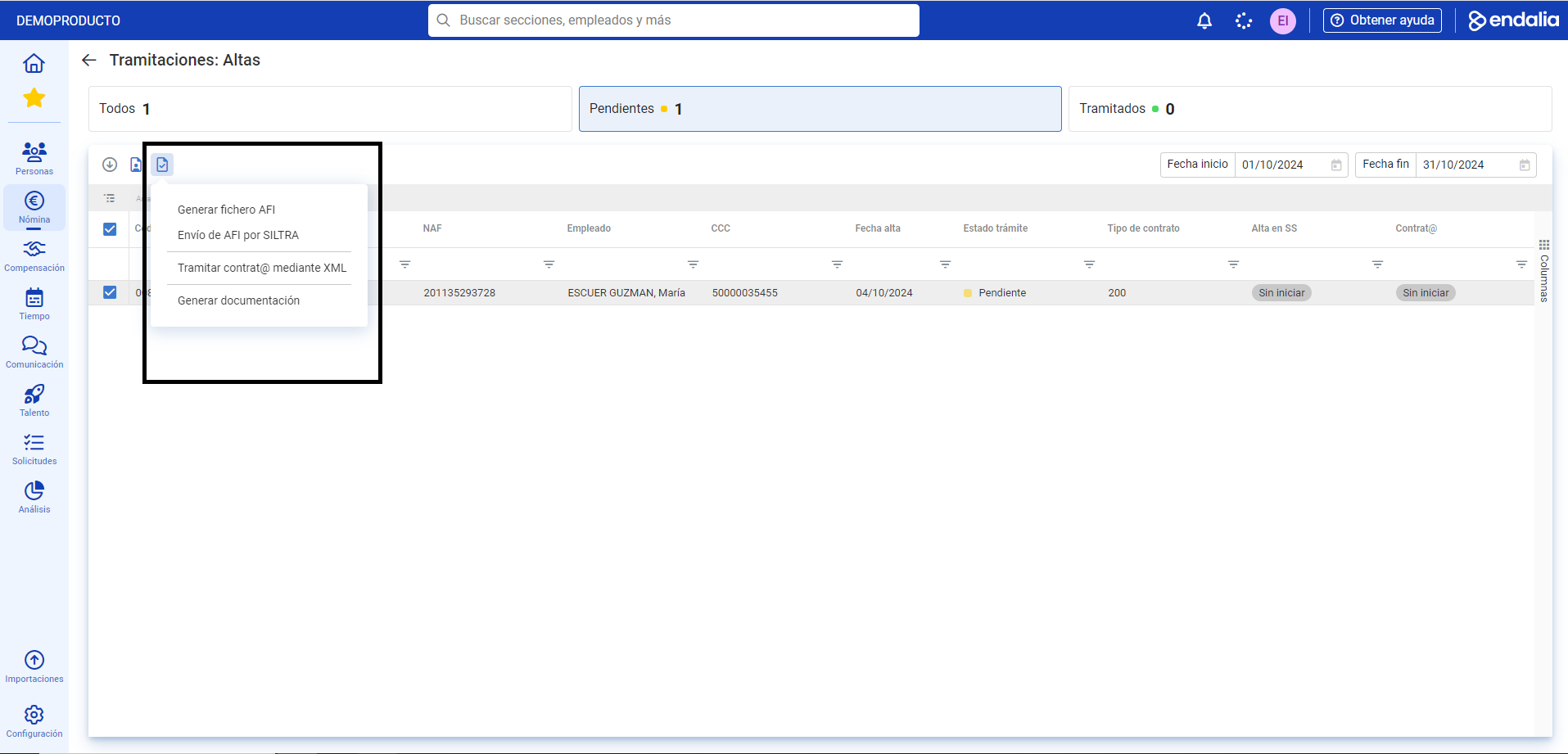
Note: Each dealing has specific actions (managing INSS Communication, low in SS through AFI, etc.) specific to its field.
Video of the process
Take a look at the functionality summary here:
Additionally, you can view our glossary, available at this link.
Was this article helpful?
That’s Great!
Thank you for your feedback
Sorry! We couldn't be helpful
Thank you for your feedback
Feedback sent
We appreciate your effort and will try to fix the article