Important: this article is aimed at Endalia HR users with an Administrator profile.
This administrative functionality allows the configuration of various payroll templates that employees will later receive. To make the most of this software option, follow these tips.
In this article:
Configure import models
- Within the hub Configuration, go to Compensation and Benefits > Import Models
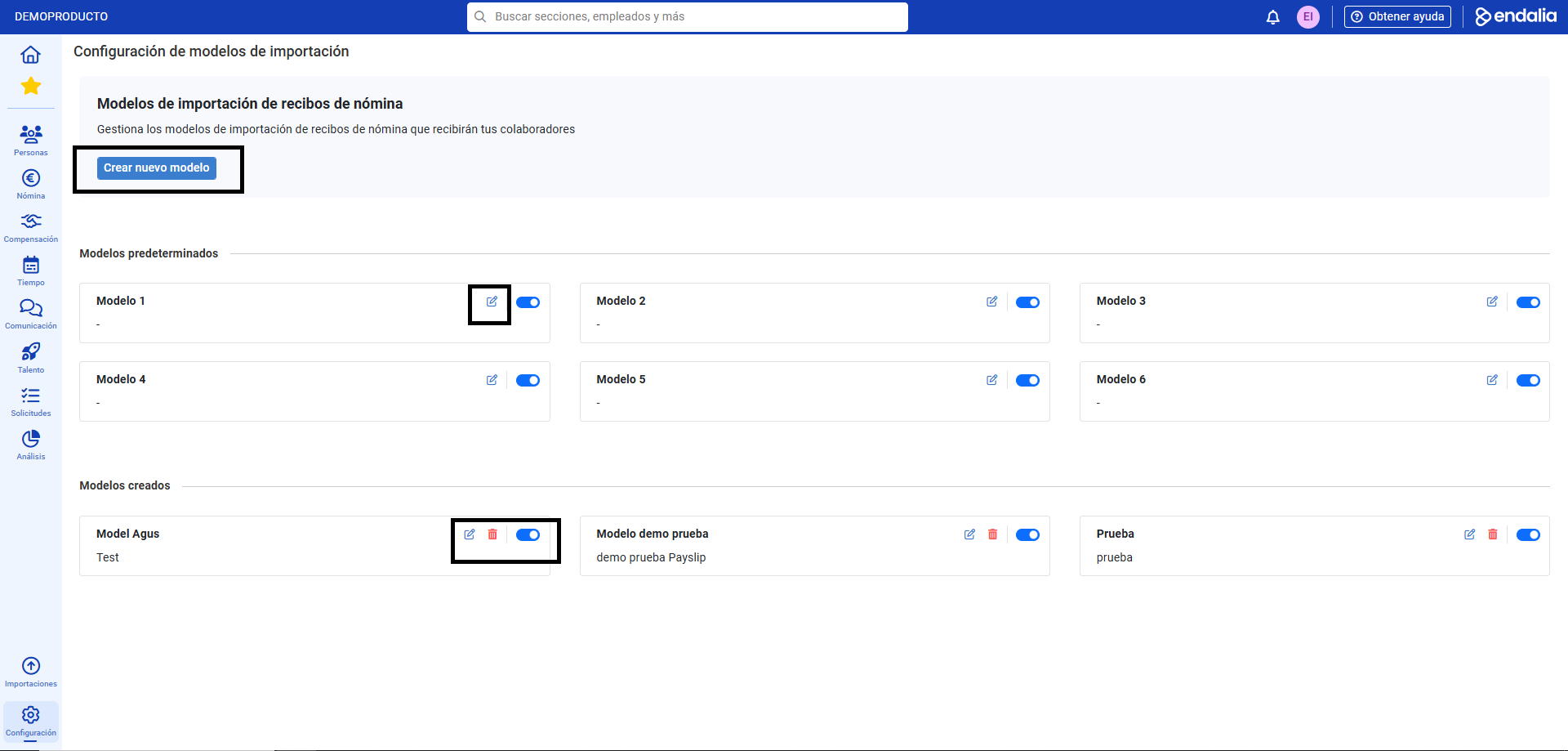
- On this first screen you have the option Create new model (to generate a template from scratch), in addition to the default and created models sections, which will also facilitate the generation process. The former can be edited only, while the latter can be modified and deleted. Use the buttons enabled for this purpose to change, delete, or activate (via the tab) the templates according to your preferences, keep in mind that only active models can be used in the import process:
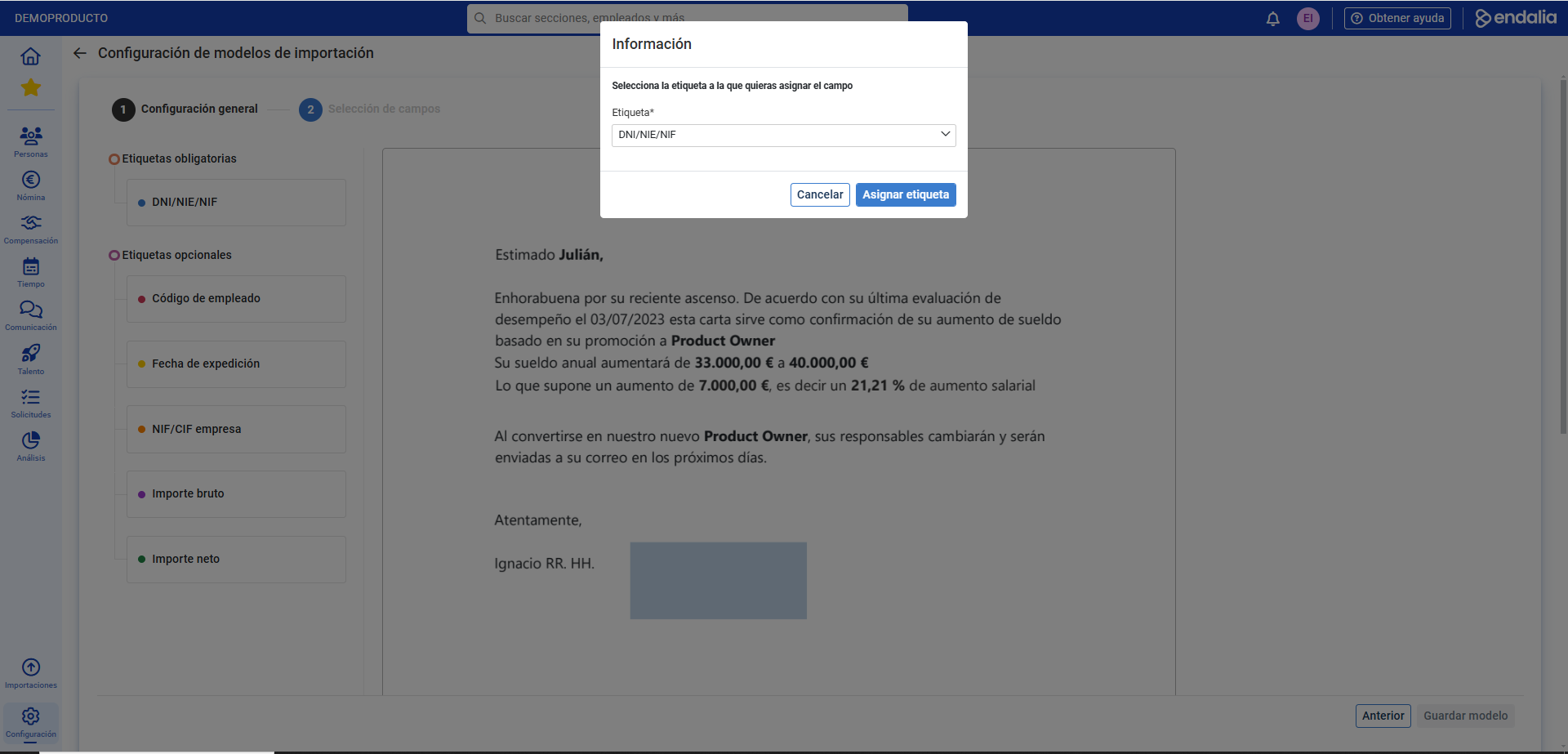
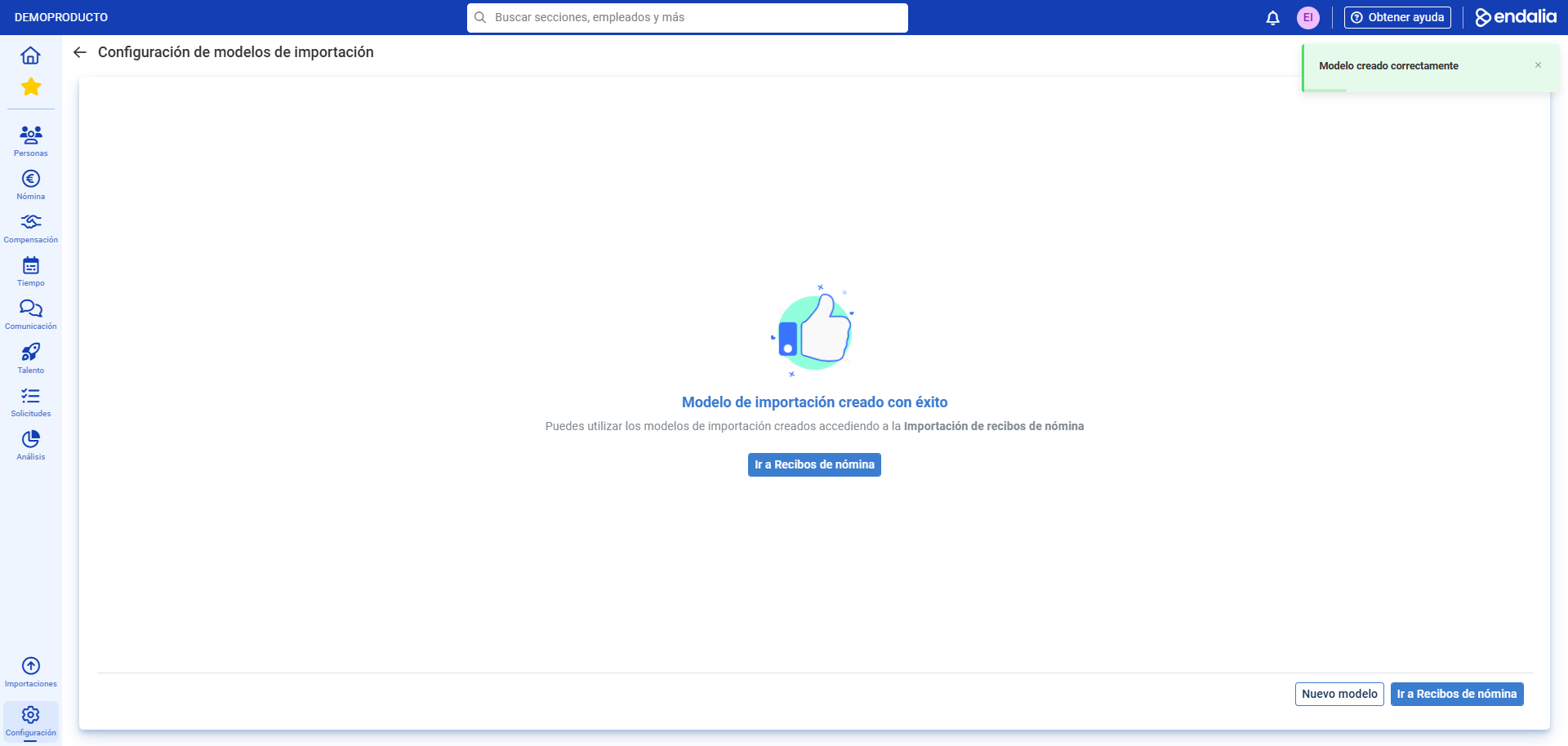
- To create a new import model, click on Create new model and, on the next screen, follow the steps presented below; that is, enter the data and upload the file in step one and, in step 2 (field selection), assign the labels to correctly associate payroll to an employee. Optionally, you can use the help button at the top right of the screen to complete this step. Remember to click Save to set your preferences. Remember that, for default and created models, you can edit these labels at any time:

Video of the process
As there are various processes described in the previous paragraphs, we propose this small informational pill to clear all your doubts:
Additionally, you have the following related articles available:
Still have questions? take a look at our glossary at this link.
Was this article helpful?
That’s Great!
Thank you for your feedback
Sorry! We couldn't be helpful
Thank you for your feedback
Feedback sent
We appreciate your effort and will try to fix the article