Important: this article is directed at Endalia HR users with the Contributor profile.
It is, in essence, a constant record of your training actions, in specific development periods.
In this article you will find:
Development Diary
- Inside the Performance and Talent hub, follow this path: Development > Me > My Development > My Development Plan
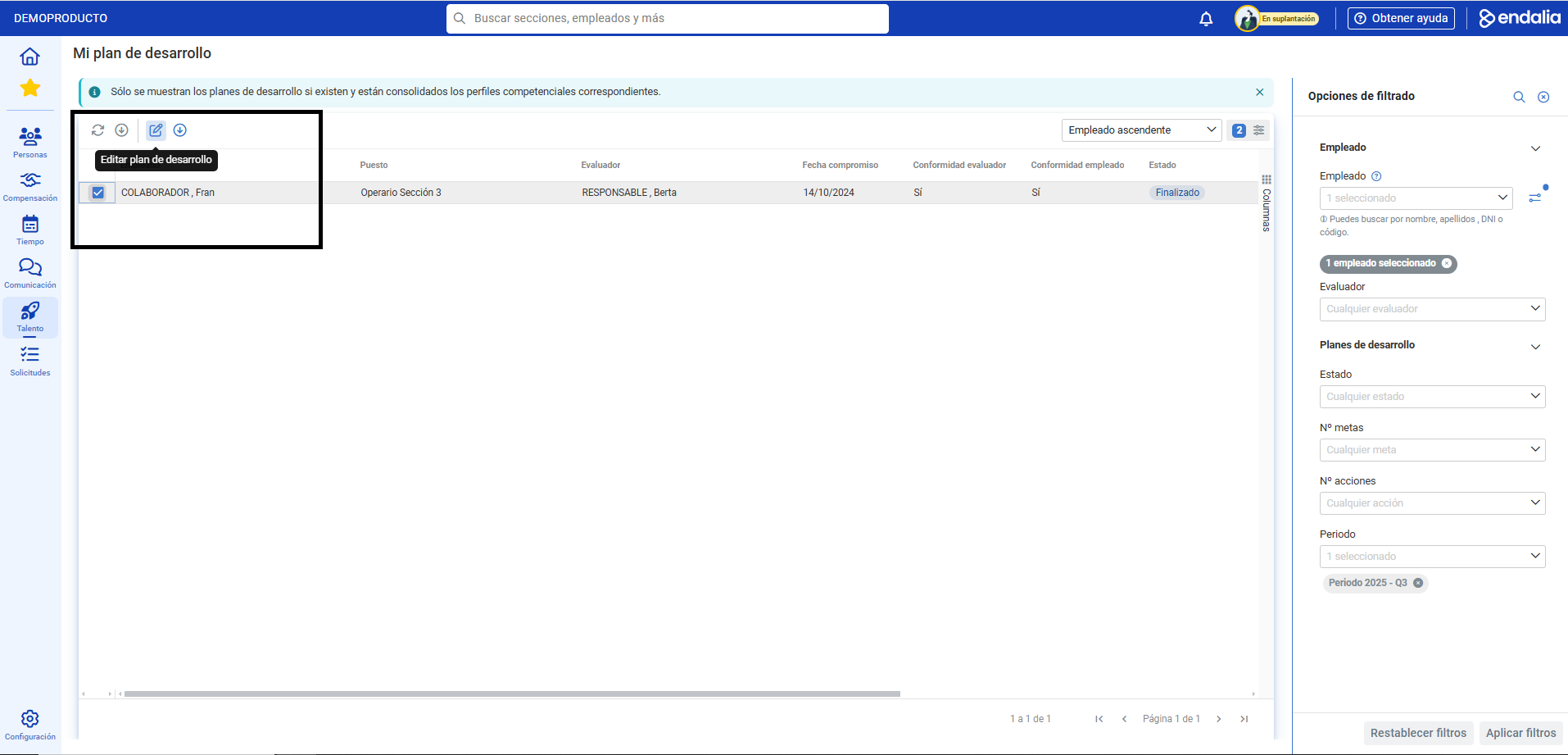
- On the next screen, you can see the list of your development plans, with additional information. Keep in mind that you can filter them, and only those that have consolidated competency profiles corresponding to them will be shown. To view a plan, click on the corresponding box or on its name and click on Edit, a button you will find on the toolbar:
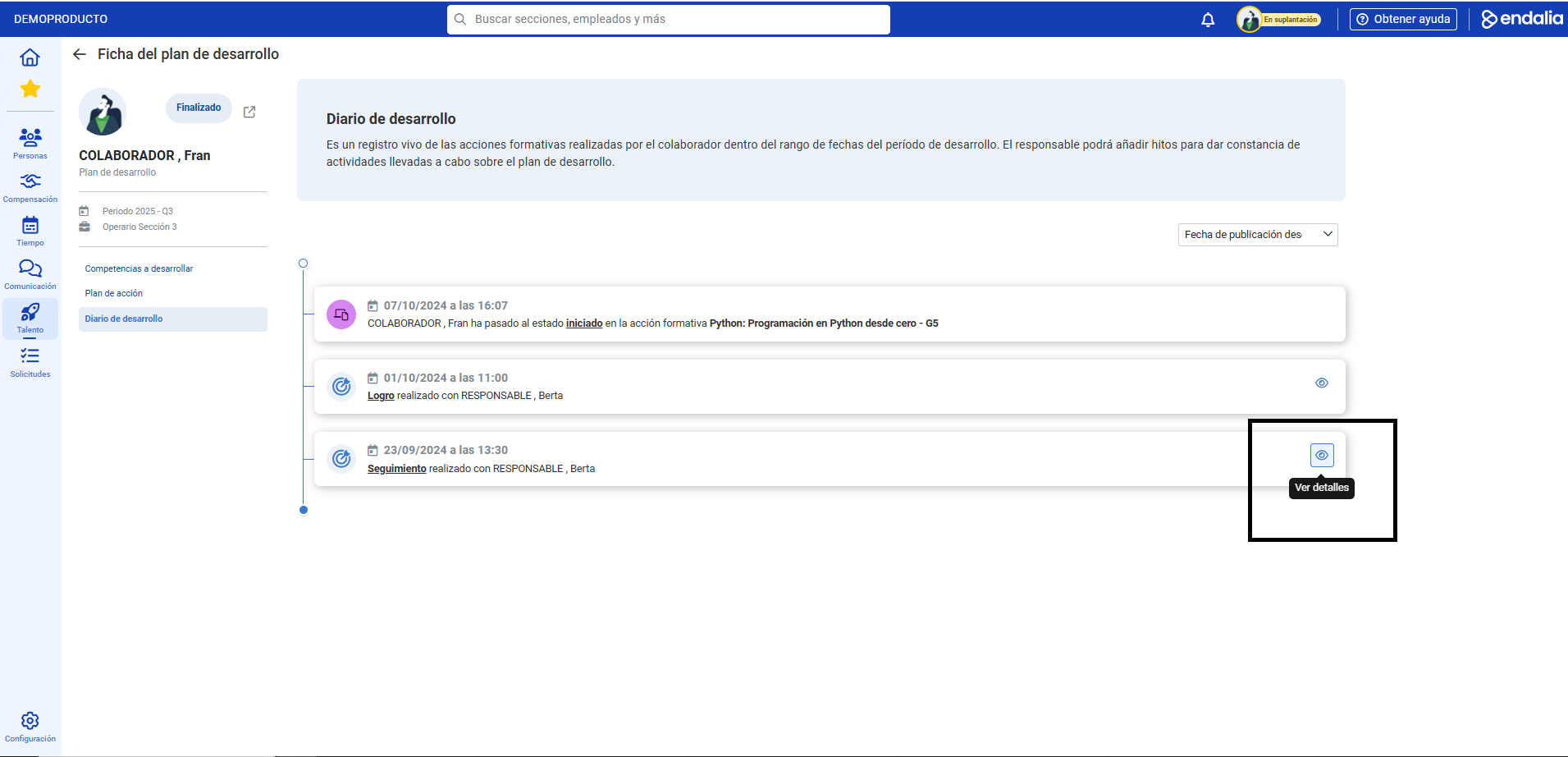
- Once inside the file, go to the menu item Development Diary. As you can see, it is a living record of your training actions, within the development periods. Thus, there are evidences about your progress, in line with the development plan arranged with the manager. While this diary is read-only, in some cases you will be able to see details, such as milestones. Click on the enabled button for this, within each entry of the diary, to learn more:
Additionally, you have a glossary of useful terms. To access, just click on this link.
Was this article helpful?
That’s Great!
Thank you for your feedback
Sorry! We couldn't be helpful
Thank you for your feedback
Feedback sent
We appreciate your effort and will try to fix the article