Important: this article is aimed at Endalia HR users with a Responsible profile.
This is a living record of the training actions carried out by the team leader's collaborators within the date range of the development period.
In this article, you will find:
Development Diary
- Within the Performance and Talent hub, follow the path: Development > Employee Development > Development Plans
- On the following screen, you can see the list of collaborators’ development plans, with additional information. Keep in mind that you can filter them, and only those with consolidated competency profiles will be displayed to you. To view a plan, click the corresponding box or its name and then click Edit, a button you will find on the toolbar.
- Within the development plan record, the responsible person can add milestones to give evidence of the activities carried out on the development plan, which the collaborator can view in read-only mode. There are two types of records: automatic ones (related to training actions the collaborator participates in) and milestones, which are important goals or follow-up actions that must be included in the collaborator’s development diary (and are manually created by the responsible person).
To create a milestone, the development plan must have the collaborator's agreement, and it cannot be finalized (i.e., it is in the Started or Follow-up phase). Within the Development Diary menu item, click on the Add new milestone, button, which you will find at the top of the screen:
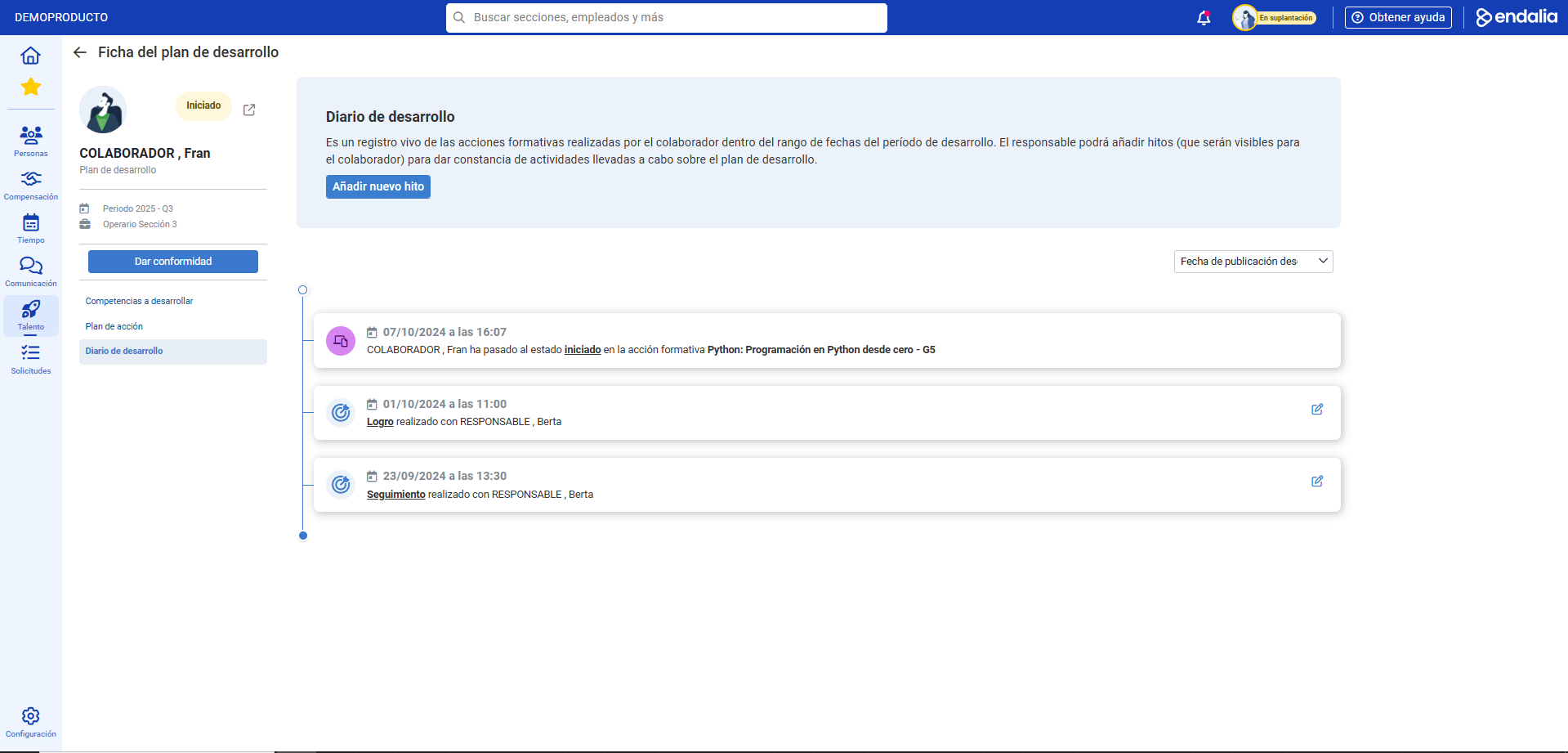
In the modal window presented next, fill in the required fields and, if necessary, the optional ones, and remember to click Add to set your preferences. Now, the new information you entered will appear in the development diary.
Additionally, you have access to a glossary of useful terms. To access, simply click this link.
Was this article helpful?
That’s Great!
Thank you for your feedback
Sorry! We couldn't be helpful
Thank you for your feedback
Feedback sent
We appreciate your effort and will try to fix the article