Important: this article is for Endalia HR users with a Collaborator profile.
As a collaborator, it is important to approve the development plan proposed by the team leader. Follow these simple steps to properly execute this management!
In this article, you will find:
Development Plan
Within the Performance and Talent hub, go to the Development module > My Professional Development > My Development Plan
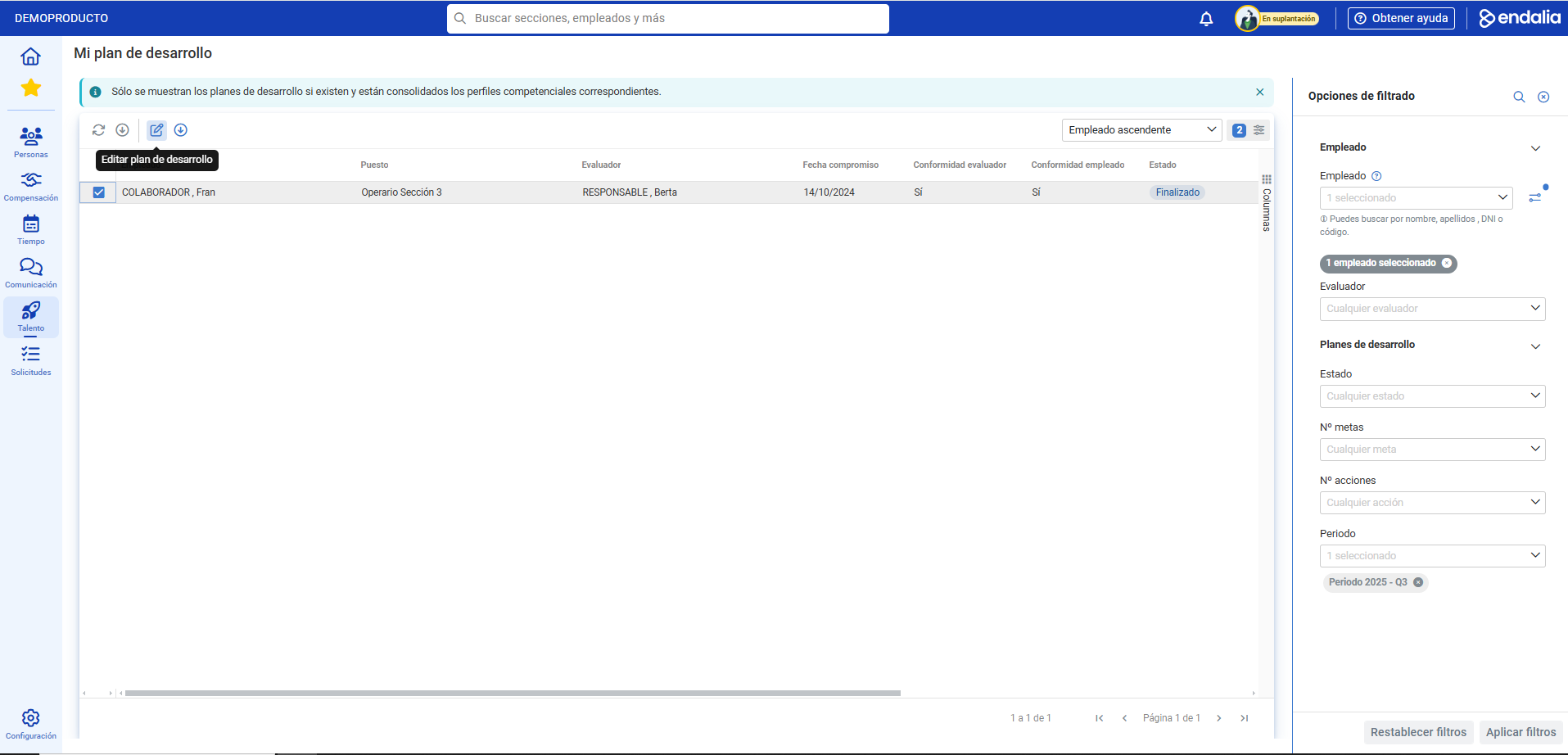
- On the next screen presented, click your name and press the Edit Development Plan button located on the toolbar:
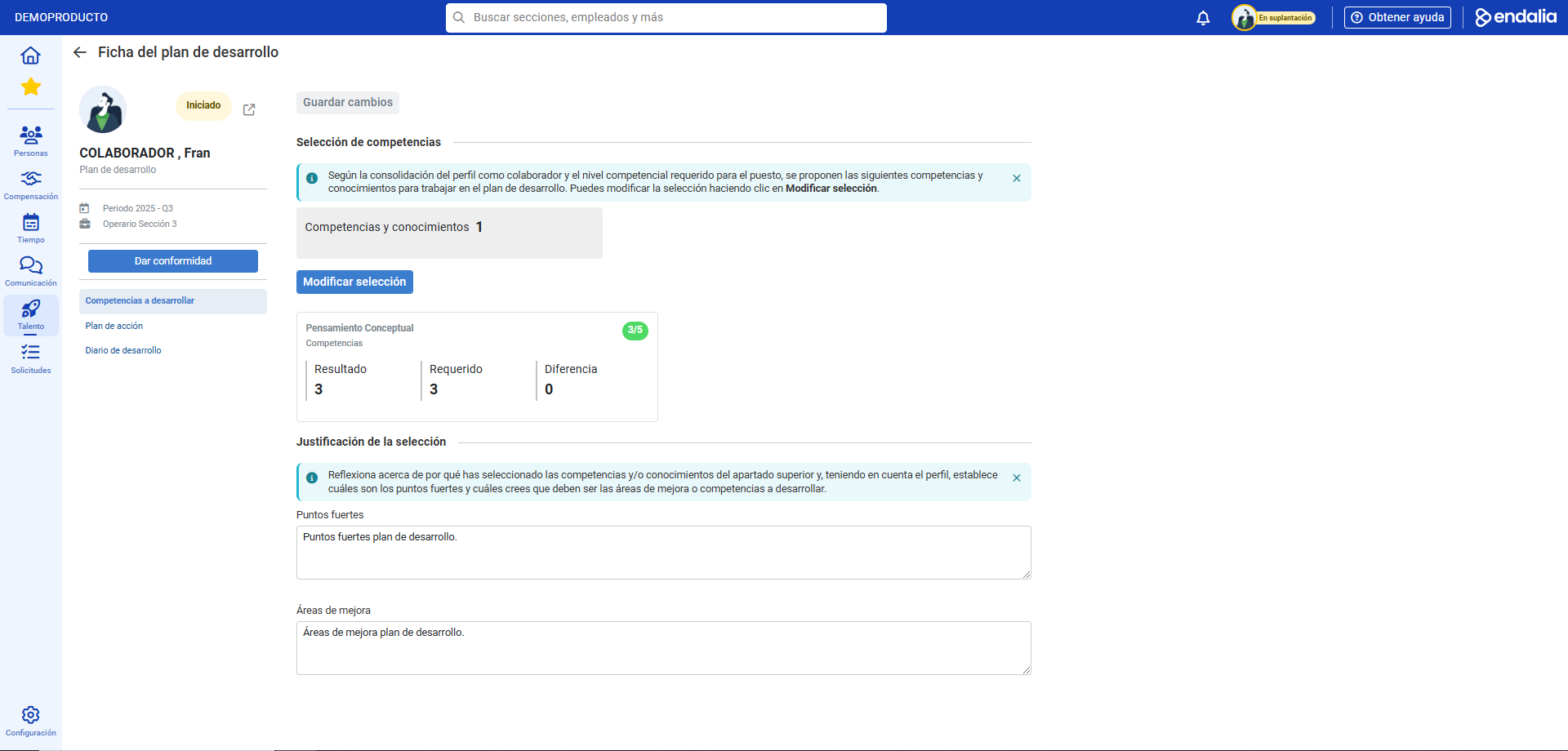
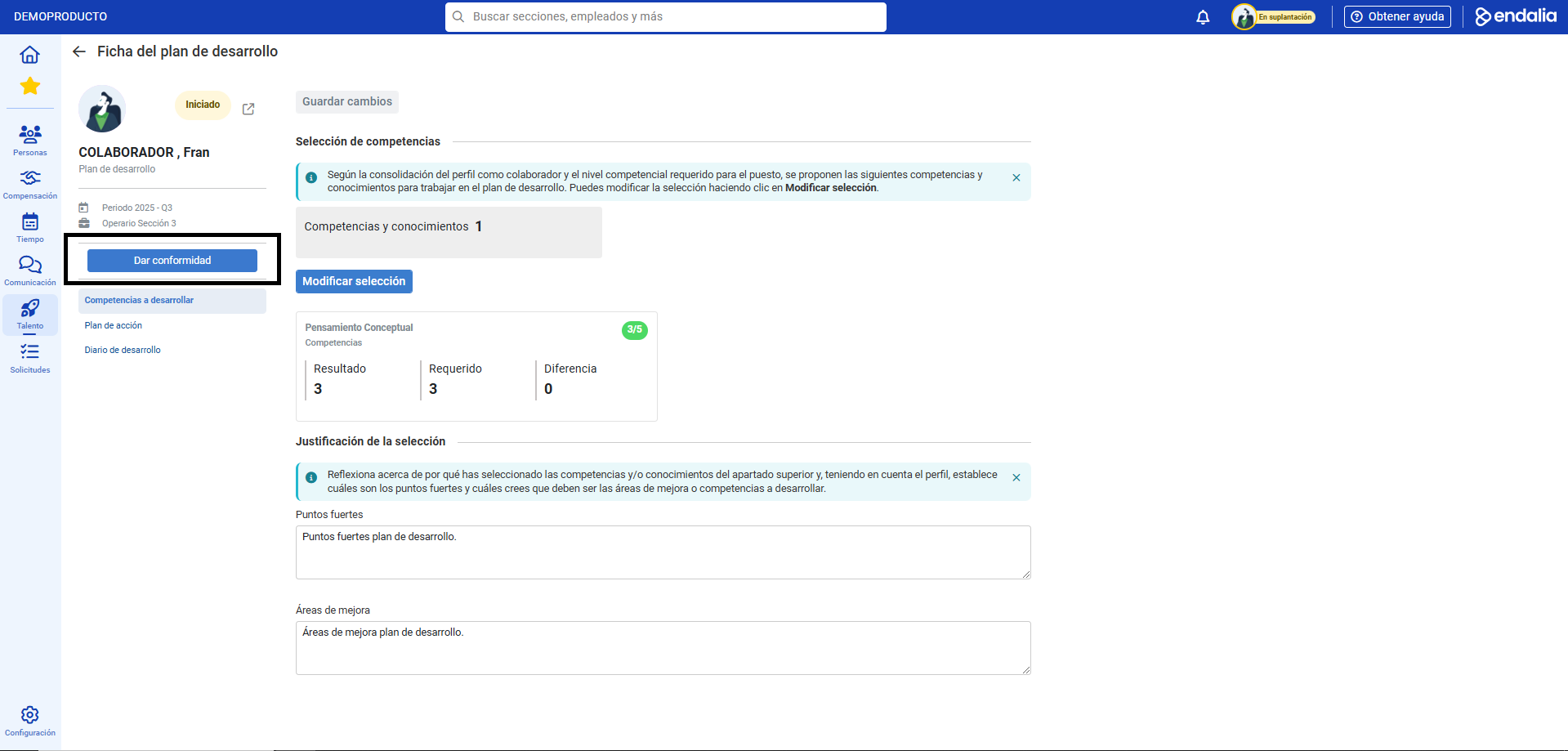
- In the development plan record, you have various sections available; note that some may not be displayed depending on prior configuration by the admin. For example, in the Competencies to Develop section, you can propose changes and justify these modifications; the second section, Action Plan, allows you to add new actions to the plan and modify existing ones, while the Development Diary maintains a record of all activities performed during the development period. Fill or edit relevant fields in each section and click the Approve button, which you will find highlighted in blue on the left side of the screen, above the sections. Finally, in the modal confirmation window, click again on Approve, to advance the plan to the next phase and send it back to the leader for further actions:
Process Video
Additionally, you can view our glossary, available at this link.
Was this article helpful?
That’s Great!
Thank you for your feedback
Sorry! We couldn't be helpful
Thank you for your feedback
Feedback sent
We appreciate your effort and will try to fix the article