Remember: this article is intended for Endalia HR users with an Administrator profile.
The history of the surveys will help you keep a record of them and have better access to data and metrics.
Here we offer you:
Historical Surveys
- In the internal communication hub , go to Surveys > Survey History
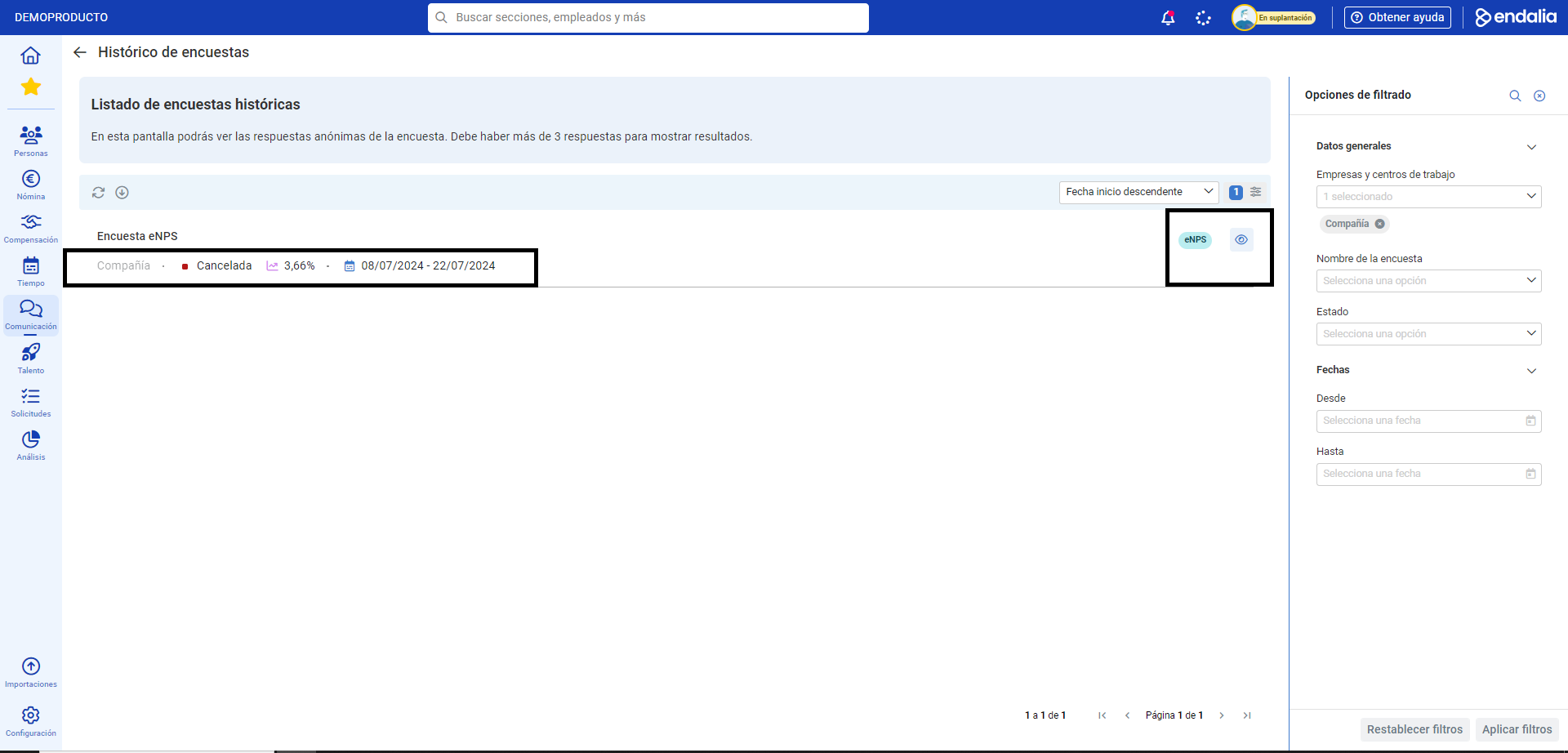
- On the main screen that the program shows you next, you can see a list of iterations or repetitions of canceled or paused surveys. Each row shows only one iteration, along with its status (Completed or Canceled), the participation percentage, and the start and end dates of that iteration:
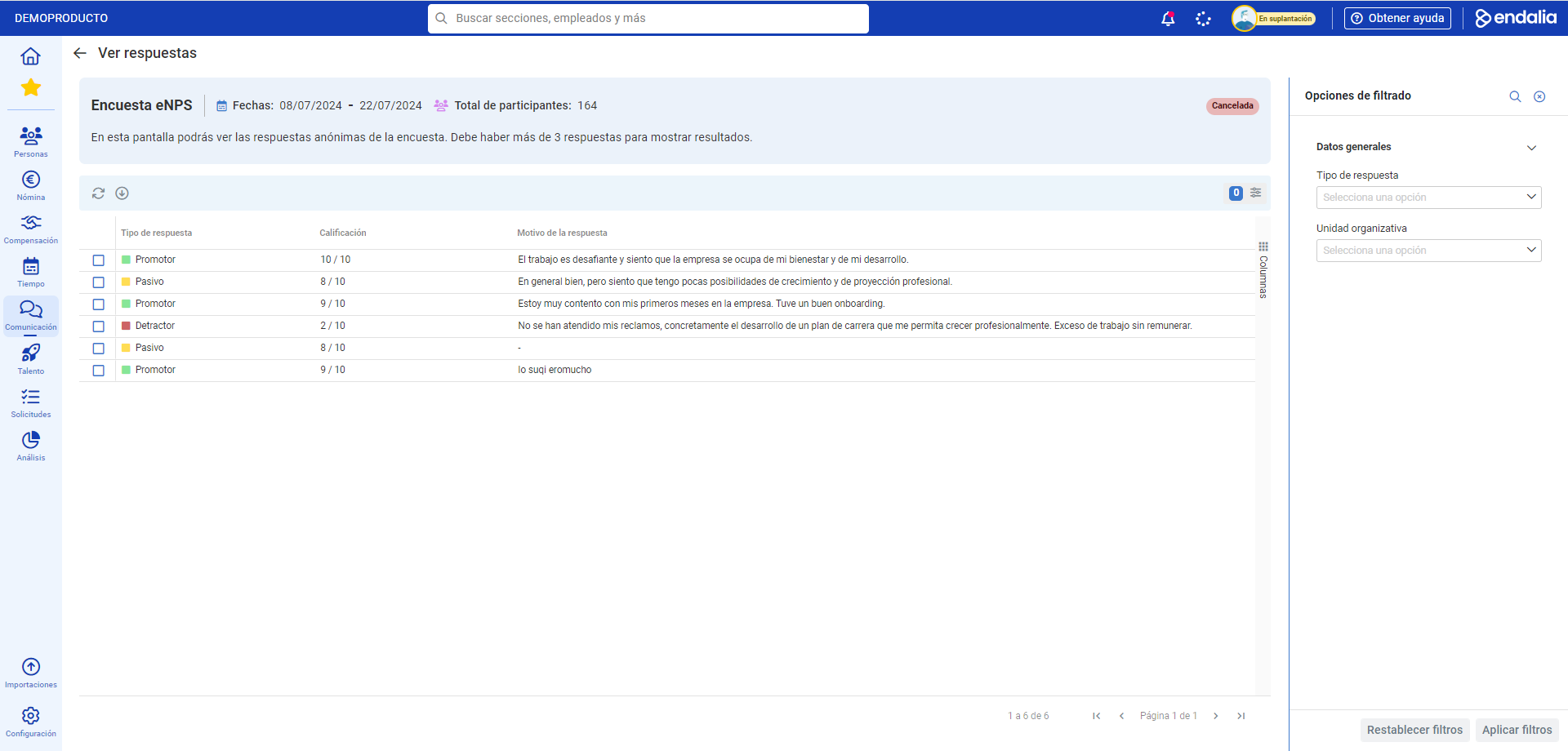
- Additionally, you can use the filtering options at the top right of the screen, or the View button within each iteration, to identify specific patterns on one hand and obtain feedback (the list of responses left by employees in each survey iteration) on the other hand:
If you have any questions, you can also consult:
And our glossary, available at this link.
Was this article helpful?
That’s Great!
Thank you for your feedback
Sorry! We couldn't be helpful
Thank you for your feedback
Feedback sent
We appreciate your effort and will try to fix the article