Remember: this article is intended for Endalia HR users with an Administrator profile.
Now you can view and download the anonymous comments left by employees in surveys, with the aim of drawing richer conclusions based on qualitative and quantitative data.
In this informative piece, you will find:
Note: Please note that upon accessing the main screen of this article (Internal Communication > Surveys > Company > eNPS) and selecting the company or work center, if the survey has three responses or fewer, the View responses option will not appear in the eNPS section.

Feedback list
- In the hub Internal Communication, go to Surveys > eNPS
- On this first screen, the dropdown initially shows you the companies and work centers with surveys conducted. Please note that if an aggregator entity is previously configured, you will be able to see both historical and current data, while for previous ones, only historical data will be available.
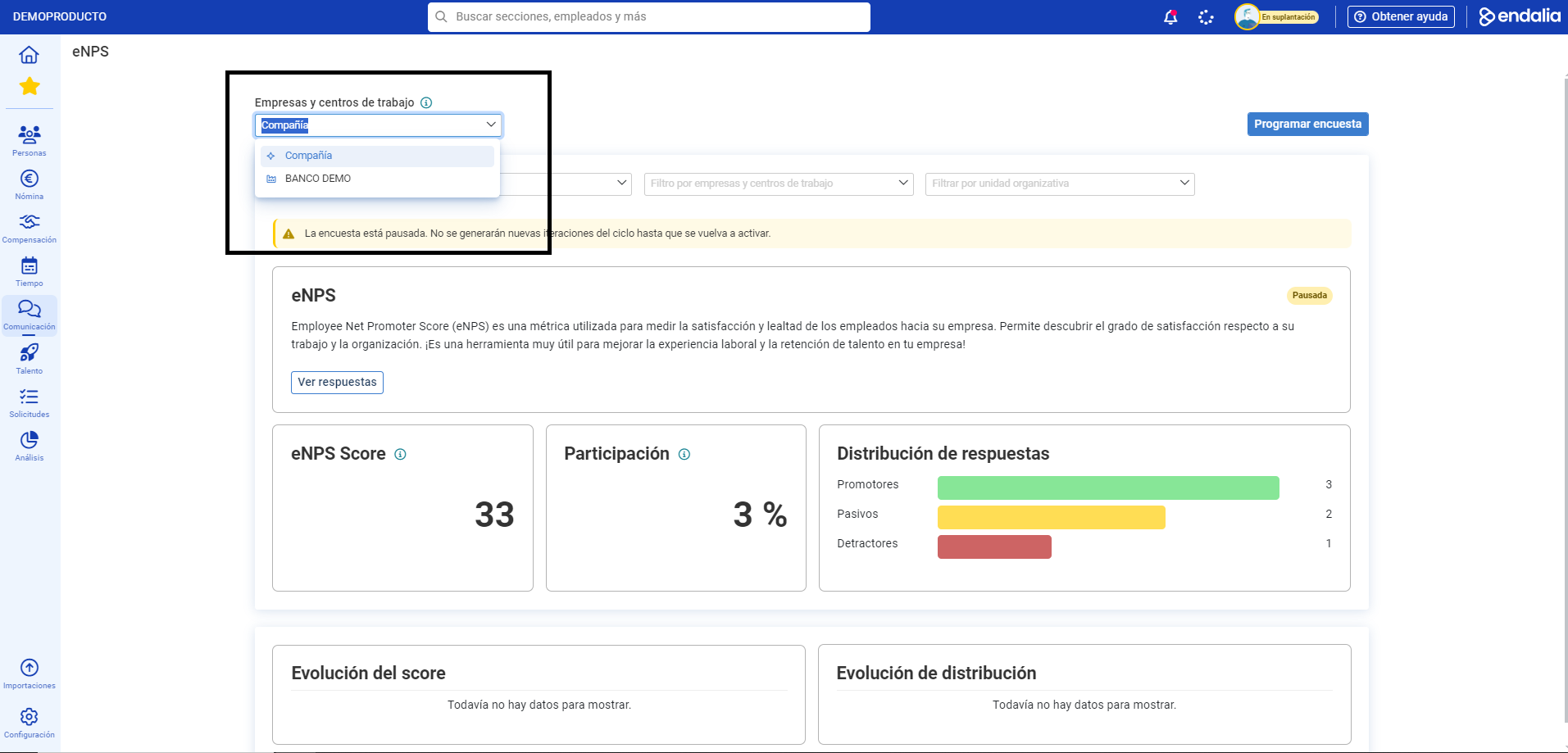
- Once the Company/Work Center is selected, it is time to go to the iterations located just below. Iterations are understood as the number of times a survey is repeated over a time frame.
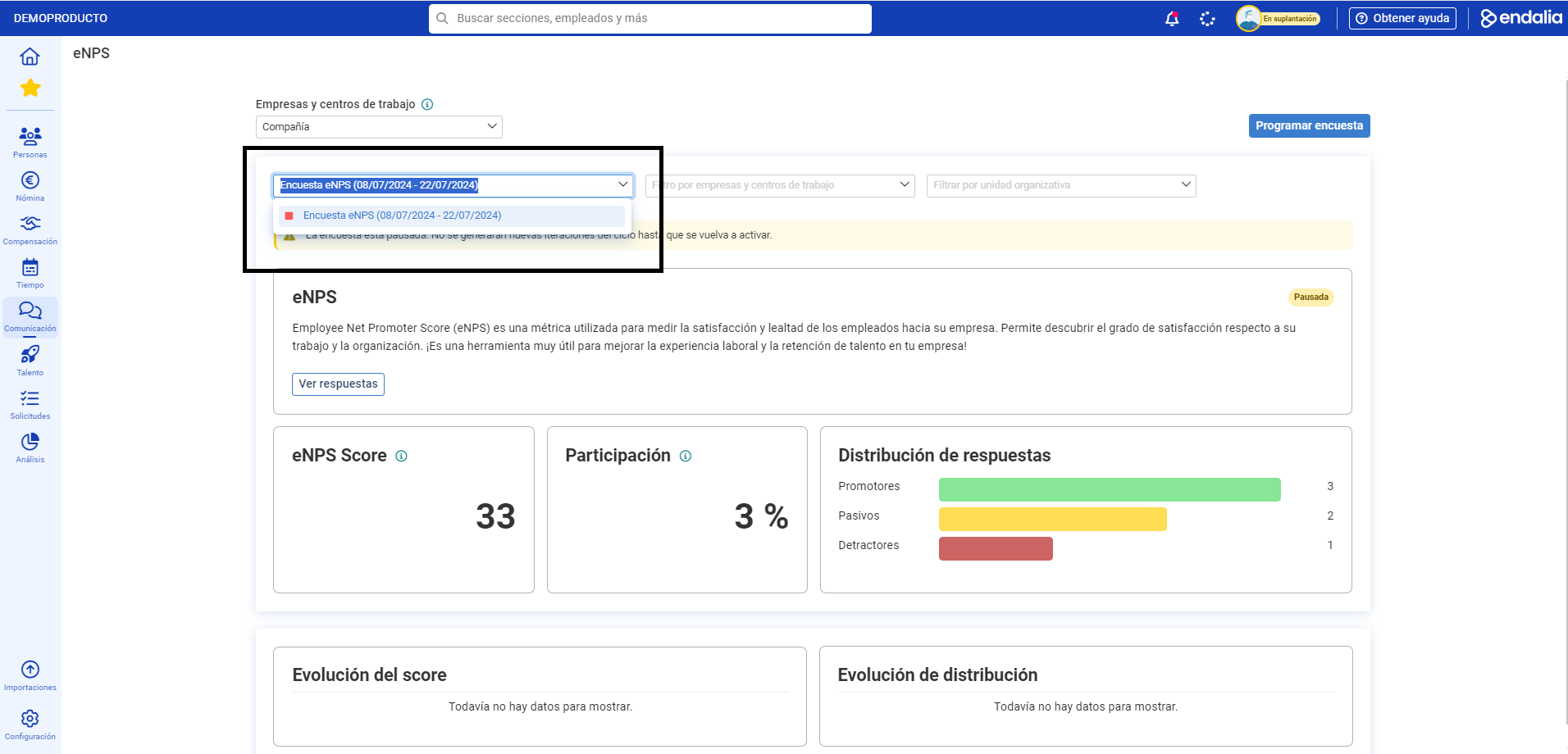
- Once a specific iteration or repetition is chosen, you will find the View responses button immediately below the screen.
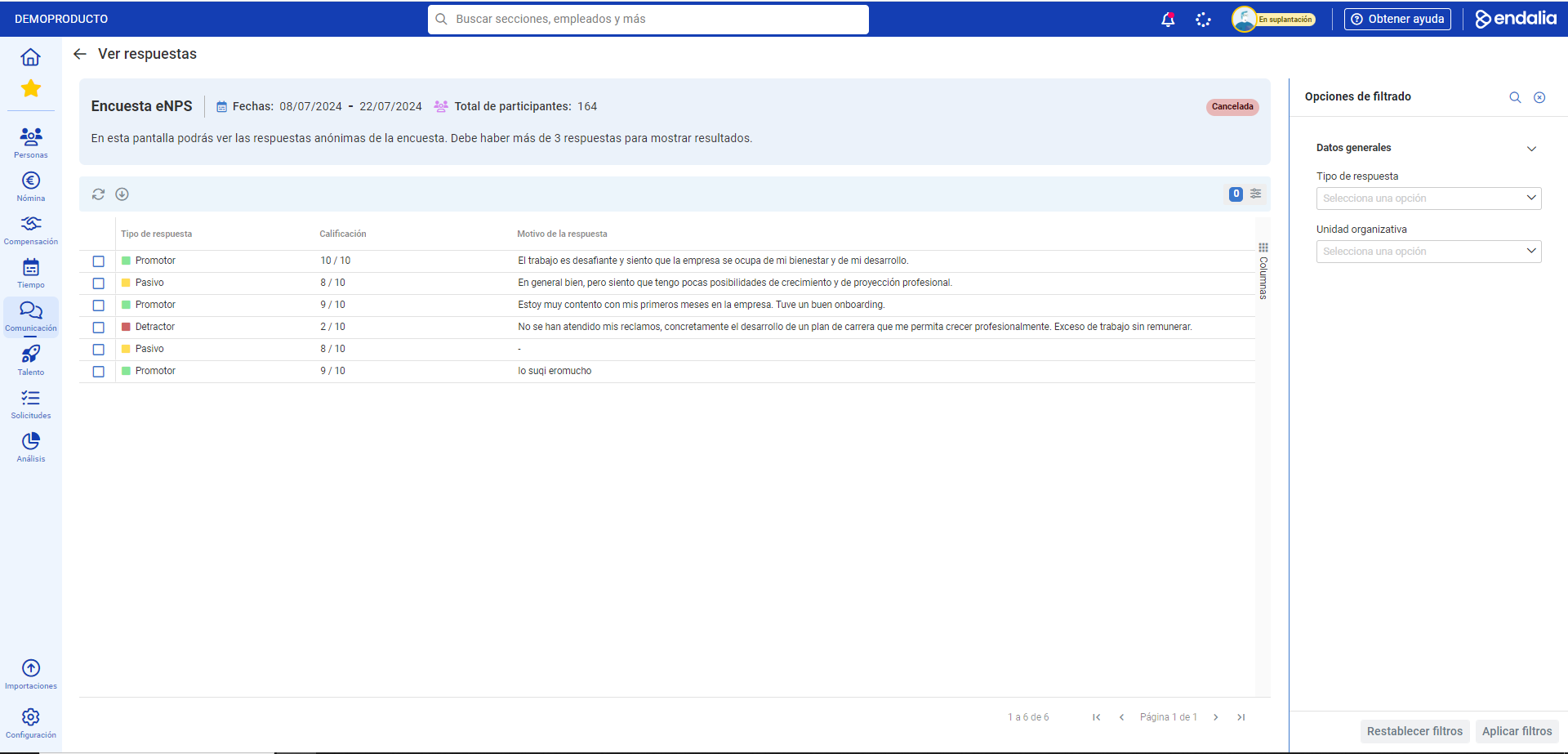
- If there are three or more responses in the survey, they appear in the list with the rating and response comment as additional information you can export; otherwise, the data will not be shown.
Additionally, take a look at these related articles for useful insights:
If you have any doubts about the terms, please refer to our glossary through this link.
Was this article helpful?
That’s Great!
Thank you for your feedback
Sorry! We couldn't be helpful
Thank you for your feedback
Feedback sent
We appreciate your effort and will try to fix the article