This folder is not available in Portuguese/Portugal, view it in Spanish
Important: Shifts: Work periods (e.g. from 9 to 18 h). Segments: Work periods recorded within the day (e.g. work from 9 to 13 h; lunch break from 14 to 15 h, etc.). Main elements: Calendar Registration/Edit Button Actual Registration Breakdown of SegmentsThis article is aimed at Endalia HR users with a Collaborator profile.
Another interesting option consists of registering all the segments that comprise your workday at once, regardless of the time when you manage it. Read these small tips to complete the present configuration effortlessly.
Here you will find:
Unique, real-time, and asynchronous registration
- Within the hub Time Management, go to Time Registration > My Records
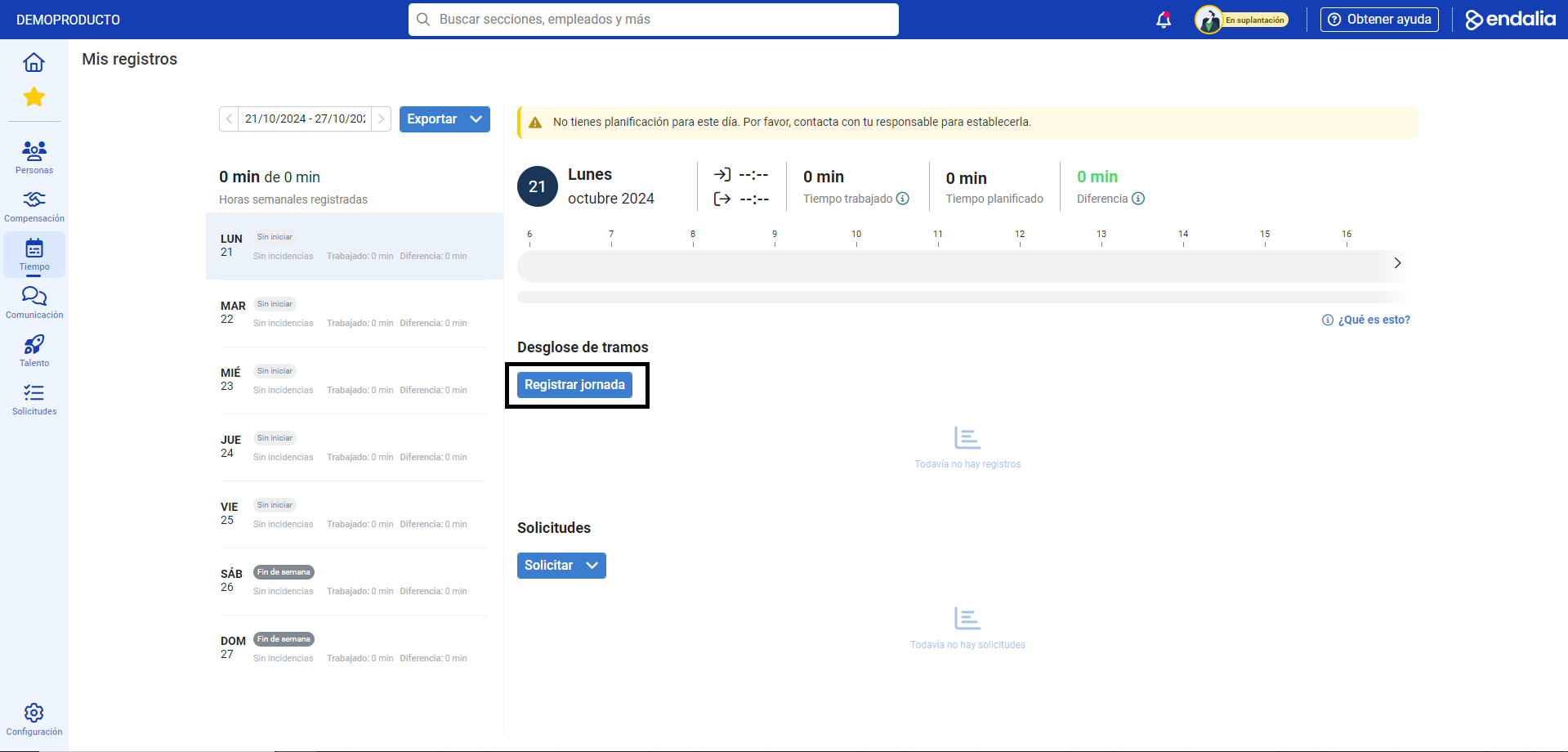
- On the next screen that you are presented with, click the Register Workday button
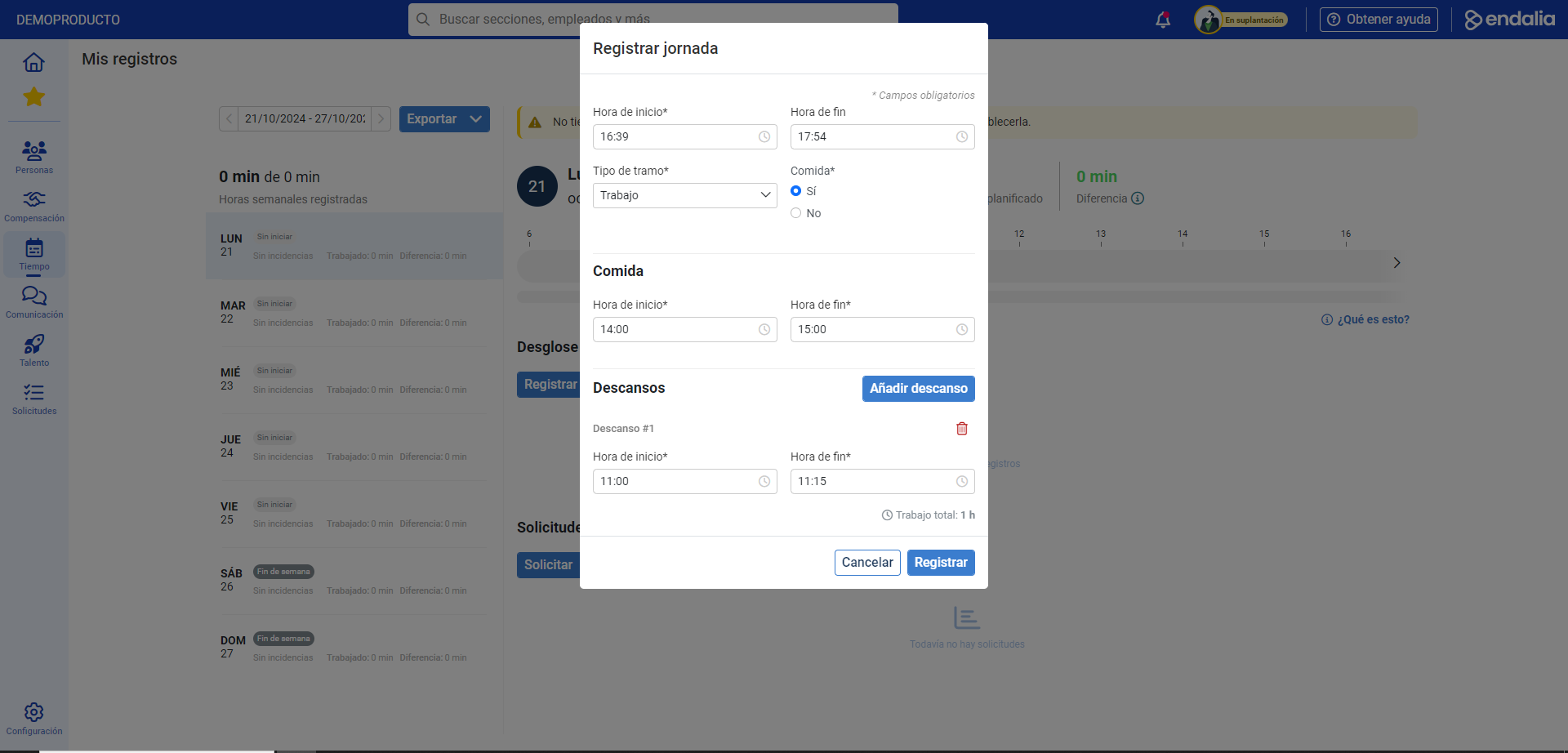
- In the modal window presented to you subsequently, fill in the fields/edit the options according to your workday schedule. Do not forget to click Register to save it:
- On the same My Records screen, you can perform other actions, such as edit workday, delete workday, export, etc.:
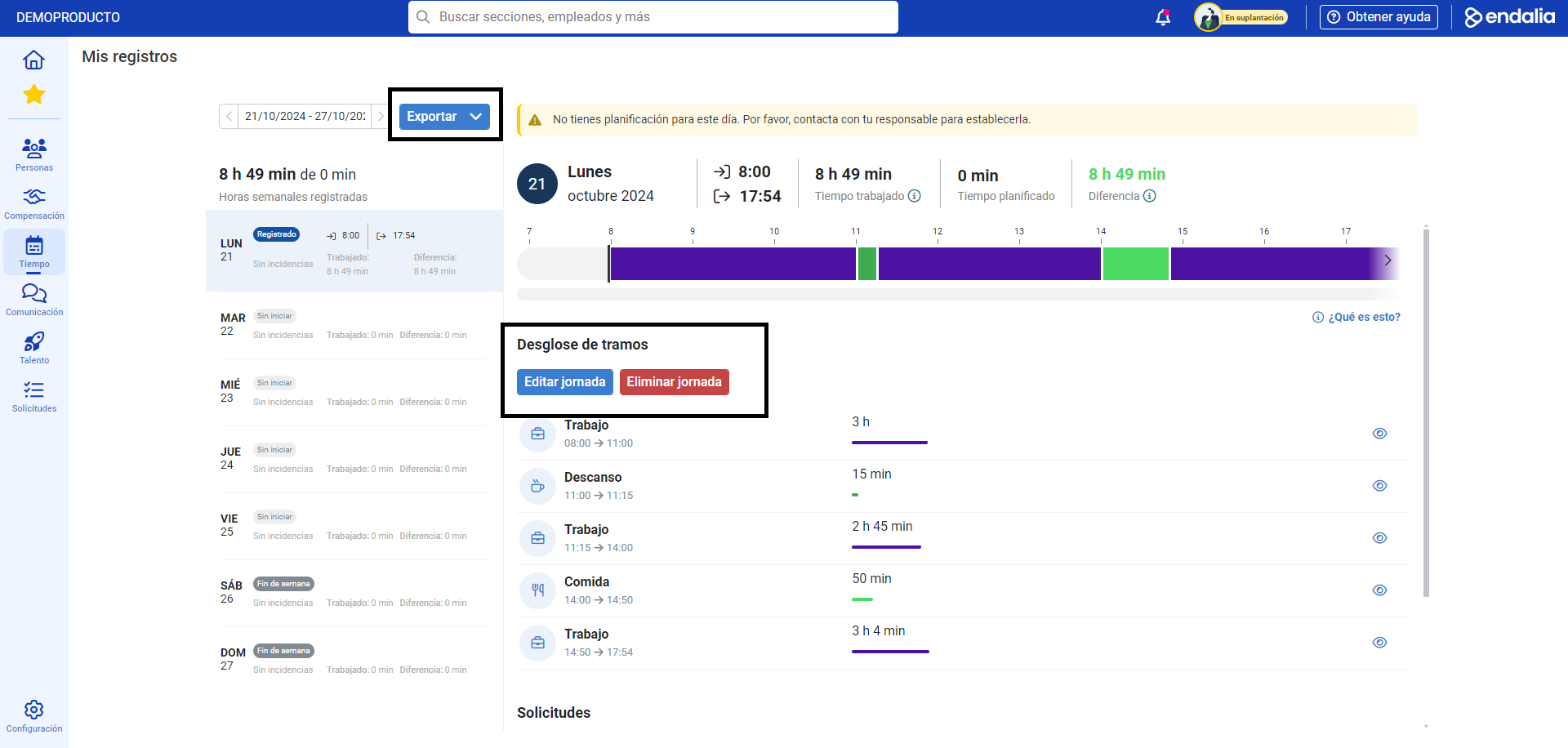
- In the first case, click the button enabled for it, which will take you to step 3 of this same guide, to modify the workday. You can also delete it, once you have clicked the Delete button in the emerging modal window. In the case of Export, the system will download a summary of records, in Excel format, to the location you have chosen on your device.
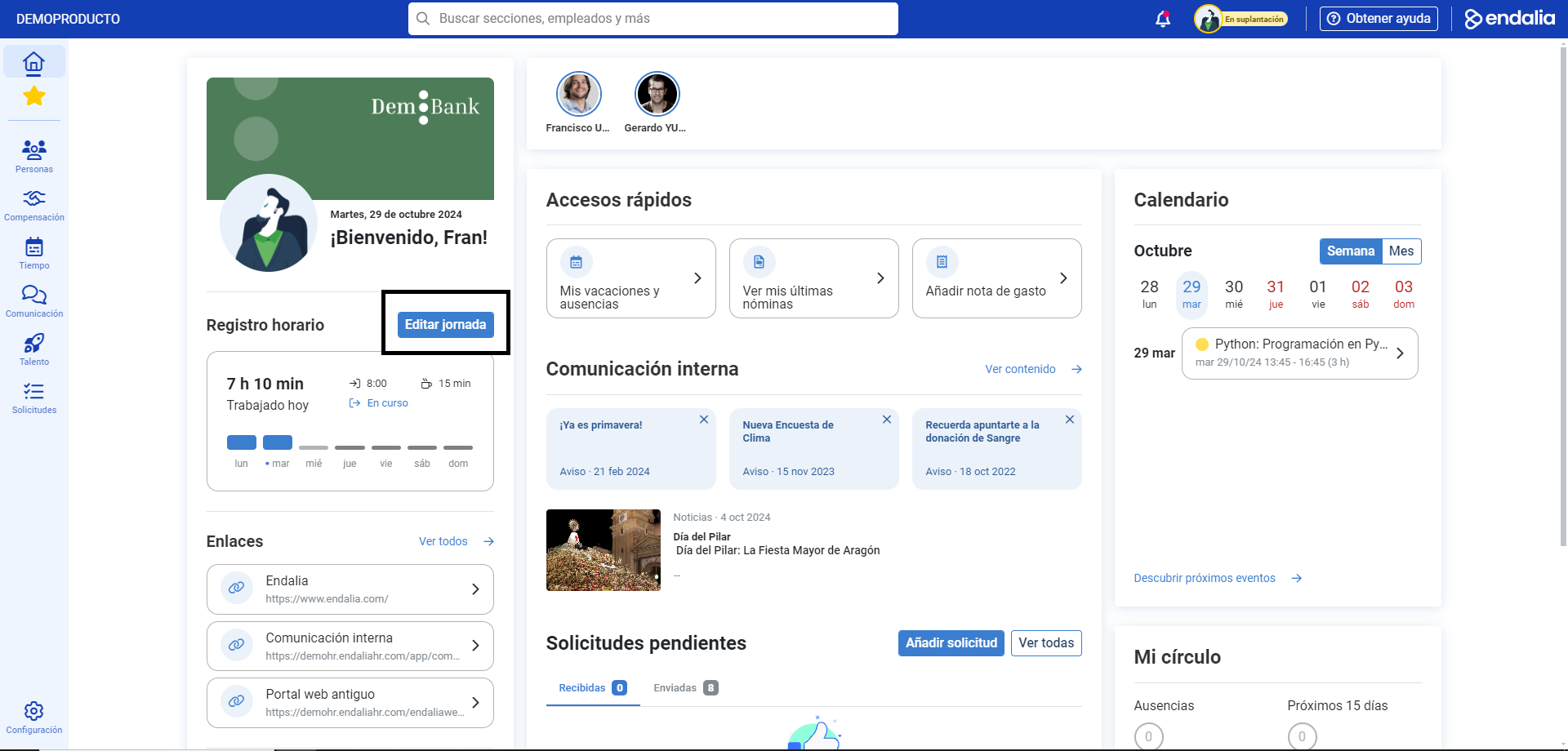
Note: Alternatively, there is a button on the home within the Time Registration section to directly register/edit a workday:
Additionally, you can take a look at the following related articles:
And to our glossary, available at this link.
Was this article helpful?
That’s Great!
Thank you for your feedback
Sorry! We couldn't be helpful
Thank you for your feedback
Feedback sent
We appreciate your effort and will try to fix the article