Important: this article is intended for Endalia HR users with a Collaborator profile. Remember: Shifts: Work periods (e.g. e.g., from 9 AM to 6 PM). Segments: Work periods recorded in the day (e.g. e.g., work from 9 AM to 1 PM; lunch break from 2 PM to 3 PM, etc.). Main elements of My Records: Weekly Calendar Register/Edit Workday Button Real-time Registration Segment BreakdownFinally, to be able to perform a workday edit, it must have been validated.
There are various reasons to request a schedule change, such as incorrect recording of segments, change in working hours, and other various incidents. We guide you through the management in a few simple steps. Don't miss out on any details!
Here you will find:
Request a workday edit
Within the Time Management hub, go to Hourly Registration > My Records
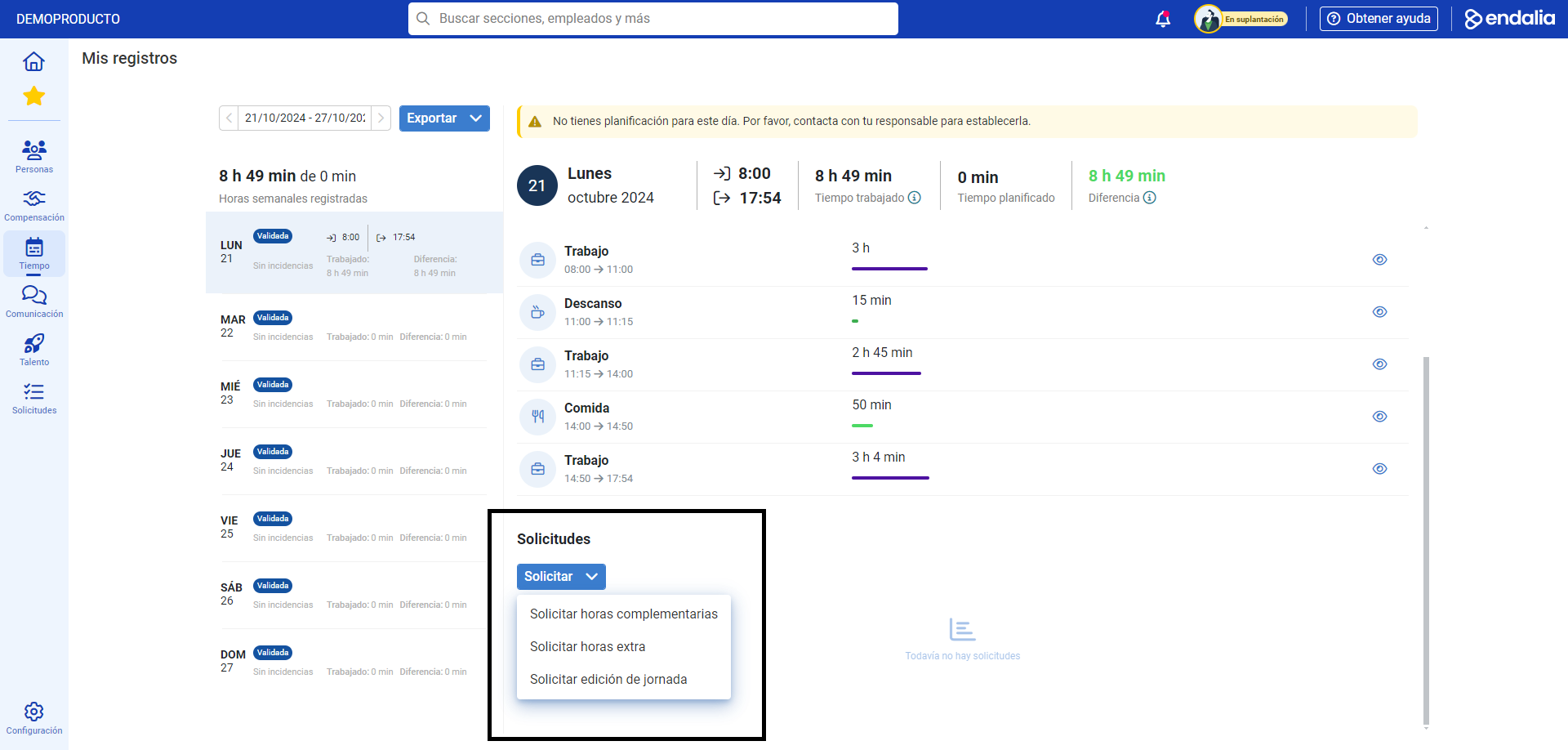
Now, to request a workday edit, select the day on the weekly calendar on which you want to make changes (it will appear as Validated) and, then, open the dropdown you will find in the Requests menu and click on Request > Request workday edit
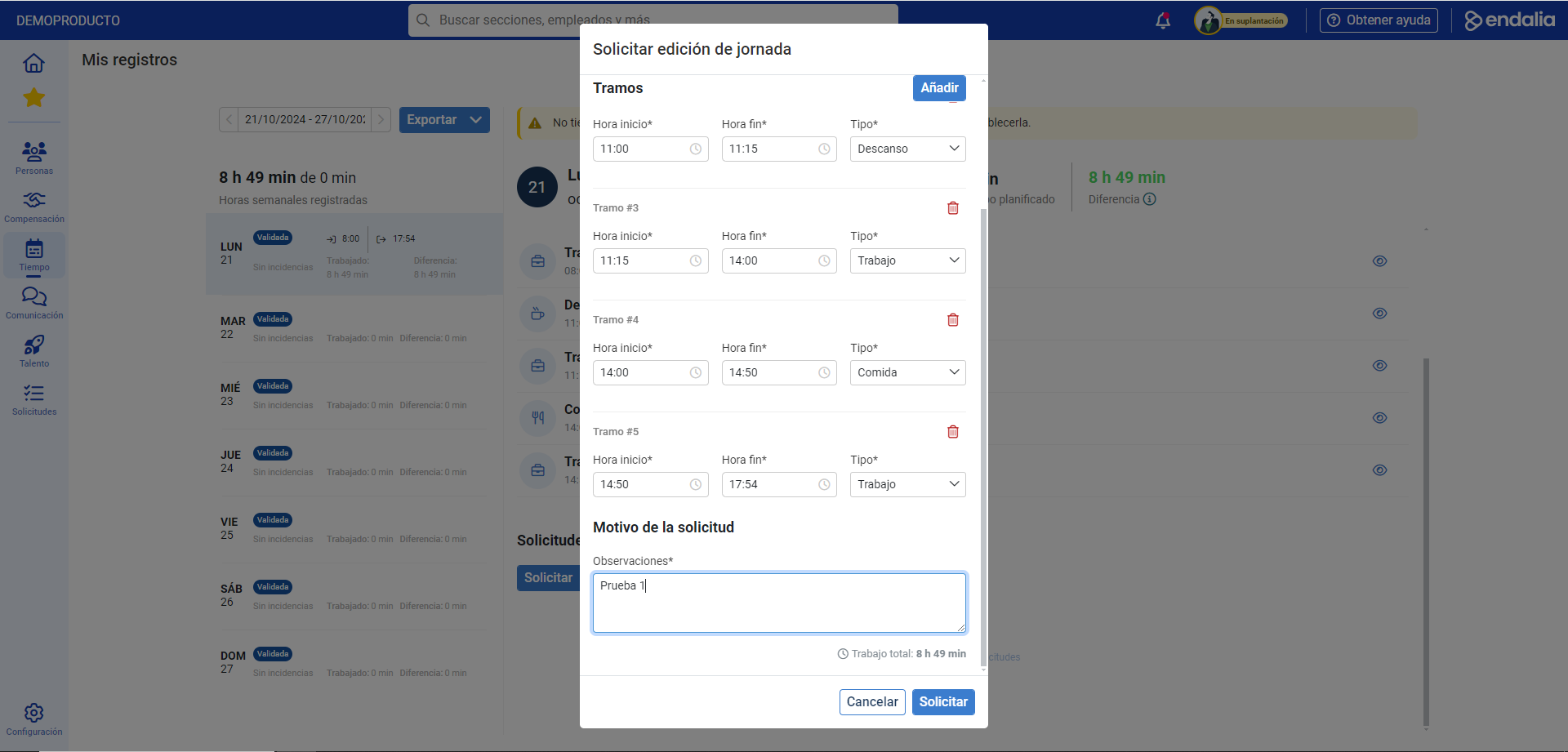
In the modal window that is presented to you next, Request workday edit, mark the hours, the type of segment, and the reason(s) for the revision request; you can add various segments and delete them before clicking Request
From this moment on, the workday will appear marked "under review", while in the area of the screen designated to requests, just below the segment breakdown section, it will display the workday edit requests and their status (validated, requested, rejected, etc.):
Additionally, you can take a look at the following related article:
And our glossary, available at this link.
Was this article helpful?
That’s Great!
Thank you for your feedback
Sorry! We couldn't be helpful
Thank you for your feedback
Feedback sent
We appreciate your effort and will try to fix the article