Important: Shifts: Work periods (e.g., from 9 to 18 h). e.g., from 9 to 18 h). Segments: Work periods recorded in the day (e.g., working from 9 to 13 h; lunch break from 14 to 15 h, etc.). e.g., working from 9 to 13 h; lunch break from 14 to 15 h, etc.). Main elements: Weekly Calendar Registration/Edit Workday Button Real-time Registration Breakdown of segmentsThis article is intended for Endalia HR users with a Collaborator profile.
There are various ways to record time; one of them is to break down the workday into segments, regardless of the current time. If you're curious to know how it works, this is your place.
Here you will find:
Asynchronous segment-by-segment registration
Within the hub Time Management, go to Time Registration > My Records
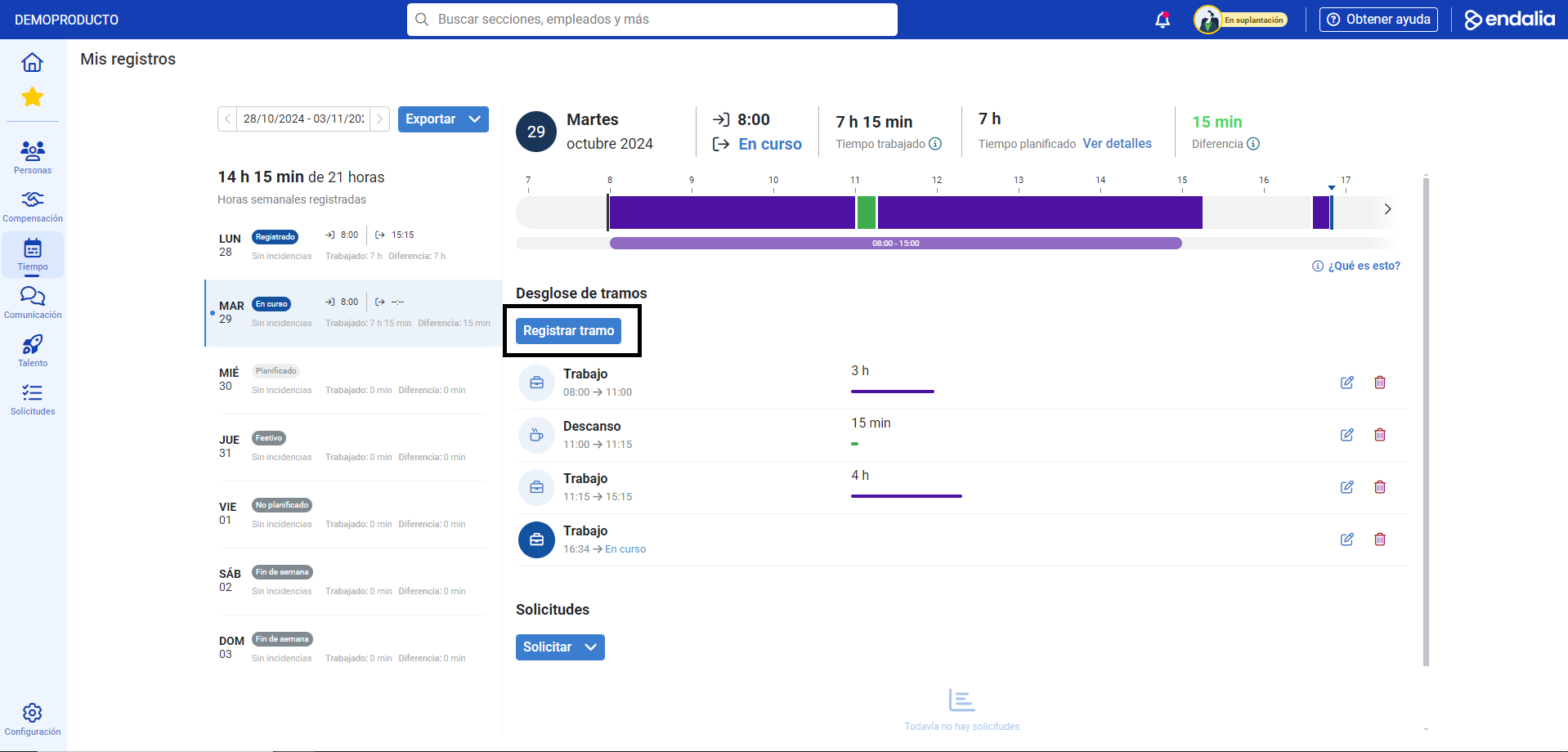
On the screen that appears next, click on Register Segment
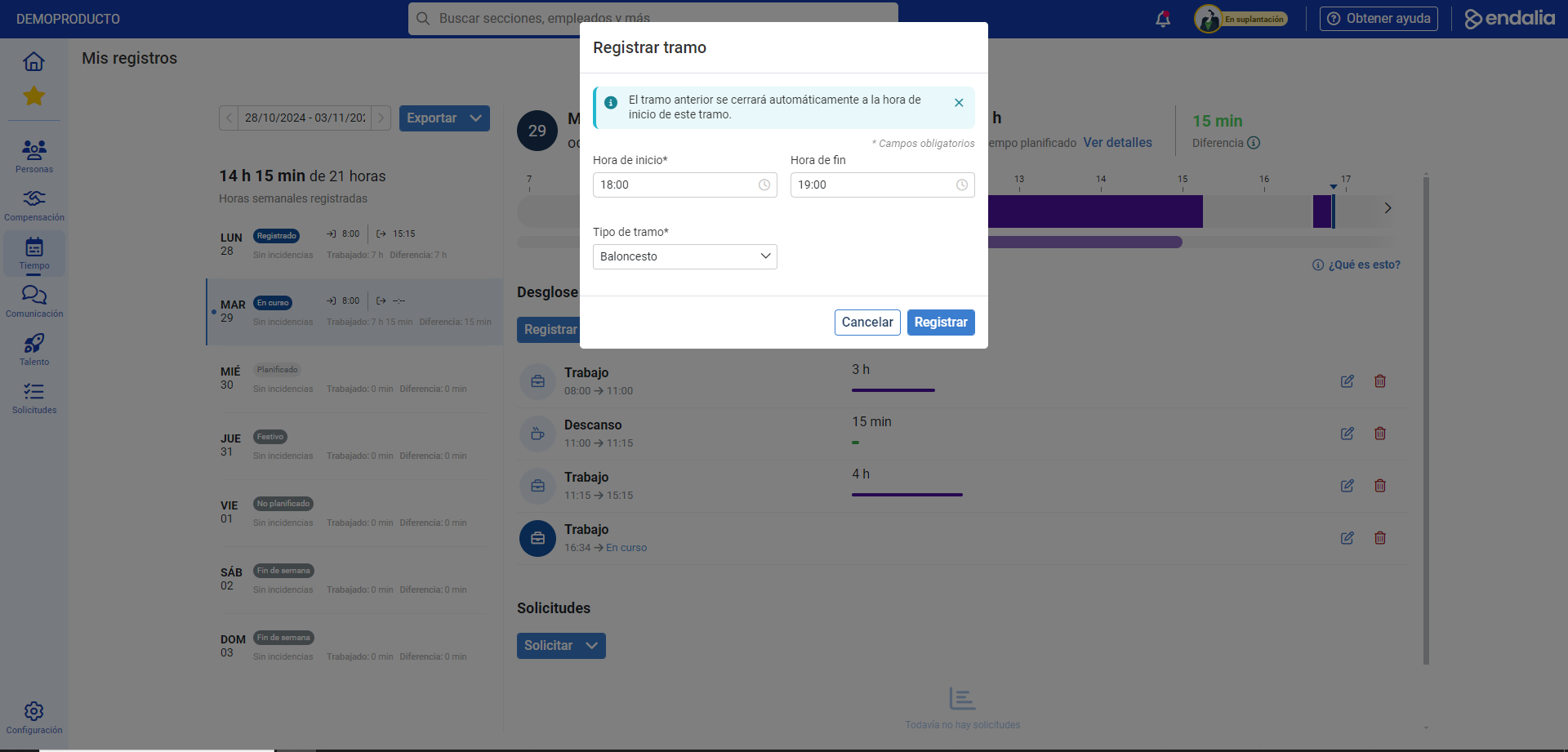
This way, you can include a specific time slot for a specific action (teleworking, work, gym, travel, etc.) that the administrator has previously configured for you. Therefore, in the modal window presented to you after Register Segment, fill in the corresponding fields and click on Register
Now you have the new segment identified in the breakdown. Remember that you can edit or delete it using the buttons enabled for this purpose:
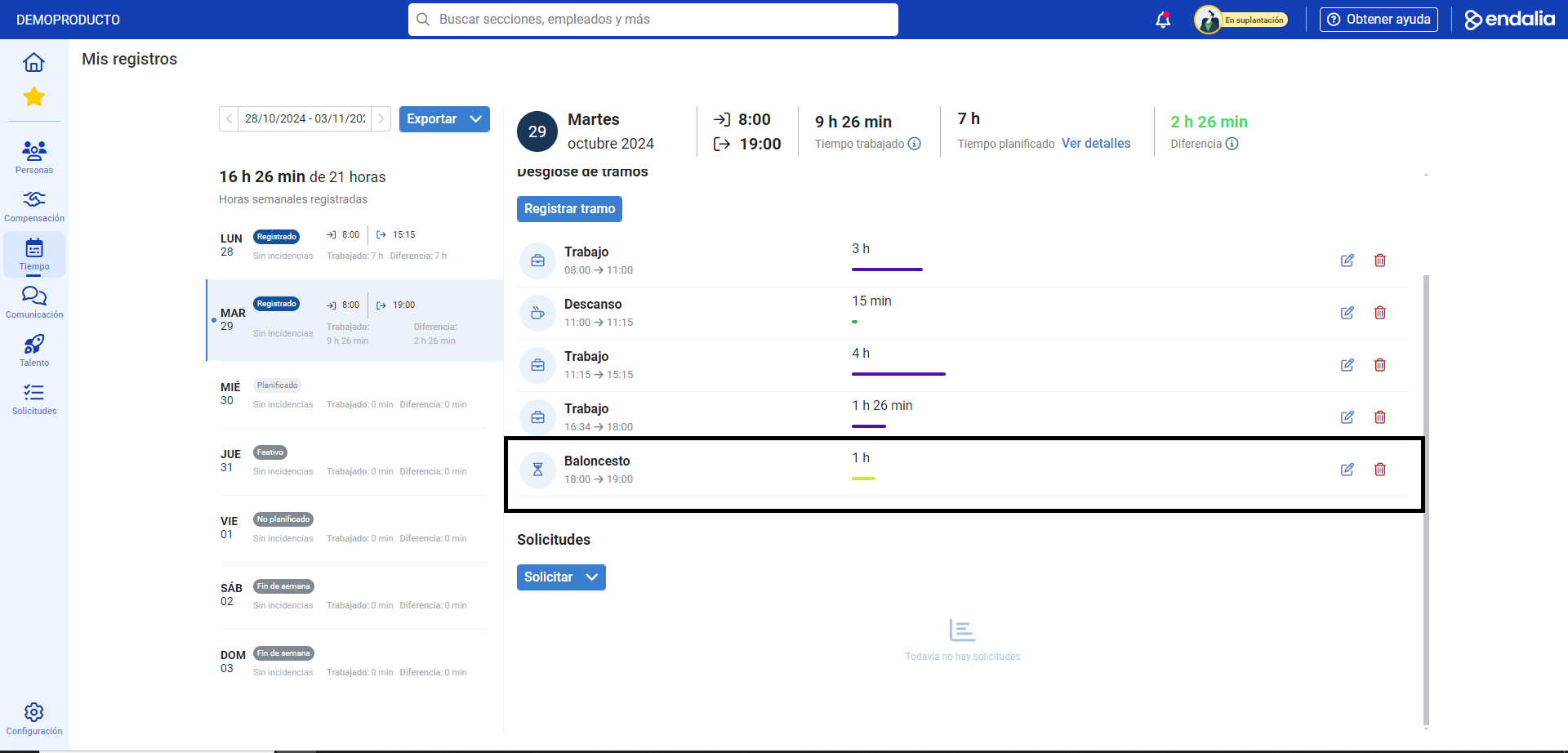
Note: depending on the settings established by the administrator for your type of record, you will have different variants when Adding a record (the system will only allow you to enter the start of the workday in real time, in planned time, etc.; e.g. e.g. if you register at 11:05, you won't be able to enter the start of the workday at 8:00 a.m., or at 9:15).
Moreover, you can take a look at the following related articles:
And to our glossary, available at this link.
Was this article helpful?
That’s Great!
Thank you for your feedback
Sorry! We couldn't be helpful
Thank you for your feedback
Feedback sent
We appreciate your effort and will try to fix the article