This article is not available in Portuguese/Portugal, view it in Spanish
Important:
Shifts: Work periods (e.g., from 9 to 18 h). e.g., from 9 to 18 h).
Segments: Work periods recorded during the day (e.g. e.g., work from 9 to 13 h; lunch break from 14 to 15 h, etc.).
This article is aimed at Endalia HR users with a Collaborator profile.
Since the publication of Royal Decree-law 8/2019, from March 8, employees are required to record their working hours. Here we explain how to manage it, with a simple and very intuitive interface.
Here you will find:
Record work hours in real time
Within the hub of Time Management, go to the Time Recording module > My Records. On this screen, you will see the following elements, highlighted by colors:
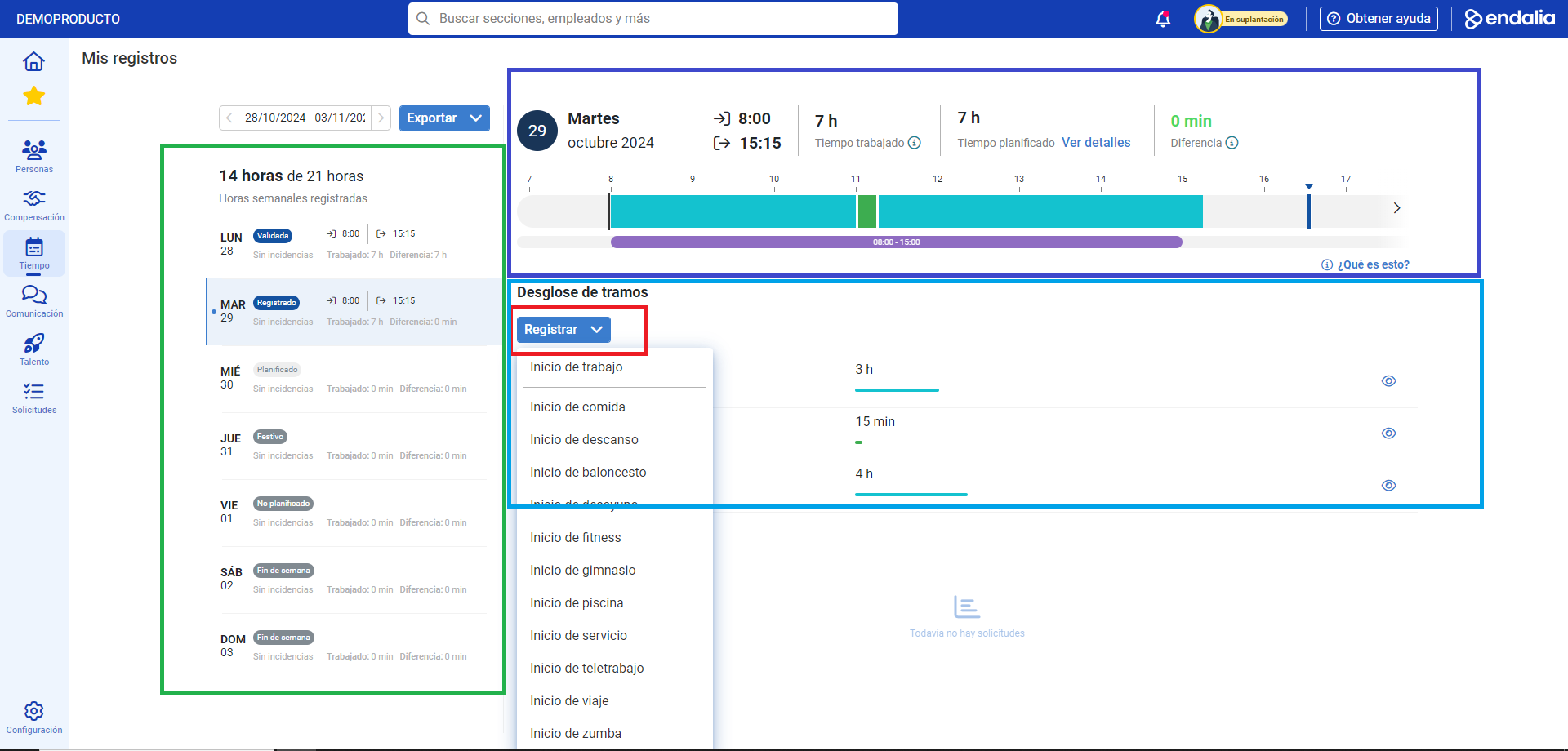
- Calendar: located on the left side of the screen. Here you can view, from top to bottom, the current week, the Export button (allows downloading the week's registry in an Excel file within the chosen date range), the total hours registered over the total weekly, the current workday and the record of segments for each day.
- The recording button: in this case, speaking of real time, the Register button opens a modal window where you can record your workday, detailing its various aspects (Start and end of the workday, Start and end of lunch, Start and end of breaks, etc.). Remember to click Register, to set your preferences. Once this step is completed, in the same place where the button mentioned at the beginning of this article is located, there are two others, named Edit Workday and Delete Workday, which allow you to further fine-tune your records. Finally, in this section of the screen you have another section, Requests, which consists of an additional button, called Request, to ask for additional hours, on-calls, shifts, etc., and where your permissions and IT (work incapacities, if any) are also displayed: Remember that, in this case, your manager will be responsible for approving it, ultimately.
- Real-time recording: it marks, on one hand, the exact time at the moment of the inquiry, and, on the other, the bar indicates the segments conducted throughout the workday, which will be completed as it progresses.
- Breakdown of segments: this section details how each hour of the workday was spent.
Additionally, you can check the following related articles:
And our glossary, available at this link
Was this article helpful?
That’s Great!
Thank you for your feedback
Sorry! We couldn't be helpful
Thank you for your feedback
Feedback sent
We appreciate your effort and will try to fix the article