Important: this article is aimed at Endalia HR users with a Collaborator profile.
Remember:
Shifts: Work periods (e.g. from 9 to 18 h).
Segments: Work periods recorded during the day (e.g. work from 9 to 13 h; lunch break from 14 to 15 h, etc.). Main elements of My Records:
Weekly calendar
Registration/editing buttons
Real registration
Segment breakdown
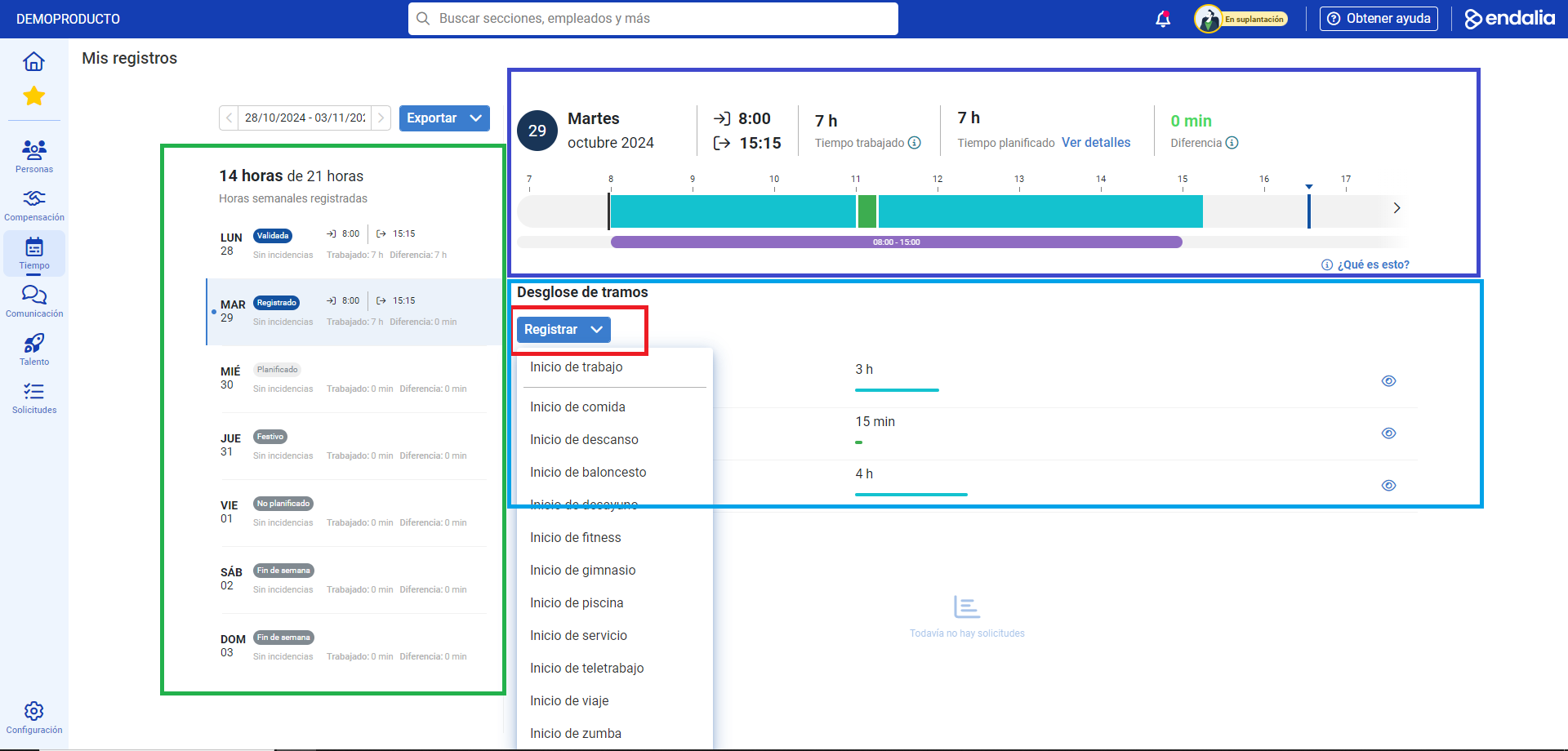
What if, for example, I need extra time to dedicate to a project during my working day? Our software also considers this possibility. Check out these tips to log additional effort.
Here you will find:
Request an extension of working hours
Within the hub Time Management, click on Time Registration > Me > My records
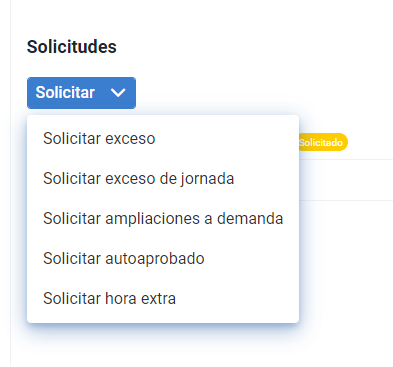
Now, to request a workday edit, mark the day on the weekly calendar on which you wish to make changes and, then, in the Requests menu, click on Request extensions on demand:
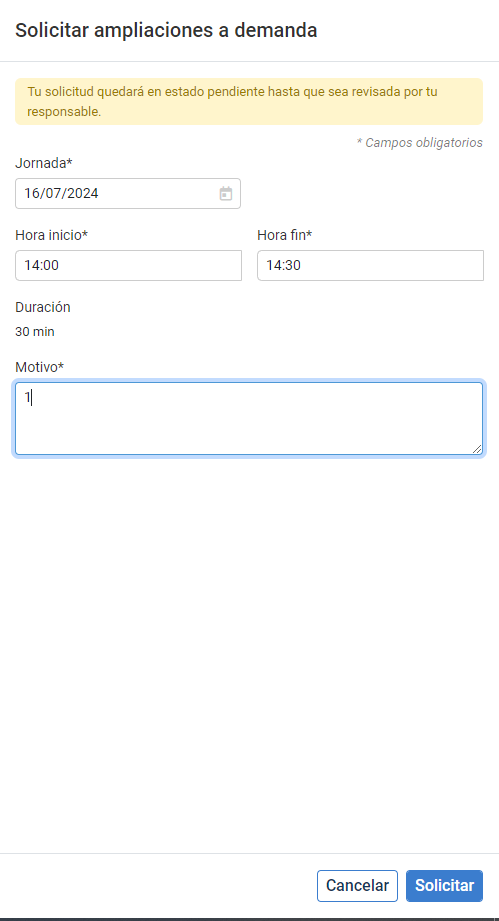
In the following side modal window, Request extensions on demand, mark the day, start/end time, and reason, before clicking Request, to submit your request to the appropriate manager.
From this moment, in the part of the screen dedicated to requests, the requests for an extension of working hours and their current status will be shown (validated, requested, rejected, etc.), which will depend on the approvals carried out by the managers/administrators at each moment:
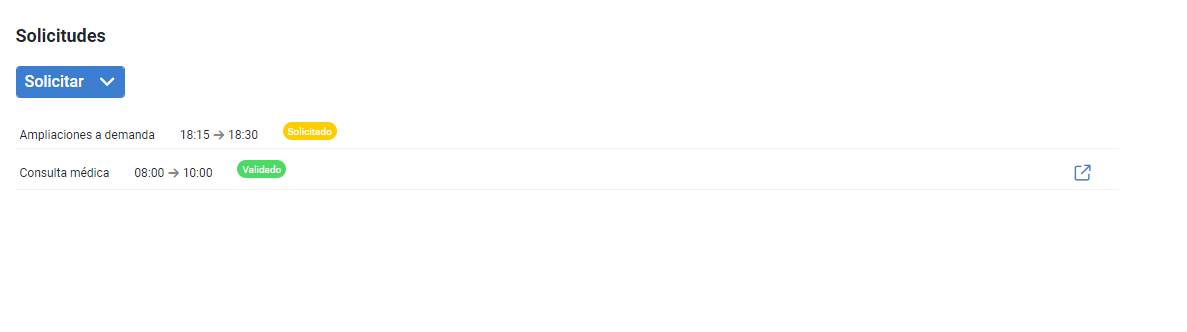
Note: Hours will only be added to the planning once they have been validated by the corresponding team leaders/administrators.
In addition, you can check out the following related article:
And to our glossary, available at this link.
Was this article helpful?
That’s Great!
Thank you for your feedback
Sorry! We couldn't be helpful
Thank you for your feedback
Feedback sent
We appreciate your effort and will try to fix the article