Important: this article is aimed at Endalia HR users with a Collaborator profile.
Working extra hours in the work environment can, in some cases, be compensated with time off from work. Our software offers you the management of this functionality, to keep everything under control. Keep reading!
Here you will find:
Request time compensation
Inside the hub Time Management, go to Vacations and absences > My vacations and absences
On the screen presented to you, you have all the information related to vacations and absences, including a period filter, summary chart related to vacations, absences, and day compensations, etc. Note that in the calendar the days corresponding to your requests are shaded; the different colors used will correspond to their status, which you can see on both the left side of the screen and by referring to the legend, at the top right:
3. To request time compensation, click on the Add request button, which you will find shaded in blue. In the side modal window presented to you, Add request, fill in the corresponding fields, and finally, click on Submit request to save your preferences.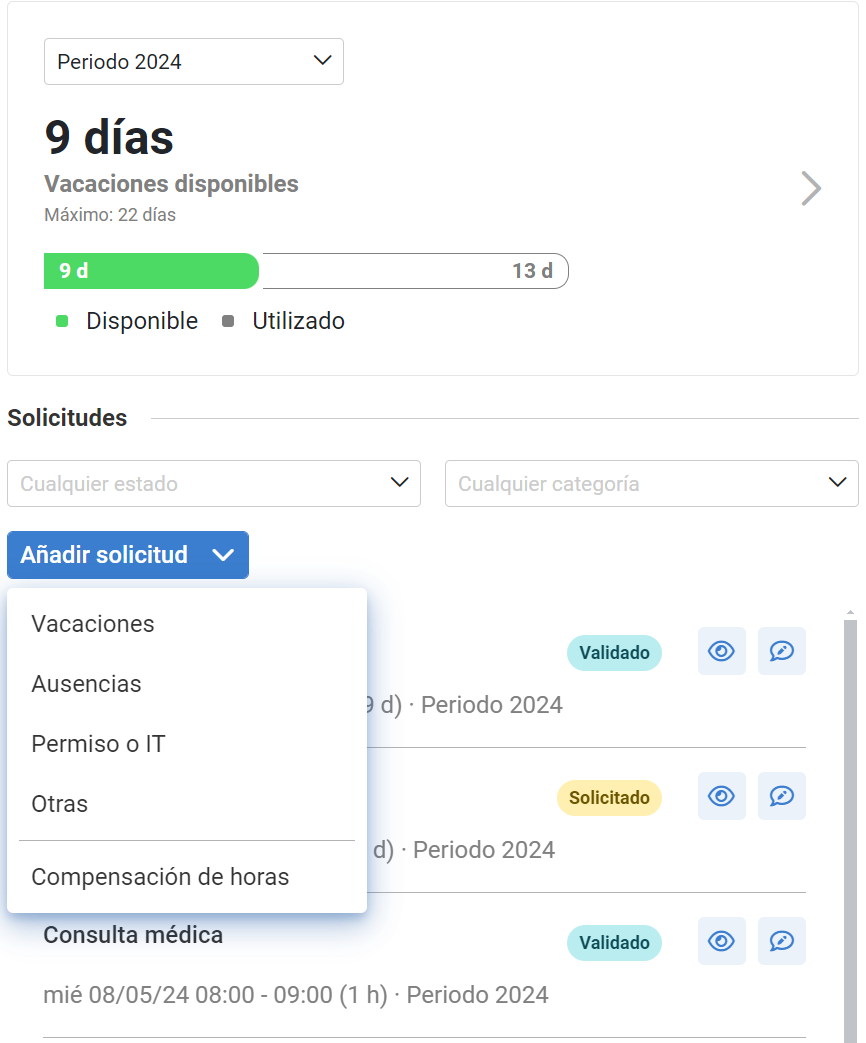

Moreover, you can take a look at the following related articles:
And to our glossary, available at this link.
Was this article helpful?
That’s Great!
Thank you for your feedback
Sorry! We couldn't be helpful
Thank you for your feedback
Feedback sent
We appreciate your effort and will try to fix the article