Important: this article is intended for Endalia HR users with the role of Collaborator.
Sometimes, it is necessary to mark specific days on the calendar to process vacations and absences that extend over time. Now you can manage these needs automatically, with minimal effort.
Here you will find:
Bulk vacation and absence requests
Within the hub Time Management, go to Vacations and absences > My vacations and absences
On the screen presented you have all the relevant information about vacations and absences; you have various filters available to access the desired data. The rest of the space is occupied by tabs related to your Calendar and your Requests. Note that in the calendar, the days corresponding to your requests are shaded; the different colors used correspond to their status, which can be seen on the left side of the screen, through the legend related to them:
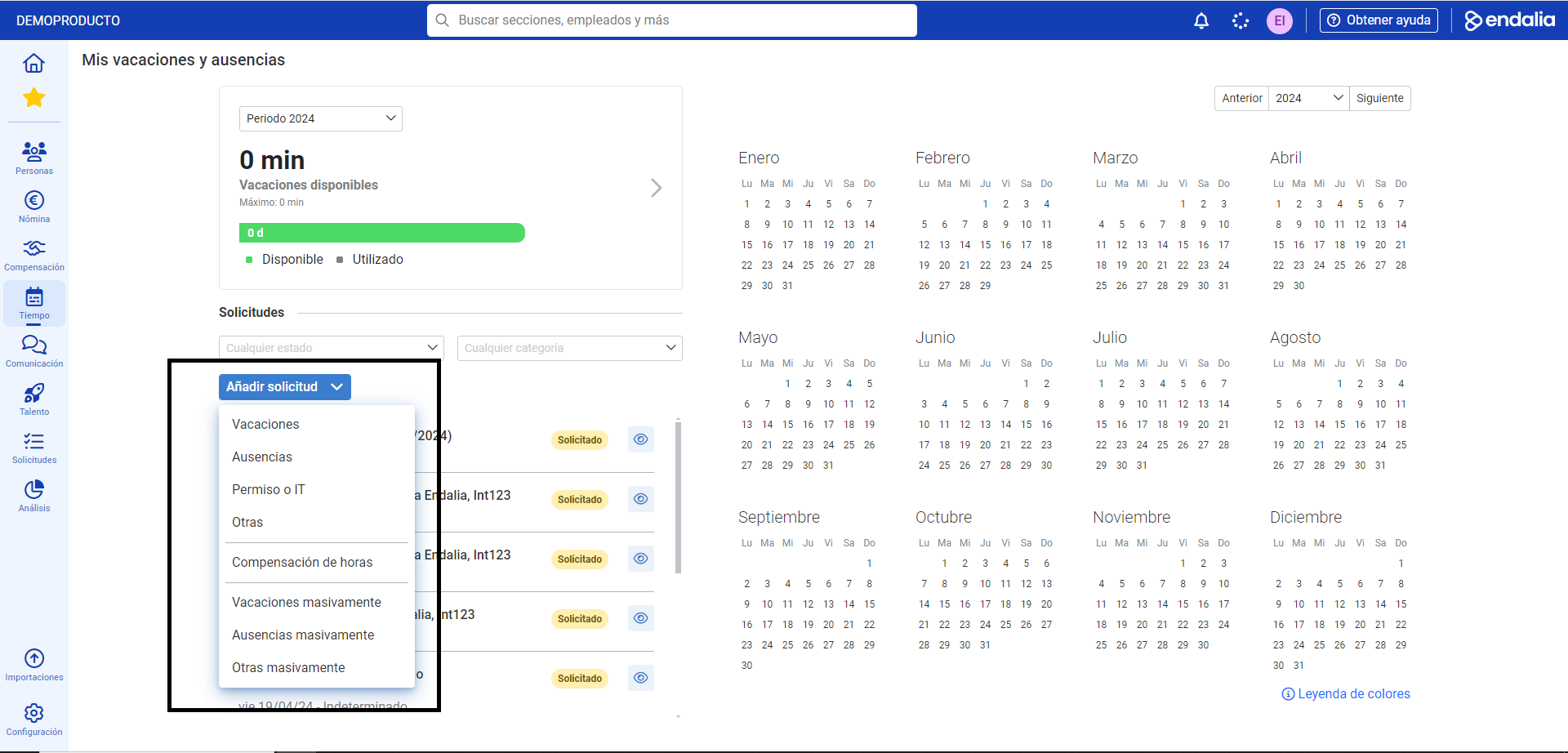
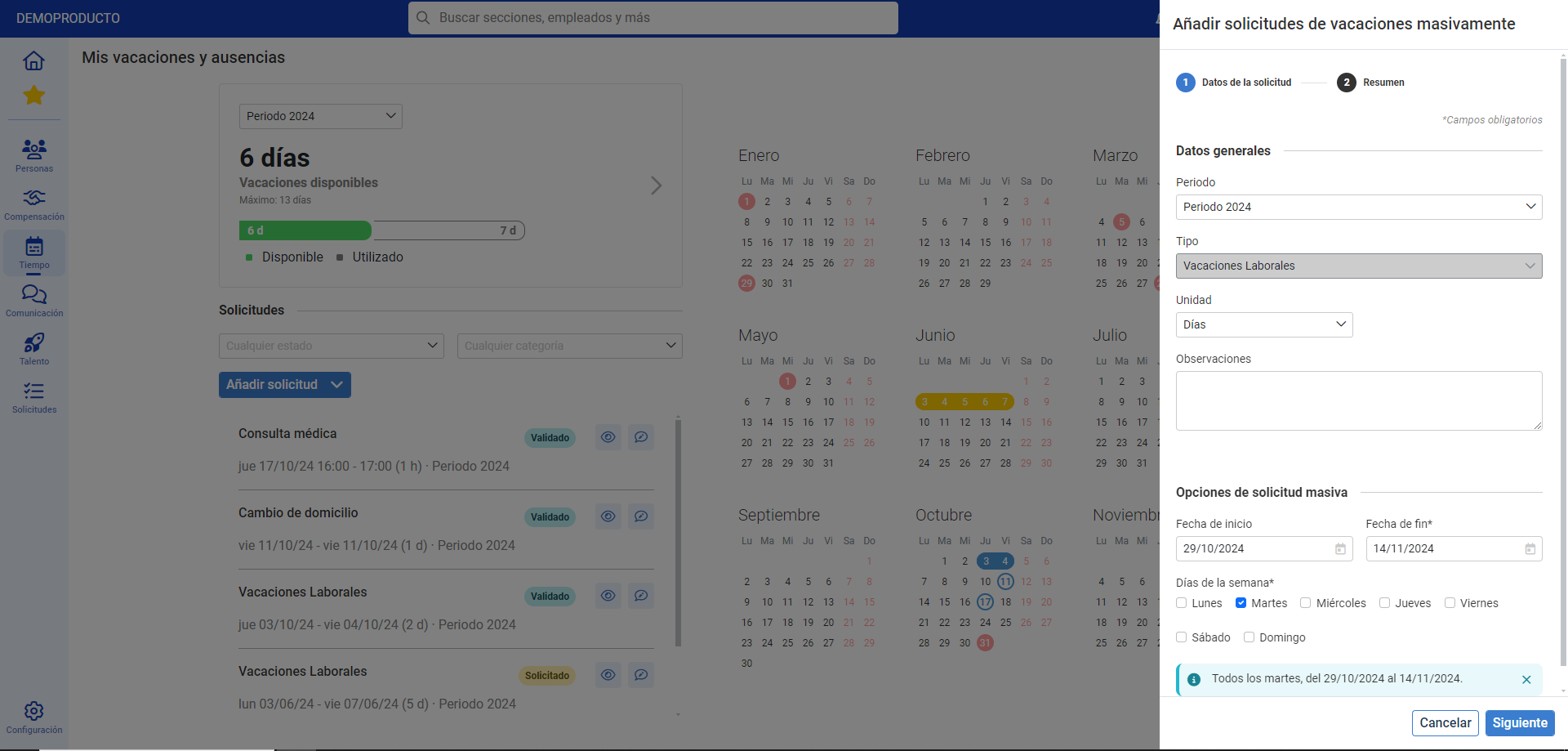
3. To request vacations or absences in bulk, click the Add request button and then Vacations in bulk/Absences in bulk/Others in bulk. In the side modal window presented, Add request, fill in the fields corresponding to your request and finally click Send requests to save your preferences: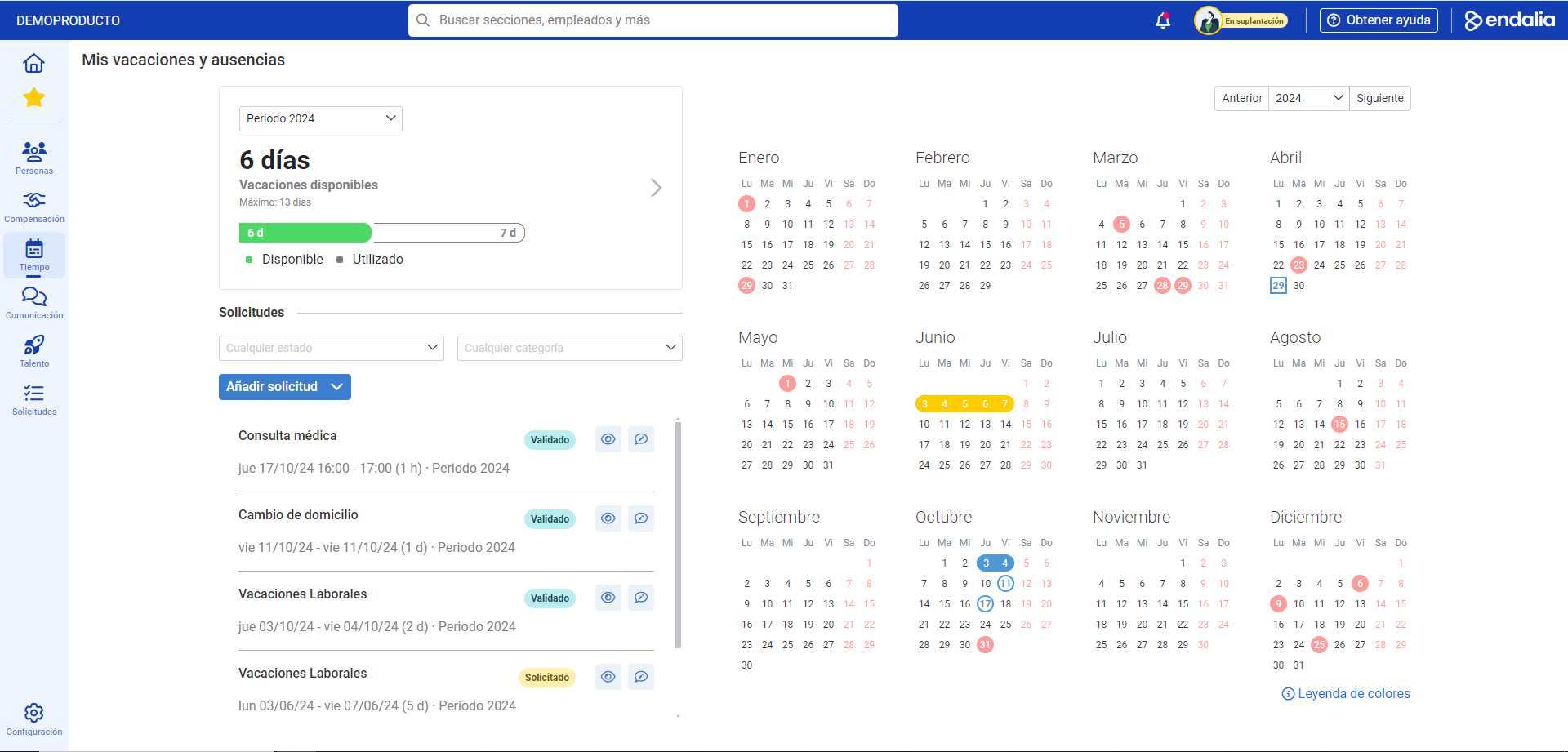
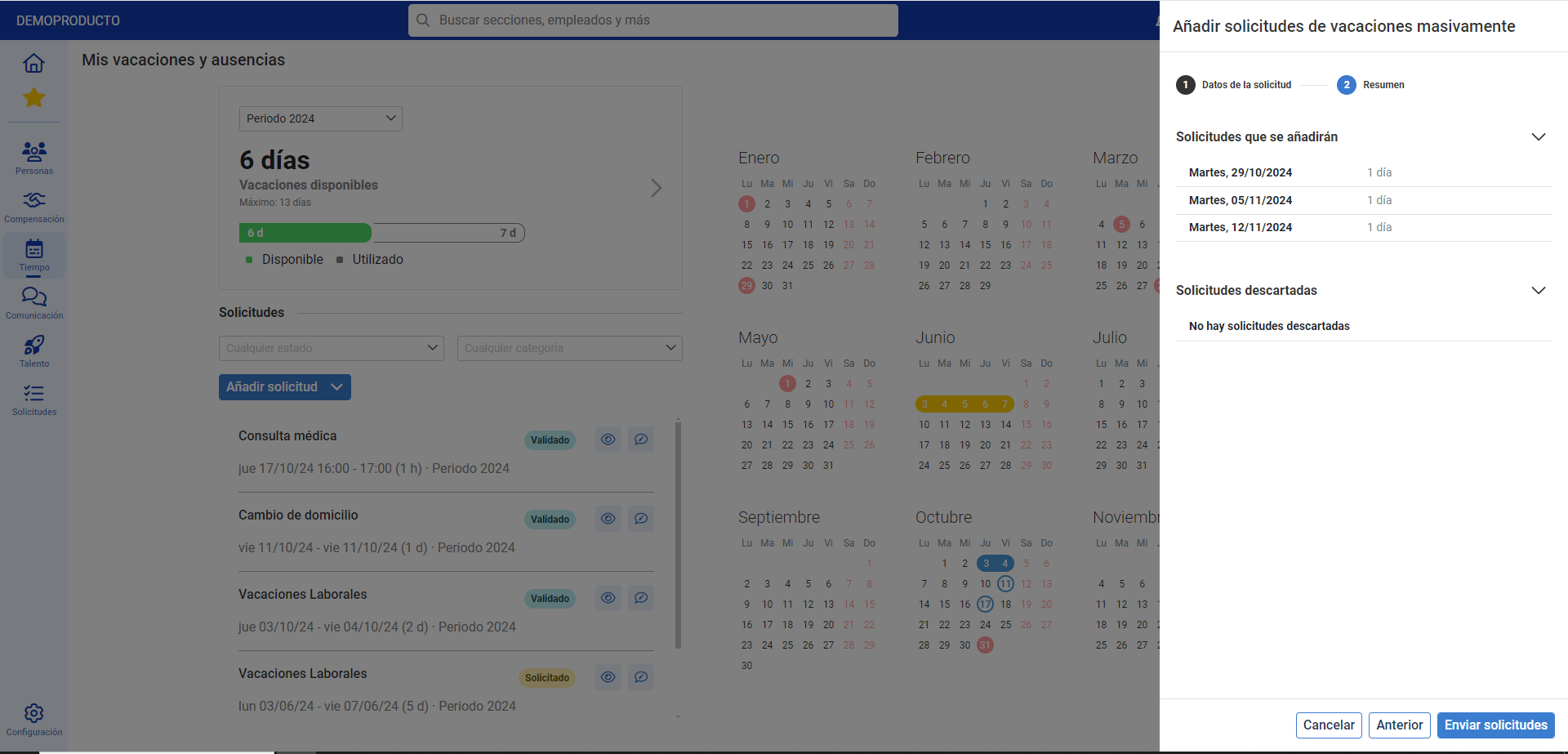
Remember that once your requests are sent, they will appear in the Requested state. It must be your manager who ultimately approves them so that you can enjoy them.
Process video
Take a look at this simple functionality, summarized in a few seconds:
Additionally, you can take a look at the following related articles:
And our glossary, available at this link.
Was this article helpful?
That’s Great!
Thank you for your feedback
Sorry! We couldn't be helpful
Thank you for your feedback
Feedback sent
We appreciate your effort and will try to fix the article