Important: this article is aimed at Endalia HR users with a Collaborator profile.
Throughout these screens, you can view the goals set by the company, which will also serve as a guide for achieving your goals and your development in it. If you're curious to know more, you're in the right place!
In this article:
My Goal Evaluations
- In the Performance & Talent hub, go to Goals > My Goal Evaluations
- On the new screen presented to you, you have a list of all completed or in-process goal evaluations. Select a specific goal and click on Download Goal Report to obtain the data about it:
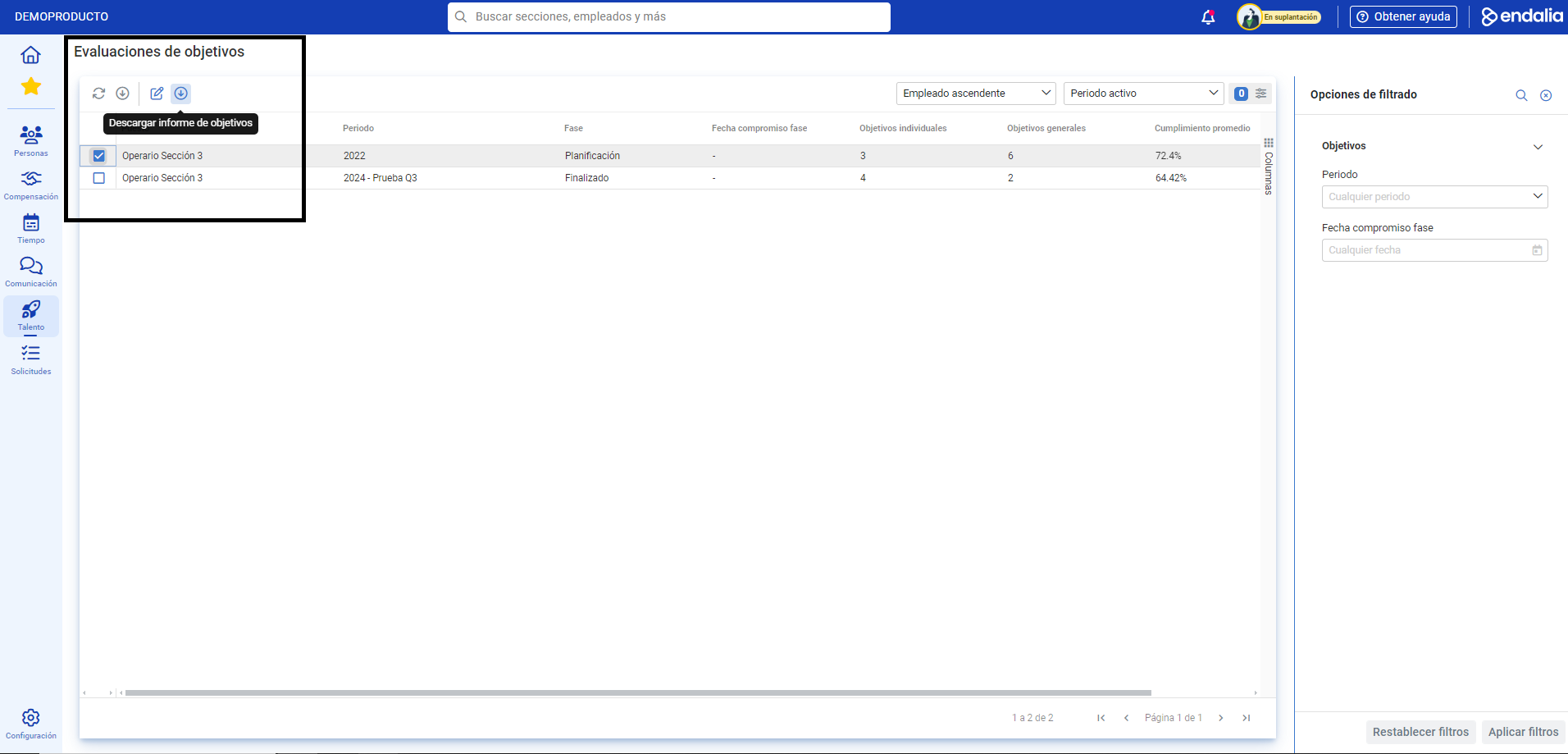
- To view the details of a goal, click on the Edit button, which you will also find in the toolbar.
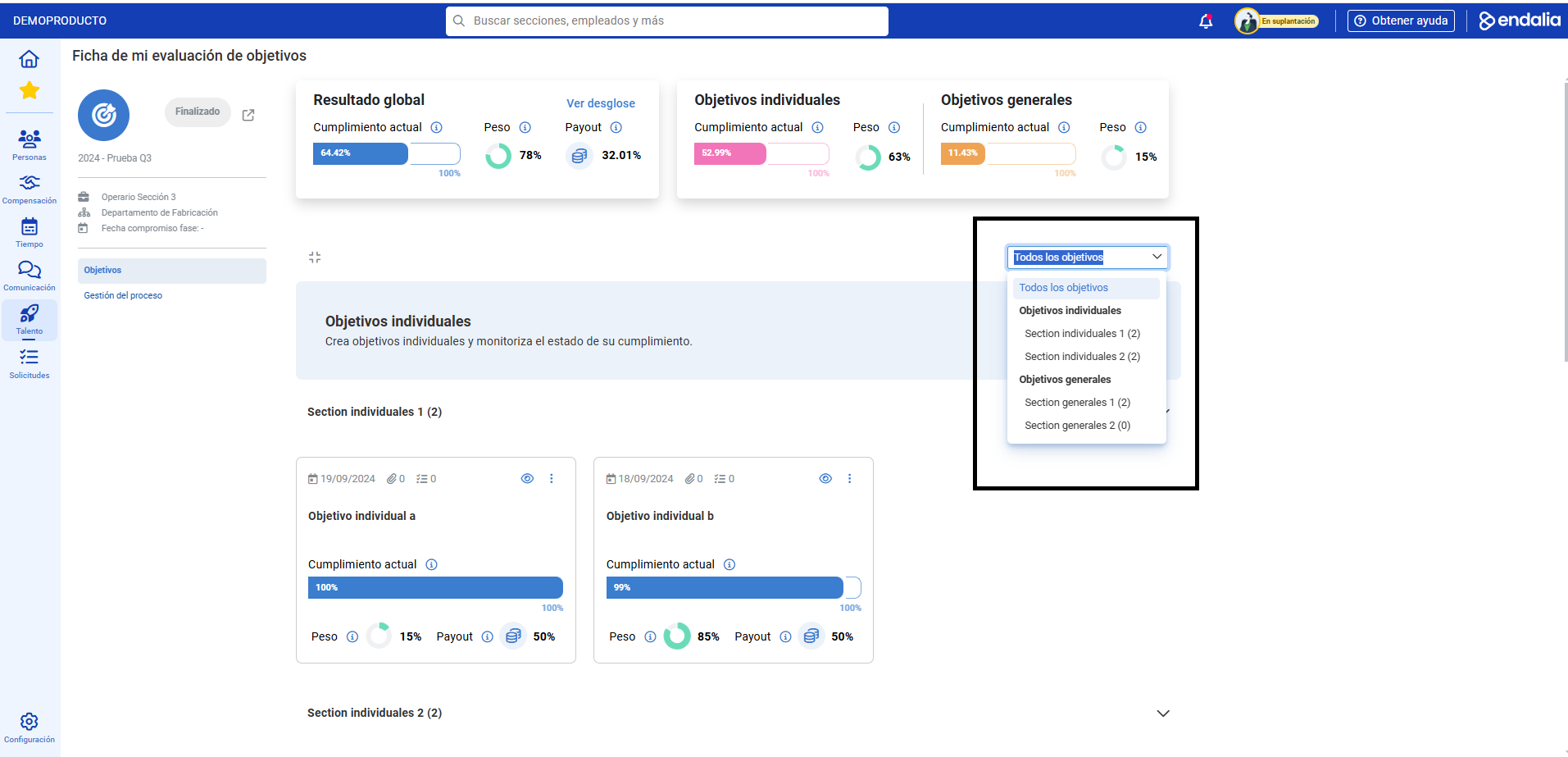
- First, the following scenario will help you consult your overall result through the graphs, as well as individual and overall goals. Immediately after, you have a filter to sort all goals; use it to navigate through the sections of this main screen and directly access their content.
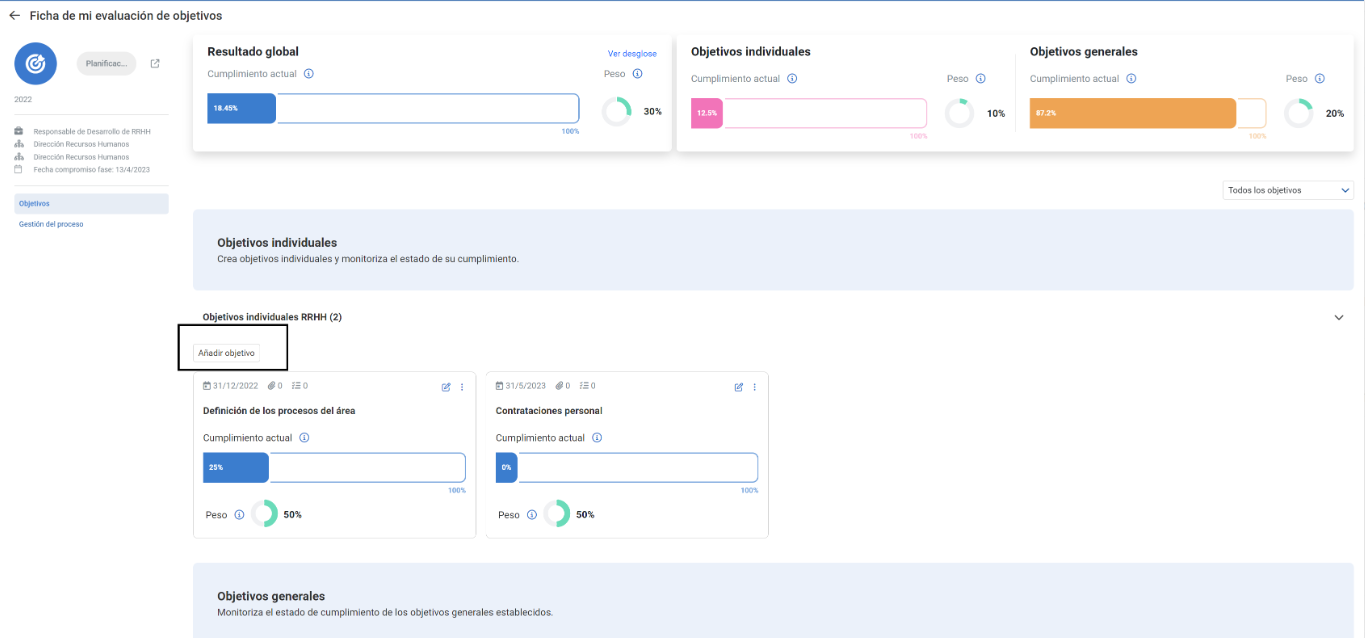
- Below the title of the individual goals section, you have an Add Goals button. This functionality is exclusive to this section; use it to set new targets and/or add them to existing ones. Additionally, within each card or menu of your individual goals, you have different functionalities, which will allow you to edit, evaluate, or delete the goal, as appropriate.
- The other tab of the record, Process Management, will allow you to consult the phases or workflows in which the management of the aforementioned goals is divided.
Main Screen

Goal Filter
Button to add an individual goal
If you have questions about the terms, take a look at our glossary at this link.
Was this article helpful?
That’s Great!
Thank you for your feedback
Sorry! We couldn't be helpful
Thank you for your feedback
Feedback sent
We appreciate your effort and will try to fix the article