Important: this article is targeted to Endalia HR users with Manager profile.
As a manager, having access to view the salaries of collaborators is part of your responsibilities. Learn how to perform this inquiry in these simple steps.
In this article:
View my team's salaries
Within the Compensation & Benefits hub, go to Compensation > Salaries.
On the new screen presented to you, you have a table with the names of your collaborators and all types of information related to their salaries; scroll through the different columns to see all the available data. Optionally, you can use the Update button in the toolbar to get the most recent information:
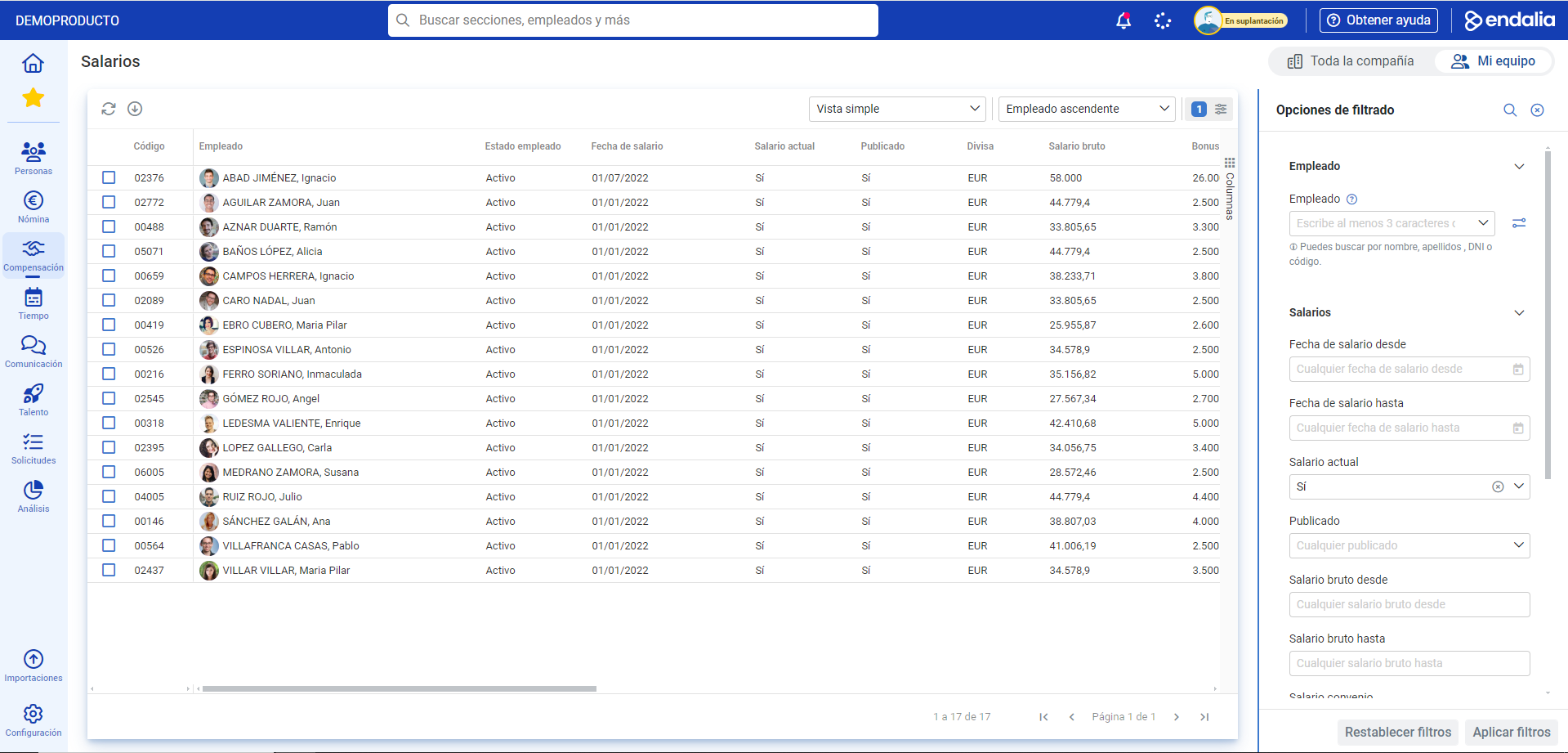
Note: If you manage a team, upon entering Salaries, the system will show you directly the compensations of the employees under your charge. In case you are an administrator, the tabs in the upper right corner of the screen (Entire company - My team) will help you filter employees by situation.
Still have doubts? check out our glossary via this link.
Was this article helpful?
That’s Great!
Thank you for your feedback
Sorry! We couldn't be helpful
Thank you for your feedback
Feedback sent
We appreciate your effort and will try to fix the article