Important: this article is intended for Endalia HR users with a Manager profile.
The My Team's Training dashboard gives you a global overview of your team's training status and allows you to directly act on items that require attention, without relying on other departments.
What is the My Team's Training dashboard?
When you access Talent > Training > My Team's Training, the dashboard is the main screen for monitoring your team.
From here you can:
- View the training status of each team member
- Detect blockages or pending actions
- Act directly on requests or tasks
- Check the overall progress of the team
Sections
Pending tasks
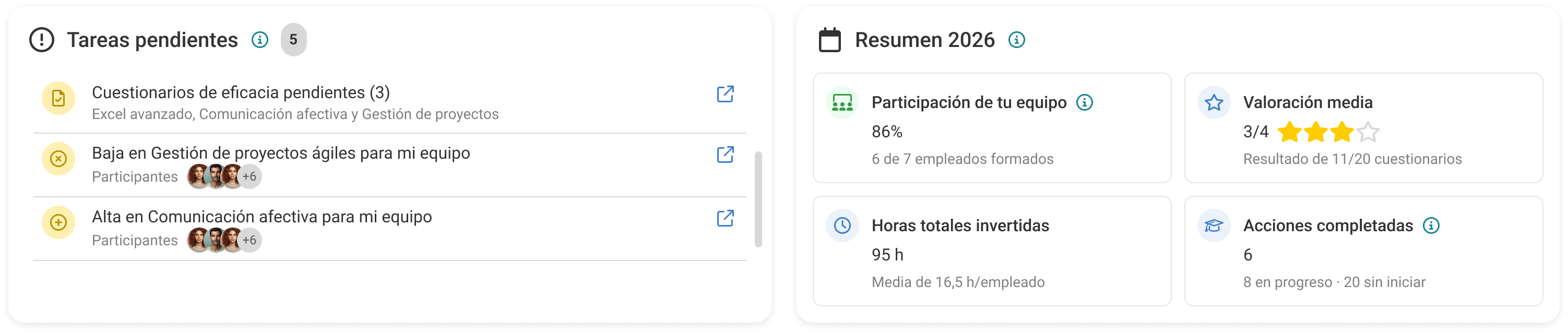
At the top you will find a block with tasks that require your action as a manager.
It includes, among others:
- Requests pending validation
- Effectiveness questionnaires to complete
Each task includes direct access to the corresponding action. Tasks disappear automatically when completed.
Team summary
The summary gives you a quick overview of the team's training status:
- % team participation
- Number of trained employees
- Total hours invested
- Average hours per employee
- Completed actions
This block allows you to quickly understand the level of training activity in the team.
Team tracking
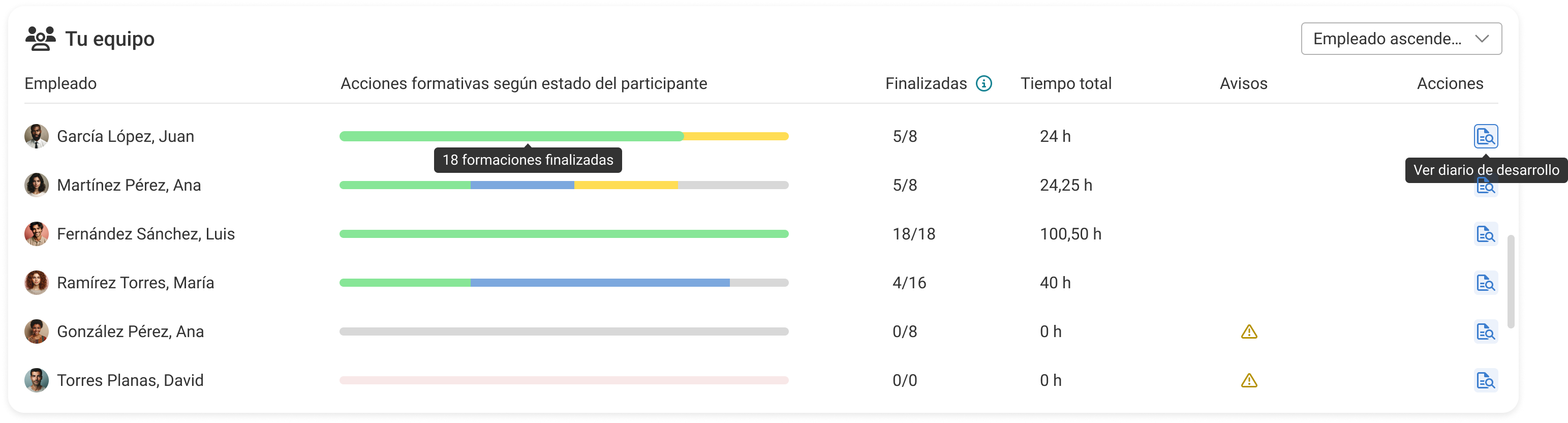
In the Your Team section you can view employee details. For each team member the following is shown:
- Status of their training actions
- Number of completed actions
- Total time invested
- Warnings or alerts
Statuses are displayed visually to facilitate quick reading. You can easily identify:
- employees with no activity
- employees with ongoing actions
- blocked employees
Recommended courses for your team
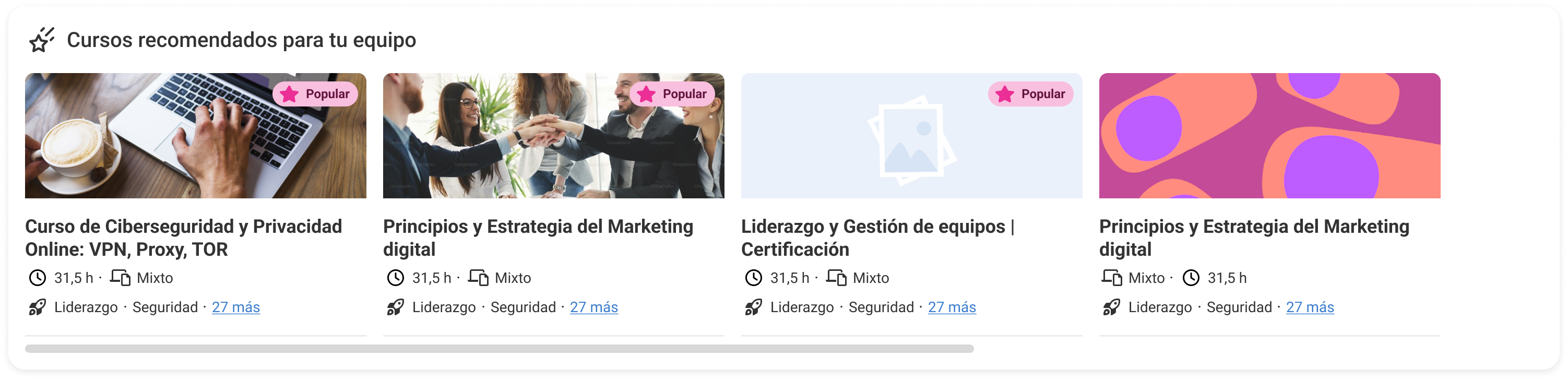
The system shows recommended courses that may be relevant for your team.
You can:
- View available courses
- Identify training opportunities
- Access the catalog
Recommendations are based on popularity and configuration.
Available actions
From the dashboard you can access key management actions:
- Validate training requests
- Access the details of training actions
- Review an employee's progress
- Navigate to the course catalog
The goal is for you to be able to manage team training without leaving this screen.
Usage recommendations
- Periodically review the pending tasks
- Use the dashboard to detect blocks in the team
- Regularly track progress
- Support decision making with the team summary
Was this article helpful?
That’s Great!
Thank you for your feedback
Sorry! We couldn't be helpful
Thank you for your feedback
Feedback sent
We appreciate your effort and will try to fix the article