Important: This functionality does not allow viewing historical or external employees.
This article is aimed at Endalia HR users with the Responsible profile.
Thanks to this option available in our software you can view, as a team leader, the list of active employees who occupy positions lower than yours.
In this article you will find:
Manage collaborators
- Within the Organization and people hub, select People > Personnel Monitoring > Employees
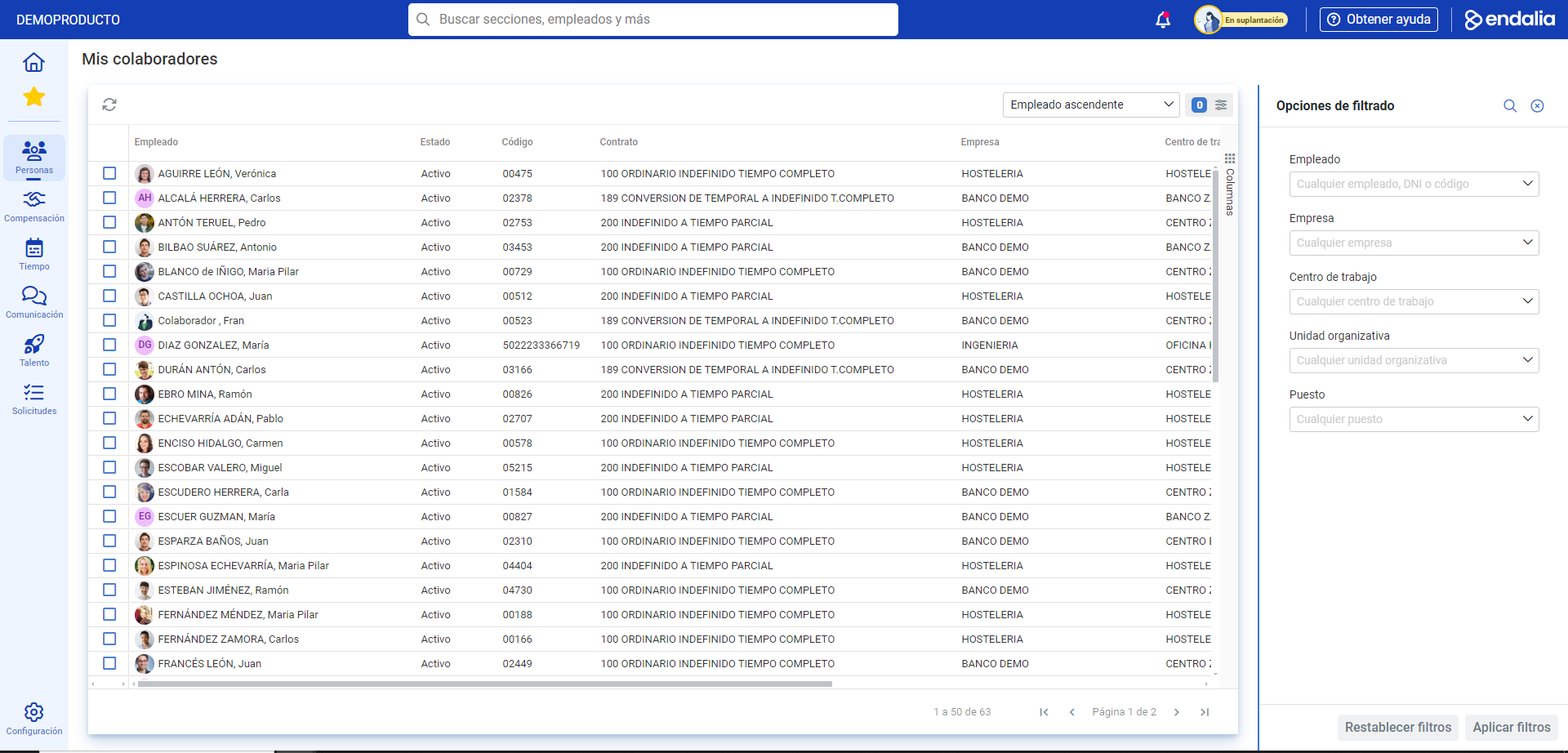
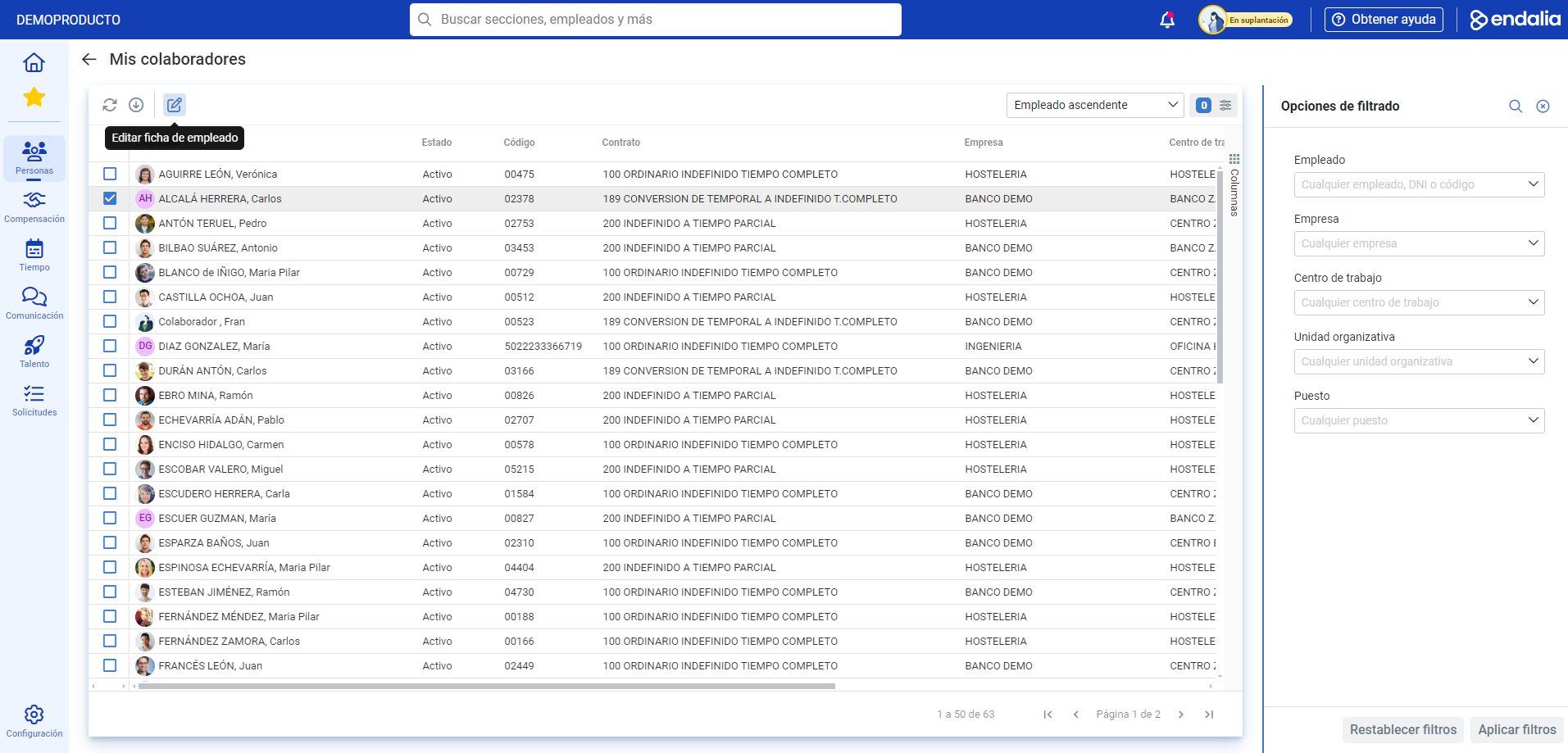
- Now, you can view the list of employees you are responsible for. To consult their file, click on the corresponding box + Edit employee file, in the toolbar, or double-click on the collaborator's name:
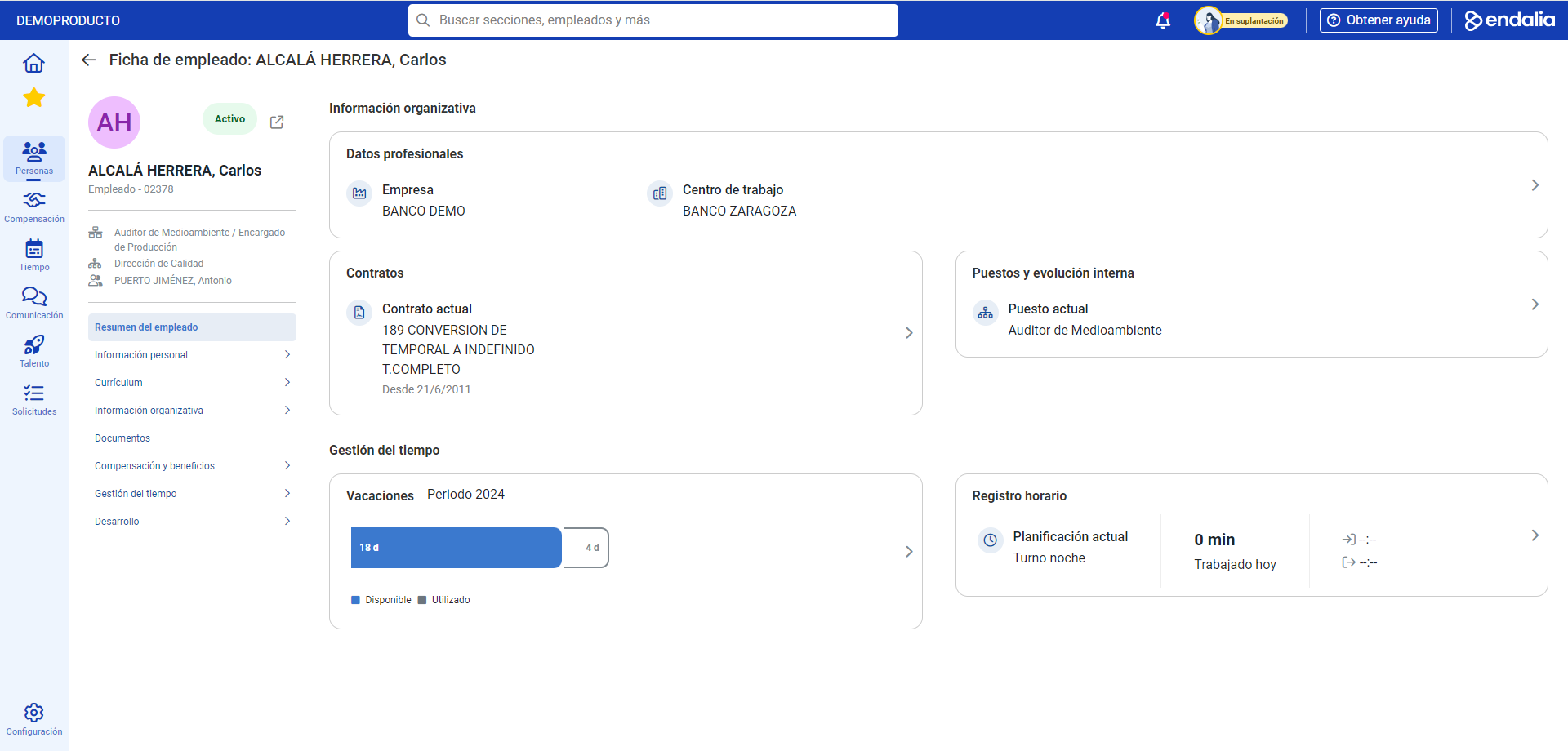
- On the next screen, you have all the information related to your collaborator. Remember that the fields that appear in their file are read-only, except for some specific functionalities (download payslip, filter holidays and absences, etc.). Use these options to learn, in detail, all the data related to the workers integrated into your team:
Video of the process
Would you like to know more? Check the following related articles:
Additionally, you have a glossary of useful terms. To access, just click this link.
Was this article helpful?
That’s Great!
Thank you for your feedback
Sorry! We couldn't be helpful
Thank you for your feedback
Feedback sent
We appreciate your effort and will try to fix the article