Important: this article is intended for Endalia HR users with a Responsible profile.
Once collaborators submit their requests, managers must approve or reject them, thus formalizing the management for the company records. Do you want to know more? Don't miss these tips.
Here you will find:
Manage the approval of vacation and absence requests
Within the hub Time Management, go to Vacations and Absences > Absentee Monitoring > Requests
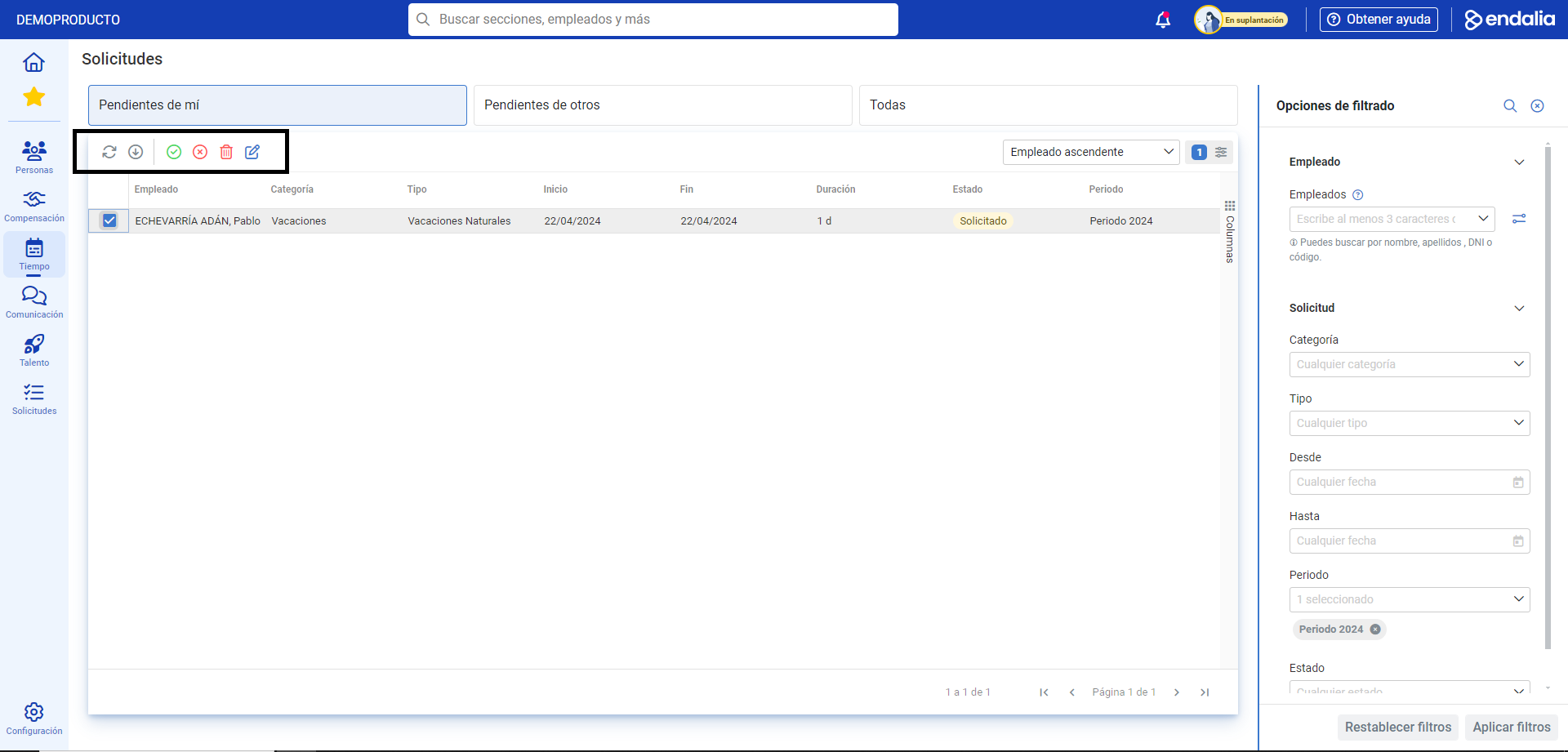
On the screen presented to you, you have all the information related to the collaborators' vacations and absences: type, dates, status, etc. To manage them, double-click on the row corresponding to the employee's name or, alternatively, check the corresponding box and click on Edit Request, a button you'll find on the toolbar:
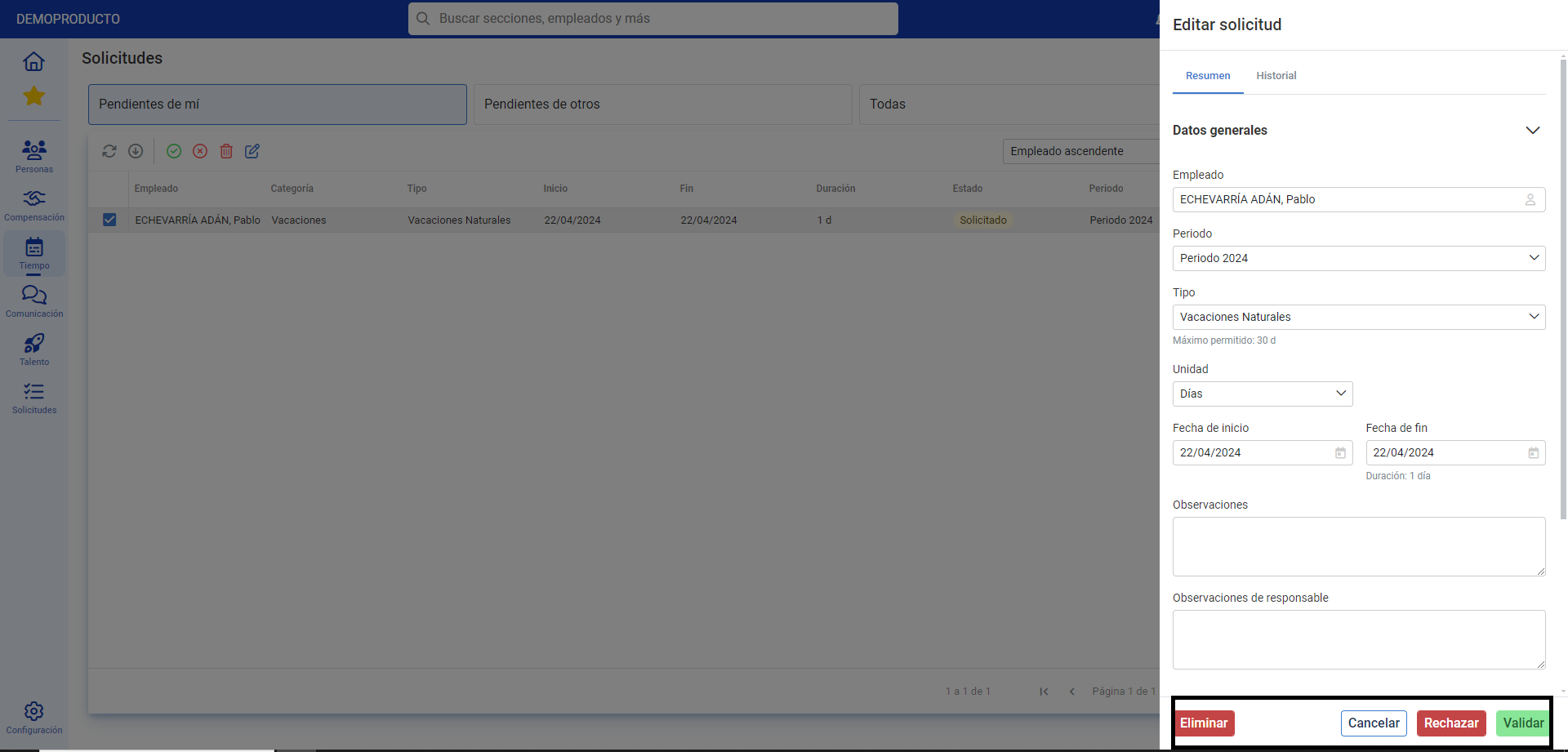
In the next side modal window, check the data and click Reject or Validate to make your preferences effective; now, the collaborator will see on their profile the result of the management you have carried out:
Process video
Take a look at the following related articles:
And to our glossary, available at this link.
Was this article helpful?
That’s Great!
Thank you for your feedback
Sorry! We couldn't be helpful
Thank you for your feedback
Feedback sent
We appreciate your effort and will try to fix the article