Important: this article is directed towards Endalia HR users with the Manager profile.
The manager must decide on their level of satisfaction with the employee's work, thus utilizing competency profiles, with varying degrees of achievement by the collaborator. Learn to evaluate them with these simple tips.
In this article, you will find:
Competency Consolidation and Competency Profile
- Within the Performance and Talent hub, follow this path: Development > Employee Development > Profile Consolidation
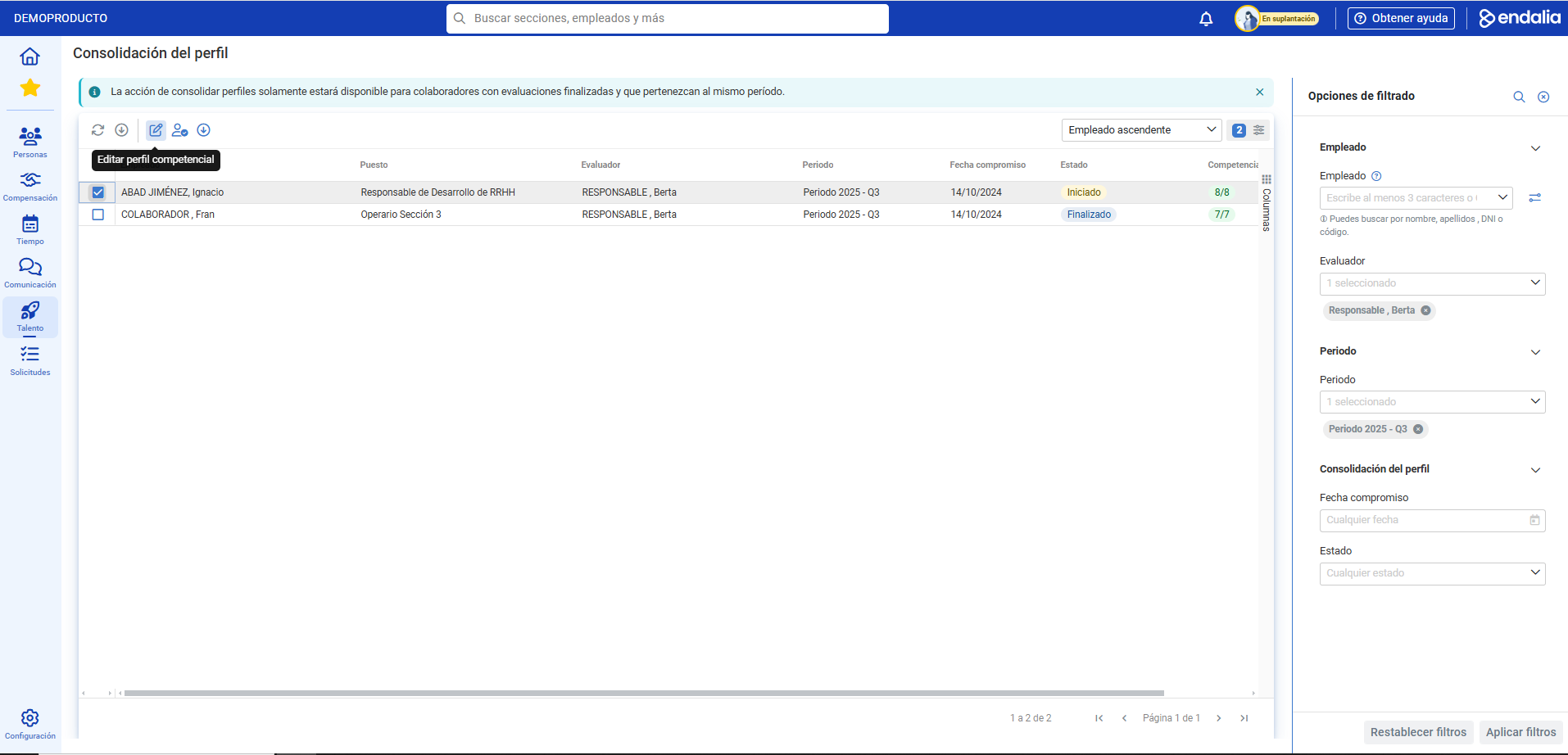
- On this screen, you can see a list of collaborators. To proceed, simply select the corresponding checkbox or click on the employee and press the Edit competency profile button, which you will find, as usual, on the toolbar:
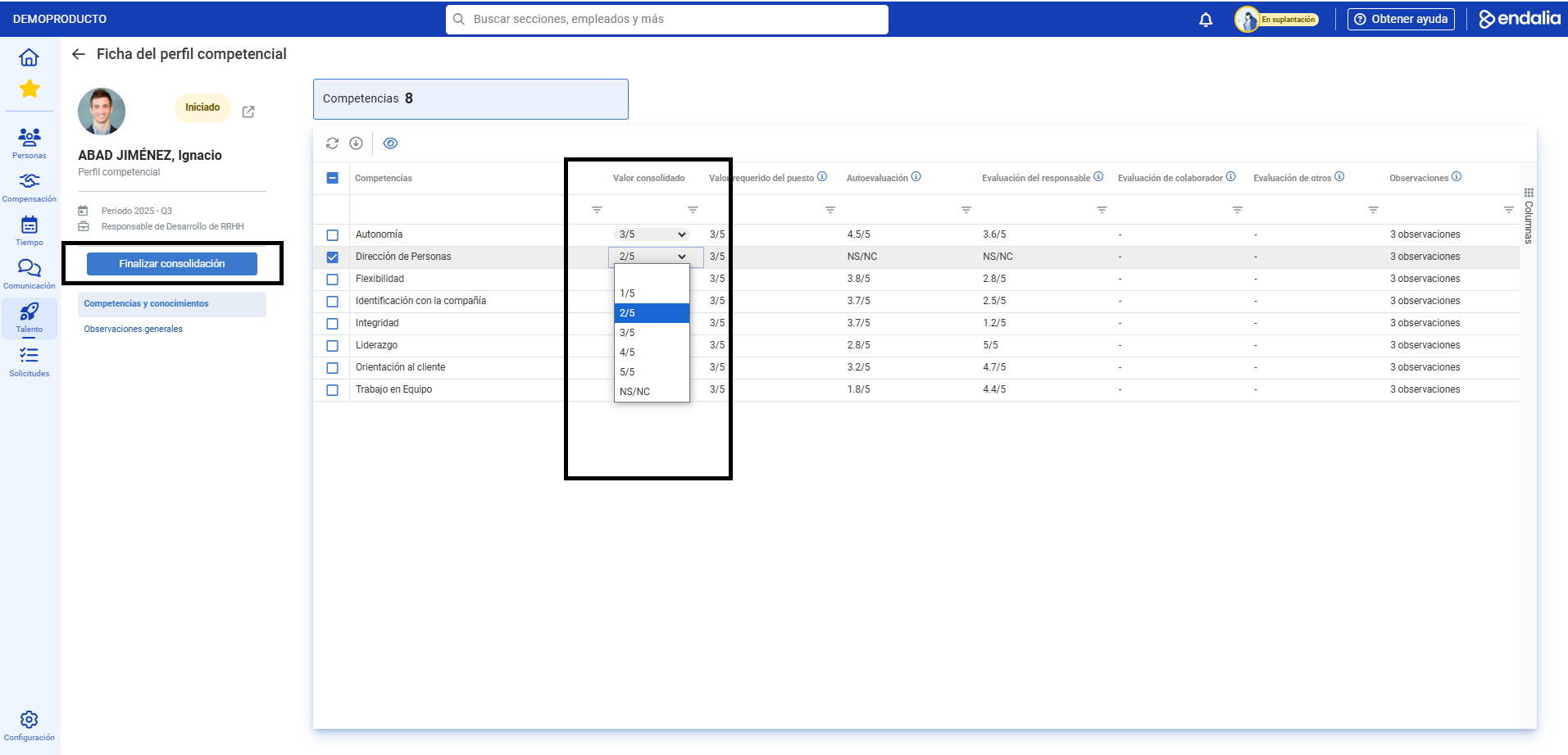
- On the competency profile page, there are two tabs (Competencies and Knowledge) associated with the previously selected employee. There are different levels (1-5), with the following columns: Required job value (the level of demand for that specific position), Manager evaluation (the score given by the person overseeing performance in the role), Observations (notes on the position), Self-assessment (the score the employee gives themselves in evaluating their work), and Consolidated value (the final score, summing all previous considerations), Collaborator evaluation and Evaluation of others; these are purely informative, optional and anonymous, and the result shown is an average calculated from all completed evaluations of each type.
- Therefore, select the consolidated value for each competency and then click the Finish Consolidation button, located above the level of this section of the page:
- Finally, the confirmation modal window indicates that the employee in question will be informed about this consolidation. Click Continue to complete the steps of this functionality.
Process Video
Questions? Take a look at this brief informational space:
Questions? You might find this article interesting:
Additionally, a glossary of useful terms is available. To access, simply click this link.
Was this article helpful?
That’s Great!
Thank you for your feedback
Sorry! We couldn't be helpful
Thank you for your feedback
Feedback sent
We appreciate your effort and will try to fix the article