Important: this article is intended for Endalia HR users with a Manager profile.
Once the competency profile is consolidated, the next step is to implement the employee development plan. Follow these tips to manage it efficiently.
In this article, you will find:
Potential
Within the Performance and Talent hub, go to the Development module > Employee Development > Competency Matrix
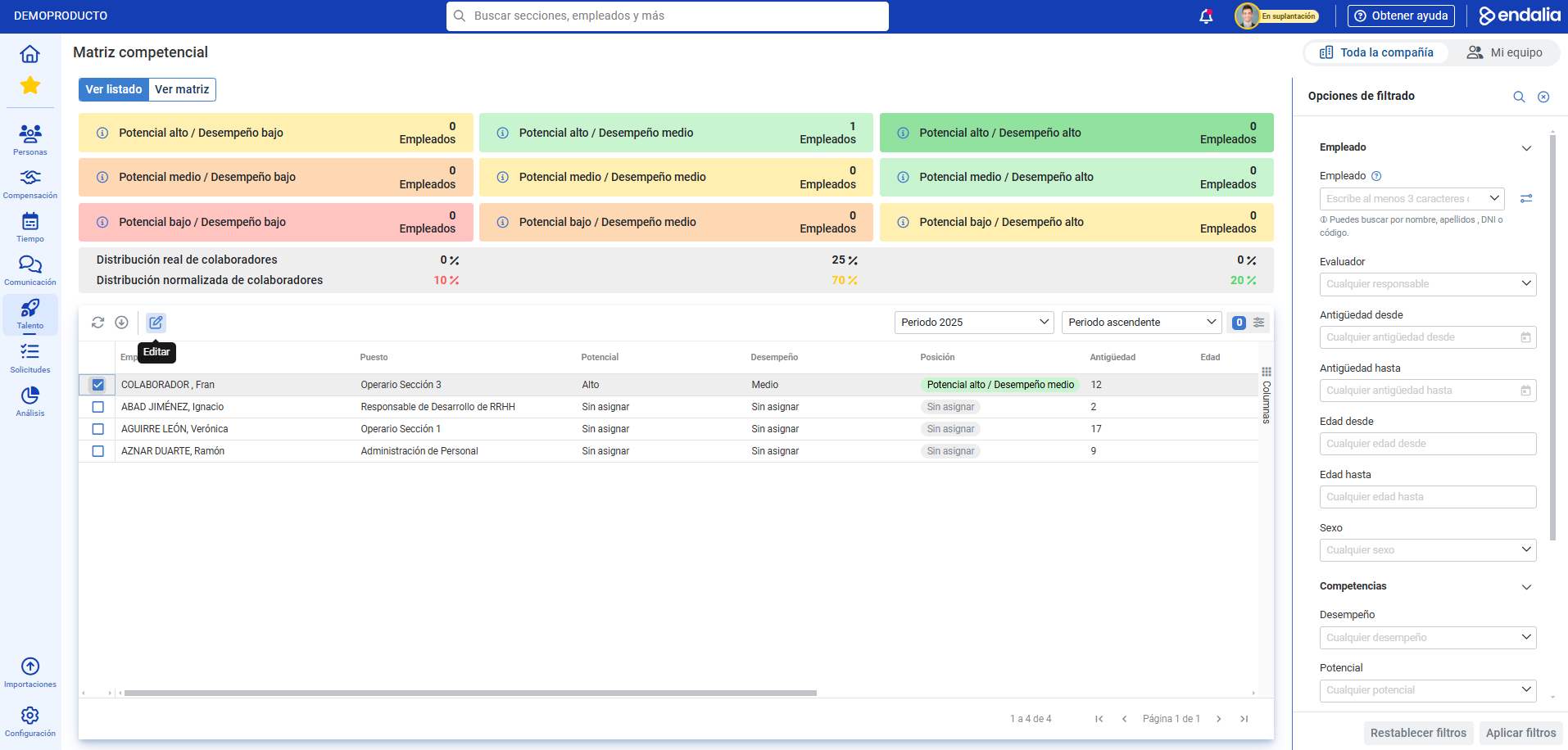
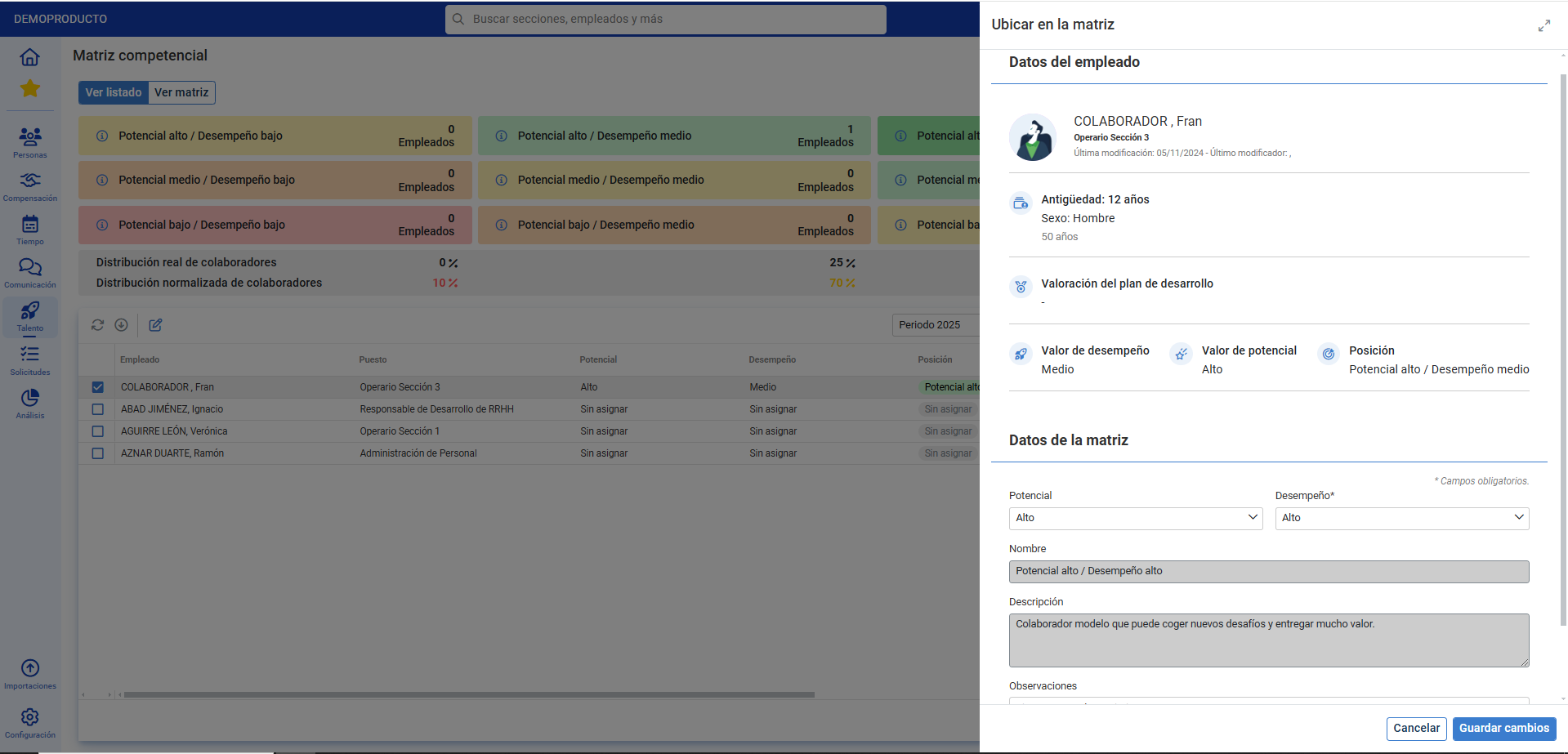
- On this new screen, at the top, you have a potential/performance relationship. which you must associate with the employees listed below. To do this, click on the respective box or the employee's name and then click Edit, found in the toolbar. Locate the collaborator in the matrix and finally select Save Changes. Now, the employee appears automatically placed in the matrix according to the selected values:
Process Video
If you're still unclear, click play to see this simple feature in action:
Still have doubts? Refer to the following related articles:
Additionally, you can view our glossary, available at this link.
Was this article helpful?
That’s Great!
Thank you for your feedback
Sorry! We couldn't be helpful
Thank you for your feedback
Feedback sent
We appreciate your effort and will try to fix the article