Important: this article is aimed at Endalia HR users with a Collaborator profile.
How many times have you missed information about events/happenings in the company? Don't let them tell you! Find out in real time everything that happens with this tool, which will be of great usefulness.
In this article:
Notices
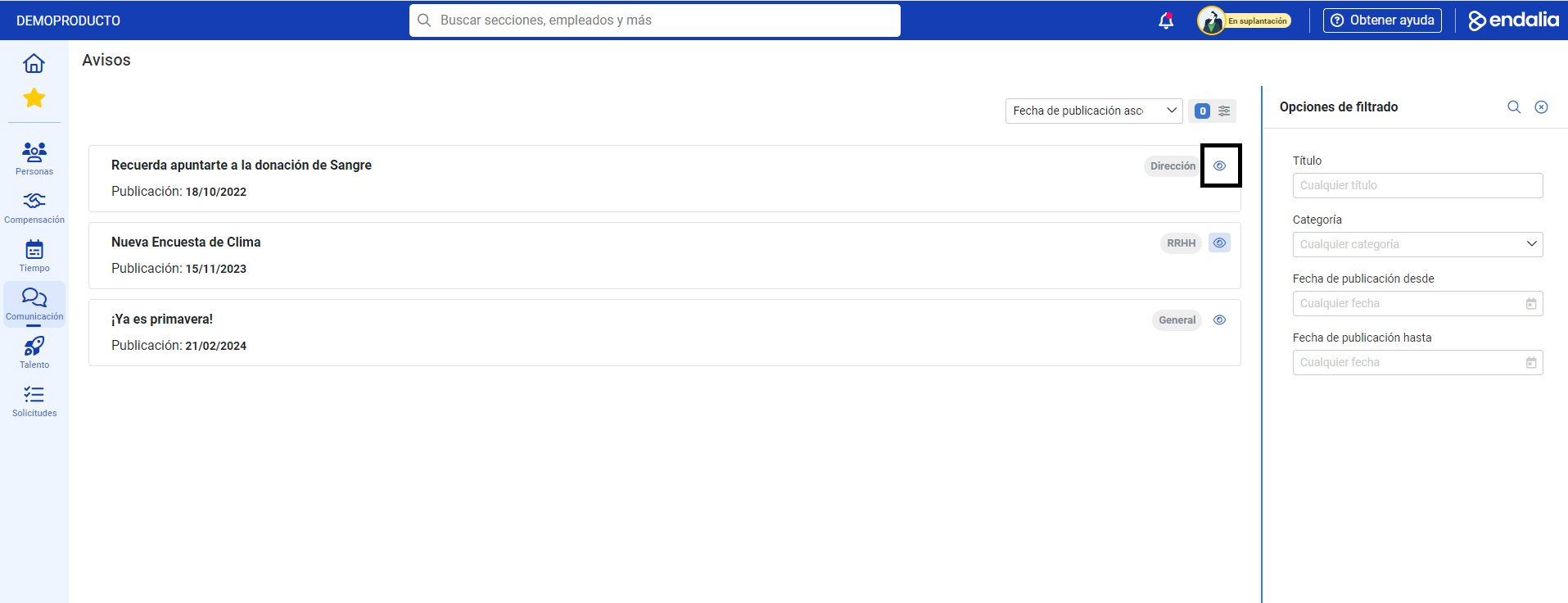
- Go to Communication > Internal Communication > Corporate Updates > Notices
- The next screen offers a list of notices/information of your interest, such as scheduled power outages, scholarships, implementation of summer hours, etc. Use the filters located on the right side of the screen to sort these communications or filter according to your preferences. Additionally, click on the button located in the section relative to each information, to obtain additional details about them:
Process Video
If you have any questions about this functionality, check out this simple informational piece:
Want to know more? Don't forget to check out these articles:
If you have doubts about the terms, consult our glossary at this link.
Was this article helpful?
That’s Great!
Thank you for your feedback
Sorry! We couldn't be helpful
Thank you for your feedback
Feedback sent
We appreciate your effort and will try to fix the article