This article is not available in Portuguese/Portugal, view it in Spanish
Important: this article is aimed at Endalia HR users with an Administrator profile.
The FIE files must be downloaded beforehand through the channels enabled by the INSS.
Through this file, the INSS informs about employee IT, something that affects, in one way or another, the daily operations of your company, so it must be kept under control.
In this article, we show you:
Check FIE
Within the Payroll hub, click on Payrolls > Payrolls > Social Security > FIE Verification
- Now, to start this process, you must click on Perform new import, a button located at the top left of the screen. In the modal window that appears, include the FIE file and, finally, do not forget to click on Import to make your preferences effective:
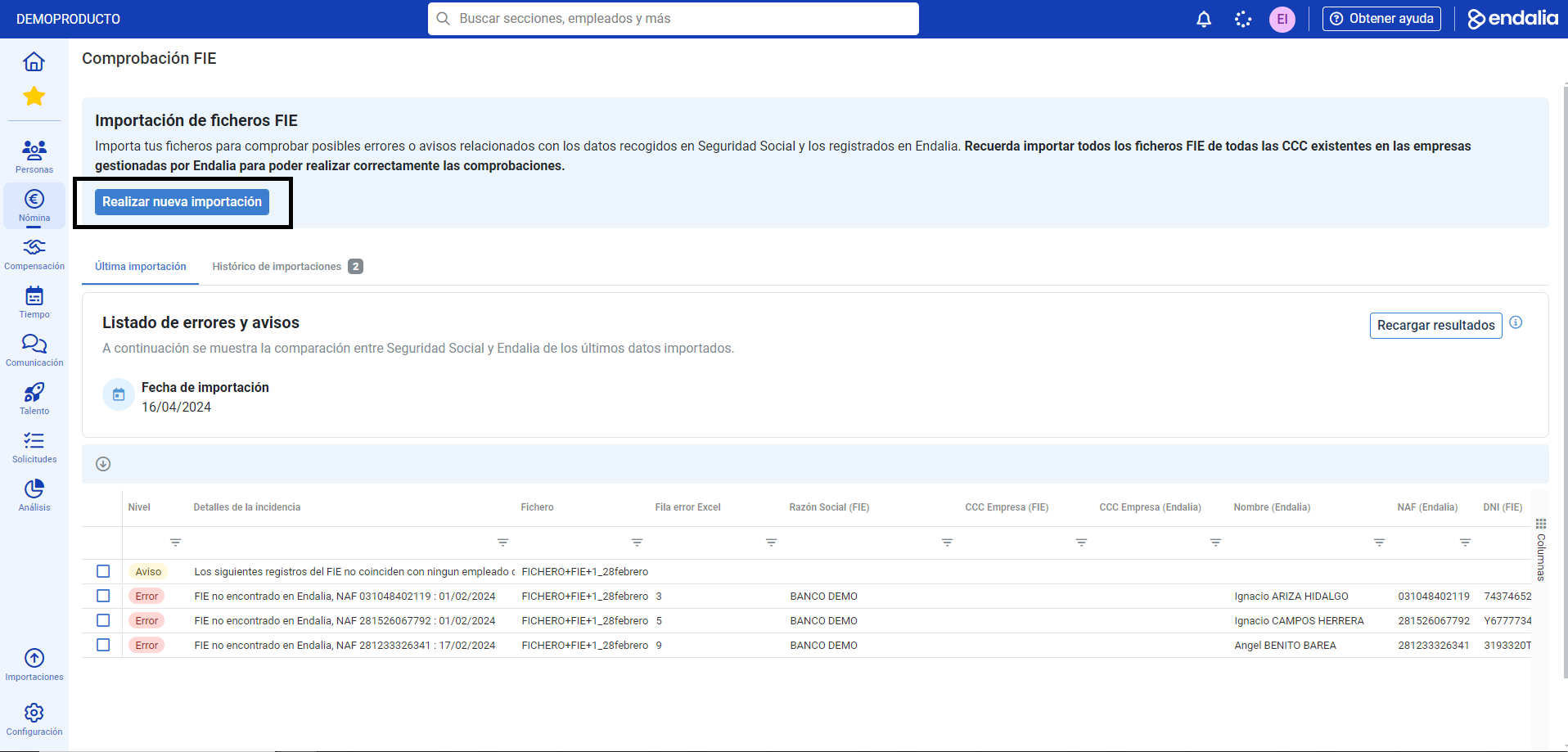
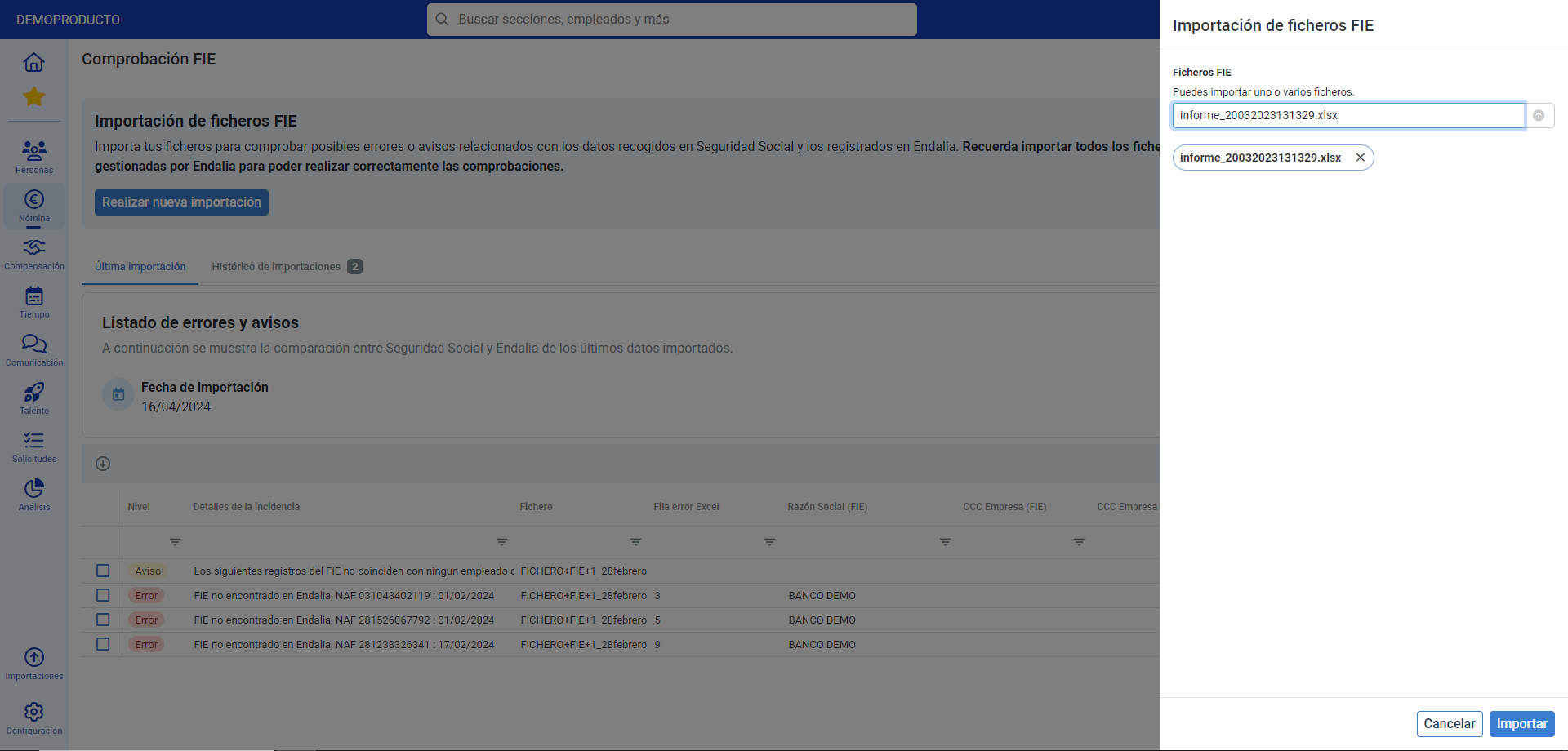
- Back on the main screen, and within the Last Import tab, you will find an informative list of errors, and notices so they can be corrected:

Note: once the errors in the list are corrected, you can click on Reload Results to update the list of errors and notices in the program.

Check out this related article: Check ITA
If you have any doubts, you can take a look at our glossary, available at this link.
Was this article helpful?
That’s Great!
Thank you for your feedback
Sorry! We couldn't be helpful
Thank you for your feedback
Feedback sent
We appreciate your effort and will try to fix the article