Important: this article is intended for Endalia HR users with the Collaborator profile.
They present themselves as great allies to complete all internal communication, so necessary for employees in current times.
Here you will find:
Documents
Within the Communication hub, click on the module> Internal Communication > Corporate Documents
- Now, you have a root directory with a search engine, allowing you to select and view the different folders where documents are embedded. To access a document, just double-click on it, and it will automatically download:
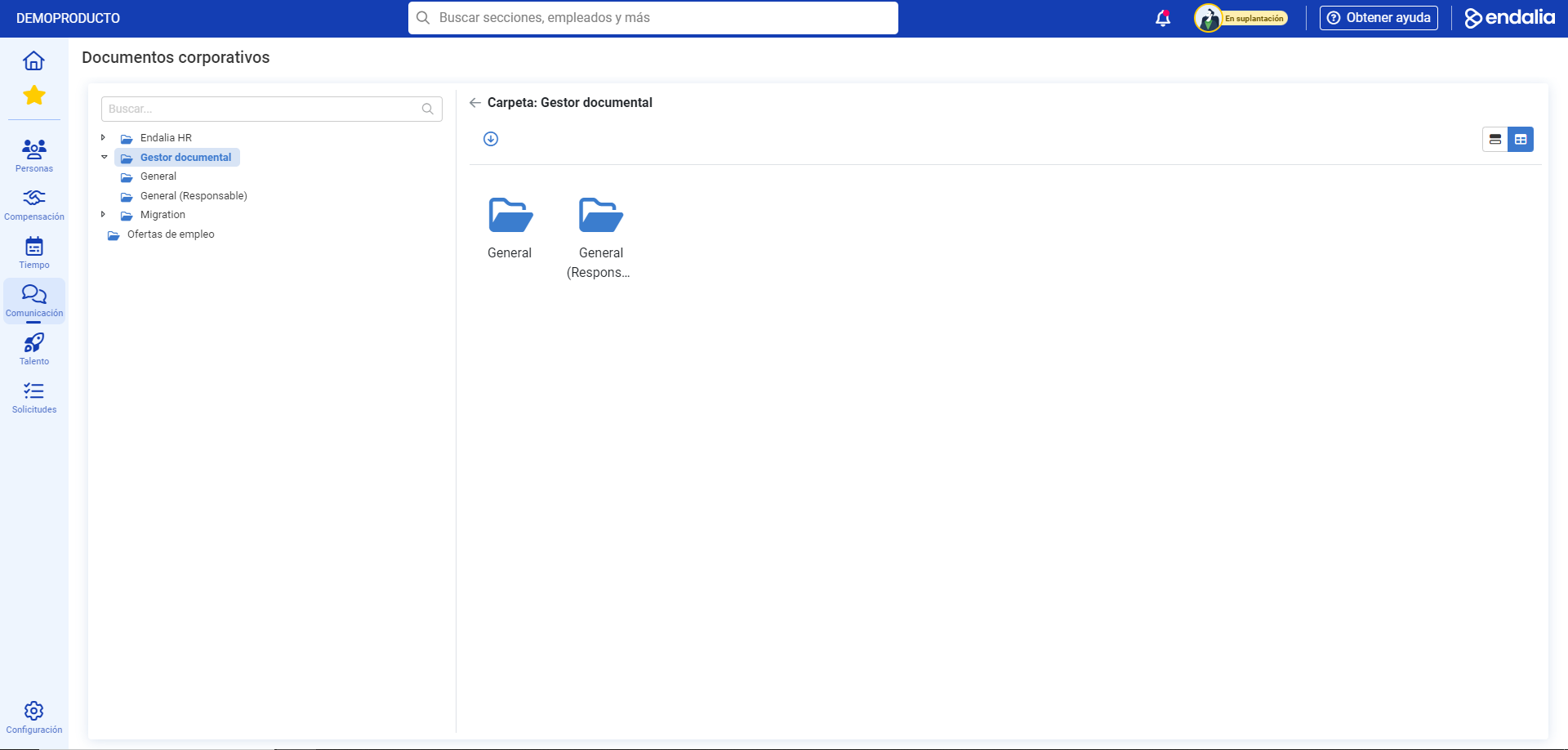
Tip: You can select multiple documents at once and download them in bulk by using the button on the toolbar provided for this purpose.
Process Video
Here is a brief summary of this double functionality:
Still have questions? Take a look at the following related articles:
Additionally, you can view our glossary, available at this link.
Was this article helpful?
That’s Great!
Thank you for your feedback
Sorry! We couldn't be helpful
Thank you for your feedback
Feedback sent
We appreciate your effort and will try to fix the article