Important: this article is aimed at Endalia HR users with an Administrator profile. The manager can view and manage all employees added to their addresses.
Integrate goal information to track the achievement of bonuses and incentives. Calibrate the payment and execute it in an integrated manner with the payroll module.
In this article you will see:
Monitoring of bonuses and incentives
- Within the Compensation and benefits hub, go to Compensation > Variable compensation > Payment of bonuses and incentives.
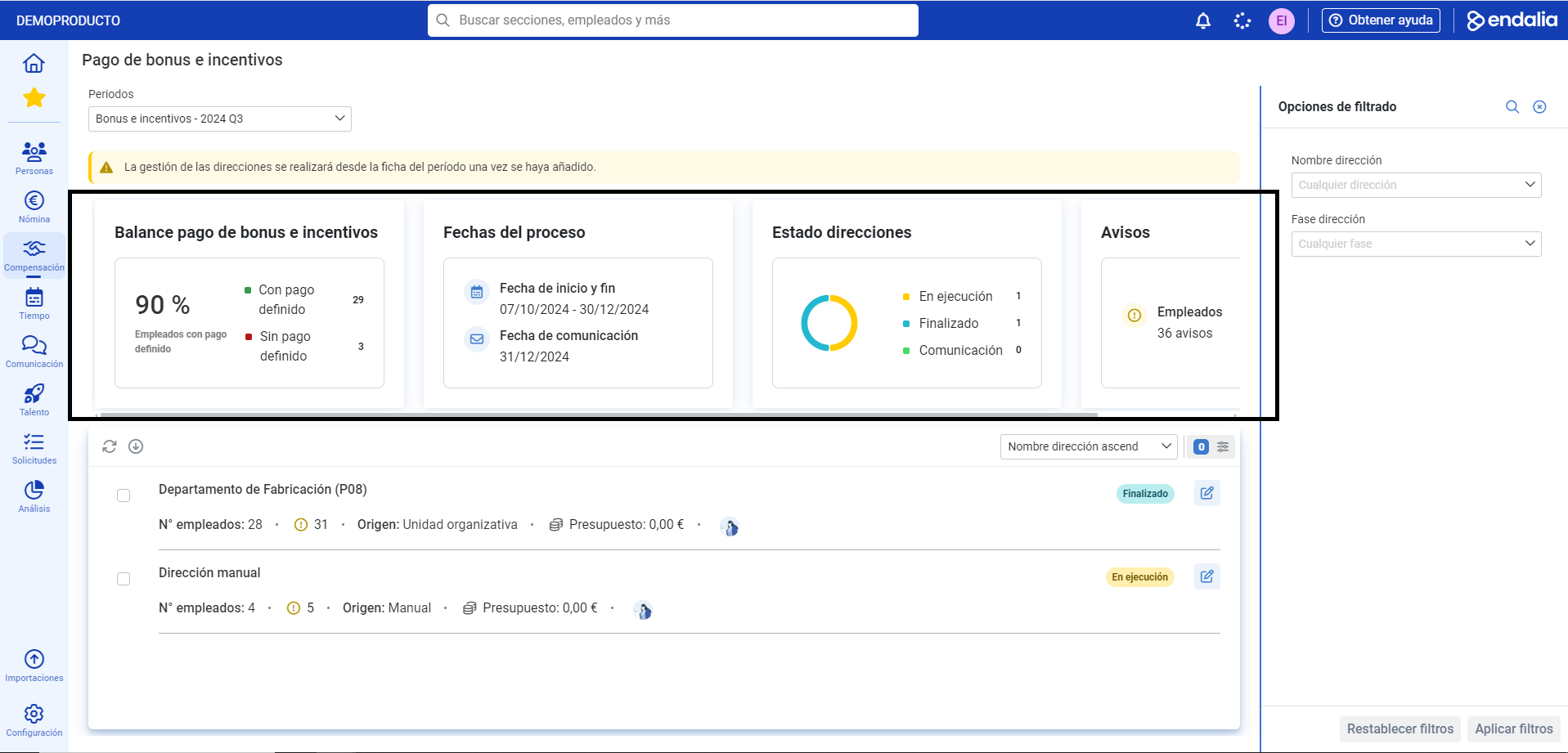
- This first screen provides you with useful information about the addresses; at the top, you have data such as bonus and incentive payment balances, address statuses, and notices, among others. Remember that, as always, the filtering options will help you refine the results:
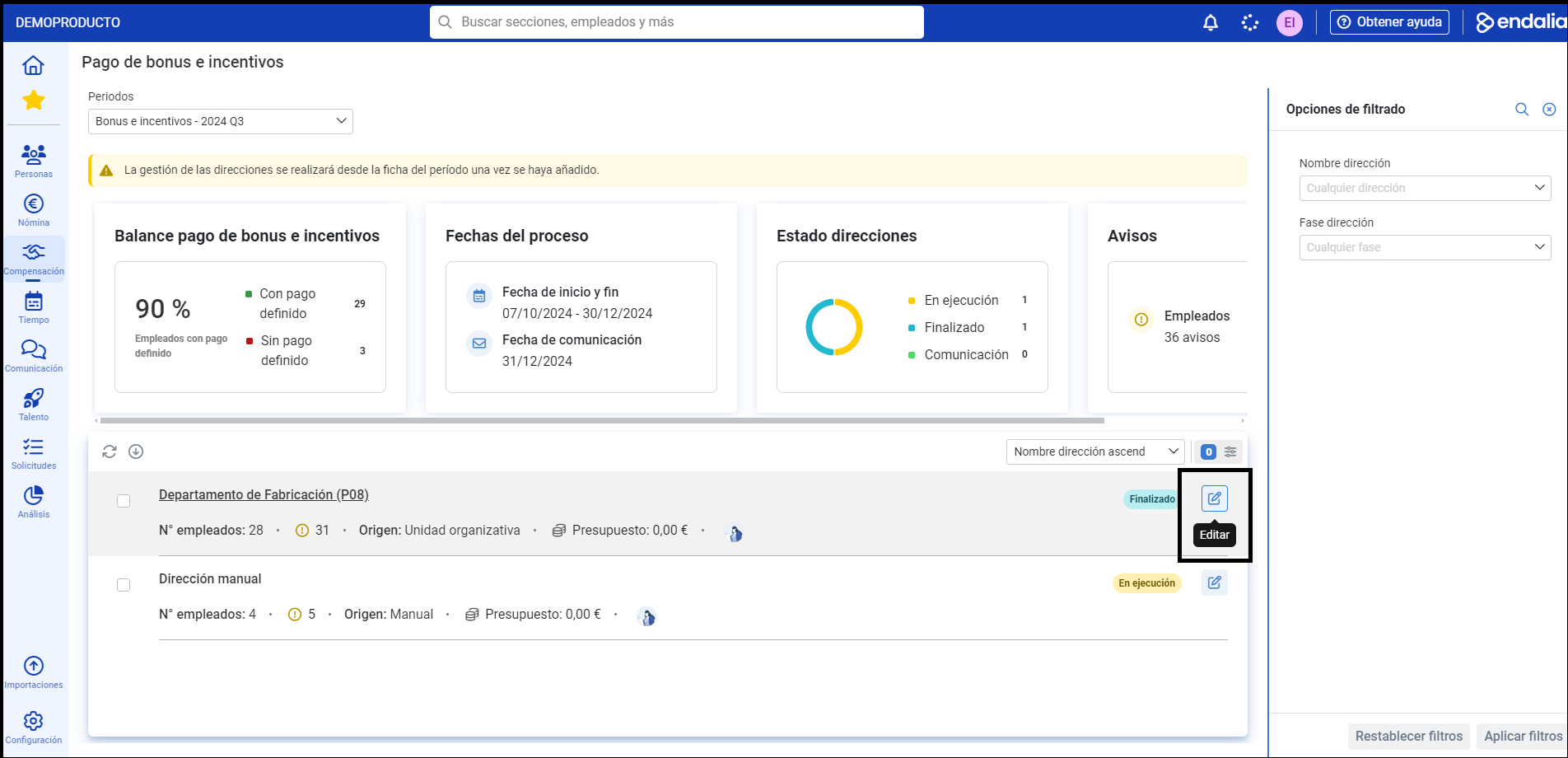
- At the bottom of the screen, you have the list of addresses with their status and access to associated employees, via the Edit button:
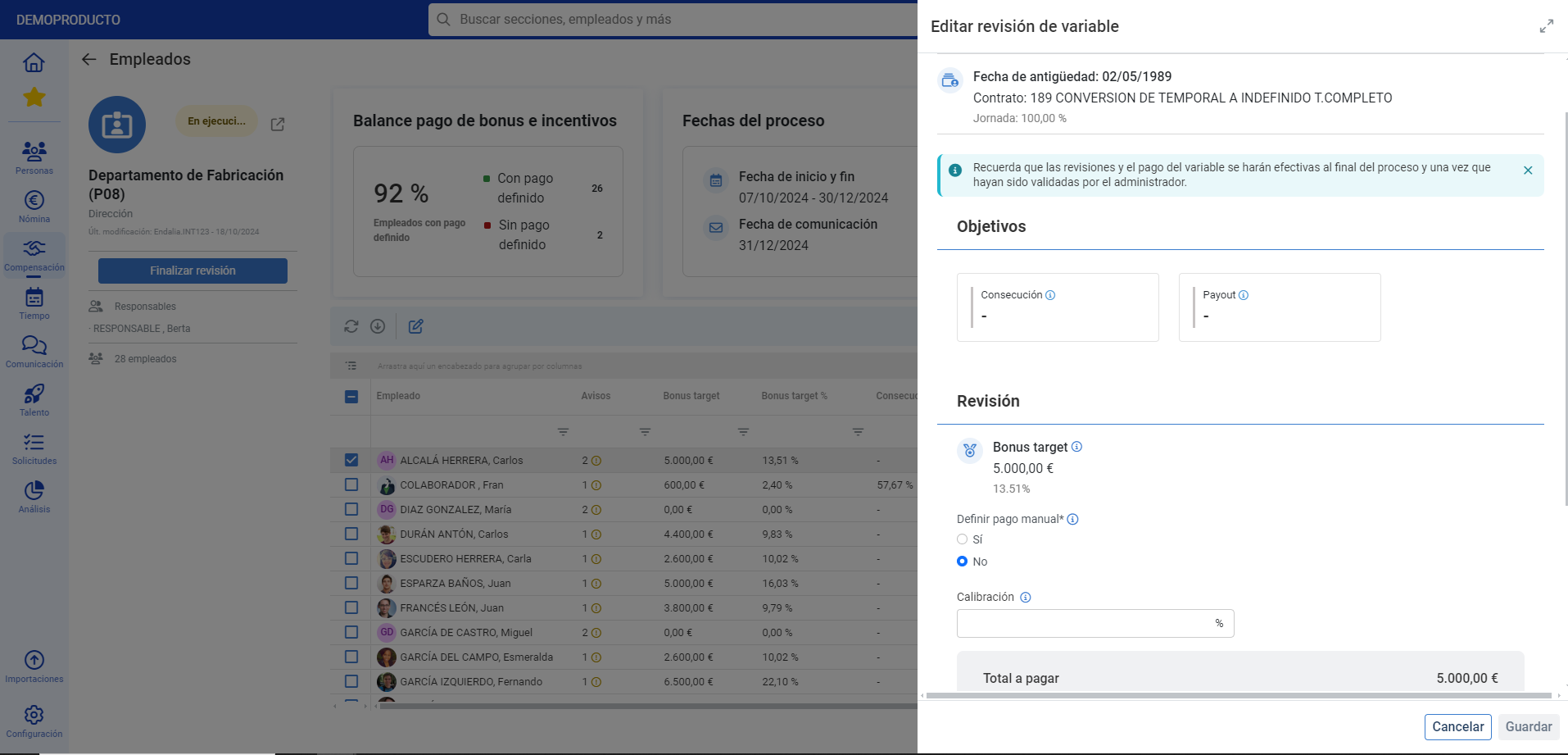
- On this new screen, you have some additional indicators and notices, but the most important functionality is to review and calibrate employee bonus and incentive payments. For this, in the list of employees presented to you, select one of them and click on the Edit button, which you will find on the toolbar. Set your preferences in the modal window presented to you, and don't forget to click Save to make your preferences effective:
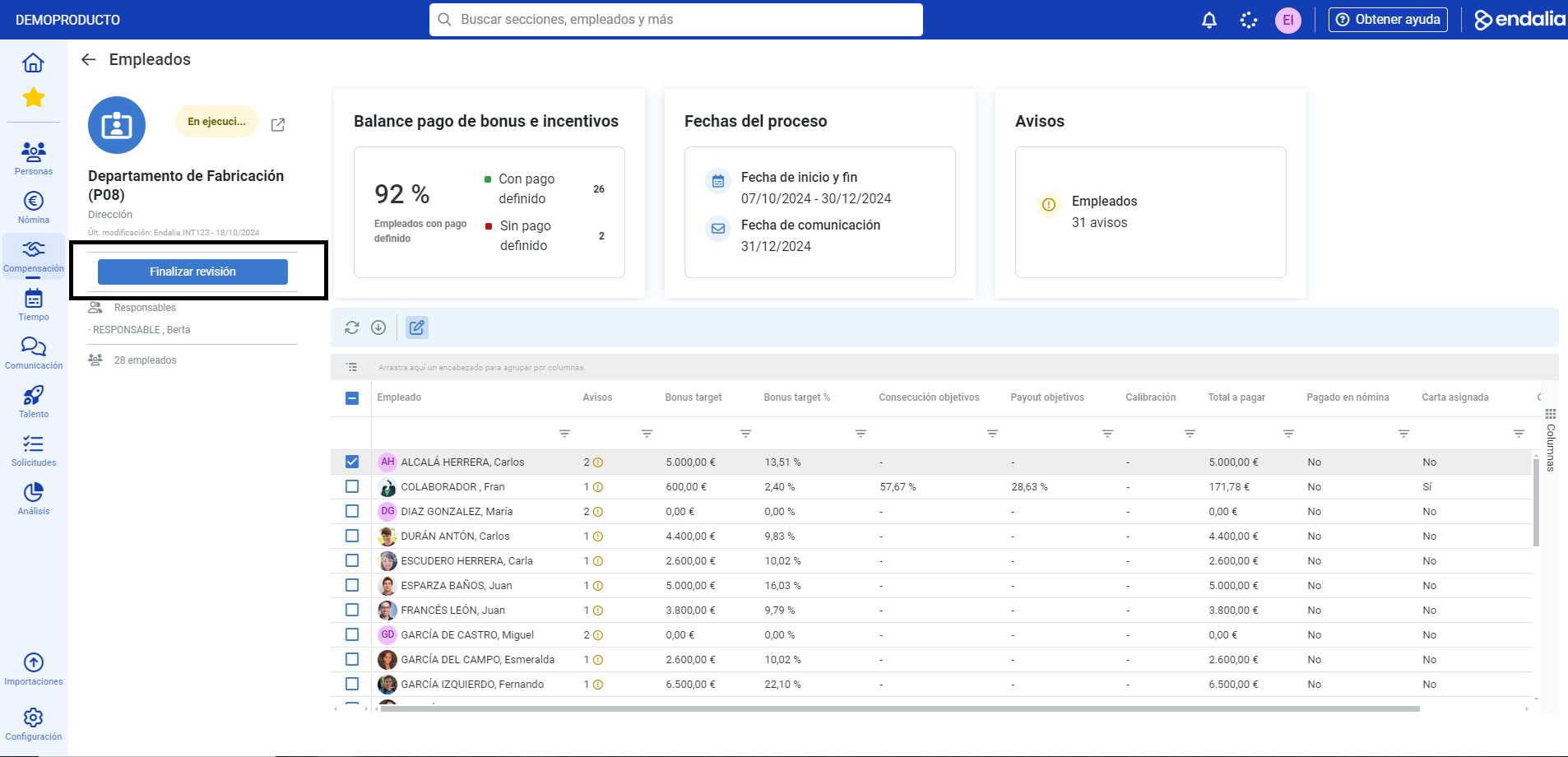
- Back on the Employees screen, you can finalize the review of the address; this way, it will automatically transition from execution phase to completed phase; from this moment on, the manager will not be able to edit employee payments for their addresses but will only be able to access the review and calibration card in "read-only" mode:
Here is this link to access the glossary of terms.
Was this article helpful?
That’s Great!
Thank you for your feedback
Sorry! We couldn't be helpful
Thank you for your feedback
Feedback sent
We appreciate your effort and will try to fix the article