Important: this article is intended for users of Endalia HR with an Administrator profile.
The additional remunerations that employees are entitled to must be properly regulated and quantified. Here we show you how to generate them and maintain thorough control over them in three easy steps.
In this article:
Extra pay calculations
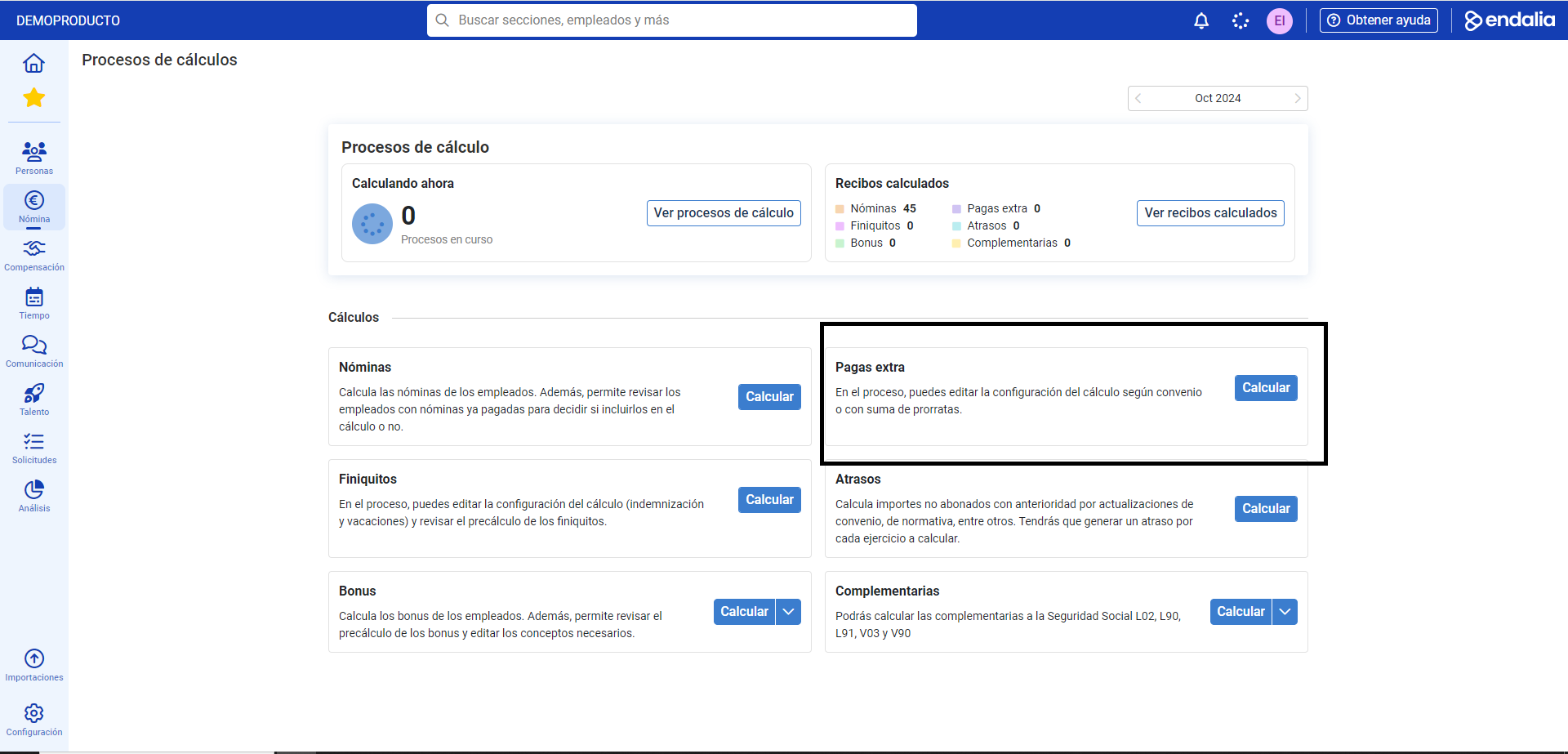
Within the hub Payroll, click Payrolls > Payrolls > Calculation
- On this first screen you have different options available. Go to Calculations > Extra pays and click the Calculate
 button
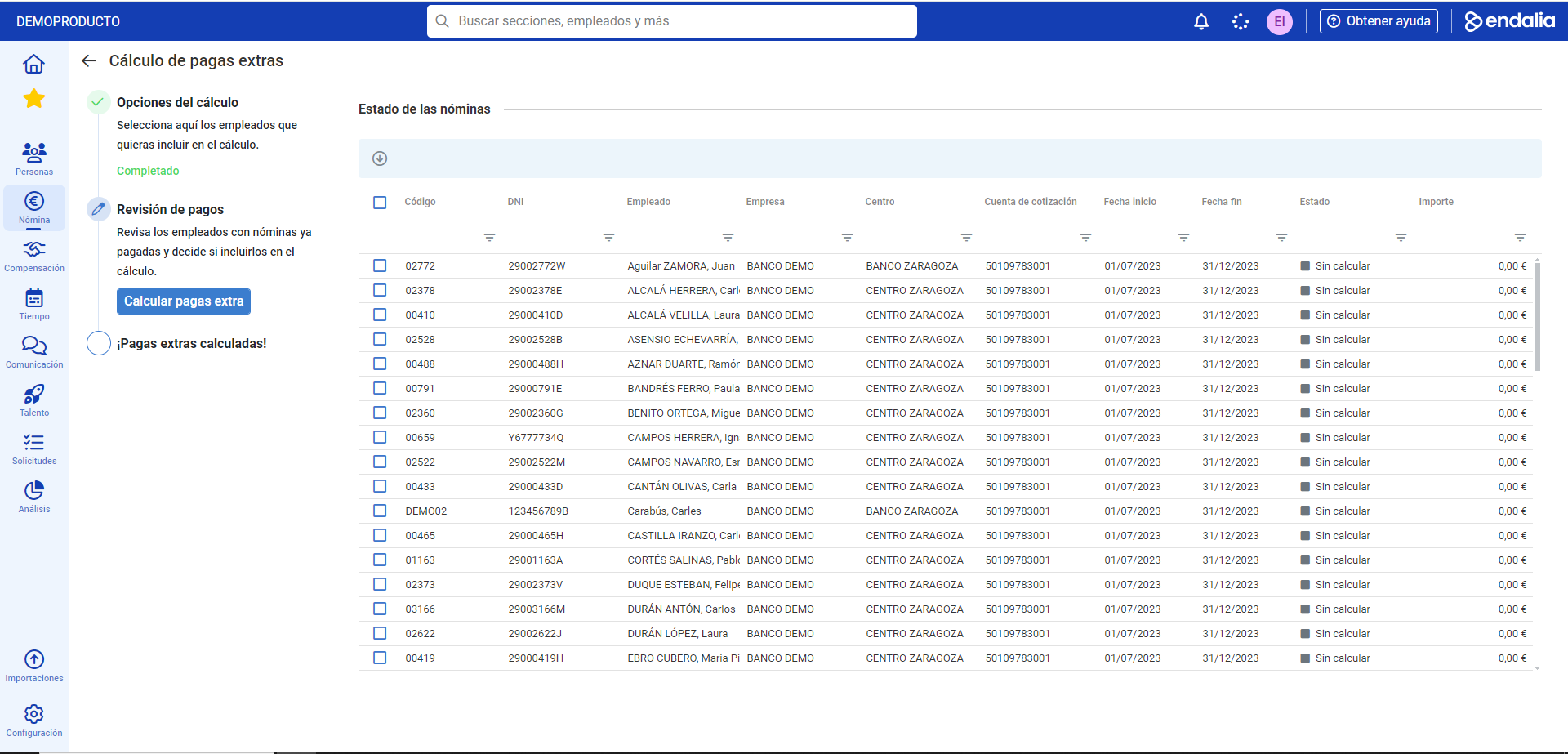
 - Next, a calculation assistant is shown, consisting of three steps. In the first section, Calculation criteria, fill in the required fields (*), such as Company, Year, and Month (by default, those in progress are shown). If you click on the Calculation Configuration option, you can set an additional criterion in the modal window presented to you; this may be proration sun or according to agreement. Remember to click Add, to apply your preferences. Additionally, back to the main screen, you have the option Include tested and/or paid receipts, which means if an employee has a receipt in either of these two states, the system will calculate a new one. In the next section, Employees to calculate, select one or several with the options enabled for that purpose. Finally, click Calculate extra pays
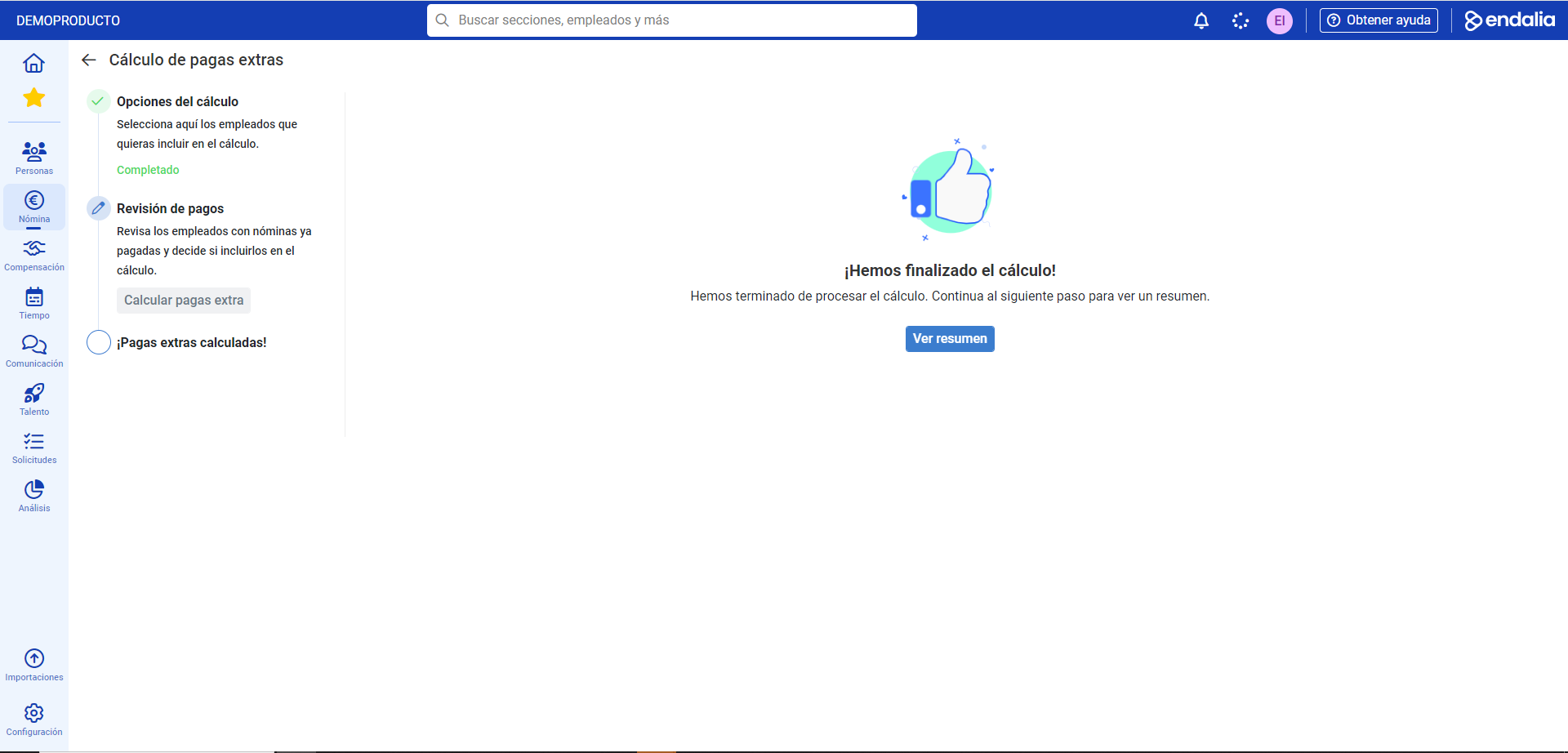
- Once this step is completed, the system will offer you the option to View Summary. From there, and through the last step of the phase, called Extra pays calculated!, you can access the list of them by clicking the button Go to view payrolls which will automatically redirect you to the list of employees associated with the latest processes carried out:
Video of the process
Here you have the process, very summarized, in this small visual pill:
Still have questions? Take a look at the following related articles:
Additionally, you can view our glossary, available at this link.
Was this article helpful?
That’s Great!
Thank you for your feedback
Sorry! We couldn't be helpful
Thank you for your feedback
Feedback sent
We appreciate your effort and will try to fix the article