Important: this article is intended for Endalia HR users with an Administrator profile.
This is an additional remuneration paid to the employee in Spain and, like many other processes, must be properly regulated and managed; here are some notes to understand this functionality.
In this article:
Configuration and modification of extra pay
- Within the hub Configuration, go to Payroll > Agreements
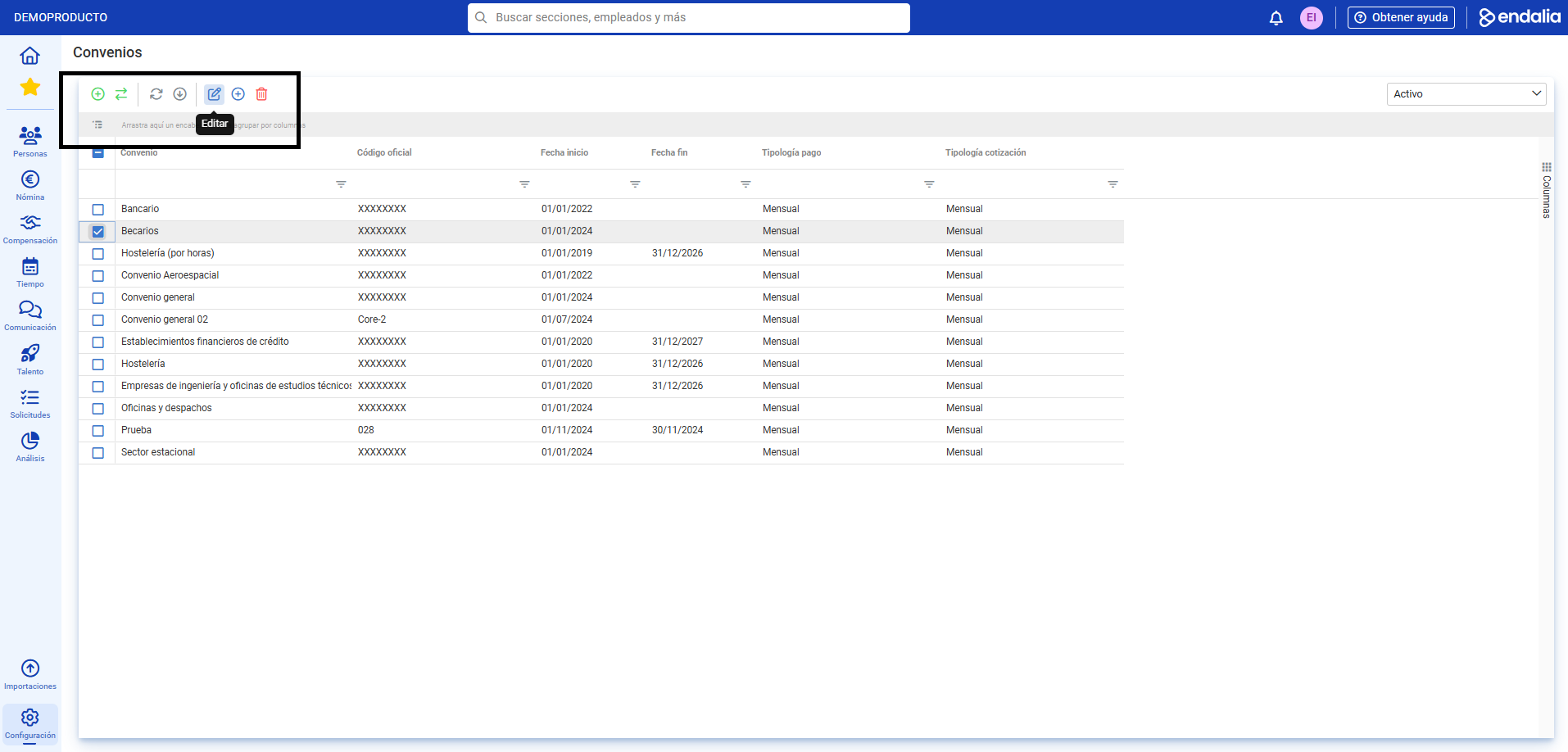
- On the screen that appears next, you have a list of agreements. Select one from the list and click on Edit, button located on the toolbar:
- Now, you can see the file of the agreement you just selected. In the menu items of the file, select Extra pay. In the section of the same name, you can see the different extra pays generated, which you can edit or delete using the corresponding buttons located on the right side of each specific pay.
- If you wish to add an extra pay, click on the button intended for this purpose. In the lateral modal window presented to you next, you must fill in the following fields to complete the action:
- Name of the extra pay: type at least three characters for the system to offer you a list.
- Payment mode: it can be prorated or non-prorated.
- Application mode: through fixed amount or concepts. If you choose the second option, you must specify the number of pays and, optionally, the associated concept.
Finally, click on Add, to include it in the list in the agreement file: 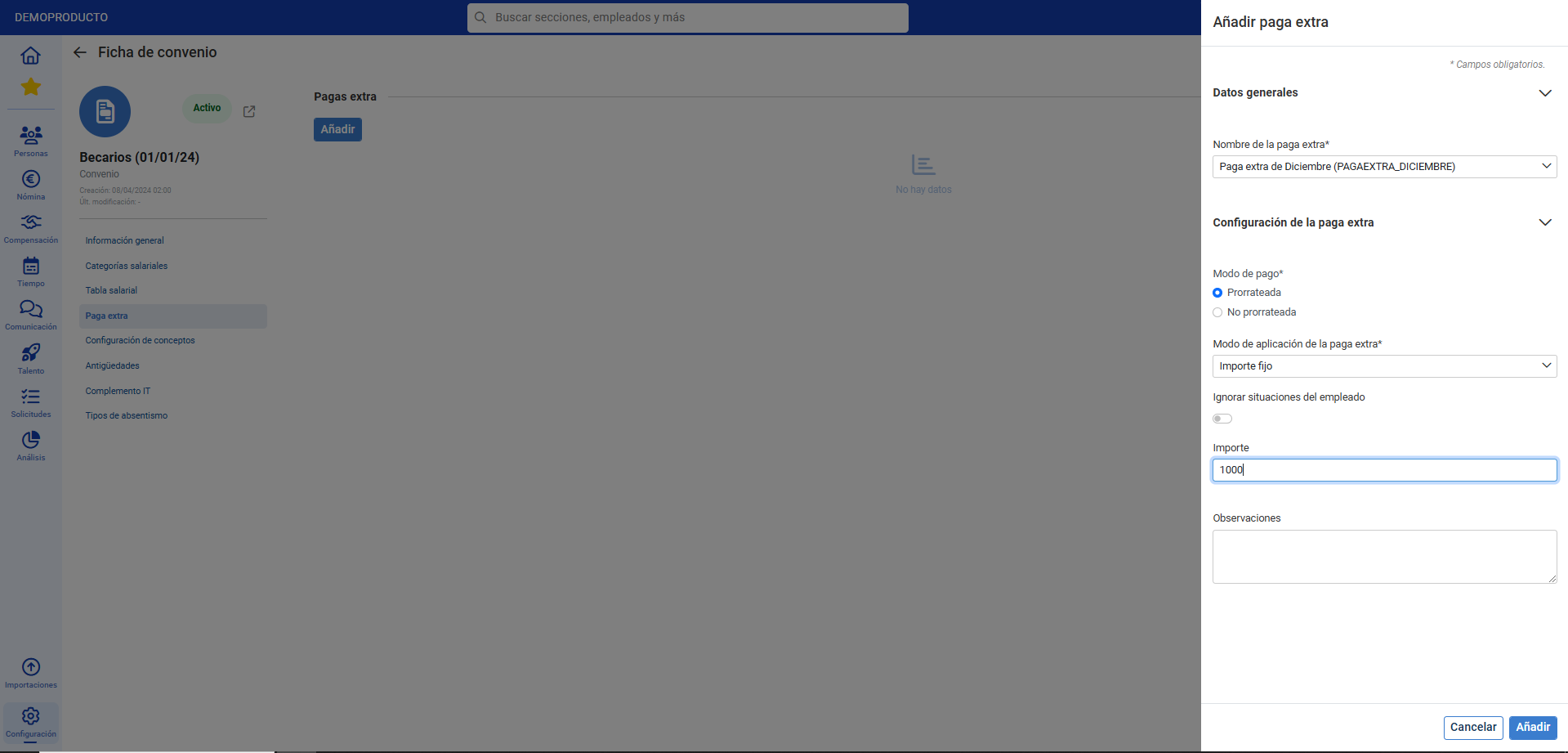
Note: The "non-prorated" payment mode also involves specifying the day, month, and duration of accrual, the month of payment and whether it will be paid inside or outside the period.

Process video
Do you want to know more? Check the following related articles:
If you have doubts about the terms, take a look at our glossary at this link.
Was this article helpful?
That’s Great!
Thank you for your feedback
Sorry! We couldn't be helpful
Thank you for your feedback
Feedback sent
We appreciate your effort and will try to fix the article