Important: this article is aimed at Endalia users with a Collaborator profile.
Now you can access the Requests Catalog directly from the Home or sent requests, allowing you to create requests more quickly and centrally. This new feature groups all available request options for you in a single point, improving the user experience and simplifying your day-to-day.
What is the Requests Catalog?
The Requests Catalog is a space that allows the collaborator to view and initiate all the requests they can make within the system.
From here, you can initiate requests such as:
Changes in work schedule
Update of form 145
Modification of income tax (IRPF) percentage
This catalog is designed so that you only see the options enabled according to your profile, preventing errors and simplifying steps.
How to access the Catalog
You can access the catalog in three ways:
From the Home, in the block Pending requests, by clicking on the “Add request” button.
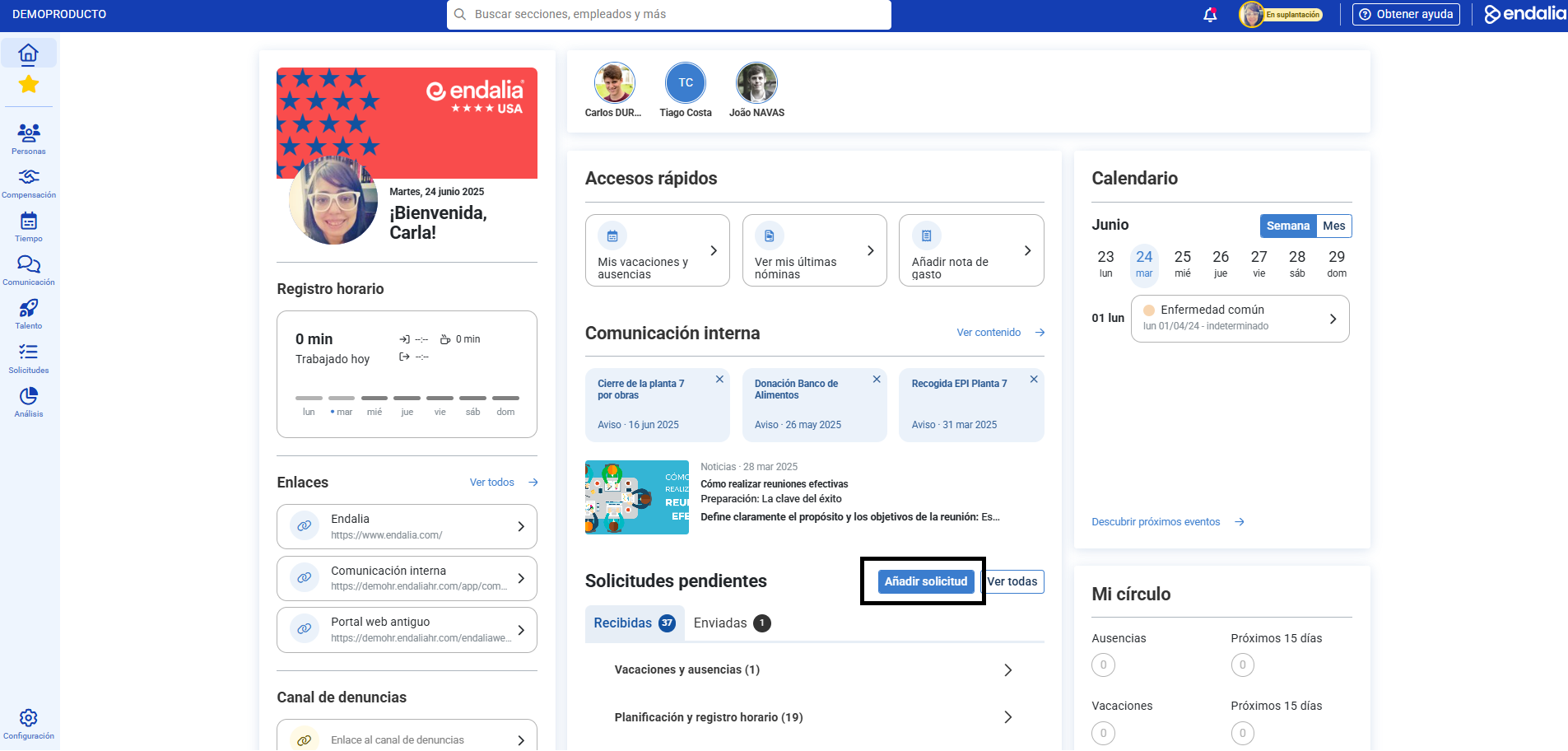
- Or from the menu: Management and processes > Request Management > My requests > Sent requests > Add new request.
- And also from mobile, in the requests section, click on Add.
How it works
By clicking on Add request, the catalog will open with all the requests available for you.
If the selected request has a specific space in the system (like the form 145), the system will automatically redirect you to that section within your employee file.
If it does not have its own space, a request form will open, which you can complete and send directly.
As a novelty, the Requests Catalog is also available in the mobile application, within the Requests section. It works exactly like the web version.
Related articles
Do you want to know more? Check out the following related articles:
If you have doubts about the terms, take a look at our glossary via this link.
Was this article helpful?
That’s Great!
Thank you for your feedback
Sorry! We couldn't be helpful
Thank you for your feedback
Feedback sent
We appreciate your effort and will try to fix the article