Important: this article is intended for Endalia HR users with a Collaborator profile.
Continuous development is key to your professional growth. Learn how to explore the course catalog your organization makes available to you.
In this article you will find
Catalog of available courses
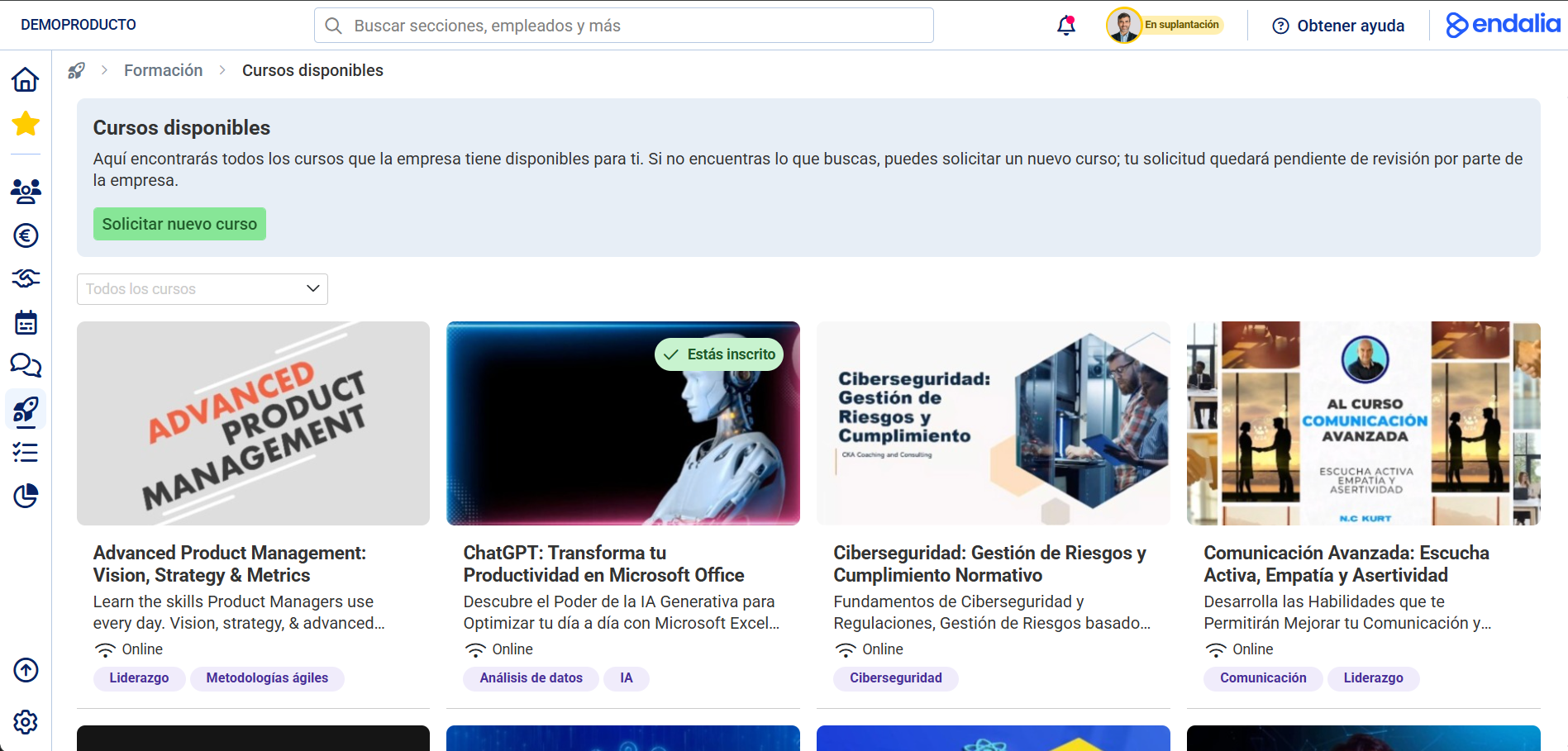
The "Available Courses" section is the catalog of courses your organization makes available to you. Here you can:
- Explore all available courses
- Filter by category, modality, or type
- View details of each course (objectives, content, duration)
- Request enrollment in the training activities that interest you
Within the Talent hub, go to the Training > My Training > Available Courses section. Here you will find all the courses your organization has available for you.
The courses that appear depend on the visibility settings. You will see courses configured as:
- Entire organization: Available to all employees
- Specific groups: If you belong to those groups
- Specific employees: If you are included individually
Use the "All Courses" selector to filter by thematic categories. 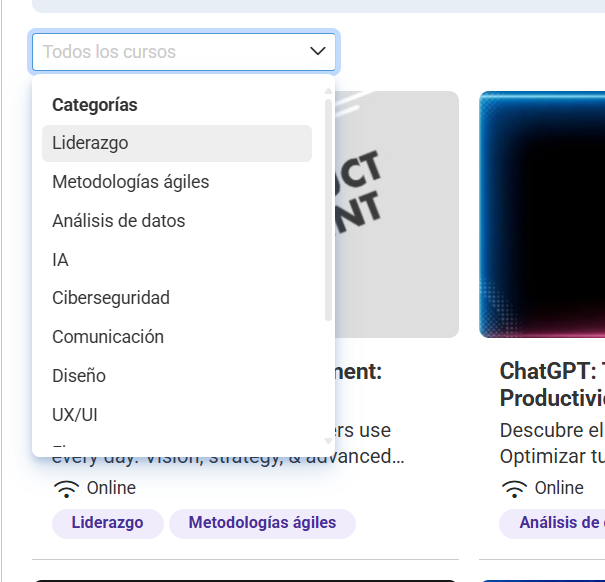
The courses you are enrolled in also appear here, identified with the green label "Enrolled." To manage your active enrollments, go to Training > My Training > My Training Activities.
Course sheet
To see all the details of a course and the available training activities, click on the course card that interests you. The full course sheet will open where you can:
- See detailed information (objectives, complete content, related skills)
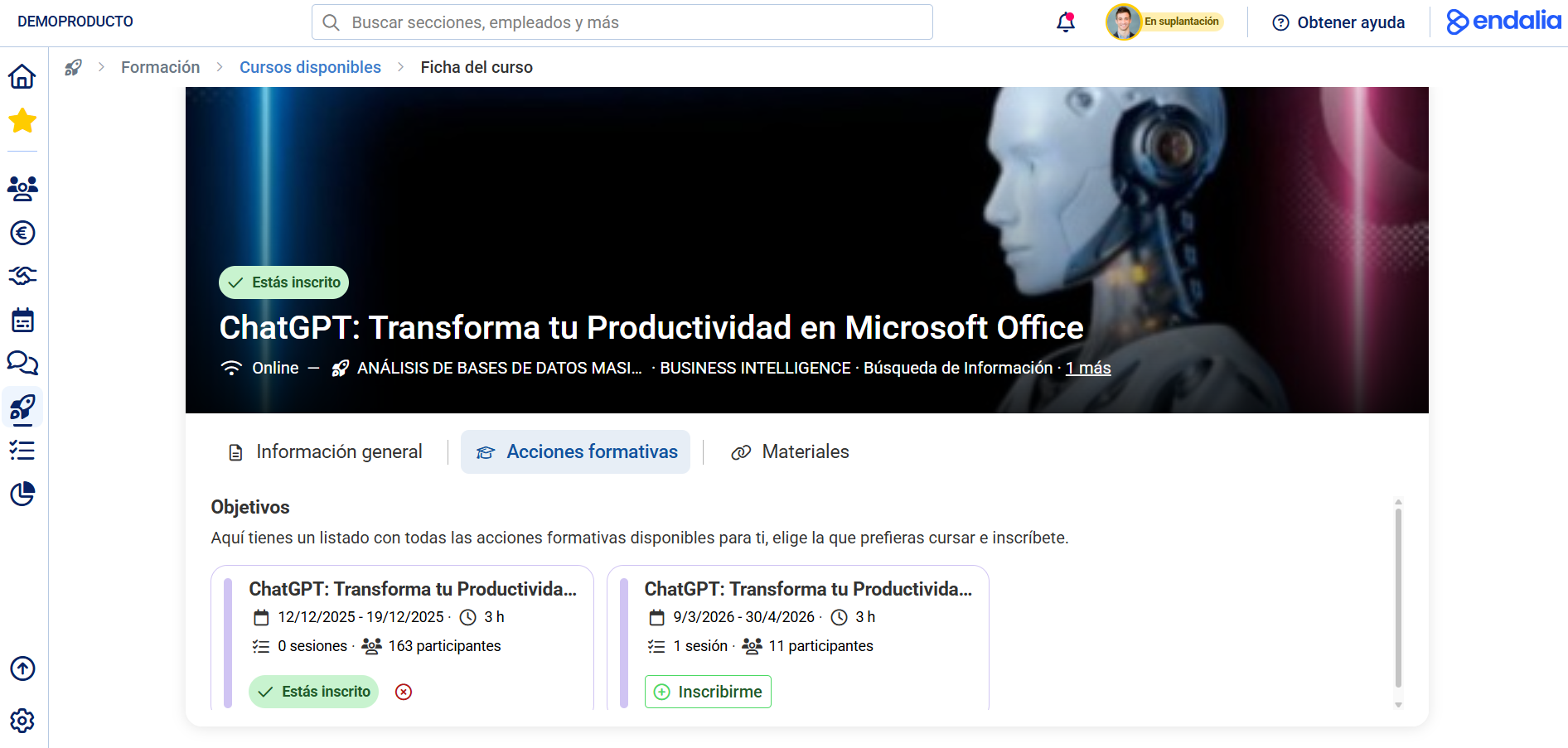
- Consult scheduled training activities (editions with specific dates)
- Enroll in an available training activity
To complete this step, click on the relevant course and, within its sheet, click on the "Training Activities" tab.
Request new course
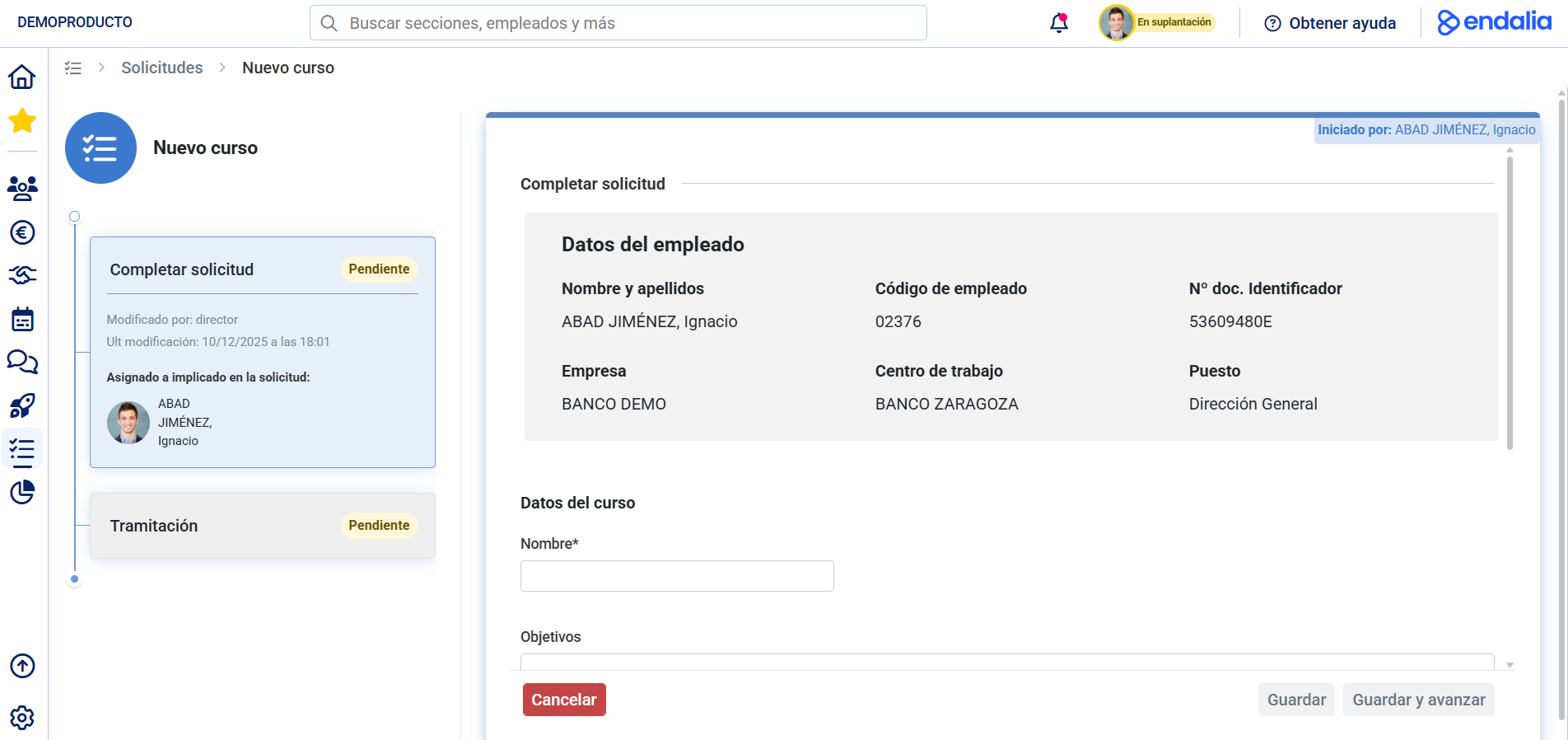
If you can't find the course you need in the catalog, you can request it from your organization from the "Available Courses" section header.
See the following related articles:
In addition, you can view our glossary, available at this link.
Was this article helpful?
That’s Great!
Thank you for your feedback
Sorry! We couldn't be helpful
Thank you for your feedback
Feedback sent
We appreciate your effort and will try to fix the article