Important: this article is intended for Endalia HR users with the Collaborator profile.
If you cannot find the training course you need in the catalog, you can request your organization to add it. Your request will be reviewed by the HR department.
In this article, we show:
When to request a new course?
This request is for creating a new course that doesn't exist in the catalog. If the course already exists and you just want to enroll in a specific edition, use the "Enroll" functionality from the course's profile.
Submit the request
You can start the request from two locations:
- Option 1: From Training > Available Courses. At the top of the screen, click the "Request new course" button.

Option 2: From the homepage > pending requests > Add request > Available courses.
The request form is divided into two sections:
- Employee data (automatic). You don't need to change anything in this section, just verify that the information is correct.
- Course data. Complete the information about the course you are requesting.
- Although many fields are optional, fill out as many as possible:
- Facilitates evaluation by HR
- Increases the chances of approval
- Speeds up course implementation if approved
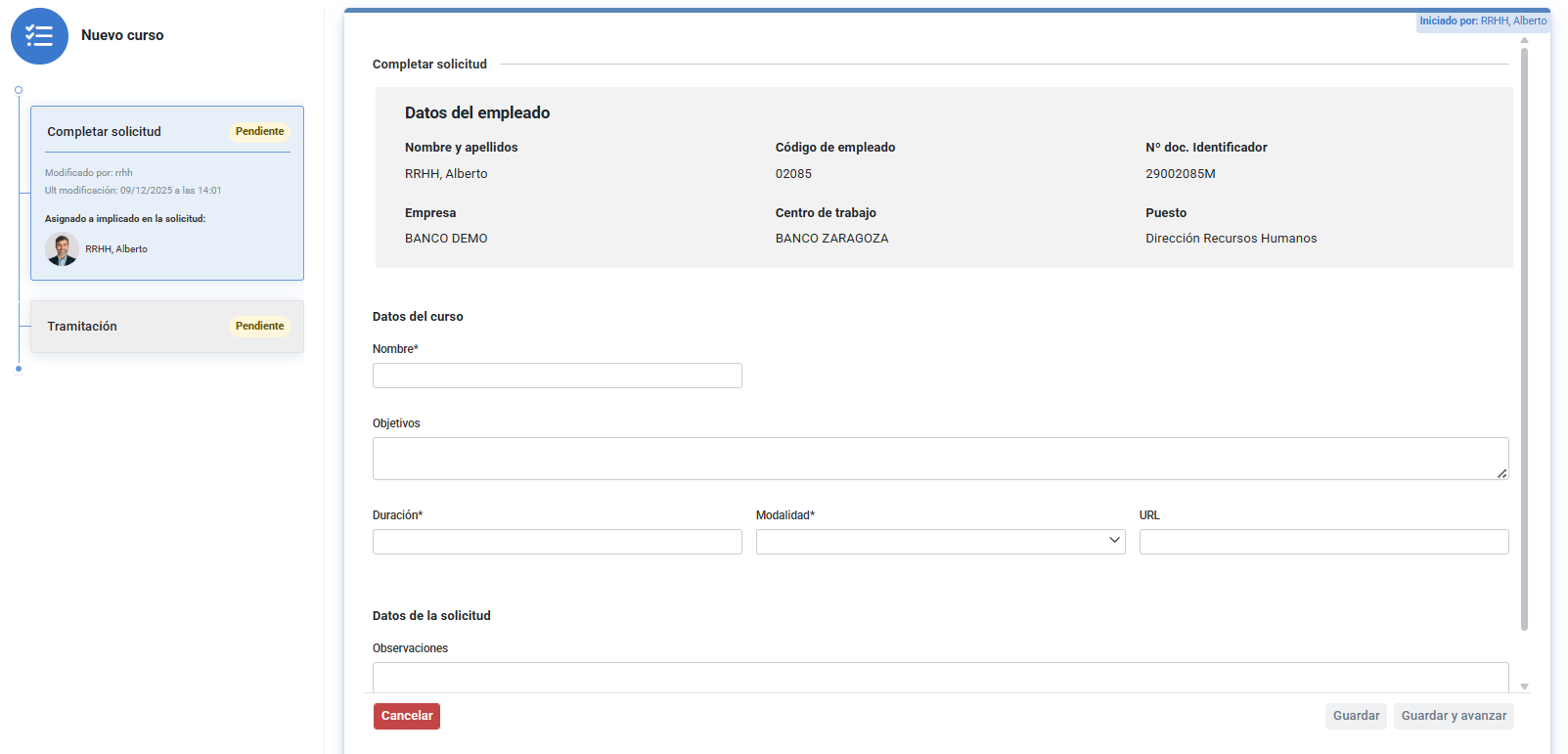
To submit the request, review the entered information and click "Save and proceed." Your request will move to the completed status in your phase.
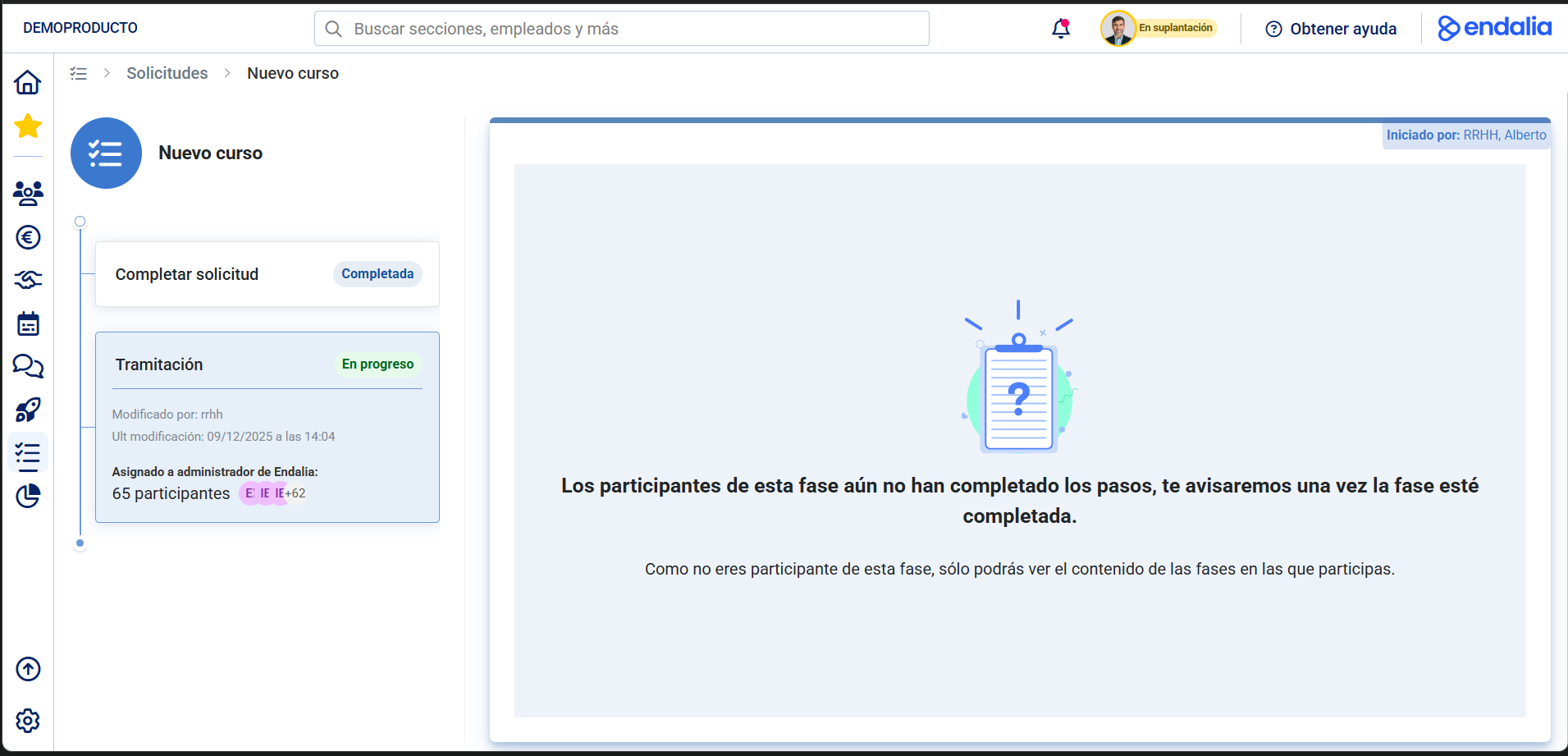
The next two phases, Validation and Processing, must be filled out by the request's responsible parties. Once completed, the system will notify you on the homepage.
Now, go to Performance and Talent > Training > Me > My Training. In the Notices section, you will see your training action requests submitted to your superiors (Responsible and HR. HR.). 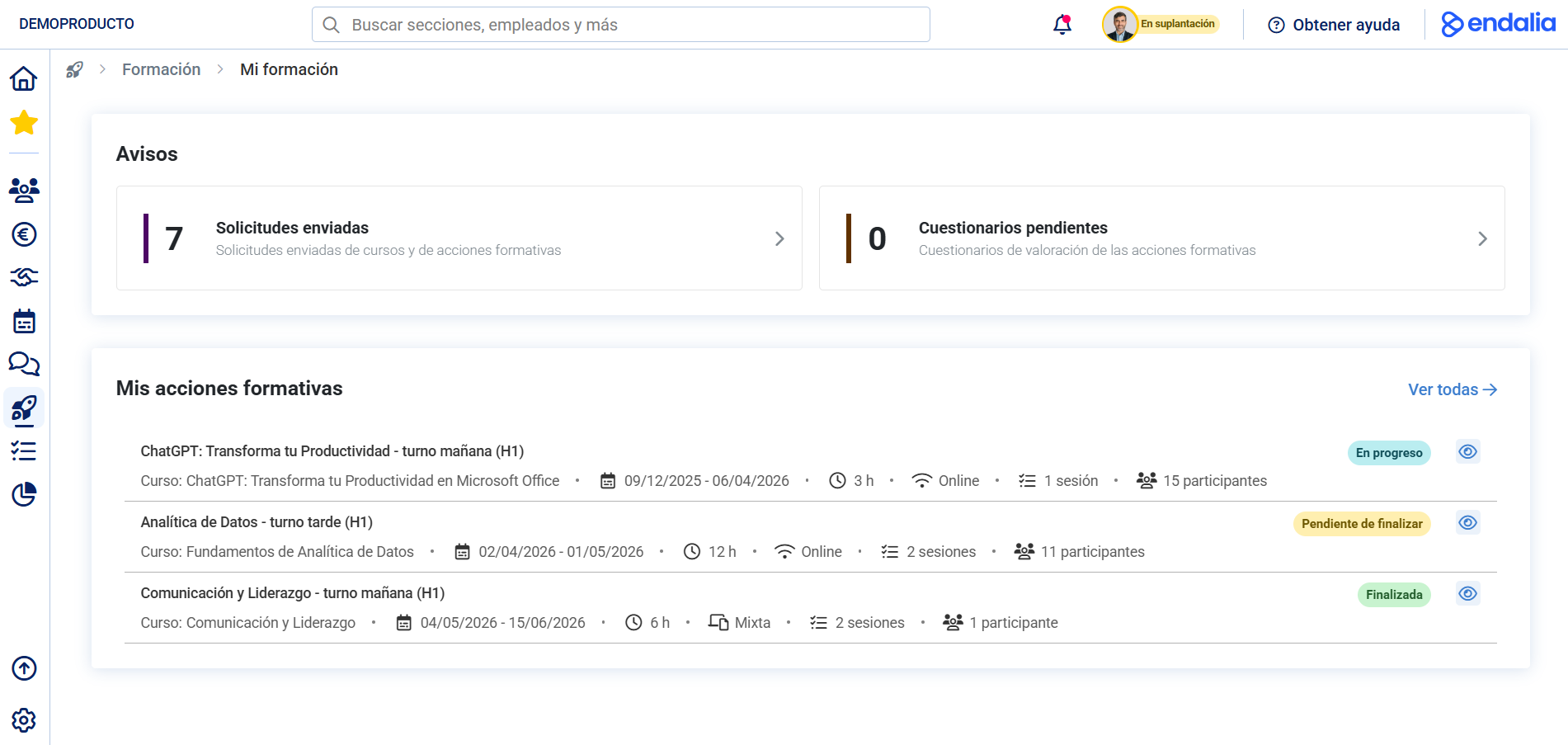
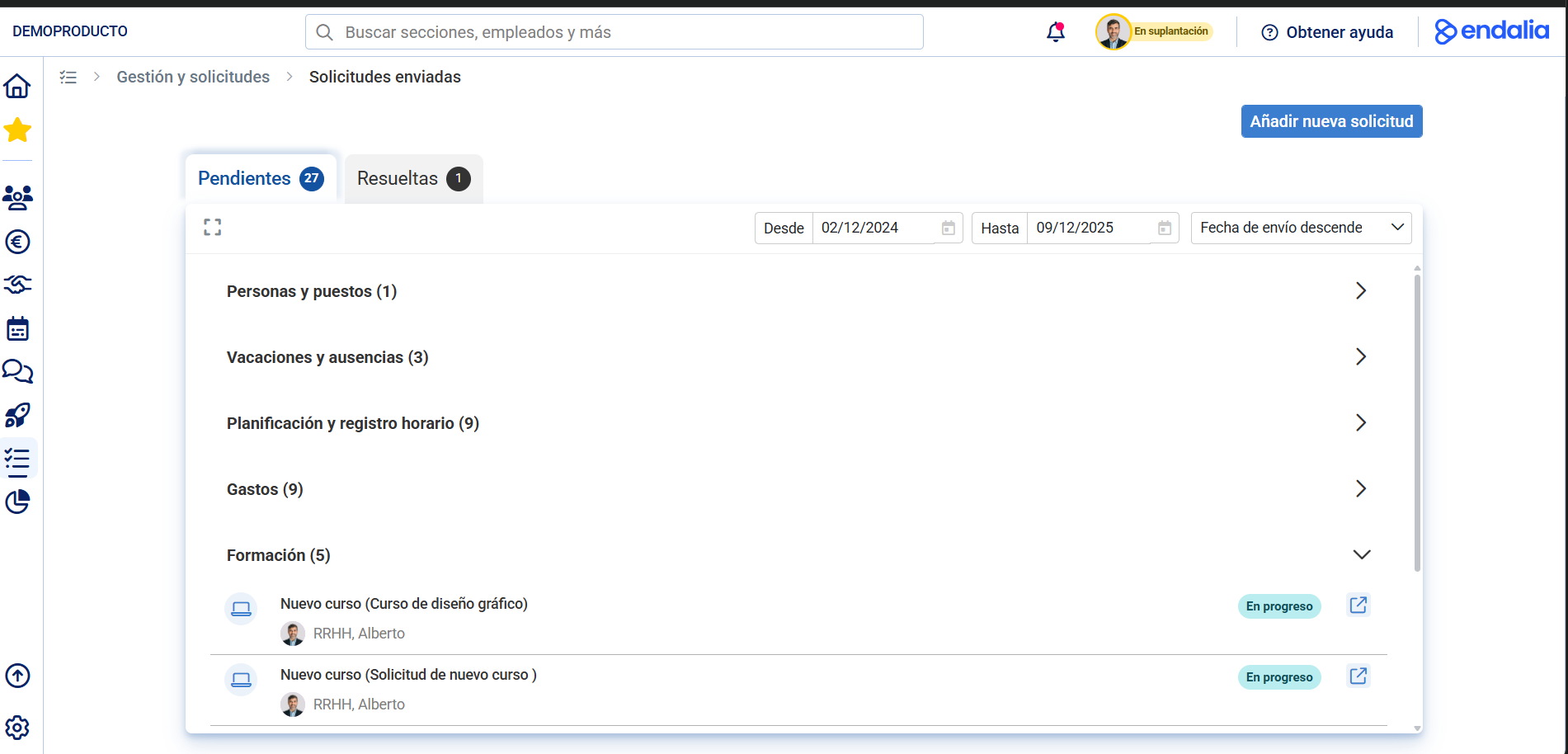
Click on the sheet to view details of your requests, which will be displayed in two tabs as Pending (to process) or Resolved (already processed, whether your superiors have approved them or not):
Finally, once your new training action approval request is approved, it will move from the Notices section to the one immediately below, called My Training Actions.
Refer to the following related articles:
Additionally, you can view our glossary available at this link.
Was this article helpful?
That’s Great!
Thank you for your feedback
Sorry! We couldn't be helpful
Thank you for your feedback
Feedback sent
We appreciate your effort and will try to fix the article