Important: this article is intended for Endalia HR users with a Manager role.
The purpose of this functionality is that, as a team leader, you can assess the effectiveness of the training action in day-to-day tasks or your team's performance.
Prerequisites
- You must be responsible for a training action.
- At least one member of your team is a participant in a training action.
- The training action must have an efficacy questionnaire enabled beforehand.
- The start and end dates of the questionnaire must be valid (specifically, the start date should not be earlier than the current day).
- The training action must be completed.
How to respond to a performance questionnaire?
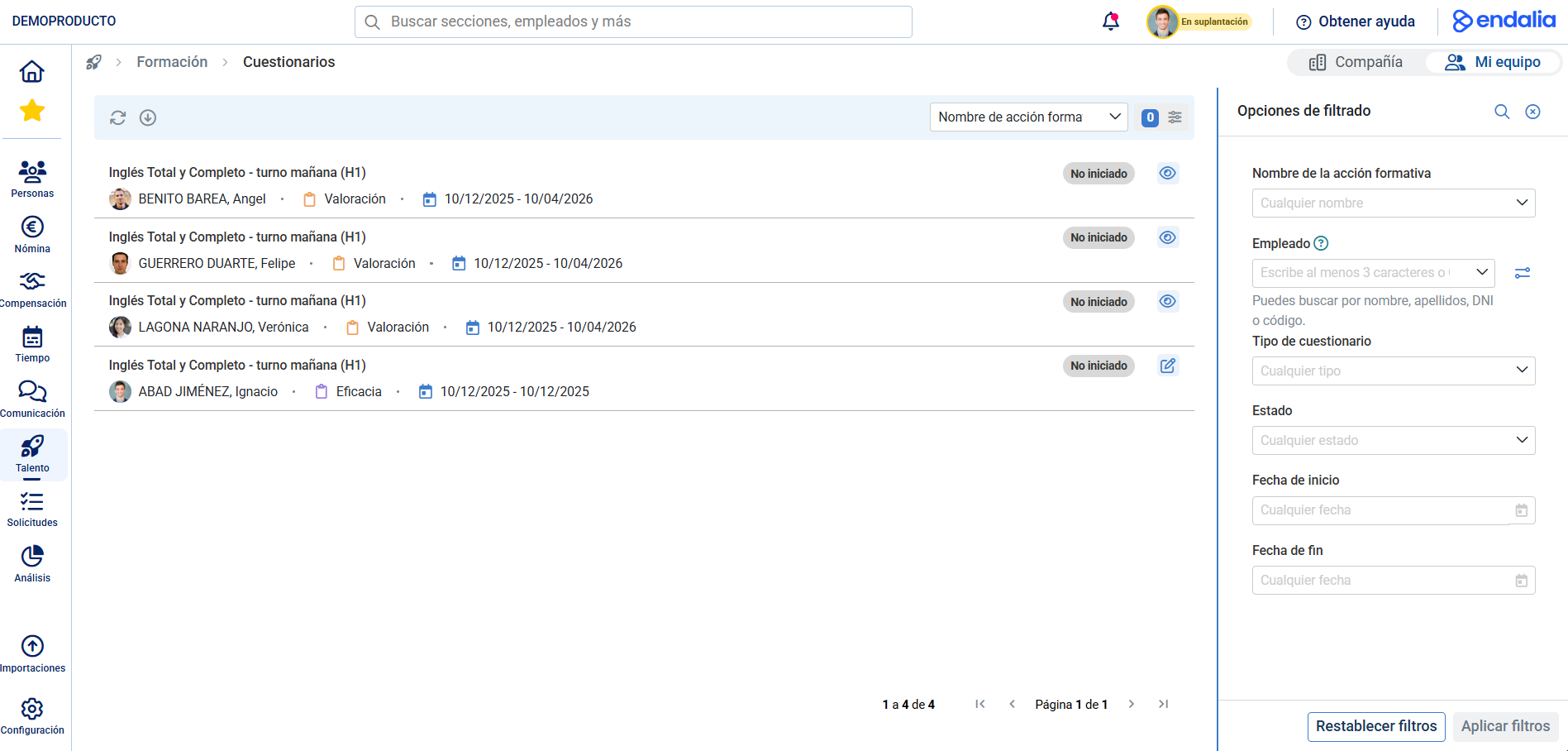
In the Talent hub, go to the module Training > My team > My training > Questionnaires
On the screen that appears next, you can see each available questionnaire as well as other related data (date range, status, etc.). Click the Edit button next to each questionnaire to access it.
Once inside the questionnaire, you can proceed to complete it. Keep in mind there are mandatory fields you must fill out, and other optional questions. The Save button at the end of the questionnaire allows you to store your responses partially and complete them later. Once you've completed the mandatory responses, the Complete option will appear, located next to the mentioned Save button, allowing you to close and send the questionnaire. Now, this process will appear as Completed on the main Questionnaires screen: 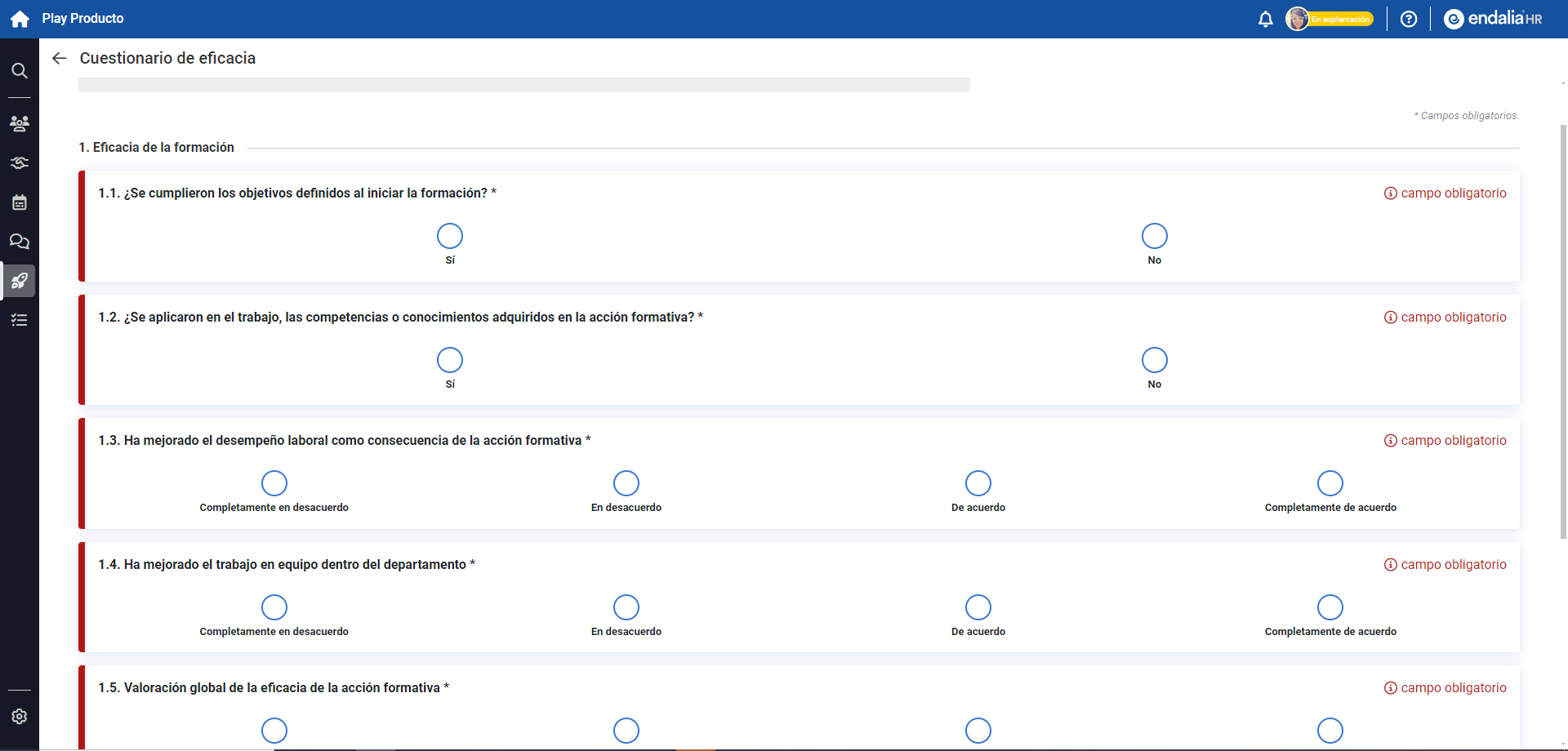
Note: You can access the performance questionnaires in different ways:
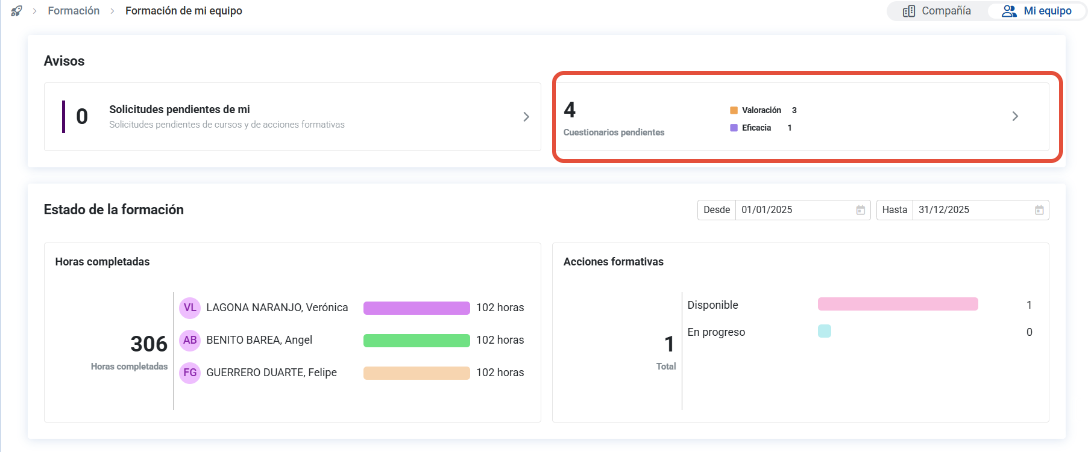
- Through the path Performance and Talent > Training > My team > Questionnaires: - From Performance and Talent > Training > My team > Training of my team:
Take a look at the following as well:
Was this article helpful?
That’s Great!
Thank you for your feedback
Sorry! We couldn't be helpful
Thank you for your feedback
Feedback sent
We appreciate your effort and will try to fix the article