Important: this article is for users of Endalia HR with the role of Manager.
As a manager, you can handle your team's enrollment and withdrawal requests for training actions. Your validation is an intermediate phase before the requests reach HR for final processing.
As a manager, you handle two types of requests from your team:
- Enrollment requests (registration) - When a team member requests to enroll in a training action.
- Withdrawal requests - When a team member requests to withdraw from an already enrolled training action.
Access pending requests
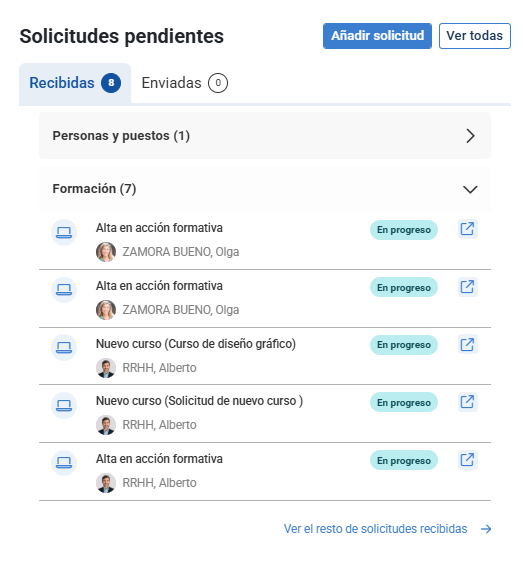
- Option 1 - From the home, pending requests widget.
- Option 2 - From the dashboard (quick way) - Training > Employee training, alerts section. Next, the screen shows you, in the Alerts section, the requests from your team that depend on your management, which team members have previously requested:
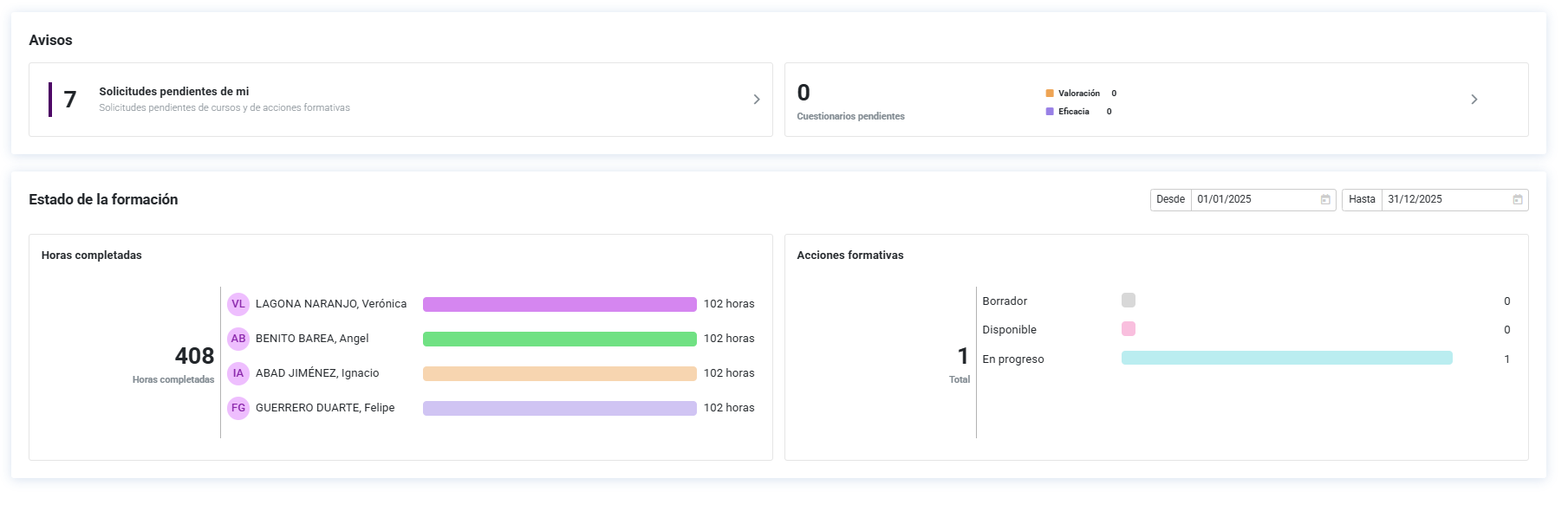
Now, click on Pending requests from me to see who has requested them and manage them. In the Pending tab, you have the complete list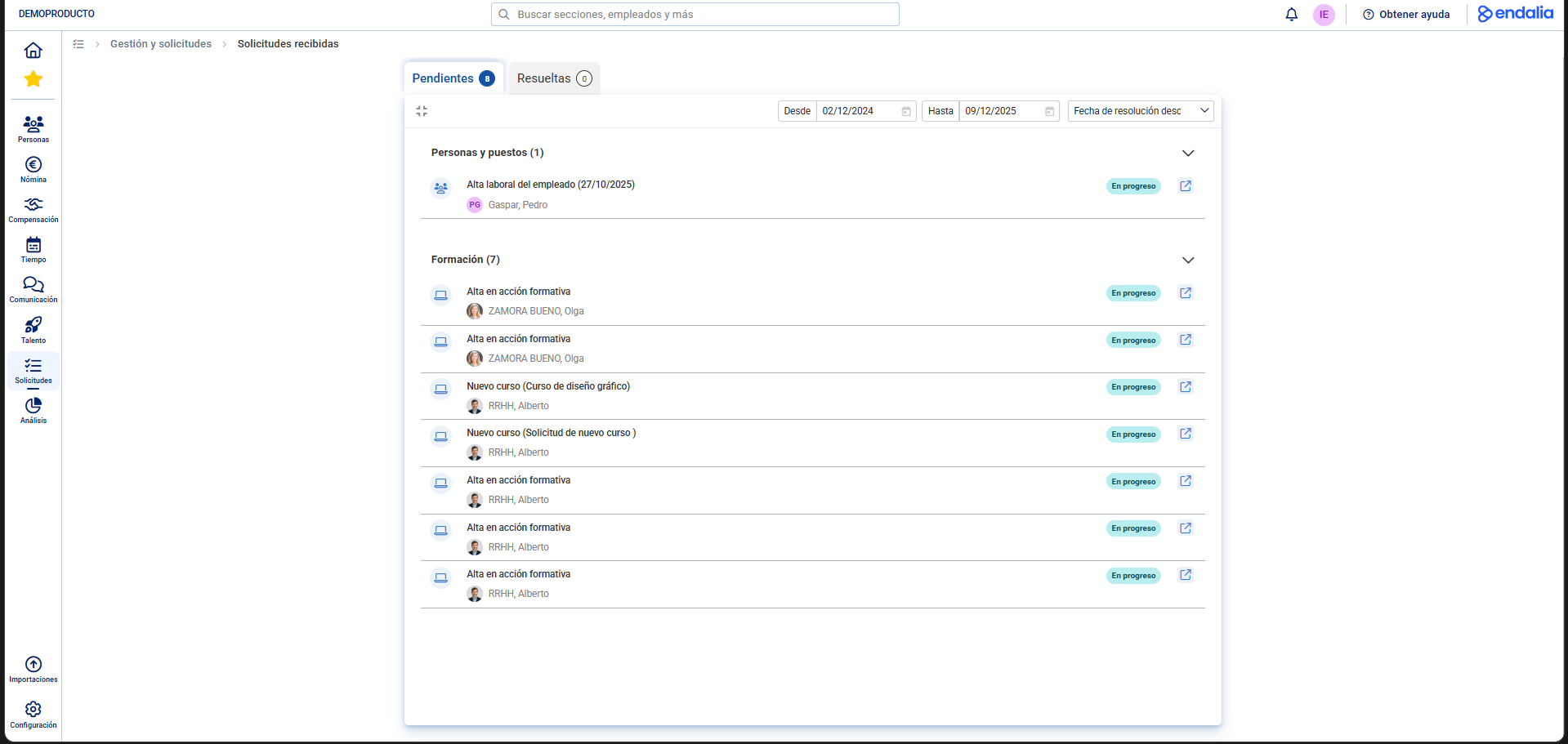
Enter the request to validate ("Save and Finish" button) or reject ("Cancel" button) the request.
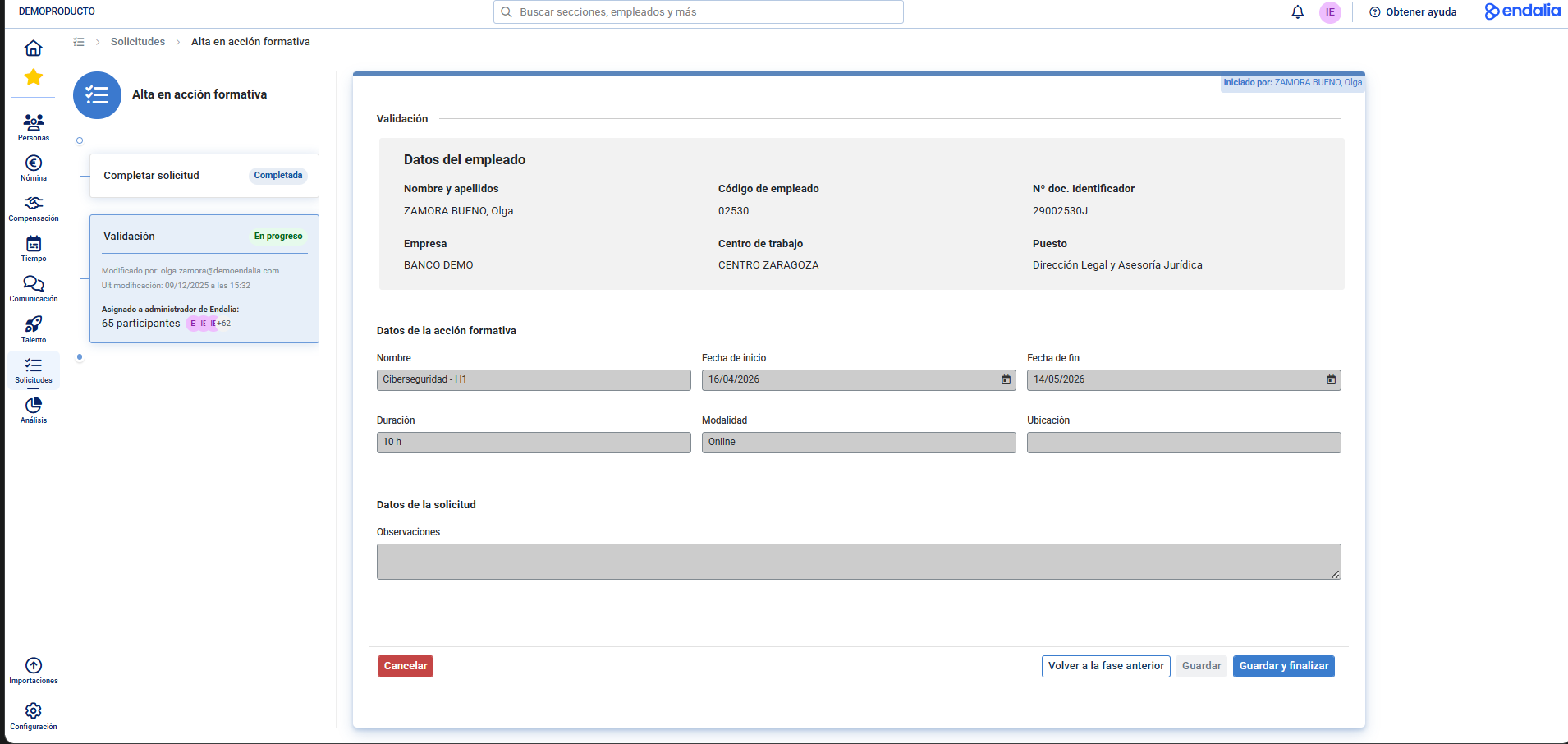
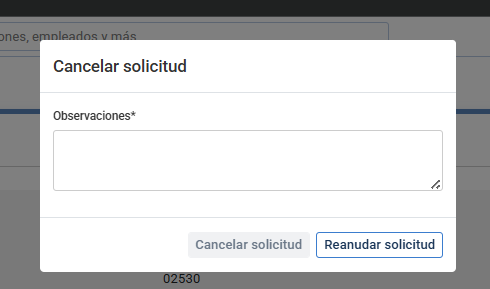
If you validate the request, a message will appear on the screen to notify the team member, and it will move to HR. for processing, in its final phase. If, on the other hand, you decide to reject it, you will get a confirmation message where you must obligatorily state the reason for not approving the request:
Note: All requests, whether you approve or reject them, will become part of the Resolved tab within Received Requests.
Additionally, you can view our glossary, available at this link.
Was this article helpful?
That’s Great!
Thank you for your feedback
Sorry! We couldn't be helpful
Thank you for your feedback
Feedback sent
We appreciate your effort and will try to fix the article