Remember: this article is for users of Endalia HR with an Administrator profile.
In this section, we show you how to manage the different types of holidays that may exist in a work calendar, to distinguish them from each other and have detailed information about each employee, ultimately.
In this article:
Module Parameters
Within the hub Configuration, click on the Holidays and Absences module > Module Parameters
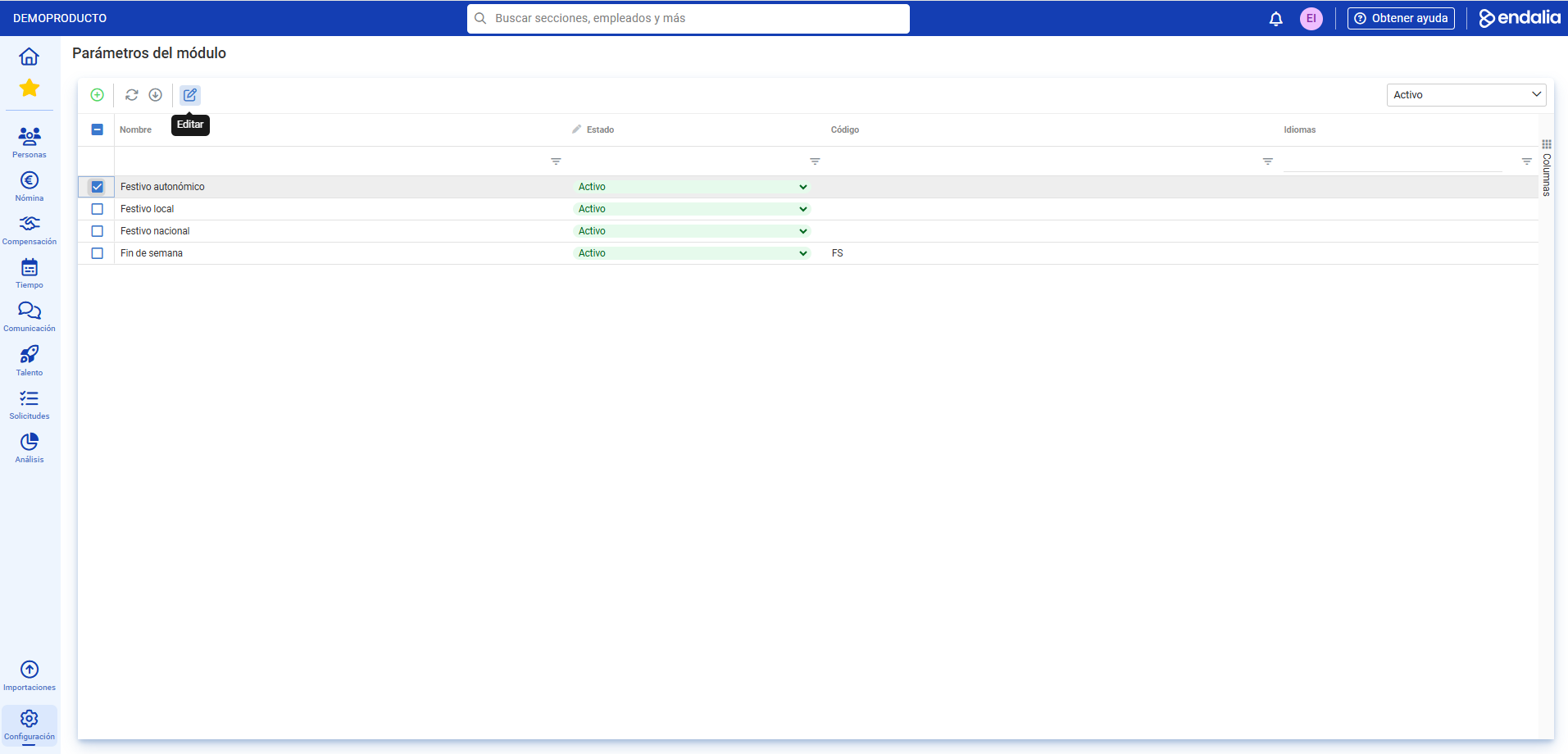
- On this screen, you will see, in the main menu of the record, the Available Holiday Types to apply to the calendar. By default, they include autonomous, local, national holidays, and weekends. Scroll through the different columns to view information related to each of the holidays. Remember that in the State column, you can change it from "Historical" to "Active", and vice versa.
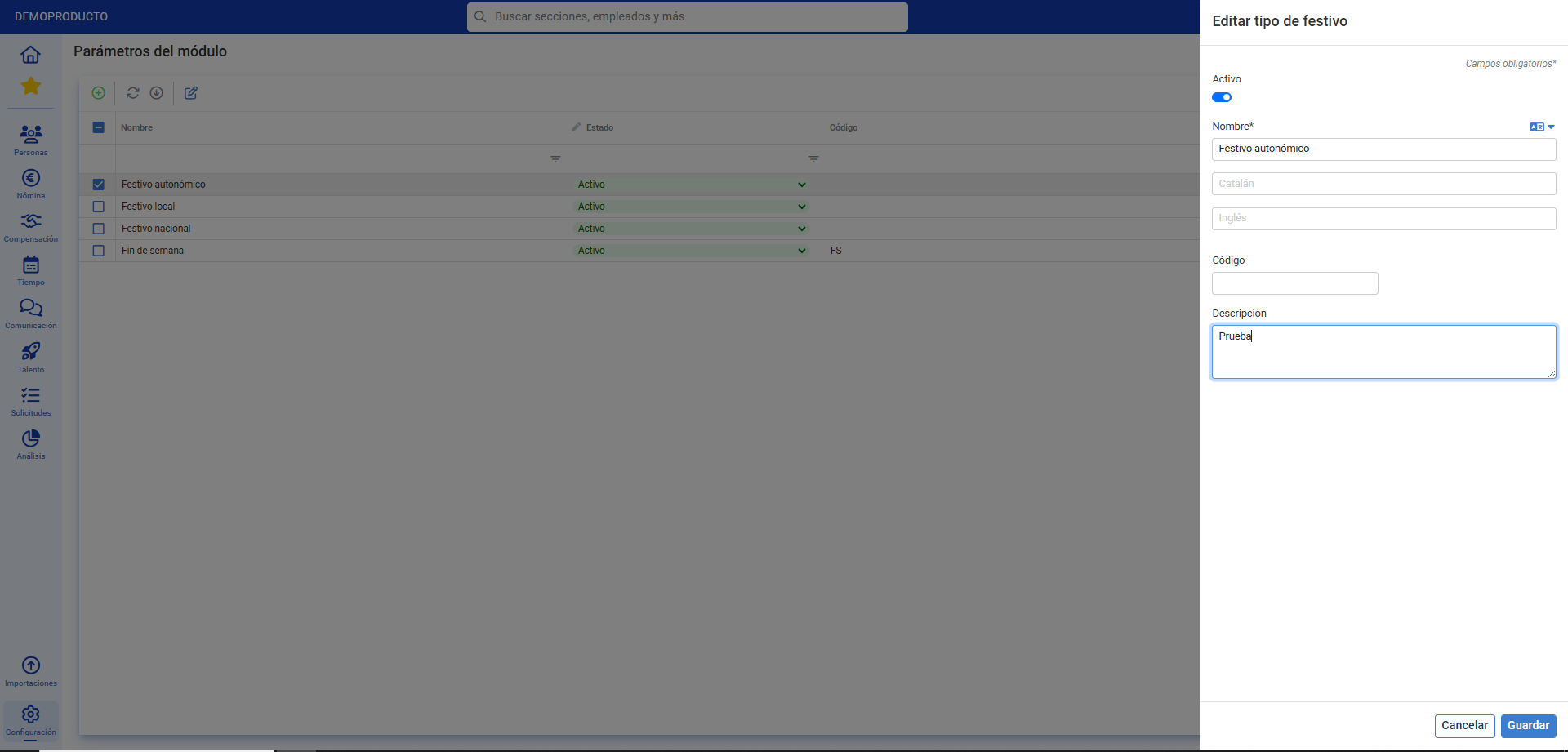
- To edit a holiday, double click on the corresponding row or alternatively, check the box of the desired item and click on Edit Parameter, a button you will find in the toolbar. You can also create new items using the Add Parameter button, in the same location. In the side modal window presented to you, fill in at least the required fields (*) and finally, don't forget to click Save to set your preferences.
Process Video
The dual functionality, Edit Parameter/Add Parameter, summarized here:
Still have questions? Here are more articles that might be helpful:
Additionally, you can view our glossary, available at this link.
Was this article helpful?
That’s Great!
Thank you for your feedback
Sorry! We couldn't be helpful
Thank you for your feedback
Feedback sent
We appreciate your effort and will try to fix the article