Important: this article is aimed at Endalia users with an Administrator profile.
In job management, having specific additional information is key to improving the organization and monitoring of each position. Here we show you how to easily create and configure additional information fields in the positions, tailored to your company's needs.
In this article
Steps to create additional information fields in positions
Within the hub of Configuration, follow these steps to create and manage additional information fields for job positions:
Go to the position configuration Configuration > People > Position Data > Additional Information.
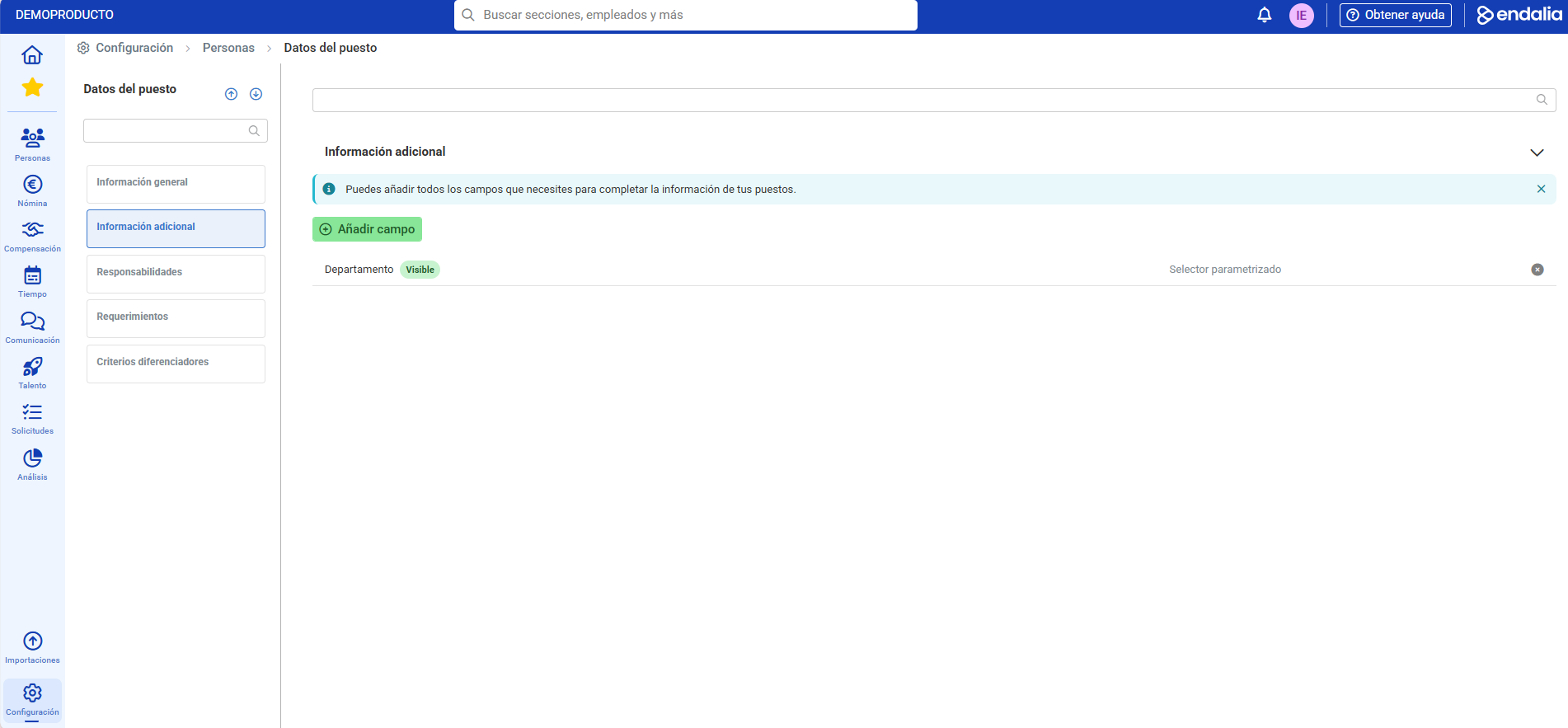
In the Additional Information section, click the "Add Field" button. This button will allow you to create a new additional information field that will appear in the position record.
Next, choose the type of field:
- Text: A field where you can add free information.
- Parameterized selector: A field with predefined options that you can configure later in parameters.
Configure the parameterized selector (if applicable):
If you have chosen Parameterized selector, you must add the parameters (selection options). To do this, reopen the created field and you'll see a shortcut to Parameters.
You can also go to Configuration > People > Module Parameters and find your additional information field to add the necessary options.
Once the field is created and configured, you can see and use it in the Position Record within People > Organizational Structure > Position Record > Additional Information.
Note: Changes in the additional information of positions generate variations that are recorded and can be consulted in the variation history.
Related articles
Want to know more? Check out the following related articles:
If you have doubts about the terms, take a look at our glossary at this link.
Was this article helpful?
That’s Great!
Thank you for your feedback
Sorry! We couldn't be helpful
Thank you for your feedback
Feedback sent
We appreciate your effort and will try to fix the article