Important: this article is aimed at Endalia HR users with an Administrator profile.
In any company, generating absence requests is as important as keeping a detailed record of them, since this largely contributes to the overall proper functioning of the organization.
In this article, you will find:
Requests
- Inside the Time Management hub, click on Vacations and absences > Requests
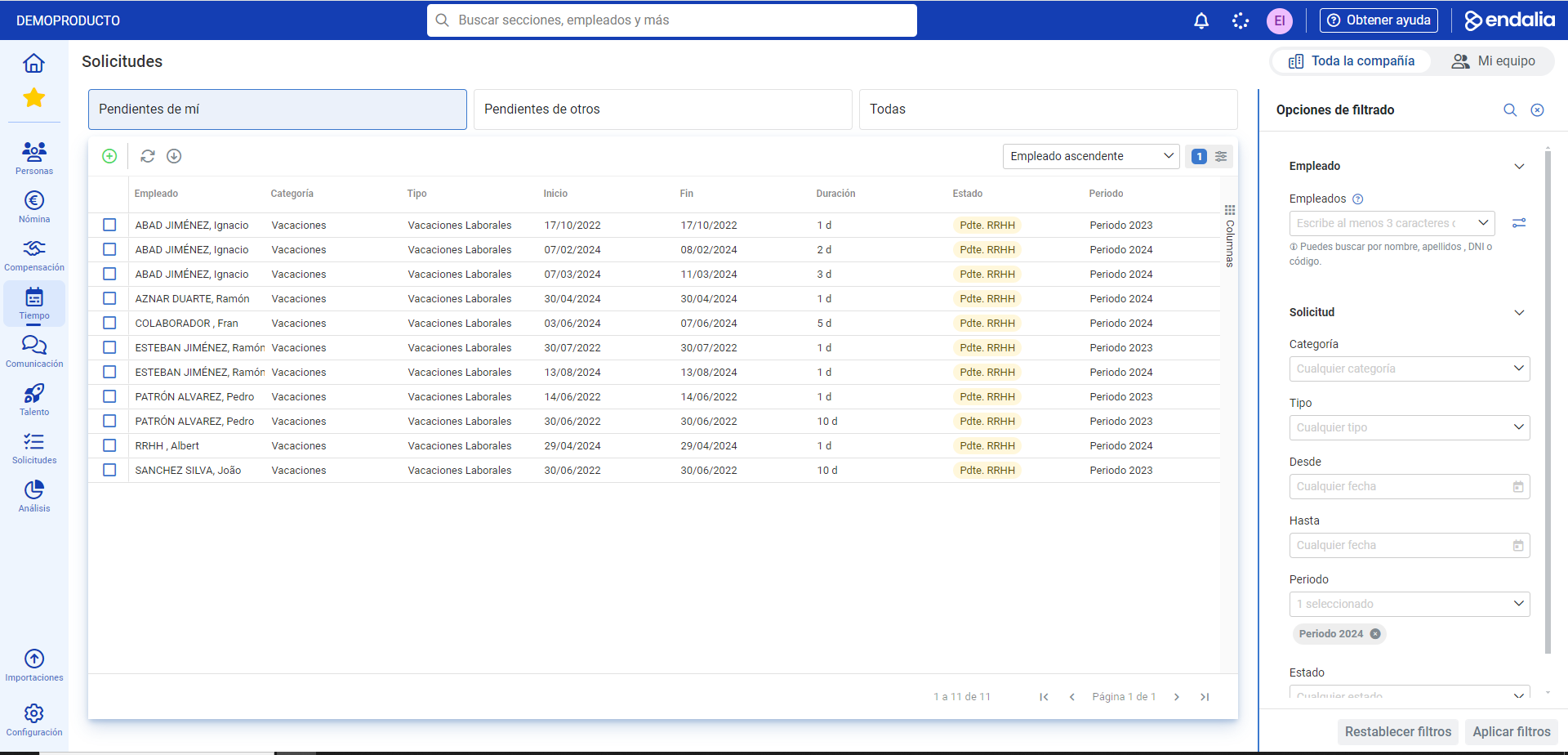
- On this screen, you can view the list of requests in the general list, along with the usual functionalities (update, export to Excel, multiple filtering, etc.). At this point, you can add a new request, which you can access through the Add button available on the toolbar. We present it below:
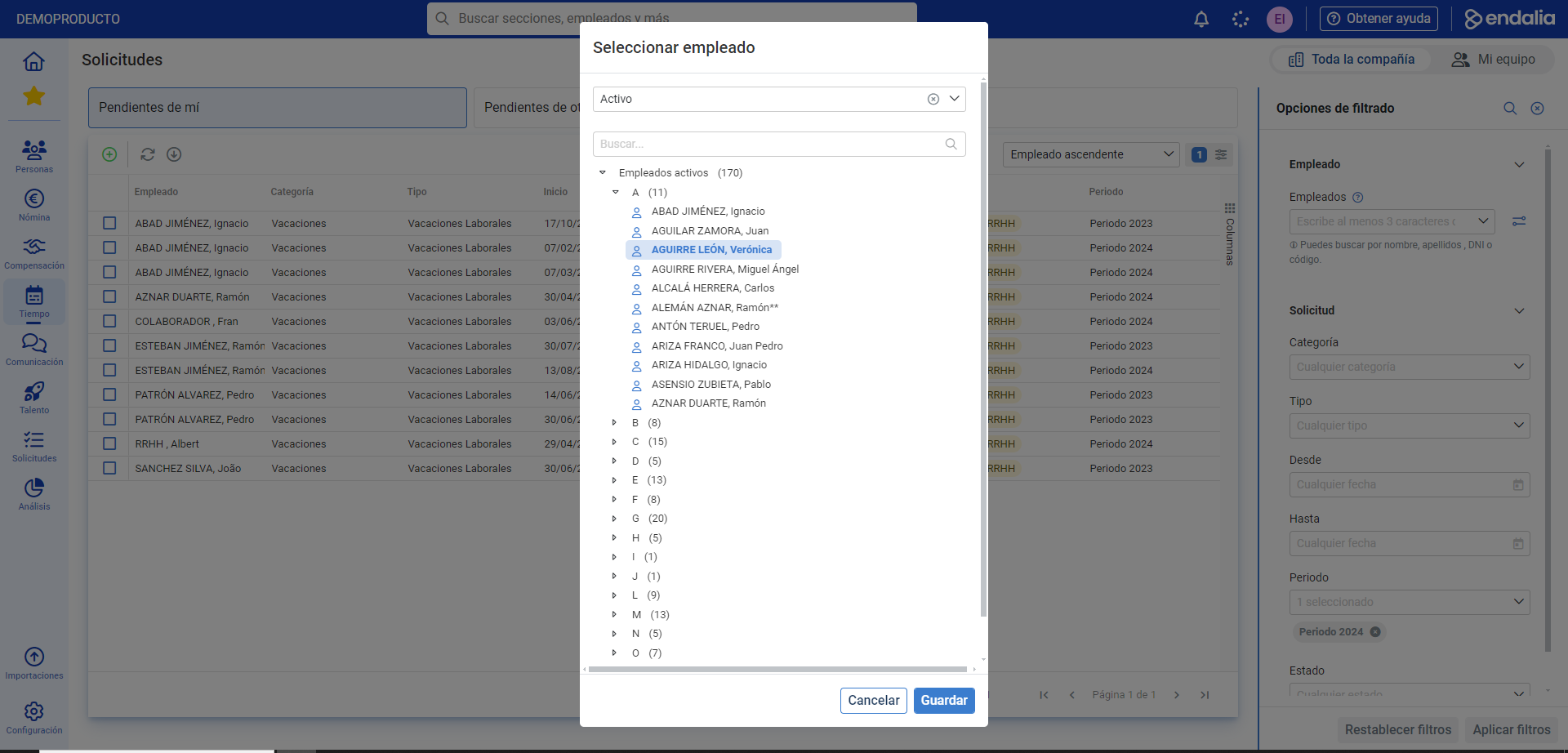
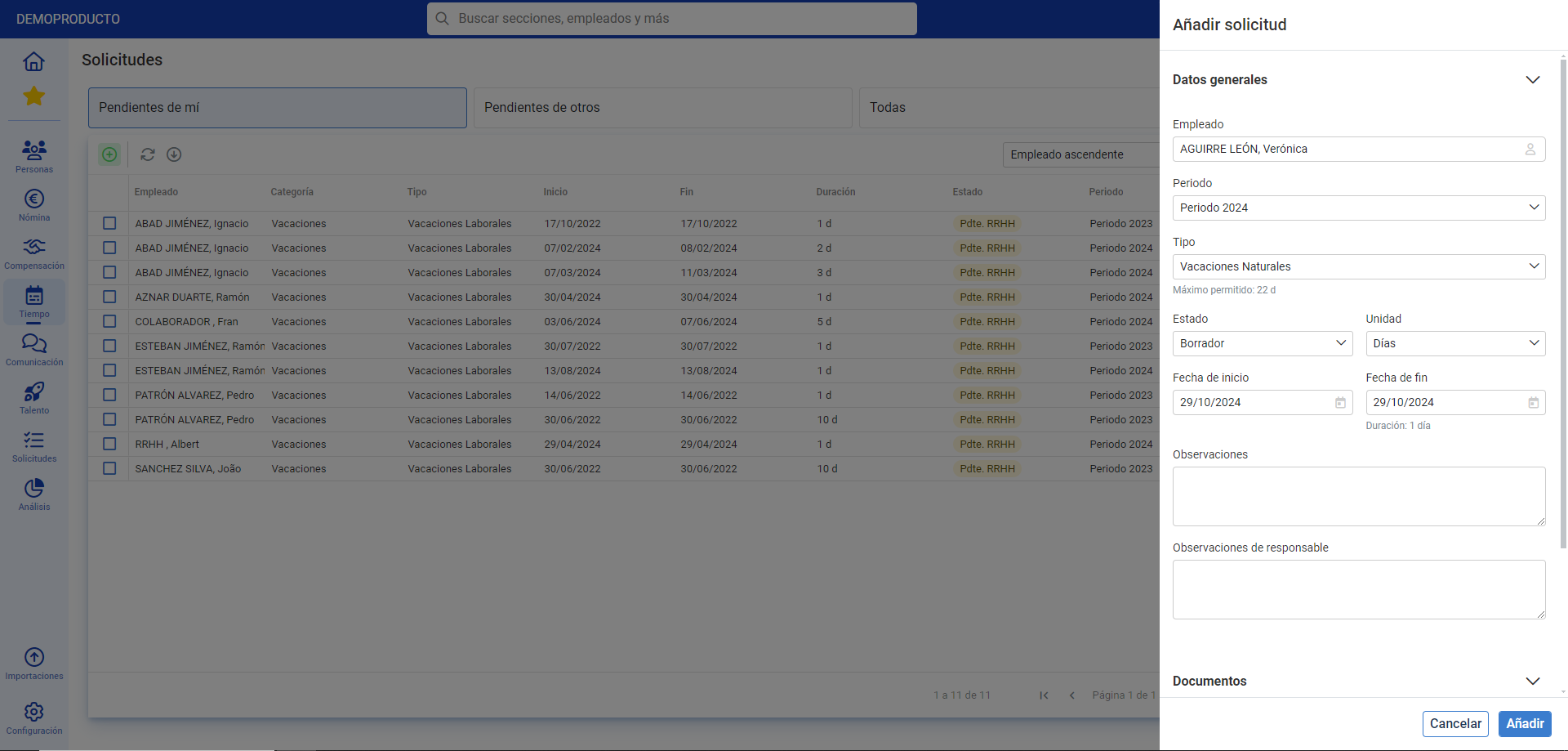
- Add Request: in the presented modal window, select the employee using the structure tree or the search function to associate it. Then, click on Save. In the lateral modal window, Add request, fill in all the relevant fields; you can also attach documentation if necessary. Finally, click on Add
Process Video
Here is a brief overview of the module's functionality:
Still have questions? Here are some other reference articles:
If you have doubts about the terms, check out our glossary at this link.
Was this article helpful?
That’s Great!
Thank you for your feedback
Sorry! We couldn't be helpful
Thank you for your feedback
Feedback sent
We appreciate your effort and will try to fix the article