Important: this article is aimed at Endalia HR users with an Administrator profile.
Thanks to this menu, controlling employee absence dates is now really easy.
Here you will find:
Tracking Calendar
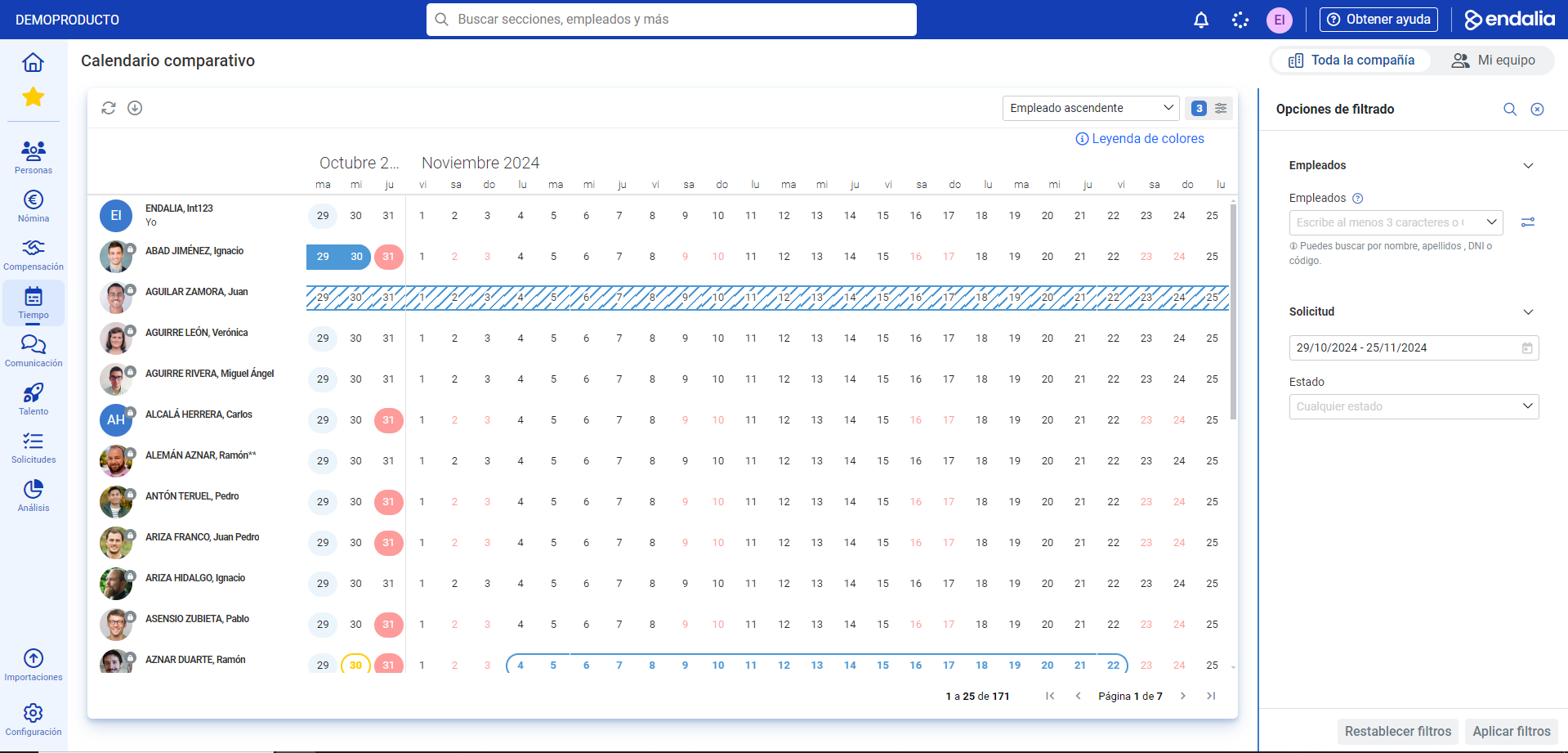
- Within the Time Management hub, click on Vacations and Absences > Comparative Calendar
- In the calendar presented below, you can see a list of employees combined with the current month and part of the next one, showing their vacations and absences represented. Use the legend situated on the right side of the screen to know all the types. And, as in other occasions, the filtering options in the menu situated on the right will allow you to conduct a precise and controlled search using various parameters:
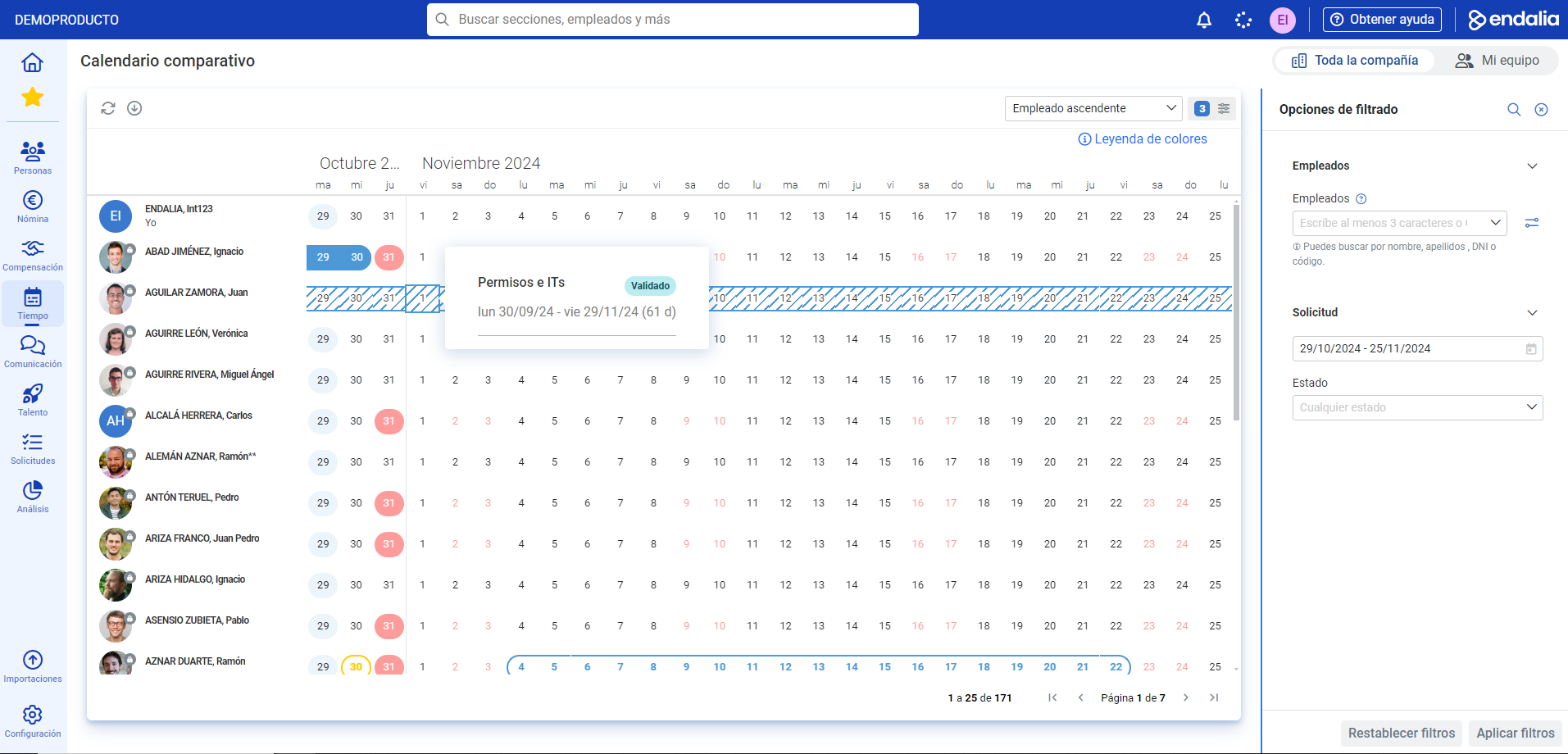
Note: If you have the payroll module associated/contracted (Admin. of people and payroll > Payroll), the requested permissions and IT will also appear on the calendar. You just have to hover over the day to see their status, durations, etc. The color legend will help you locate each of the events:
Still have questions? Here you can find other reference articles:
If you have doubts about the terms, take a look at our glossary at this link.
Was this article helpful?
That’s Great!
Thank you for your feedback
Sorry! We couldn't be helpful
Thank you for your feedback
Feedback sent
We appreciate your effort and will try to fix the article