Important: this article is aimed at Endalia HR users with Administrator profile.
Proper configuration of business data allows access to information in an organized and concise manner. We reveal the keys to maximizing this functionality in this brief article.
In the following text you will find:
Create a company
- Inside the Configuration hub, go to Organization and People > Companies
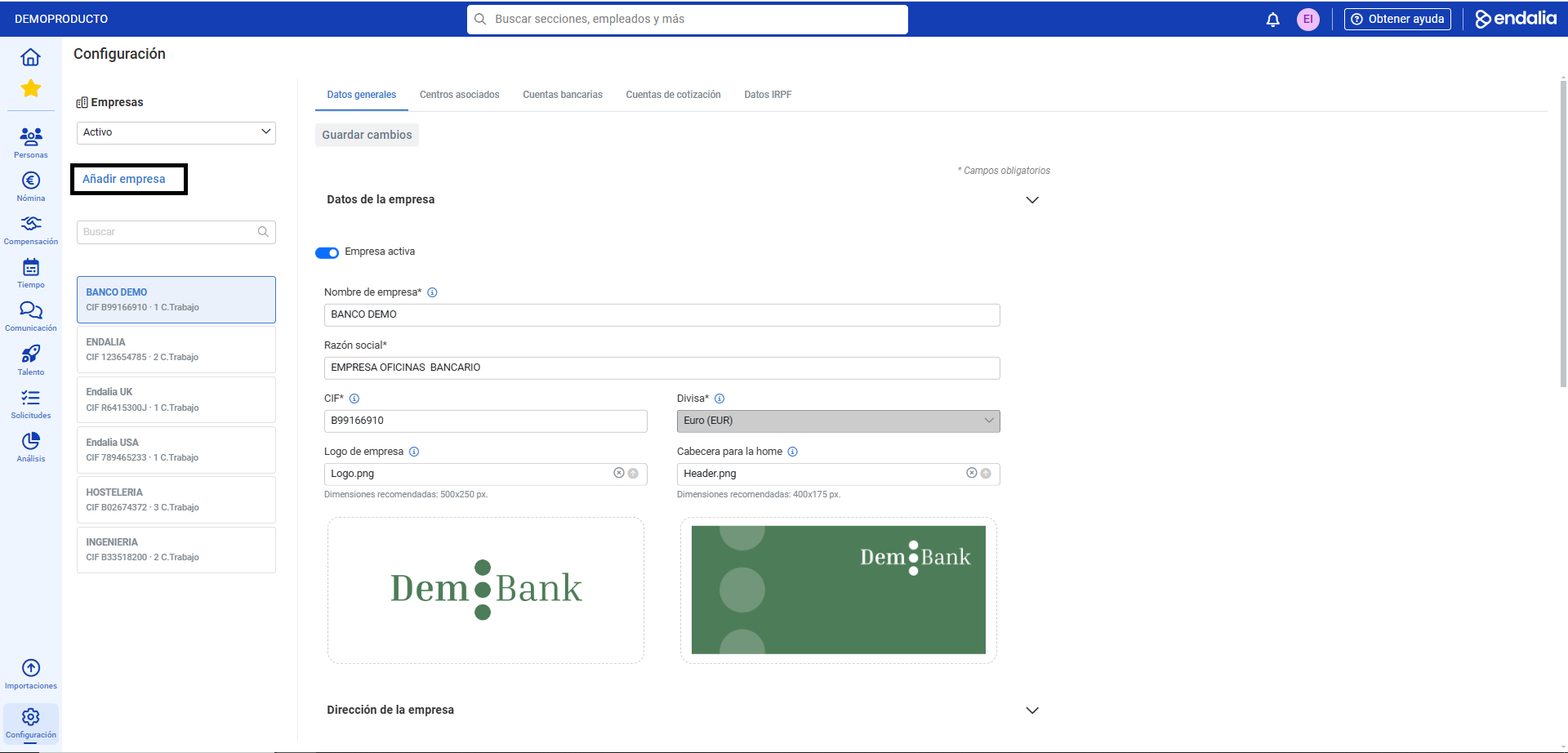
- On this first screen you will find, from top to bottom and left to right, the following elements: the drop-down for company status (Active/Historic), the Add Company button, the search bar, the existing list of companies by status, and the tabs referencing the information fields about these companies, which are divided into:
- General Data: basic information about the company. This screen hosts the Active Company button to keep it in the list of present or historical companies, and the Save changes button, which you must press to apply your preferences.
- Associated Centers: Here, the work centers linked to the company we're viewing information about appear. Click on the Link Work Center option to connect existing centers related to other companies. Choose the option(s) on the respective structure tree and click Link
- Bank Accounts: multiple can be added or a specific one selected for expense payments, etc.
- Contribution Accounts: to enter the required numeric codes for companies to make relevant Social Security contributions.
- IRPF Data: to carry out procedures regarding income tax
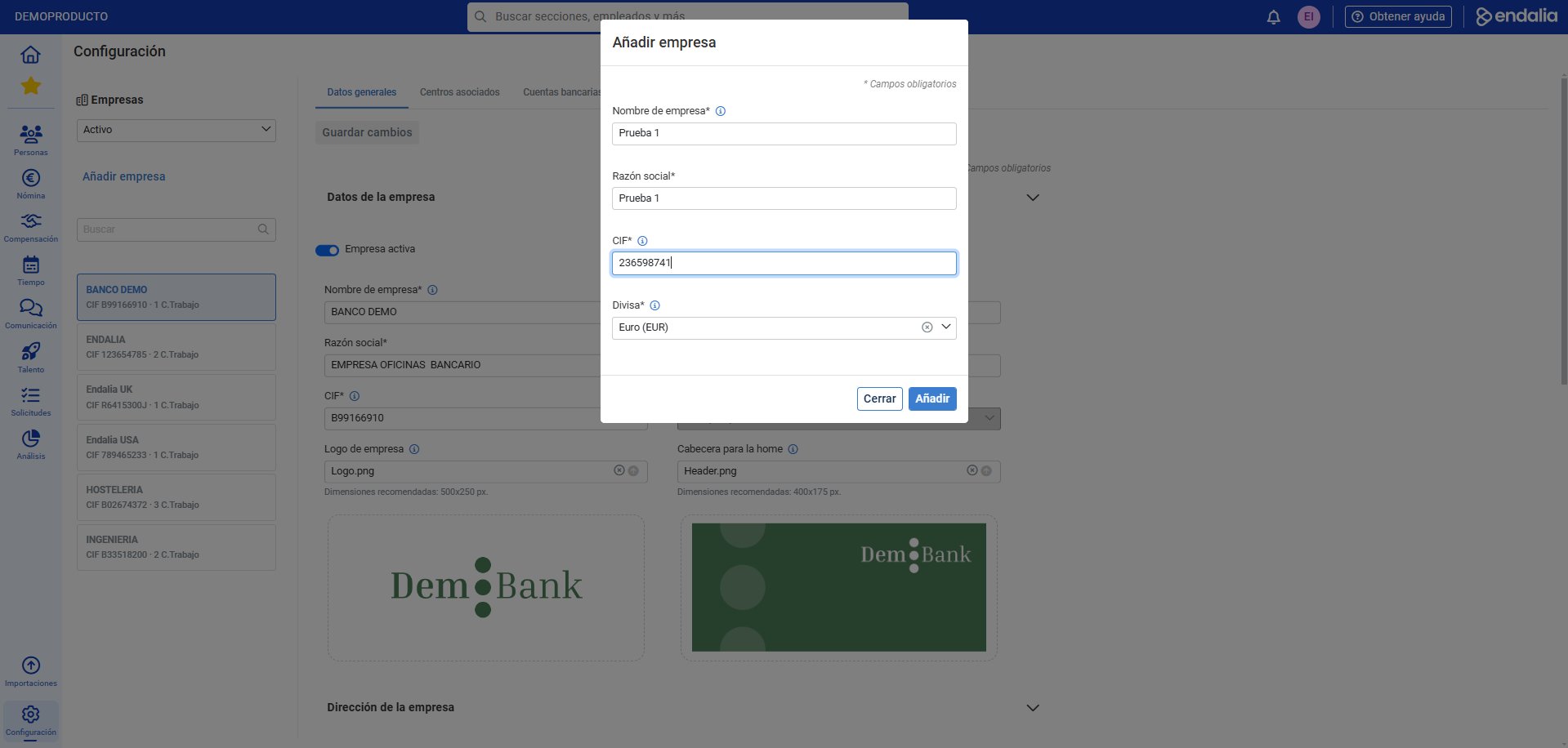
- Therefore, to create a company, follow the aforementioned path: Configuration > Organization and People > Companies > Add Company. In the modal window that appears next, fill in the mandatory fields (*) and finally click the Add button. You can now fill in the remaining fields and tabs related to your new company. Again, remember to click the Save changes button, under the General Data tab and wherever required, to register the entered information:
Video of the functionality
Want to know more? Check the following related articles:
If you have doubts about the terms, take a look at our glossary at this link.
Was this article helpful?
That’s Great!
Thank you for your feedback
Sorry! We couldn't be helpful
Thank you for your feedback
Feedback sent
We appreciate your effort and will try to fix the article