Important: this article is aimed at users of Endalia HR with an Administrator profile.
This simple functionality allows you to disable the tabs in the Configuration > Companies menu, thus preventing the user from managing any of them, except for their logo, thereby externalizing the management to the BPO team.
In this article you will find:
Manage companies and workplaces with payroll BPO
- Within the Configuration hub, go to Organization and people > Module options
- In the General Options section of organization and people > Options, enable the option Restrict editing of data linked to Endalia's payroll service.
- Remember to press the Save changes button, in the upper left corner of the screen, to register the information entered.
Process
First, enable the option: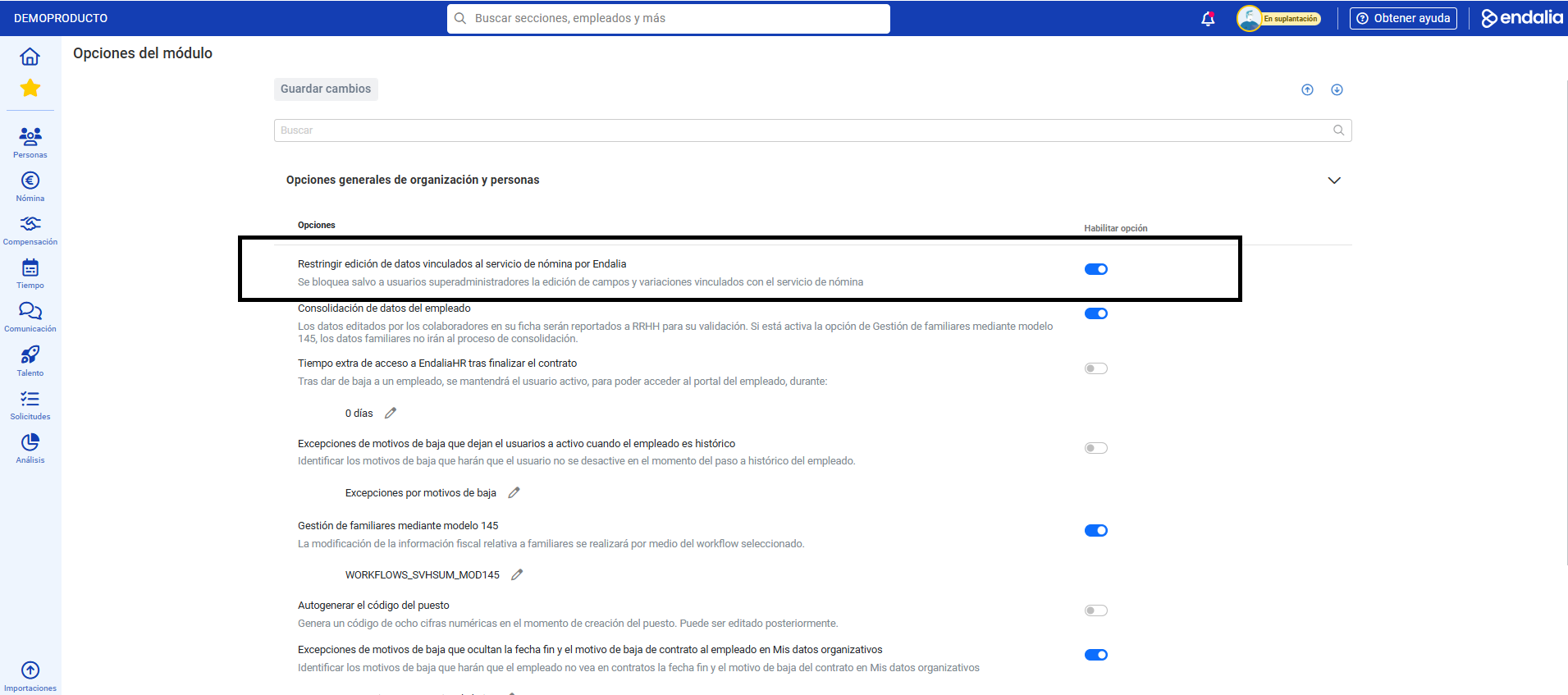
Once the option is activated, go to Configuration > Organization and people > Companies. The message at the top of the screen specifies that now only the company logo can be modified, and the rest of the fields can only be edited by Endalia's BPO: 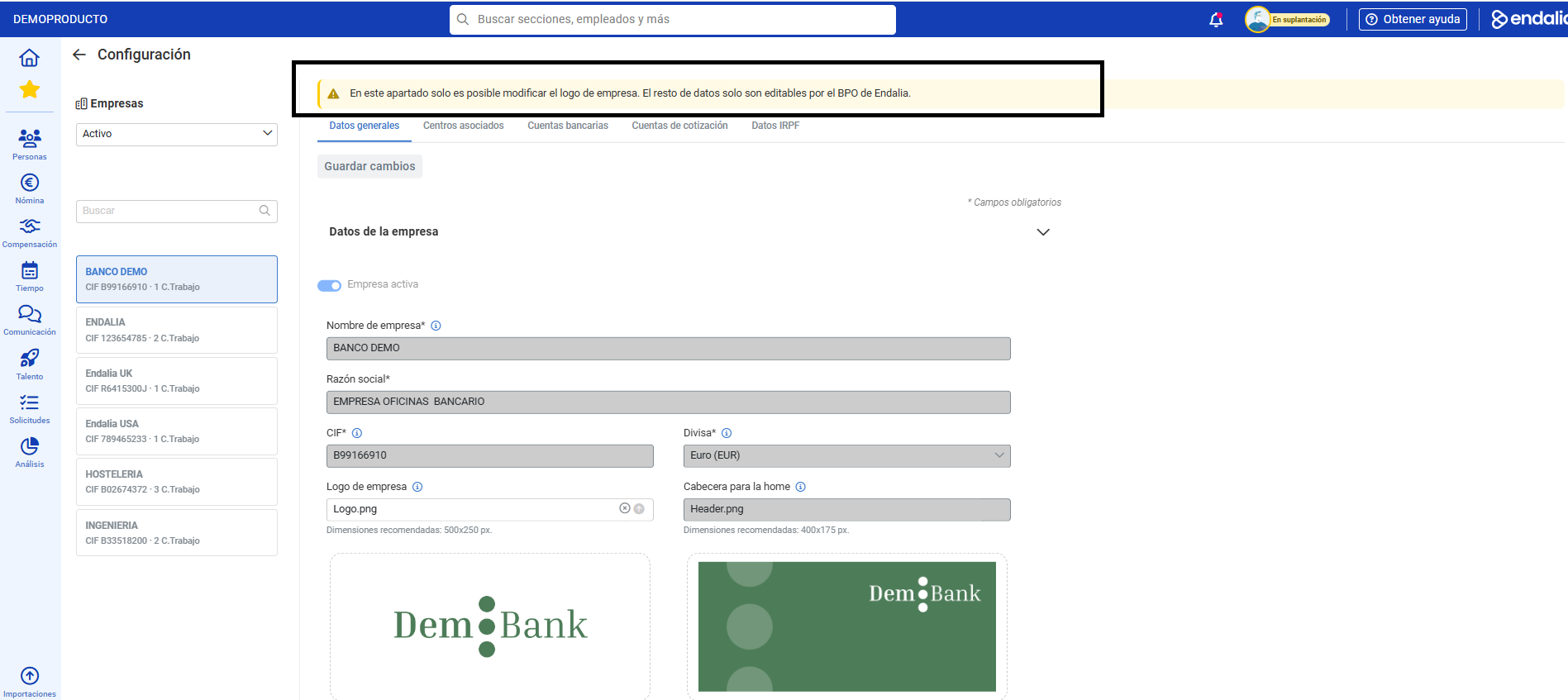
Want to know more? Check the following related articles:
If you have questions about the terms, take a look at our glossary at this link.
Was this article helpful?
That’s Great!
Thank you for your feedback
Sorry! We couldn't be helpful
Thank you for your feedback
Feedback sent
We appreciate your effort and will try to fix the article