Important: This article is aimed at Endalia HR users with an Administrator profile.
It's as important to keep a record of active companies as it is of those that, historically, have been part of the organization. Here you can see how to manage this functionality with a simple tutorial.
In this article you will find:
Move a company/work center to historical status
- Within the Configuration hub, click on Organization and People > Companies or Work Centers
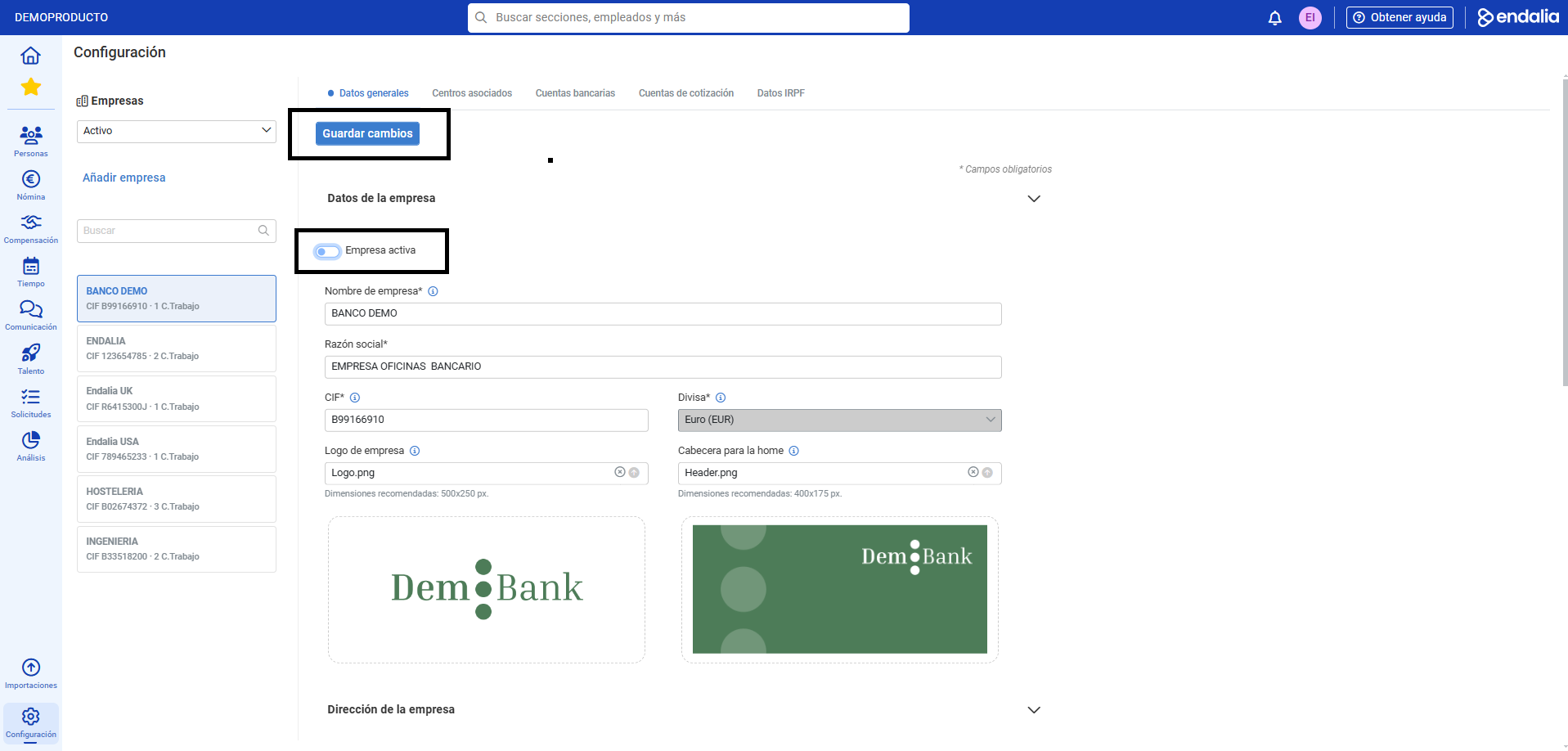
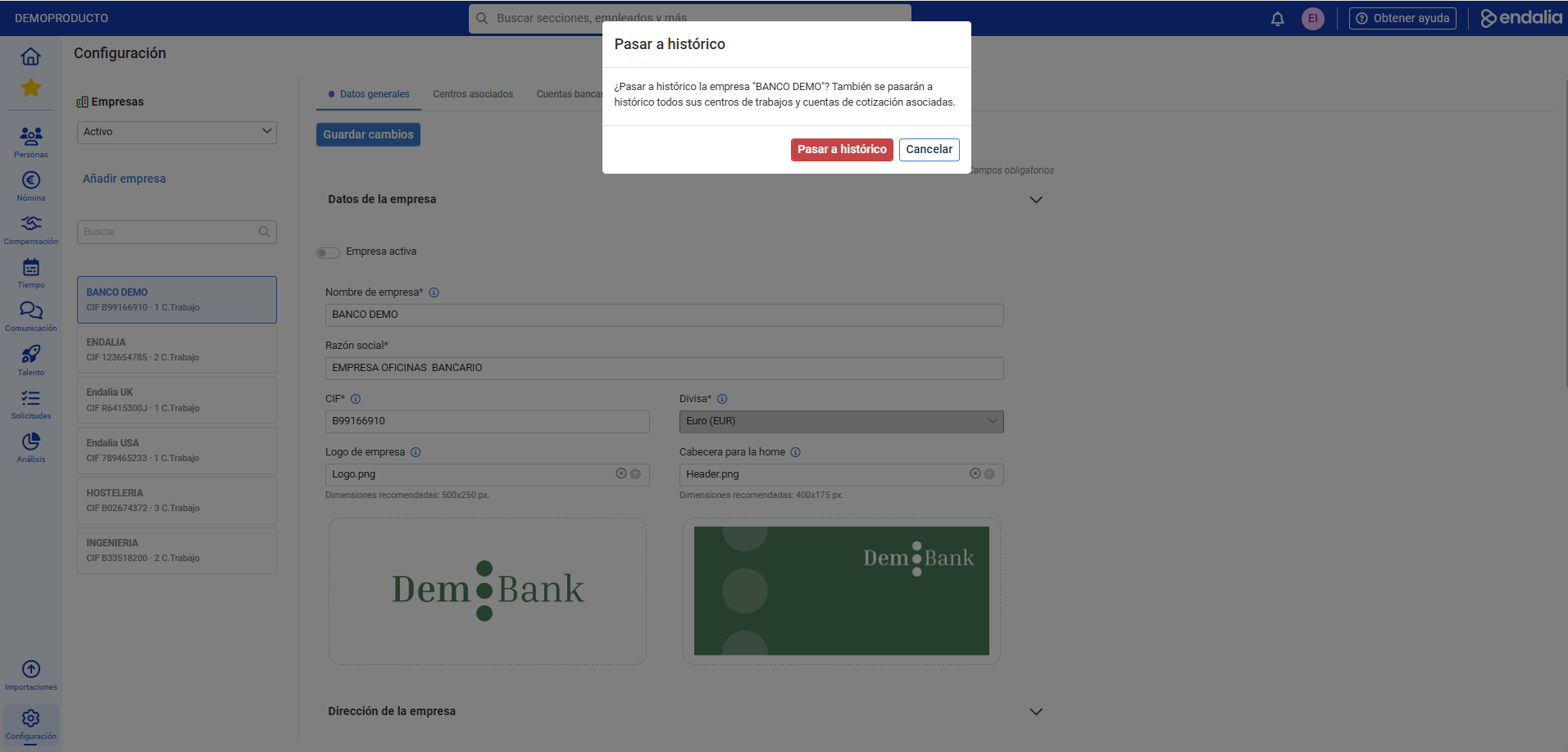
- If you choose the first option, Companies, in the Company Data section, deactivate the Active Company option and then click on Save Changes. In the confirmation modal window, click on the Move to Historical option to make your changes effective. Remember, with the filter, you can view both the list of active companies and those in historical status:
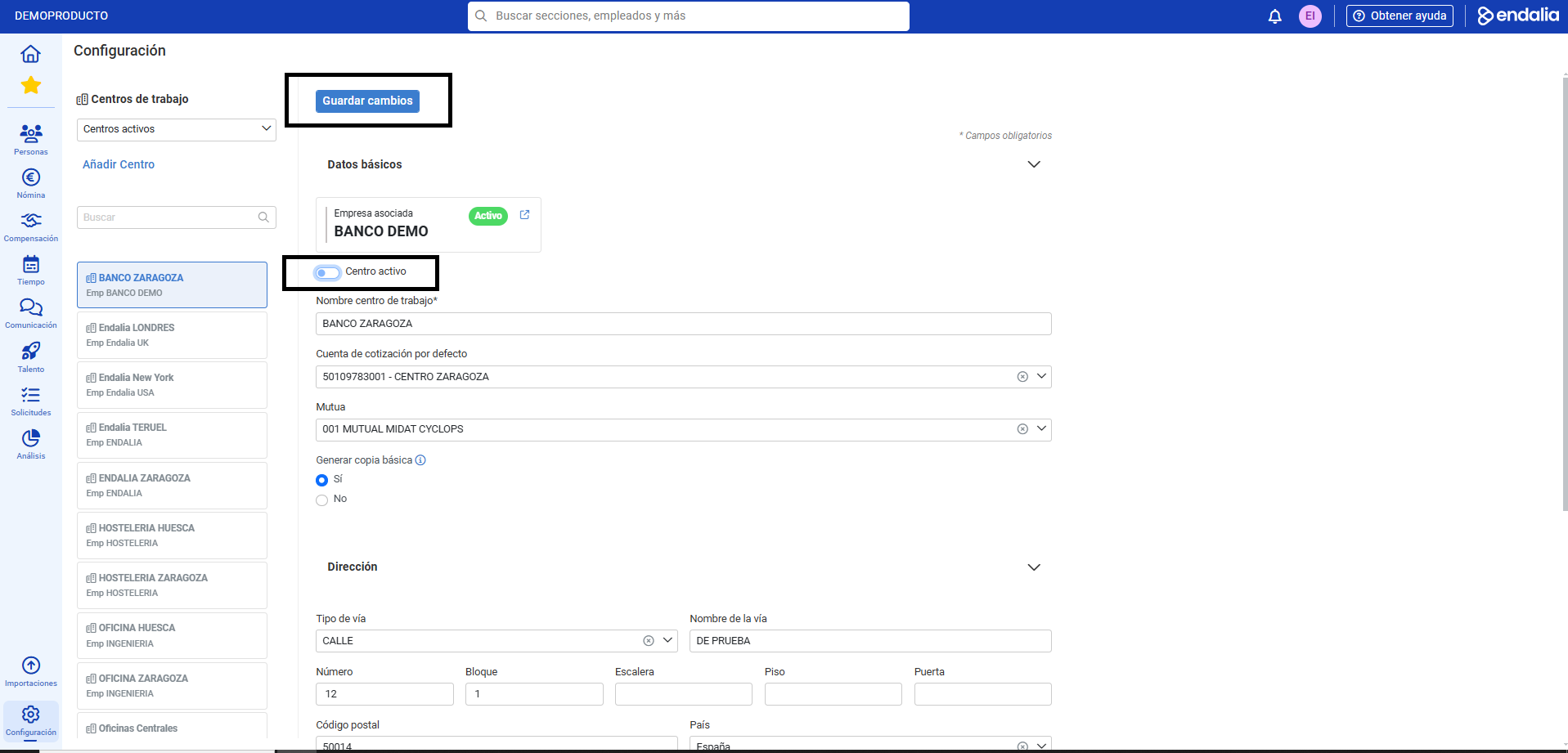
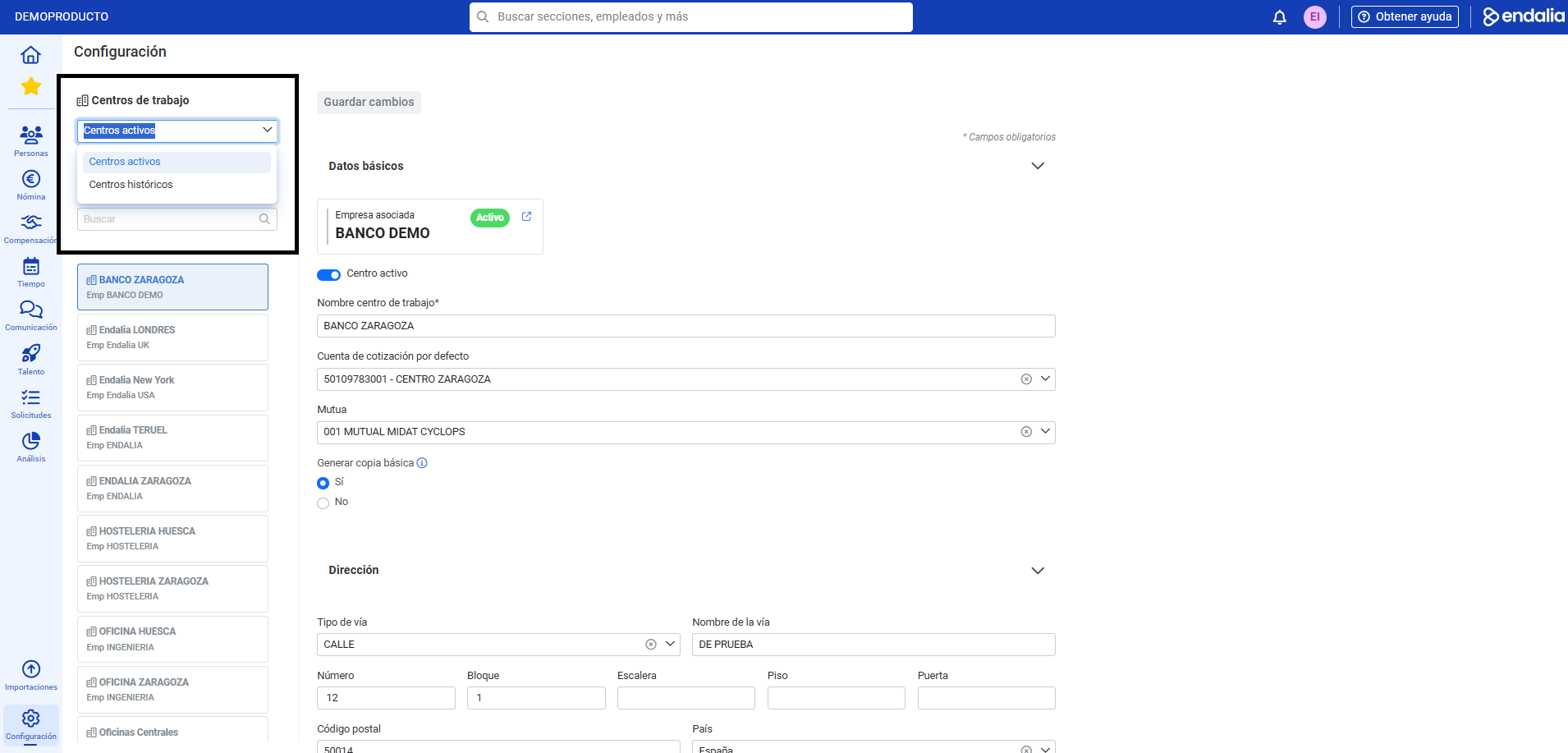
- If you go for the second option, follow the second path proposed in the first section of this document. Choose a Work Center and, in the Basic Data section, deactivate the Active Center tab, and click the Save Changes button. This center will automatically move to the list of Historical Centers, which you can check again in the Work Centers dropdown, in the top left corner of the screen:
Note: When you move a company to historical status, its associated work centers and contribution accounts likewise migrate. Once this process is completed, no category of the company can be modified, except its logo. If you want to move a company back to "active", you must manually migrate the associated work centers, as the system does not perform this function automatically. To do this, reactivate the company (see above in this tutorial), go to the Associated Centers tab, open the center's record, activate the Active Center tab, and finally, click Save Changes.
Process video
Want to know more? Check the following related articles:
If you have doubts about the terms, take a look at our glossary at this link.
Was this article helpful?
That’s Great!
Thank you for your feedback
Sorry! We couldn't be helpful
Thank you for your feedback
Feedback sent
We appreciate your effort and will try to fix the article