Important: this article is intended for Endalia HR users with an Administrator profile.
We refer to spaces that employees need to access due to their work, which should be associated with the companies. In the following mini-tutorial, we show you how to take advantage of this configuration feature.
In the following text you will find:
Create a workplace center
- Within the Configuration hub, go to Organization and People > Workplace Centers
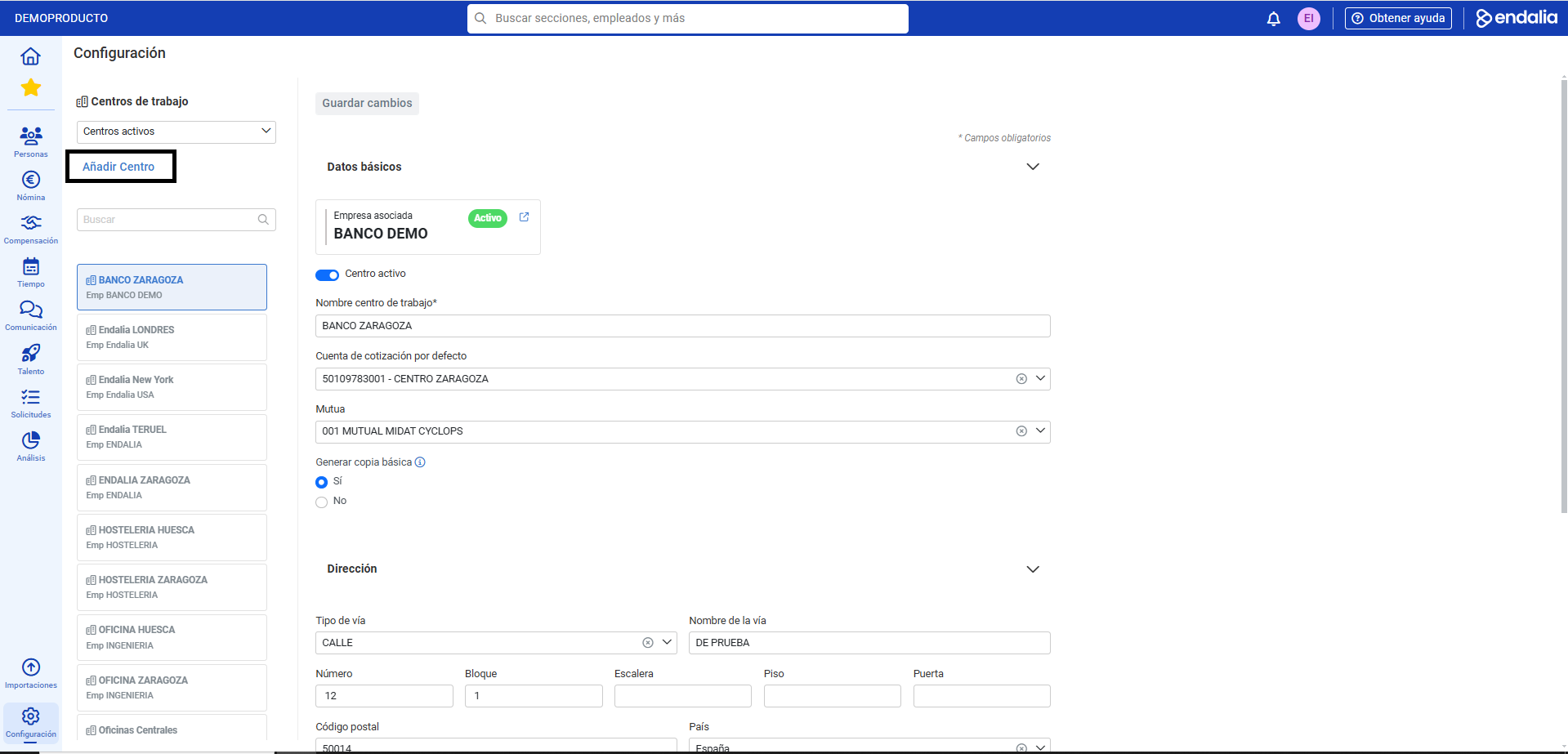
- On this first screen you will find, from top to bottom and from left to right, the following elements: the dropdown for the status of workplace centers (Active/Historical), the search field, the Add Center button, the existing list of workplace centers by status, and the page sections: Basic Data, Address, and Contact Data. Keep in mind that for any data entered, you should use the Save Changes button to finalize your preferences:
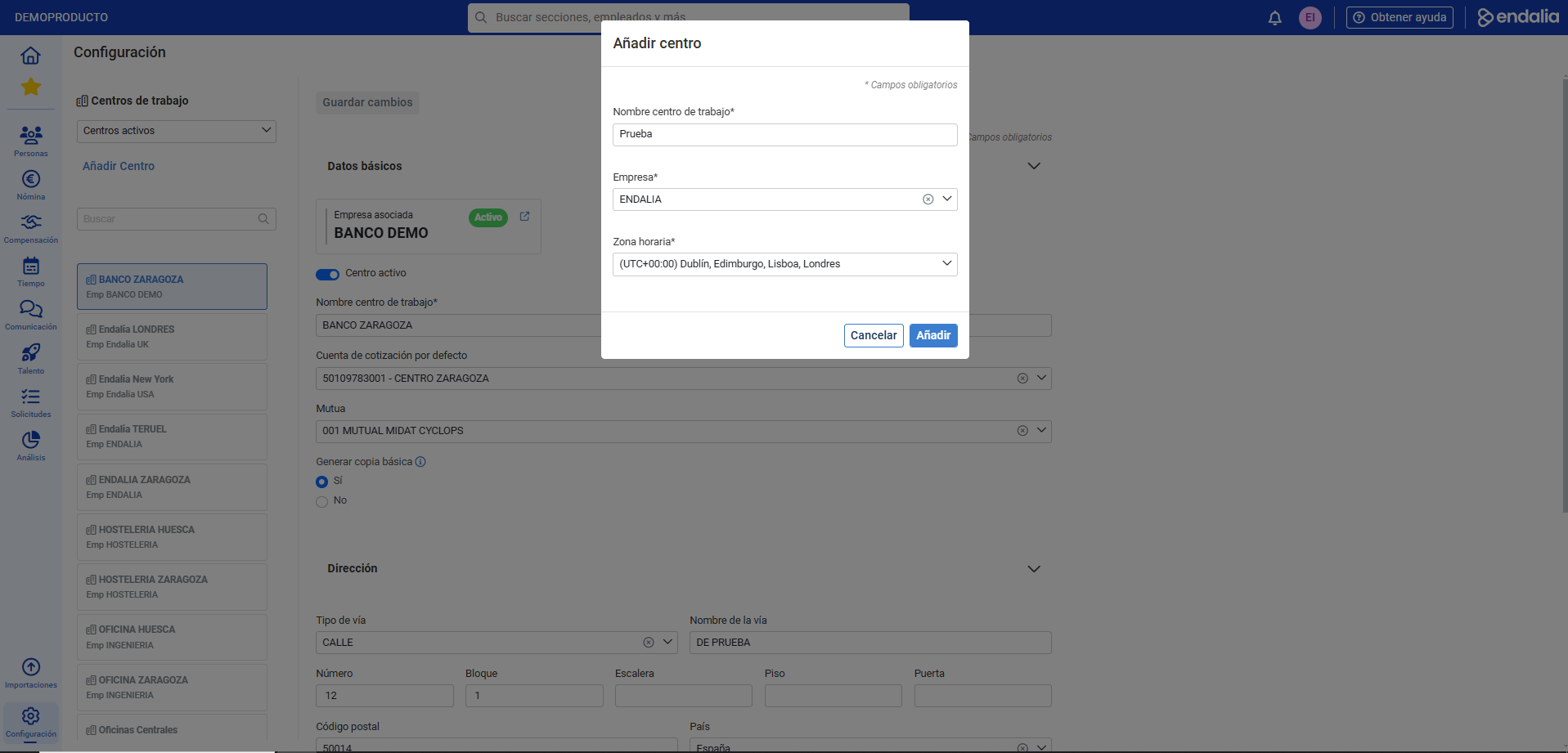
- Therefore, to add a workplace center, click on Add Center, a button that you will find at the top left of the screen. In the modal window that appears next, fill in the mandatory fields (Name or workplace center and Company) and click on Add
Video of the functionality
Do you want to know more? Check out the following related articles:
If you have questions about the terms, take a look at our glossary in this link.
Was this article helpful?
That’s Great!
Thank you for your feedback
Sorry! We couldn't be helpful
Thank you for your feedback
Feedback sent
We appreciate your effort and will try to fix the article