Important: this article is for Endalia HR users with a Manager profile.
For effective personal and professional planning, it's important to know your own and others' available free time. With this comparative calendar, you can organize yourself year after year, without any problems.
Here you will find:
Consult vacations of my colleagues
In Time Management, go to Vacations and Absences > Comparative Calendar
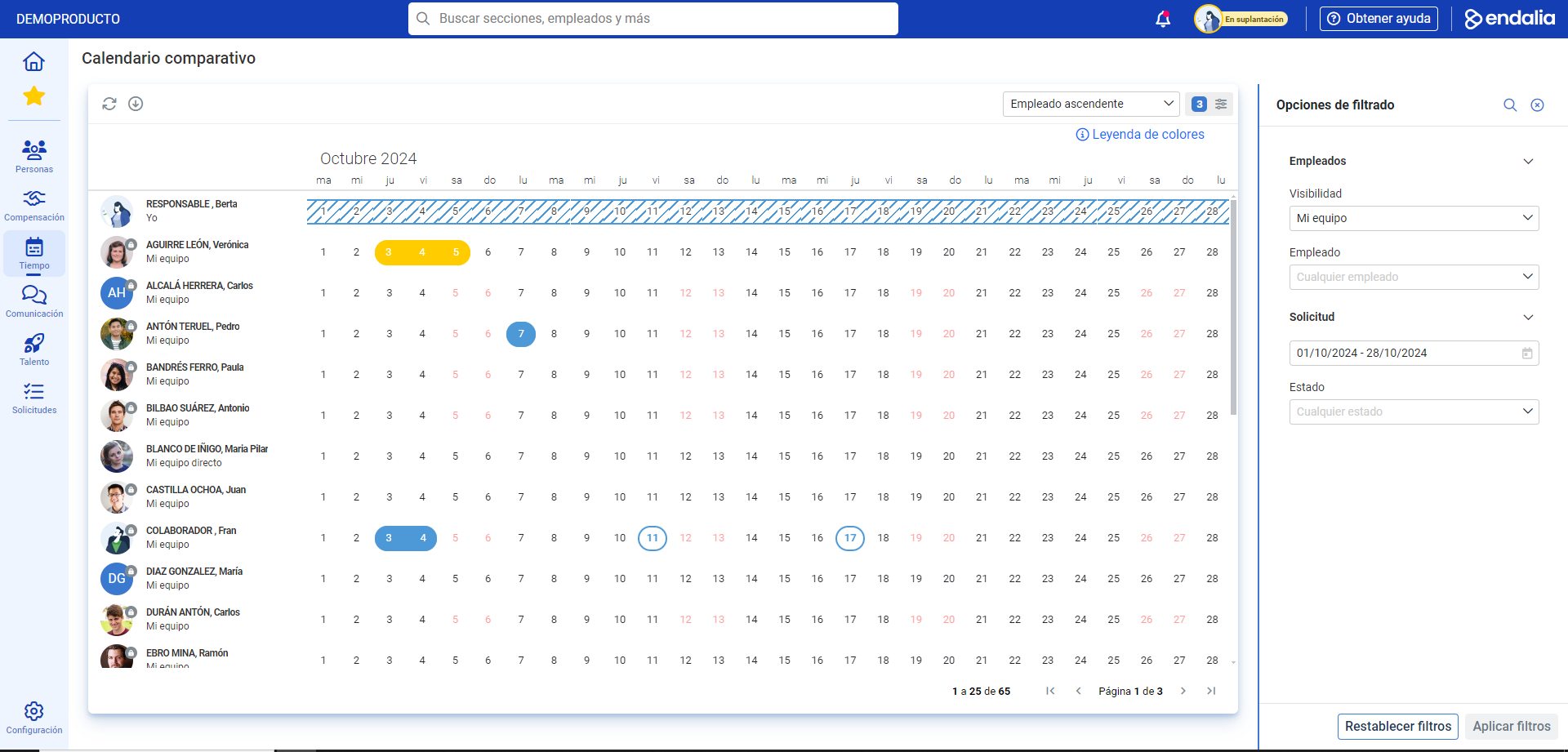
On the screen presented, you have all the information about vacations and absences. You have:
- Filters: to sort information by names, teams, collaborators, direct collaborators, dates, status of different requests, etc. In Filtering Options > Employees > Visibility, you can see, based on prior setup by the administrator (from Module Options), the groups for which you can view data mentioned in this article.

- Employee list: on the left of the screen, you'll see the selection of workers based on your preferences.
- Export Button: to download the necessary information regarding calendars in Excel format.
- Color Legend: allows you to quickly understand the type and status of vacations and absences (draft, validated, approved, etc.; you can also check the status in the filter at the top right of the screen):
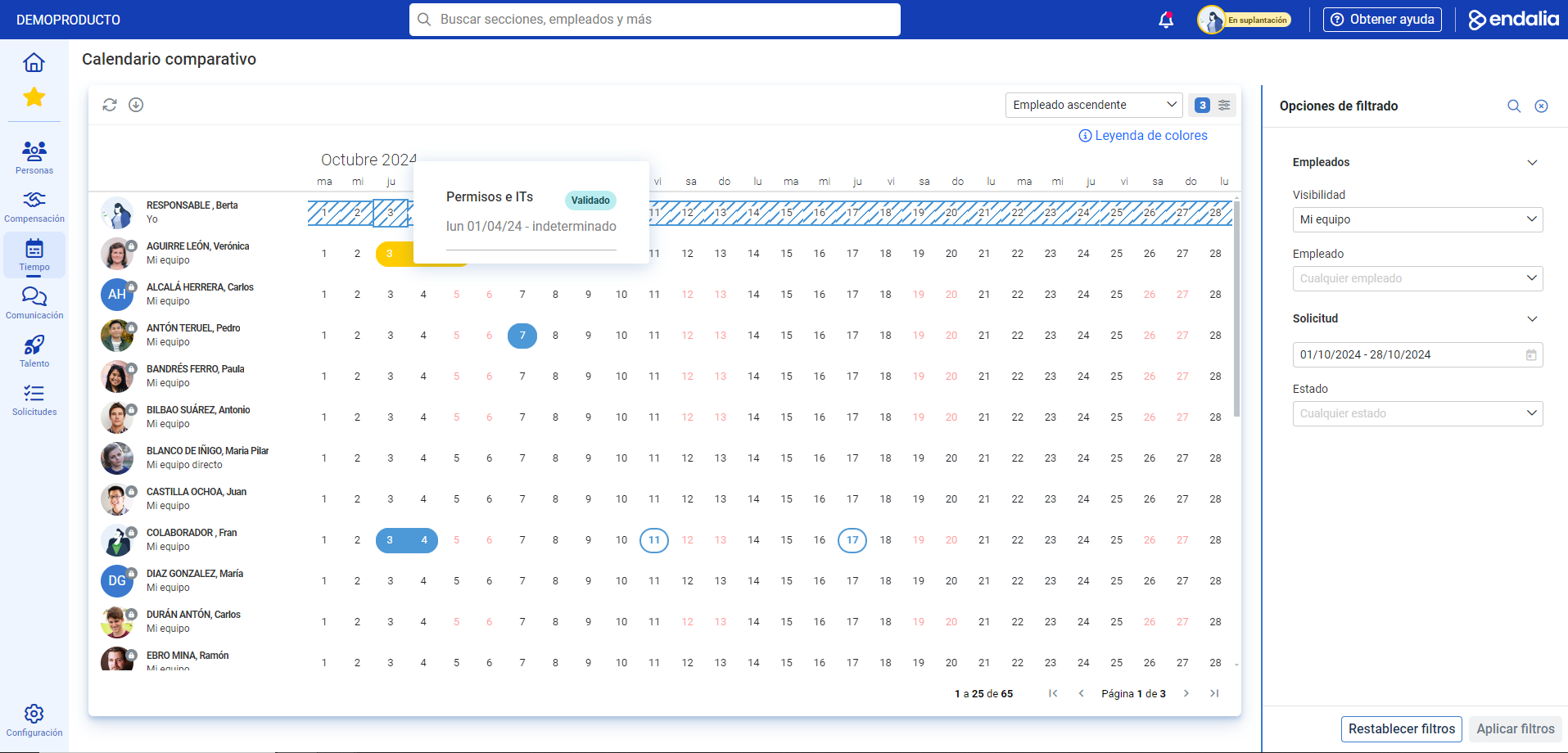
Note: If you have the payroll module linked (HR Admin. and Payroll > Payrolls), permissions and IT requests will also appear in the calendar. Just hover over the day to see the status, durations, etc. The color legend helps you identify each event: Moreover, you can check these related articles:
Request vacations and absences
- Request work compensation
- And our glossary, available in this link.
And to our glossary, available at this link.
Was this article helpful?
That’s Great!
Thank you for your feedback
Sorry! We couldn't be helpful
Thank you for your feedback
Feedback sent
We appreciate your effort and will try to fix the article